






















Save up to 73% on plans

AI Rap Duo Video Generator
Sign In

AI Rap Duo Video Generator

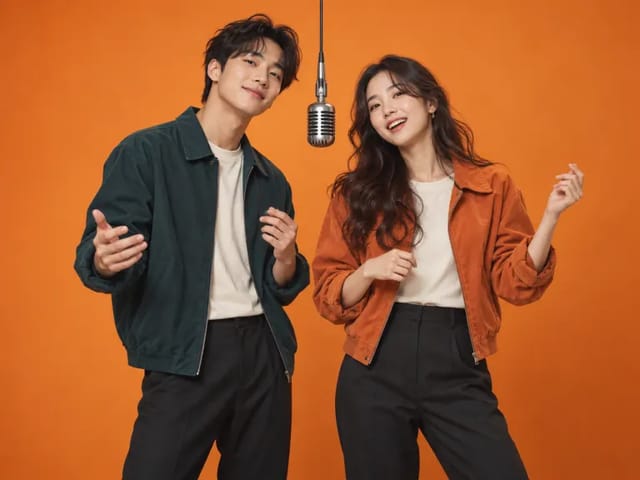
Upload two portraits for a fifteen-second rooftop performance. The first person appears on the left, the second on the right, with an original instrumental beat.

Left performer photo*
Try Sample Images
Right performer photo*
Try Sample Images

Please add the required Left performer photo, Right performer photo before generating.

Public VisibilityAllow this result to appear in public inspiration surfaces.

AI Rap Duo Video Generator

Video

More AI Video Models & Effects

Browse every other AI video model and effect published on this site in a continuous carousel.

A 15-second rooftop duo performance from your photo

Assign one portrait to the left performer and one to the right. An original rooftop performance provides coordinated gestures, warm evening light and a fresh instrumental beat. This is a fixed visual performance template, not a custom lyric writer, voice clone or recreation of a released song. It uses a different scene from Hotel Lobby AI.

See the original example and result

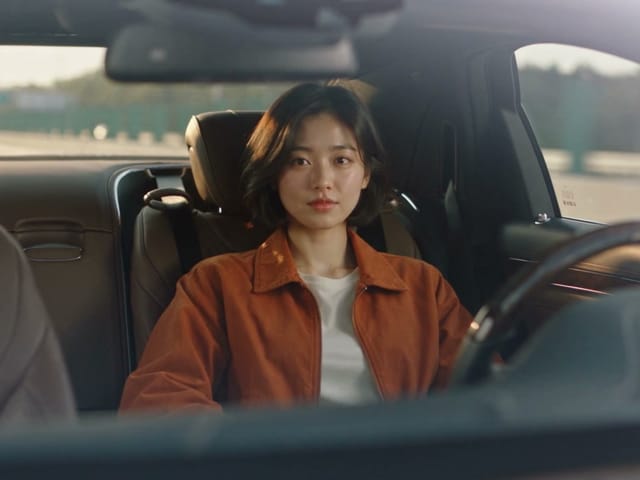
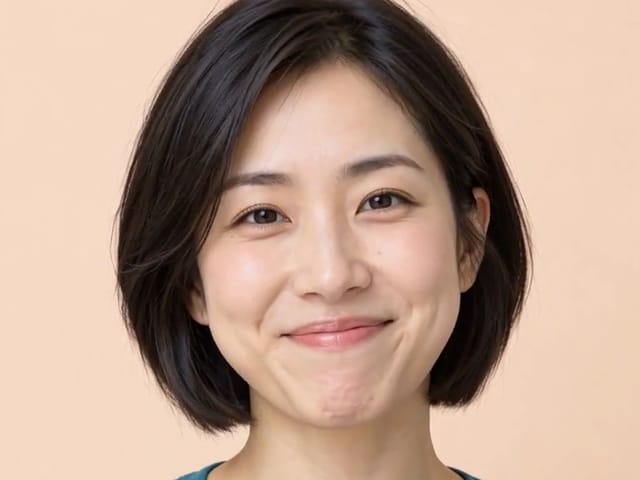
The sample characters, input photographs and reference scenes were newly generated with AI for NanoPic.

15-second rooftop duo performance

The sample characters, input photographs and reference scenes were newly generated with AI for NanoPic. Assign one portrait to the left performer and one to the right. An original rooftop performance provides coordinated gestures, warm evening light and a fresh instrumental beat.

Try My Photo

How it works

1. Choose a clear reference

Start with an in-focus photograph, an unobstructed subject and even lighting. Try the sample to understand the transformation, then use your own image. A clean input makes the result easier to judge.

2. Check the roles and credit estimate

Place each performer in the labeled slot; the order determines the role in the output. Check the displayed model, settings and credit requirement before submitting.

3. Review and download

When the task finishes, inspect the complete output before downloading. Your generation history keeps the task available if you leave the page. Check the existing task before submitting the same input again.

Choose inputs that make the result readable

Subject and edges

Keep the complete subject inside the frame. Avoid cutting off faces, hands, ears or important object edges. A less crowded background helps separate the subject from details the model might interpret differently.

Review the transformation

This is a fixed visual performance template, not a custom lyric writer, voice clone or recreation of a released song. It uses a different scene from Hotel Lobby AI.

Allow for variation

AI can change small details, proportions or movement. The example demonstrates a particular input and output, not a promise that every photograph will behave identically. Check important details at full size before sharing.

A practical guide to choosing, creating and reviewing

Give each performer a separate portrait

The two upload positions establish who appears in the duo. Use one clear person per image, assigning the first portrait to the left performer and the second to the right. Separate photographs are useful even when the two people have never been photographed together. Check each preview before submitting so that the faces are complete and the order matches your intention. A group shot can make it harder to see which person should be used, while the same portrait in both positions produces a different idea from a duo of friends. Choose your pairing deliberately. The left and right roles describe the performance setup, not a guarantee that every movement will look identical to the example. When reviewing the clip, check that each person remains distinct and that the two references have not blended into one generic face.

Use the rooftop setting as part of the idea

This performance takes place in an original rooftop scene with warm evening light and coordinated gestures. It is a different visual setting from Hotel Lobby, rather than the same clip under another name. Watch the example and decide whether that open-air mood fits your pair. Friends celebrating a shared milestone, collaborators introducing themselves or a playful family pairing may all suit a relaxed performance scene. The portraits do not need to include a rooftop or matching backgrounds; the preset supplies the environment. Focus instead on faces that remain recognizable under a new lighting treatment. If you prefer the separate indoor performance, compare the Hotel Lobby example before generating. Choosing the scene first avoids spending credits on an atmosphere that was never the right fit for your project, even if the face transformation itself works well.

Understand the difference between a rap look and a custom song

The template creates a fifteen-second visual performance with an original instrumental beat. It does not accept a lyric brief, clone either participant’s voice or recreate a released song. That boundary matters when planning the joke or message. You can make the pairing personal through the people you choose and the caption you add when sharing, but entering a name elsewhere does not make the performers sing that name. Watch and listen to the example to understand the intended result before starting. If your project requires precise words, a particular vocal delivery or exact lip synchronization to a recording, this fixed scene is not a promise of those capabilities. You can use the generated clip as one visual element in a larger editing project, while treating any separately added audio and timing work as a different creative step.

Balance the quality of the two references

A duo is only as readable as its harder-to-recognize face. If one photograph is sharp and the other is a tiny crop, the finished pairing may feel uneven even when the overall scene is attractive. Try to give both people similarly clear references. Even lighting, visible eyes and a relaxed expression provide useful detail. The two portraits do not need identical clothing, but heavy filters or extreme side angles can make identity comparison harder. Avoid hiding the jaw or mouth behind a hand. If one person wears glasses, choose a photograph with minimal glare so the eyes are still visible. Compare the two previews at roughly the same size before generating. This quick check is often more useful than finding a dramatic background, because the background of the input is not the main information this performance needs.

Review the partnership as well as each face

Watch the whole clip to see whether the pair feels like it belongs in the same scene. Then compare each face with its own reference. Pay attention to moments when the performers gesture, turn or briefly overlap. A clear identity at the beginning does not guarantee that it stays clear through every movement. Check hands, shoulders and the space between the two people, especially if a gesture crosses the center of the frame. Also listen to the finished file rather than judging a muted preview alone. The visual rhythm and the instrumental track should feel suitable for the use you have in mind, without assuming there are personalized vocals. You may accept small stylized differences for a private joke, while a public creator introduction calls for closer review of both the faces and the complete performance.

Plan a message that works without custom lyrics

Choose a pairing that carries its own meaning: two longtime friends, a sibling team or collaborators who share a project. A short caption can explain the occasion without asking the template to perform a written script. For a birthday, the humor might be recognizing an unexpected duo; for a collaboration, it might be seeing two people who normally work in different places share a stage. Keep the message outside the generated scene if it requires exact spelling. This workflow does not provide editable lettering or spoken-name controls. Ask the other participant before posting their likeness, and consider showing them the result first. A scene can be playful while still giving both people a say in how they appear. If you need several versions, decide what you are comparing so each new generation has a clear purpose.

Make a focused improvement rather than many blind retries

If the left performer looks good but the right performer is unclear, keep the first portrait and replace only the second. Try a clearer image, less glare or a more direct angle. If the identities appear in the wrong roles, correct the upload order instead of changing both images unnecessarily. Keep track of the references used for each result so you can compare them honestly. A more dramatic photograph is not always a better identity reference; a simple, sharp portrait can be more useful. Review the existing task status before submitting another request, and check the displayed credit cost for every generation. When a result finishes, watch it before deciding whether another attempt is worthwhile. The purpose of a retry is to address a specific weakness, not to assume that more submissions automatically produce a better duo.

Choose between rooftop, lobby and singer-and-drummer scenes

The rooftop duo is built around two performers sharing a coordinated stage moment. Hotel Lobby offers a different setting and performance reference. The APT-inspired page gives the pair distinct singer and drummer roles. These differences affect the kind of joke, introduction or celebration that each clip can communicate. Compare the examples rather than choosing only by the most familiar keyword. Your photographs establish who appears, while the scene determines the relationship between those people in the video. If none of the preset scenes fits the story, a broader video generator is a better place to explore a custom idea. Before sharing any result, check the full downloaded file, its sound and any crop you apply in another editor. Make sure your final caption describes an AI-created performance rather than implying that the people recorded a real rooftop session.

AI Rap Duo questions

What will I receive?

You receive a 15-second rooftop duo performance. This is a fixed visual performance template, not a custom lyric writer, voice clone or recreation of a released song. It uses a different scene from Hotel Lobby AI.

Do I need to write a prompt?

No. Upload the required photograph or photos and start the generation. NanoPic applies this effect automatically, so you can focus on choosing the subject and reviewing the result.

Which photos should I use?

Use photographs you have permission to use. For a two-person template, provide one clear person per image rather than a crowded group. The sample adults are fictional AI-generated characters.

Does generation use credits?

Each generation consumes the displayed credits. Video generation requires sufficient credits and is not unlimited free.

How is this different from nearby tools?

This template uses an original rooftop duo scene. Hotel Lobby is a separate performance with a different setting and motion reference.

Choose a related creative workflow

Choose by the input you have and the result you want to make.

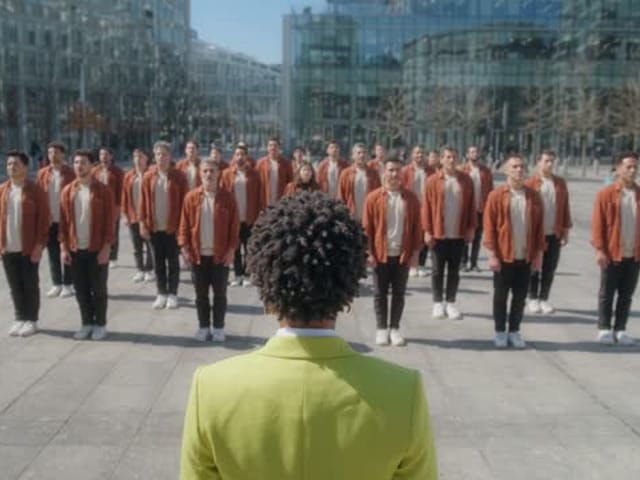
Hotel Lobby AI Video Generator — thematic cover illustration

Hotel Lobby performance

Compare the example and input requirements before choosing a workflow for your idea.

Explore tool
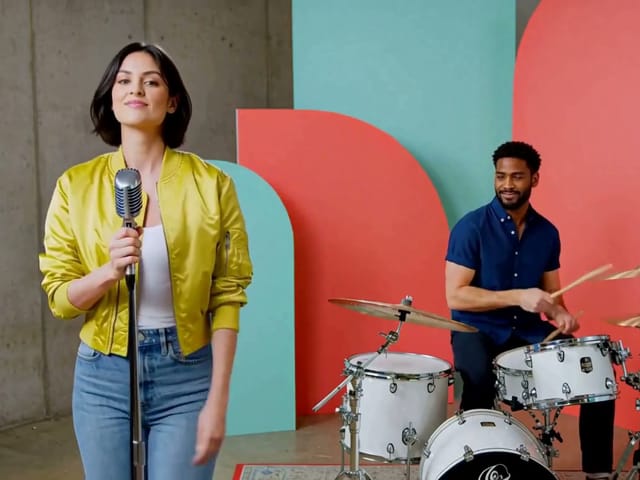
15-second singer-and-drummer performance

Singer and drummer video

Compare the example and input requirements before choosing a workflow for your idea.

Explore tool
AI Video Generator — thematic cover illustration

More video creation

Compare the example and input requirements before choosing a workflow for your idea.

Explore tool

Start with your own photo

Review the example, choose your input and check the credit estimate.