











Save up to 73% on plans

AI Face Dance Generator
Sign In

AI Face Dance Generator

Animate one portrait with MiniMax H3. Five seconds, 768P; check credits below.

Upload Portrait*
Try an Original Portrait
Public VisibilityAllow this result to appear in public inspiration surfaces.

AI Face Dance Generator

Video

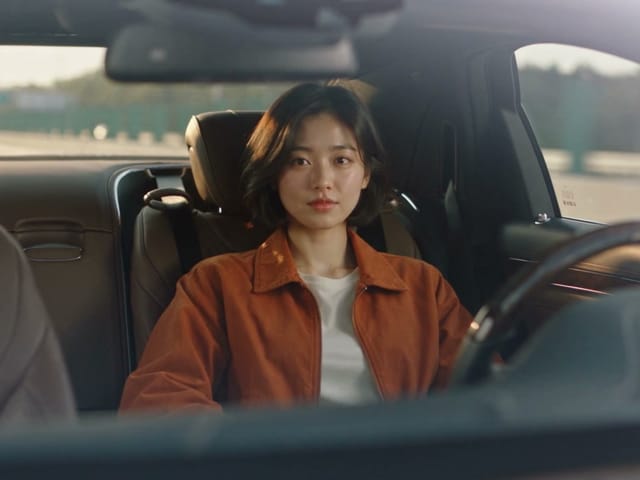
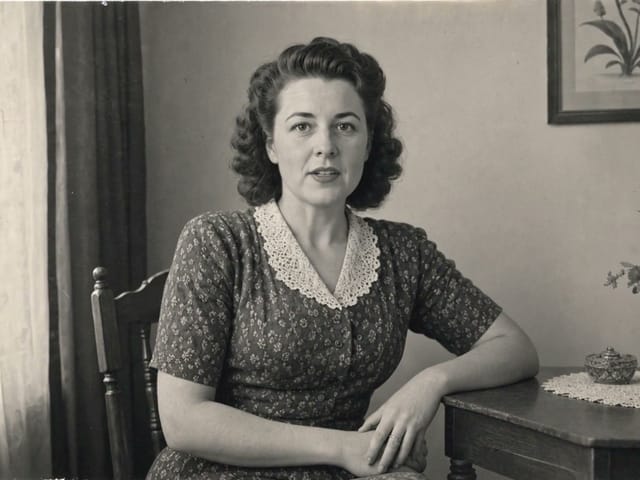
Original portrait example: smiles and blinks
1 / 2

More AI Video Models & Effects

Browse every other AI video model and effect published on this site in a continuous carousel.

A Small Performance, Told Through Expressions

A still portrait can carry a whole little reaction. This template concentrates the performance on eyebrows, eyes, cheeks and the corners of the mouth, with small natural head movements to connect the expressions. Use it for a cheerful reaction, a personal greeting or an early character-motion idea. You supply one photograph; the animation direction is already selected. There is no dance-reference video to find and no choreography to write. The original framing gives the face room to remain recognizable. Watch the actual example and open its input photo before trying your own. Each generation is an interpretation, so the preview is the place to judge whether the expression suits your person and your message.

How to Make a Face Dance Video

1. Choose a Clear Portrait

Start with one adult facing the camera, with visible eyebrows, eyes and mouth. Keep the entire head and chin inside the frame. Even lighting and a simple background make small expression changes easier to see. A head-and-shoulders crop is useful because hands and arms stay outside the scene. Avoid a hand across the cheek, hair covering both eyes, sunglasses or very strong shadows. The sample portrait is a fictional AI-created adult, so you can explore the controls without uploading a personal photograph.

2. Review the Settings and Generate

The template uses a five-second, 768P image-to-video setting and applies its facial-animation direction automatically. Select the sample or upload your portrait, sign in, and review the credit amount shown beside the generation control. You do not need to supply a written prompt, song or motion reference. This workflow creates a visual expression clip; it does not synchronize your face to a song you choose. Leave the request running and return to the result or task history when it finishes.

3. Play, Check and Download

Play the entire result before downloading it. Compare the face outline, eyes, hair and clothing with the input, then look at the transition between expressions. The face should remain readable while the background stays calm. Reject a result with invented hands, identity changes, flickering eyes or a stretched mouth. A pleasant still frame alone is not enough to judge the clip. Download a result you like and describe it as an AI animation when sharing it, especially when the source depicts a real person.

Choose a Photo That Leaves Room for Expression

Readable Eyes and Eyebrows

A relaxed face with open eyes and a closed mouth gives the animation a clear starting point. Heavy beauty filters, an extreme profile or a wide-open mouth can make the result harder to compare. The tool is not a restoration service and cannot reliably reconstruct missing facial detail. If the eyes are blurred in the input, choose a sharper source instead of expecting motion to repair them.

A Close Crop and a Quiet Background

Give the face enough space to be seen on a phone while keeping the top of the head and both sides of the hair visible. A plain wall or studio backdrop is easier to assess than a crowded scene. Group photographs and hands holding objects introduce details that this one-person template does not need. Your source framing influences the result; a portrait crop is useful for vertical viewing, but the tool does not add social-platform frames or captions.

Use a Portrait You May Animate

Use your own photograph, an adult portrait you have permission to process, or an original fictional character. A generated expression is not evidence that a person made that expression or endorsed a message. Ask before using someone else’s likeness in a greeting or campaign. Keep the original photo and the downloaded output so that you can distinguish the source from the animation later.

Ideas for a Short Facial Performance

Reactions and Greetings

A raised eyebrow or a quick smile can set the mood for a friendly message. Add your own caption in an editor after downloading the clip. Keep the animation as a playful visual introduction rather than relying on an ambiguous expression to communicate important news. Five seconds is enough to test a reaction without building a longer edit.

Character Expression Studies

Use an original portrait to explore whether a gentle grin, blink or cheek movement fits a character’s personality. Compare the start and end of the clip with the still image before keeping the study. Illustrated characters may behave differently from the realistic adult shown in the example. Treat each new style as a fresh creative test, not as a guarantee of the same motion.

AI Face Dance Generator FAQ

Does it make the whole body dance?

This page is designed for facial expression animation, with only small head movement. It does not offer full-body choreography or a selected dance routine. For a performance involving two people or a crowd, use a dedicated dance template and review that workflow’s input requirements.

Do I need a prompt or reference video?

No. Upload one portrait and the template supplies the animation direction. There is no reference-video upload on this page. Your task is identified by the template name, and the result lets you inspect the source material and generated video.

Will the face stay exactly the same?

The template aims to retain identity and natural proportions, but generated frames can still drift. Compare the eyes, face shape, hairline and mouth with the source throughout playback. Do not keep a result simply because its opening frame looks correct.

Is generation free?

Browsing the page and watching examples are free. Creating a video requires sign-in and consumes credits. Check the current amount shown beside the generation control before starting. A new generation is a separate task, so repeated attempts use additional credits.

Can it lip-sync to my own song?

This template has no song upload or exact lip-sync control. Its purpose is facial expression, not a sung performance. Listen to any audio in the generated file before sharing. You can mute it or add audio you have permission to use in your own video editor.

Which model and settings does this page use?

The template uses MiniMax H3 image-to-video at 768P for a five-second output. The examples are actual generated clips paired with their original inputs. Different portraits can produce different expressions and motion, so review every result.

Give Your Portrait a Playful Moment

Choose the example or upload a portrait, review the settings, and preview your own short facial performance.