









































































































Free ai age filter
Sign In

Free ai age filter

Upload an authorized adult portrait. Free signup credits help you start; generation uses credits. Free-credit images include a watermark; paid-credit images do not. Results are entertainment-only, not predictions of aging or health.

Start with one age direction, then adjust the editable notes below.

Upload an Authorized Portrait*
Try a Fictional Portrait Sample

287 / 500

Public Visibility
Copy Protection
Credits required:-

Free ai age filter

Image

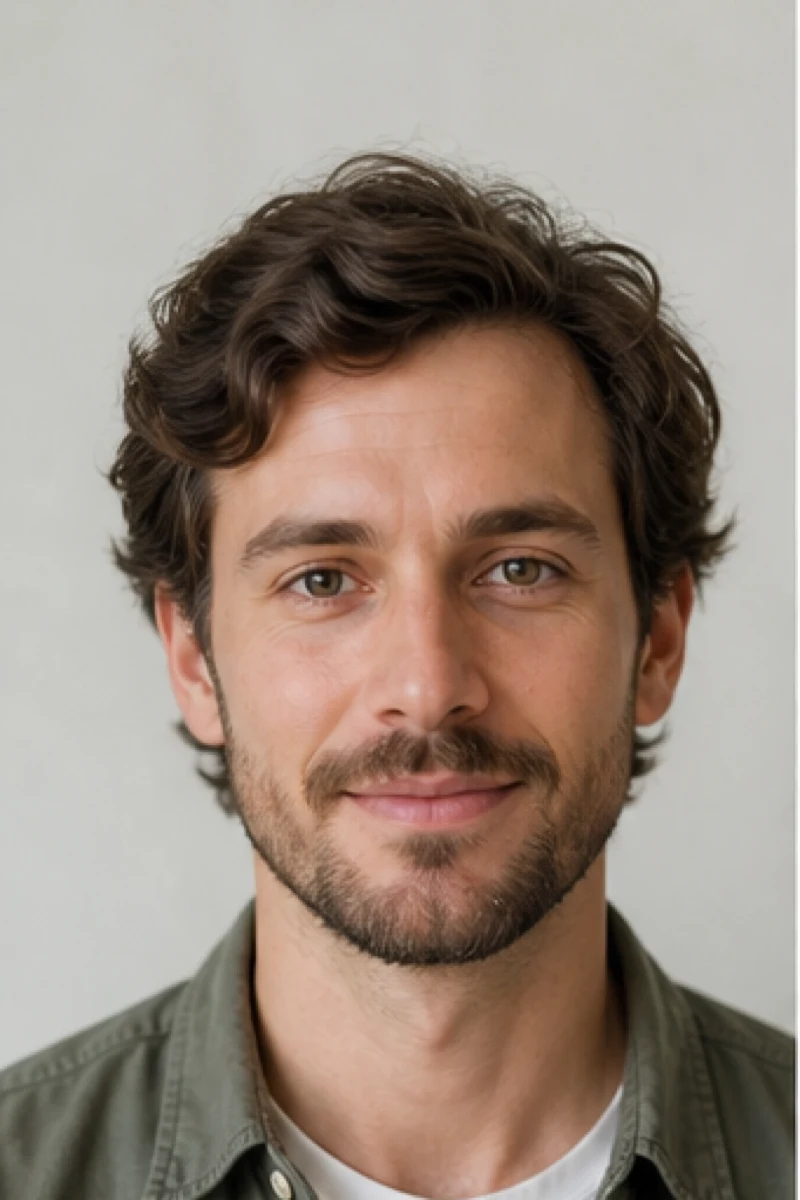
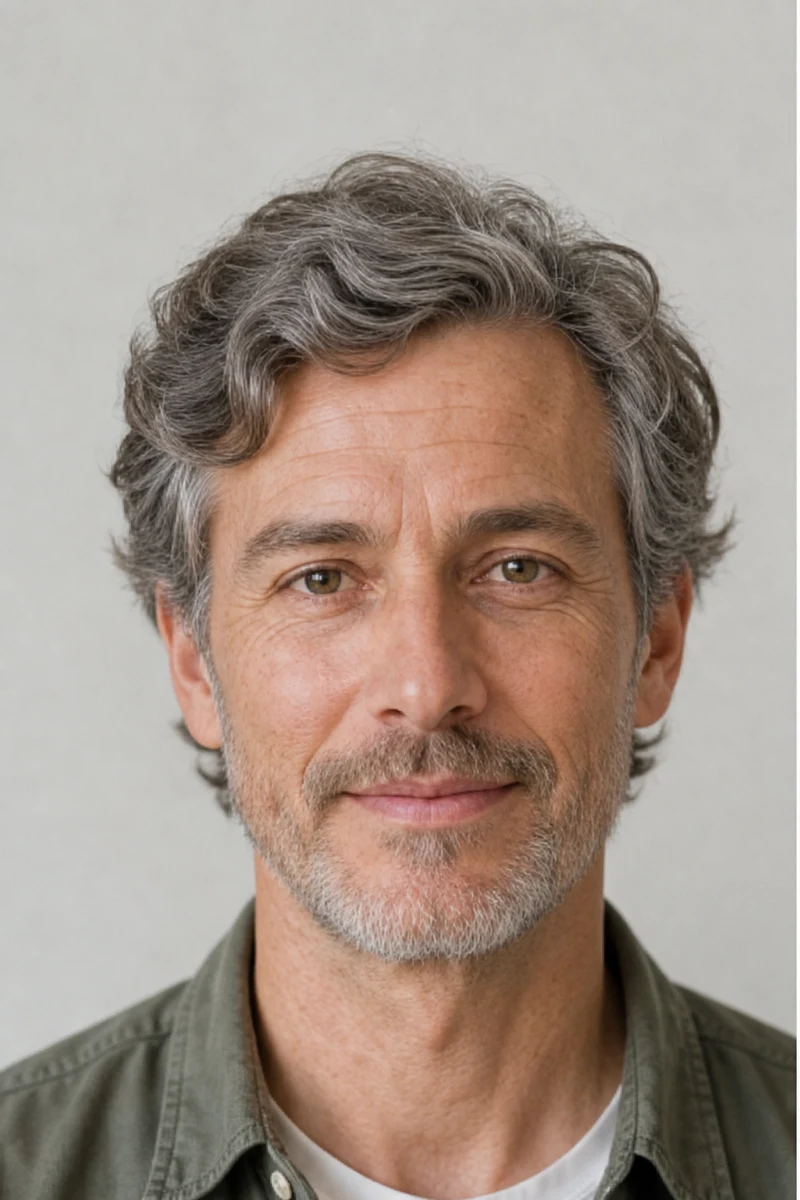
Fictional adult man before using the AI age filter
Source
Same fictional adult man with natural mature skin and gray hair
Older Look
Fictional adult portrait before and after a natural AI age filter edit

An Old Age Filter That Keeps the Portrait Recognizable

A convincing age filter online should not replace a face with a generic older stranger. This workflow concentrates on age-related skin texture, facial volume, gray strands, and fine lines while the source portrait remains the visual reference. The editable prompt explicitly protects identity, the complete head, hairstyle silhouette, expression, clothing, camera angle, lighting, and background. AI can still change details, so compare every output with the source. Treat it as a playful creative visualization, never as evidence of how a person will actually age.

Four Original AI Age Filter Before-and-After Examples

These fictional adults were generated for NanoPic, then aged at matching 2:3 framing. No competitor photos, public figures, social handles, or private people were copied.

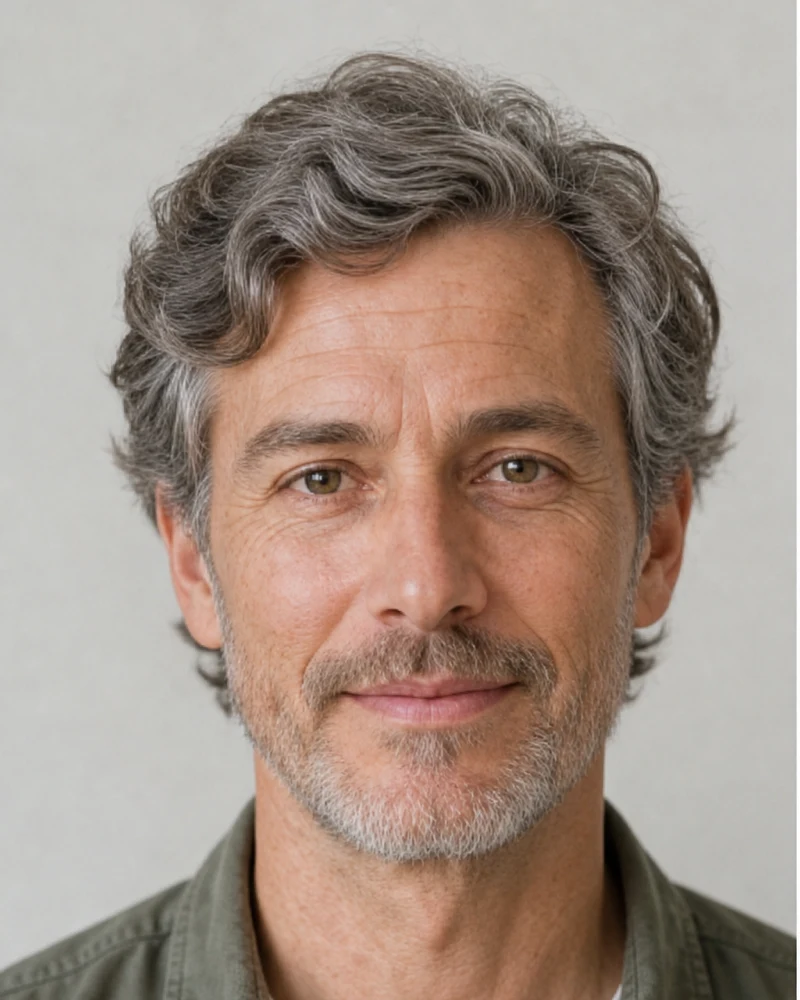
Natural 60s with Salt-and-Pepper Hair

The first example keeps the same eyes, face shape, calm smile, shirt, and studio background. Fine lines, mature pores, subtle facial-volume change, and gray hair provide a readable age progression without turning the portrait into a caricature.

Try Natural 60s


Same fictional man before and after a natural sixties age simulation

Balanced 70s with Curly Hair Preserved

Aging details follow the existing face and curl pattern rather than flattening the hair into a generic silver style. The result adds medium lines and mature texture while keeping the person, expression, sweater, background, and full head easy to compare.

Try Balanced 70s
Same fictional curly-haired adult before and after a balanced seventies simulation

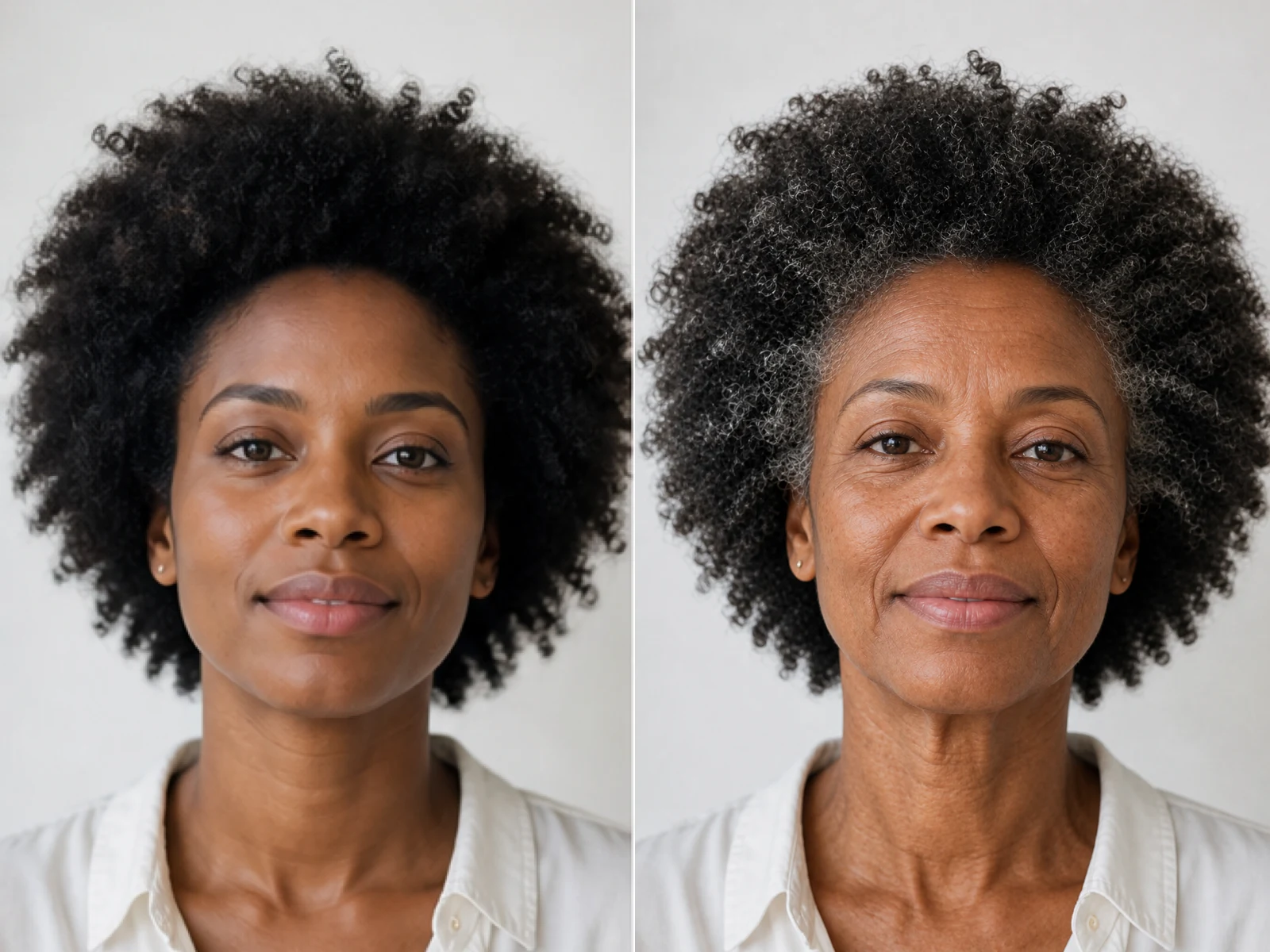
Mature Texture Without Losing Hair Shape

The third pair demonstrates why complete-head framing matters. Silver strands can follow the original textured silhouette while fine lines, smile folds, neck texture, and facial-volume changes remain photographic and restrained.

Preserve Texture
Same fictional Black adult before and after an identity-preserving old age filter

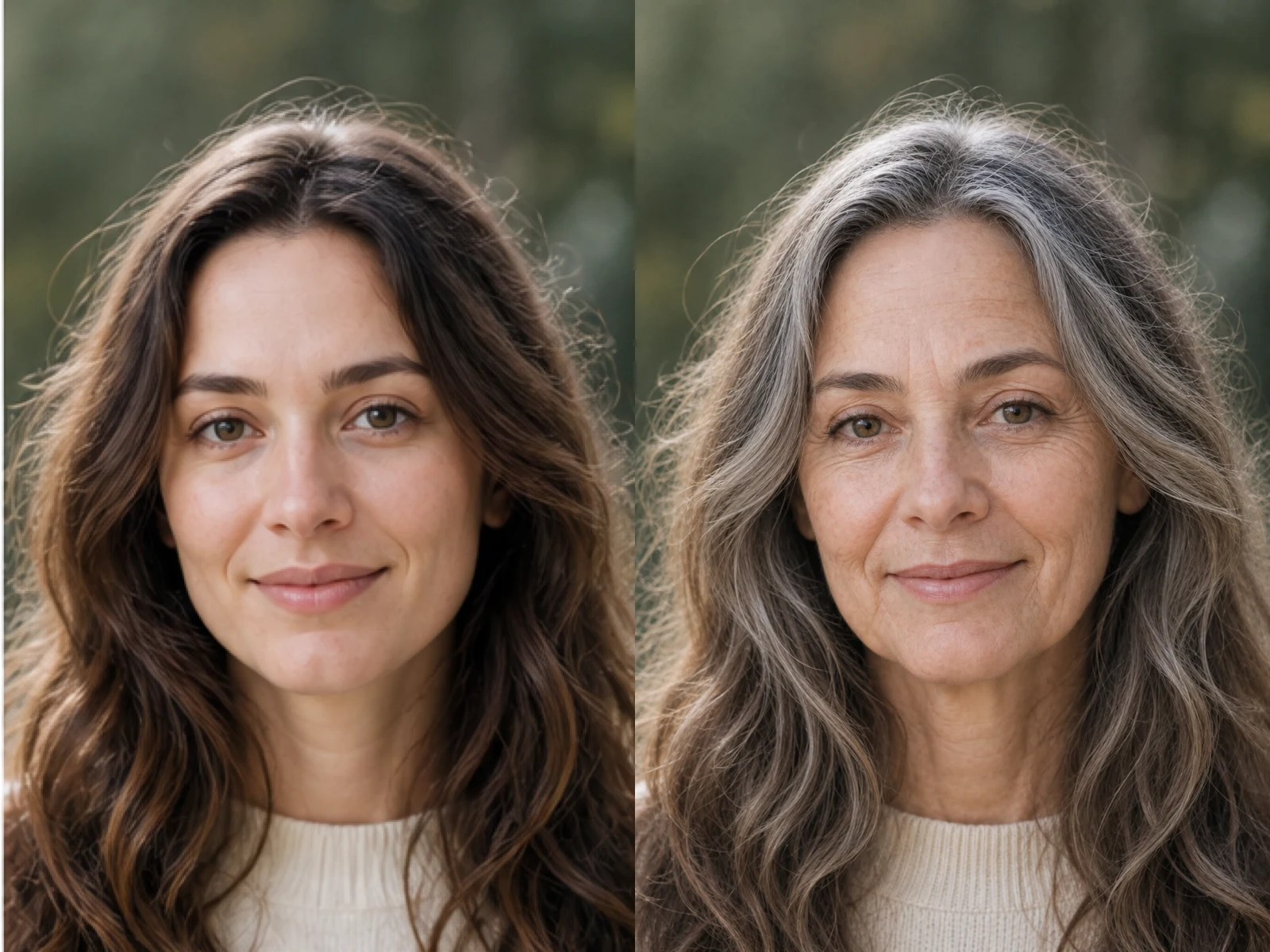
Silver Hair in Natural Outdoor Light

Long hair, a gentle smile, green eyes, knit clothing, and the blurred outdoor setting remain recognizable. The transformation adds silver variation and mature skin detail while retaining the original light instead of rebuilding the whole scene.

Focus on Silver Hair
Same fictional long-haired adult before and after a silver-hair age progression

How to Use the AI Age Filter Online

One authorized portrait, one focused age direction, and a careful source-to-result review make the workflow easier to control.

1. Upload a Clear Authorized Adult Portrait

Choose a photo you own or have permission to edit. Use one adult with the complete head, hairline, face, ears, neck, and shoulders visible. Front-facing or gentle three-quarter views work best when the eyes and hair boundary are sharp. Avoid children, group photos, hats, severe crops, hands over the face, motion blur, heavy beauty filters, and deep shadow.

Upload a Portrait
Clear fictional adult portrait suitable for an AI age filter

2. Pick an Age Direction and Edit the Prompt

Start with Natural 60s, Balanced 70s, Texture-Preserving 70s, or Silver Hair Focus. Then adjust the visible note with one accurate request, such as keeping hair length, using subtle wrinkles, or aiming for the late 60s. Do not combine age progression with a new identity, hairstyle, wardrobe, makeup, and background in one prompt unless you accept a less controlled comparison.

Choose an Older Look
Natural sixties style option inside the AI age filter

3. Generate, Compare, and Download

After the task finishes, compare identity first: eyes, nose, mouth, jaw, expression, hairline, and head shape. Then inspect realism: pores, line placement, gray strands, clothing edges, and background continuity. Regenerate with a clearer source or milder note when the result looks like a different person, crops the head, creates waxy skin, or overstates aging. Download only the result that passes your review.

Generate and Review
AI age filter comparison used to review identity and realistic aging details

A Focused Age Progression Workflow

The page turns a general image editor into a practical old age filter with visible source-to-result proof and realistic limits.

Identity Is the Main Reference

The uploaded portrait goes through a real image-to-image route. The prompt protects facial structure, eyes, expression, pose, clothing, light, and background instead of asking for an unrelated elderly portrait.

Complete-Head Framing

The upload guidance and prompt explicitly protect the hairline, full hairstyle, ears, neck, and shoulders. This reduces the risk of an old age filter result that crops silver hair or hides identity cues.

Editable Aging Notes

The visible input is prefilled with a practical late-60s request and remains editable. You can ask for a subtler age, preserved hair length, restrained wrinkles, or more visible silver strands.

Entertainment-Only Simulation

The output is a creative AI interpretation. It cannot predict genetics, lifestyle, sun exposure, health, medical conditions, lifespan, or the exact way a real face will age.

Ways to Use an AI Old Age Filter Responsibly

Use the result for entertainment and creative planning with consent, not for medical, identity, or biometric claims.

Future-Self Curiosity

Create a playful older-self portrait from your own authorized photo and compare how different age intensities affect visible details. Keep expectations grounded: the image is one model-generated possibility, not your future face.

Character and Story References

Explore an older version of a fictional adult character for a screenplay, game, family-safe story, or costume discussion while keeping the original expression and portrait setup recognizable.

Consensual Social Before-and-After Posts

Make a clear before-and-after for a trend or conversation starter when every depicted adult has agreed. Label generated results honestly and avoid presenting them as real historical or future photographs.

Portrait Continuity Tests

Artists and editors can use the examples as a checklist for identity, head framing, skin texture, hairline continuity, lighting, and background preservation before choosing a generated portrait.

AI Age Filter FAQ

Answers about accuracy, identity, consent, source photos, credits, privacy, and responsible use.

What does the AI Age Filter change?

It uses one uploaded adult portrait as a visual reference and asks the image model to add age-related skin, facial-volume, and hair details. The prompt concentrates on fine lines, mature pores, subtle age spots, gray strands, and restrained volume changes while protecting identity, the complete head, expression, clothing, pose, light, and background.

Is this AI age filter a prediction of how I will really age?

No. It is an entertainment-only AI simulation based on one image and a written prompt. It cannot know genetics, lifestyle, sun exposure, health, treatment, environment, or future events, so it must not be treated as a medical, biometric, lifespan, or personal-aging forecast.

Will the old age filter preserve my face exactly?

The template explicitly asks the model to preserve facial structure, eyes, nose, mouth, ethnicity, gender presentation, expression, head angle, and other identity cues, but generative edits can still drift. Compare every result with the source and retry with a clearer portrait or milder request when the person no longer feels recognizable.

Which photo works best for an age filter online?

Use one sharp adult portrait with balanced light and the complete head, hairline, face, ears, neck, and shoulders visible. A front-facing or gentle three-quarter angle usually works better than a group photo, tiny face, hat, heavy filter, severe crop, deep shadow, motion blur, or hair covering the eyes.

Can I choose a target age?

You can choose one of four starting directions and edit the prompt with an approximate age or intensity. The model can interpret a range such as late 60s or early 70s, but a generated portrait cannot guarantee an exact biological age or year-by-year progression.

Is the AI Age Filter free?

NanoPic gives eligible new accounts free signup credits to help them start. Every image generation consumes the credit amount shown in the interface. Images generated with free credits include a watermark; generations paid with purchased credits do not include that free-credit watermark. This is not an unlimited-free or no-credits-required offer.

Can I upload someone else's portrait?

Only upload a portrait you own or are authorized to edit, and obtain the depicted adult's consent when required. Do not use the tool to impersonate, harass, deceive, diagnose, or make sensitive claims about another person. The page examples use completely fictional generated adults.

Does the tool diagnose age or health from a face?

No. It does not diagnose chronological age, skin condition, illness, future health, life expectancy, or medical risk. Visible wrinkles or gray hair in the result are creative image details requested from a generative model, not clinical findings.

What should I check before downloading or sharing?

Compare the eyes, nose, mouth, jaw, expression, hairline, complete head, skin texture, clothing edges, and background with the source. Reject outputs with a different identity, distorted anatomy, cropped hair, waxy skin, invented text, or exaggerated illness cues. Clearly label the image as AI-generated when context could mislead viewers.

Create a Responsible Older-Self Portrait

Upload one authorized adult portrait, pick a natural aging direction, refine the notes, and review identity and realism before downloading.