









































































































Expressive Paint
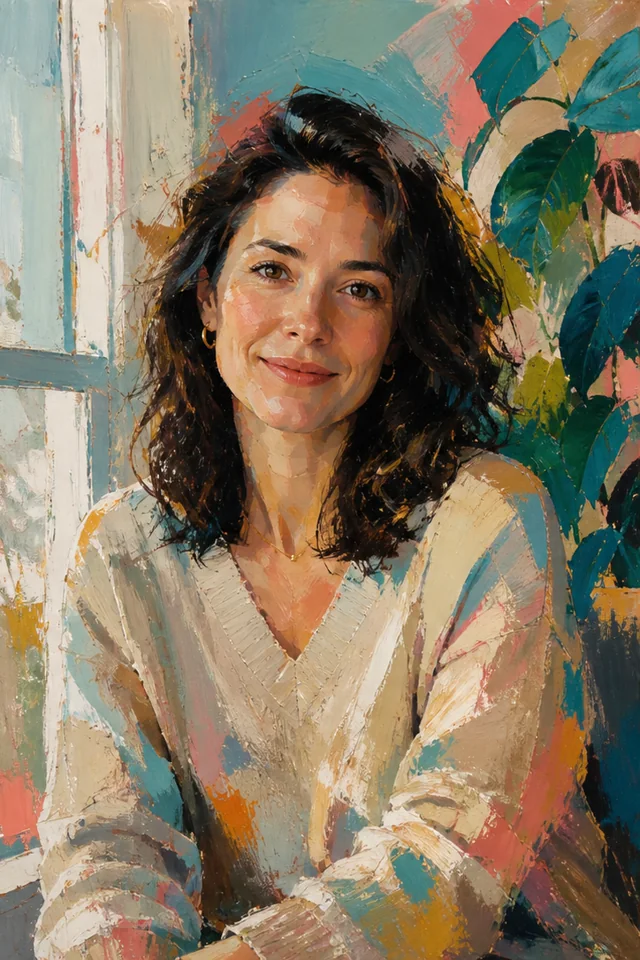
Use this for portraits, pets, and everyday scenes that benefit from layered brush marks and energetic color. The prompt keeps the subject readable while allowing texture and paint rhythm to become more prominent.
Save up to 73% on plans
Image
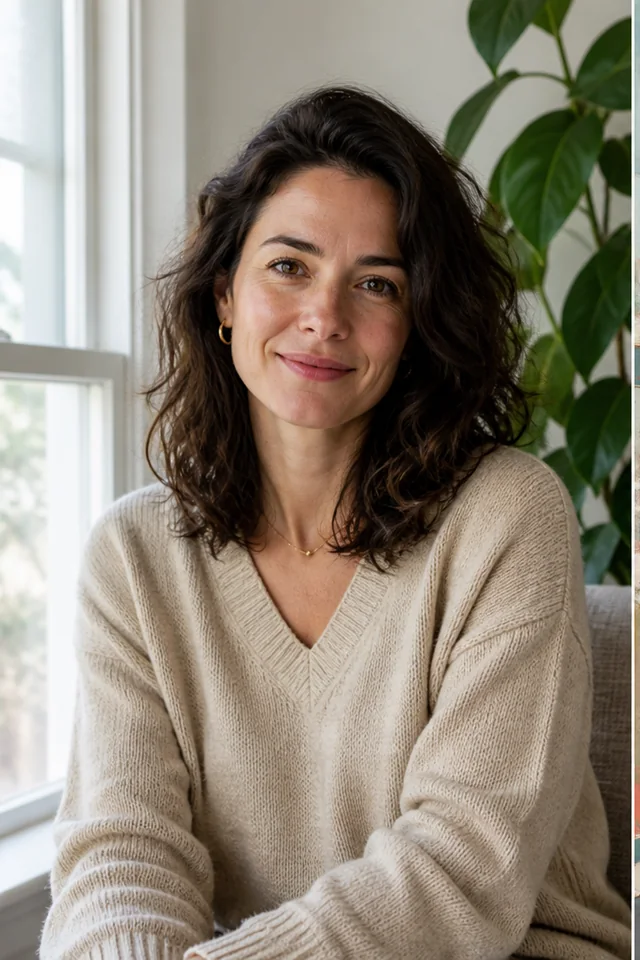
Browse every other AI image model and effect published on this site in a continuous carousel.
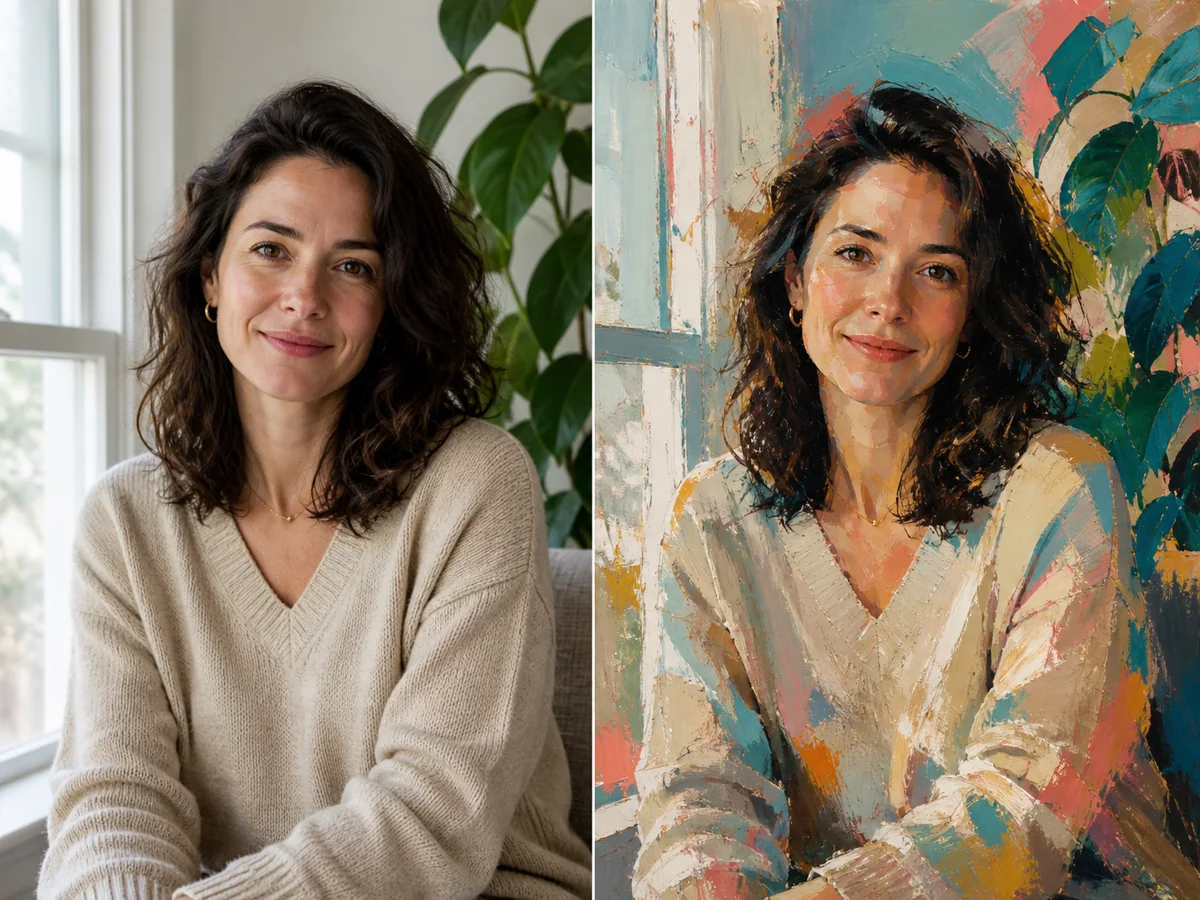
A useful photo-to-abstract-art tool should reinterpret the image, not replace it with a random painting. NanoPic uses the uploaded photo as the visual anchor. The template asks the image-to-image model to keep the main subject, pose, camera viewpoint, framing, horizon, major object positions, and negative space recognizable while changing the color relationships, edges, texture, and visual rhythm. That distinction matters for portraits, pets, landscapes, architecture, and still-life photos: the result can become more expressive or simplified while remaining traceable to the source. Choose one of four deliberately different styles, then edit the visible composition notes to protect details such as a face, dog, tree, window, product arrangement, or color mood. AI generation can still alter fine details, so review the output against the original before using it in a personal, print, editorial, or commercial project.
The presets are intentionally limited. Each one changes materials, shapes, and edge treatment in a clearly recognizable way instead of presenting many nearly identical filters.
Use this for portraits, pets, and everyday scenes that benefit from layered brush marks and energetic color. The prompt keeps the subject readable while allowing texture and paint rhythm to become more prominent.
Choose geometric abstraction when the source has a strong pose, silhouette, architecture, or spatial pattern. Circles, arcs, triangles, and planes reorganize the image without moving its defining subjects.
Use broad color zones for landscapes, interiors, and compositions driven by atmosphere. Large forms and depth order stay in place while detail gives way to restrained tonal relationships.
Pick paper collage for products, food, botanical subjects, rooms, and still life. Layered shapes simplify the image while subtle fibers and shadows keep the result tactile rather than flat.
The workflow concentrates on one job: reinterpret an uploaded photo while keeping its visual anchor intact.
The fixed template protects the camera viewpoint, framing, dominant silhouette, major object positions, horizon, and negative space. This gives the model a clear instruction to build from the photo rather than invent a separate image.
The notes field starts with a practical preservation prompt and stays editable. Add one or two specific constraints—keep the glasses, retain the dog, protect the tree line, or preserve the product arrangement—without rebuilding the entire instruction.
Expressive paint, geometric forms, color fields, and paper collage use different mark-making, shape, depth, and material systems. The small set makes the choice understandable at thumbnail size.
Choose 2:3, 3:4, 1:1, or 4:3 based on the source and intended use. Leave space around heads, pets, products, and key landmarks when changing ratios because the model may need to extend or simplify an edge.
Start with a readable source, make one clear style decision, then compare the result with the original composition.
Choose a sharp photo with the defining subject and important edges inside the frame. For people, keep the full head and pose visible. For pets, landscapes, rooms, and products, include the shapes or landmarks that make the image identifiable. Avoid severe motion blur, tiny subjects, screenshots with UI, watermarks, or a crop that already removes essential content.
Upload a PhotoPick the preset that matches the structure of the photo and the intended mood. Expressive Paint works with gesture and texture; Geometric Forms works with clear silhouettes and spatial patterns; Color Fields works with atmosphere and large tonal zones; Paper Collage works with objects and layered shapes. Mixing every direction in one prompt usually makes the result less coherent.
Choose a Style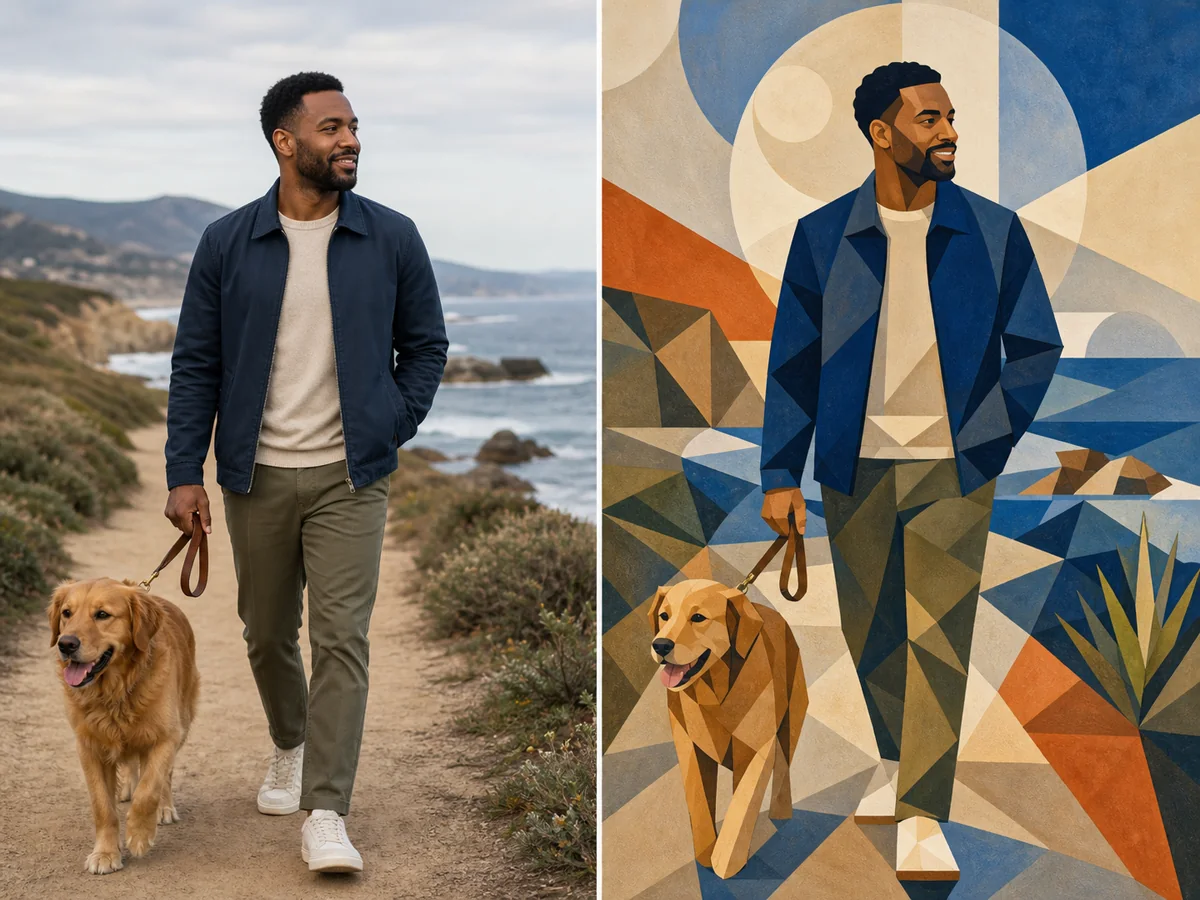
Edit the notes only where the source needs protection or emphasis. After generation, compare subject identity or silhouette, pose, object count, horizon, focal point, and edge crops. If something important drifted, keep the same photo and style, then add one concise correction. AI outputs can vary, so use the result you have actually inspected rather than assuming every detail is exact.
Create and Compare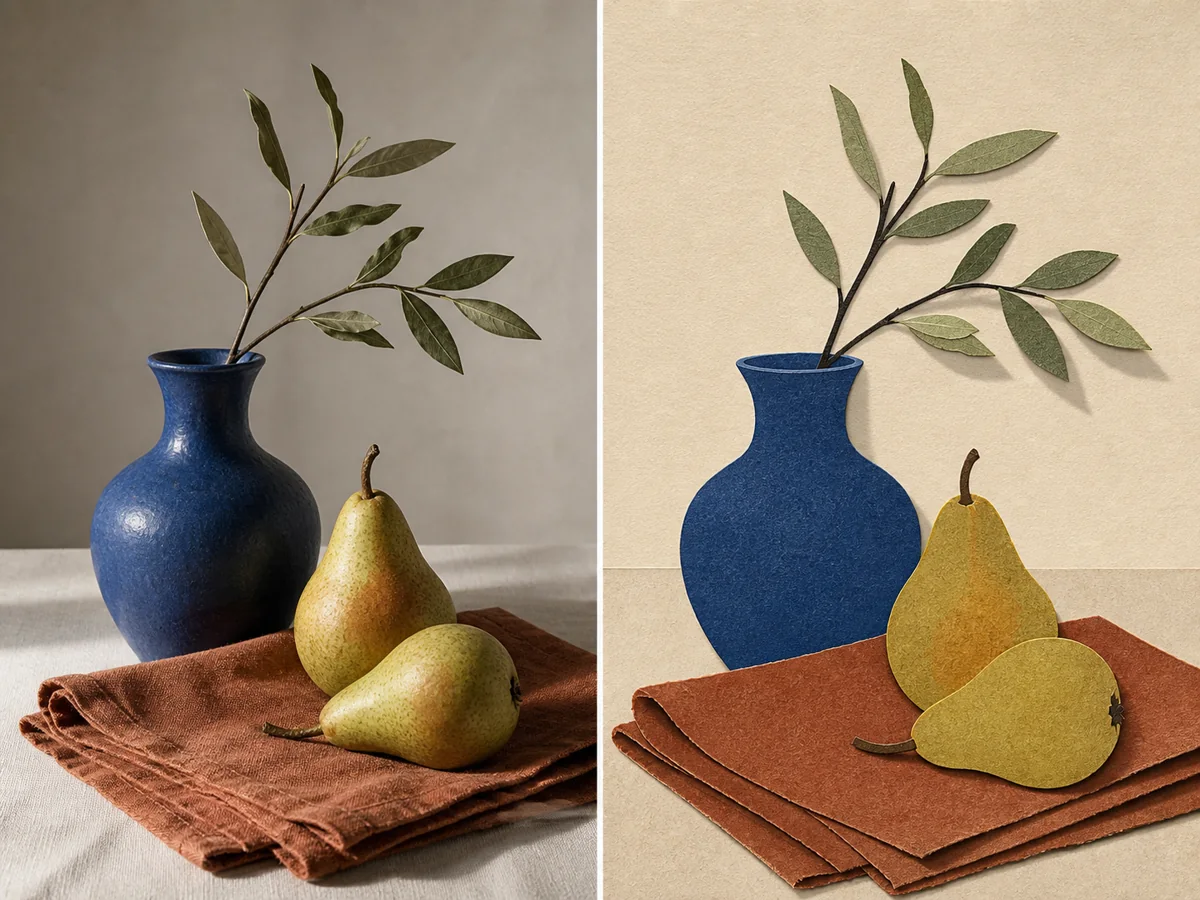
A source-preserving abstract treatment can support creative exploration and visual development when you review the generated details for the final use.
Translate a portrait, couple photo, or pet image into expressive wall-art direction while retaining recognizable features, pose, clothing cues, and the relationship between subjects.
Reduce a canyon, coast, street, or interior into stronger color masses and silhouettes. Color Fields and Geometric Forms help reveal the visual structure already present in the photograph.
Explore a controlled abstract direction for a cover, poster, social campaign, or mood board. Add exact headlines and logos later in a design tool so typography remains editable and accurate.
Use paper-like shapes or geometric planes to test a new visual language around products, food, flowers, and tabletop arrangements while keeping the object set and layout recognizable.
Practical answers about styles, source photos, composition preservation, credits, and responsible use.
It uses an uploaded photo as the visual reference, then redraws its subject, shapes, color relationships, and texture in an abstract style. This page is an image-to-image converter, not a text-only abstract art generator, so the source composition remains part of the request.
You can open the page, choose a style, and edit the controls without charge. Signed-in users can claim daily check-in credits, with reward amounts matched to their region. Creating an image uses NanoPic credits; images made with free credits include a watermark, while paid-credit generations do not include that free-credit watermark.
Use a sharp image with a clear focal subject, readable edges, and enough space around important content. Portraits, pets, landscapes, architecture, rooms, products, flowers, and still life can all work. Avoid heavily compressed screenshots, severe blur, clipped heads, hidden limbs, watermarks, and tiny distant subjects.
The template asks the model to retain identity or recognizable silhouette, pose, viewpoint, framing, major objects, and spatial relationships. AI can still alter facial details, hands, text, small accessories, or background elements, so compare the output with the source and regenerate with one focused correction when necessary.
Expressive Paint emphasizes layered brush marks and color energy. Geometric Forms rebuilds the scene from circles, arcs, triangles, and planes. Color Fields simplifies the image into broad atmospheric zones. Paper Collage uses layered cut shapes, subtle fibers, and simplified shadows.
Yes. The Composition Notes field is visible and editable. Keep the notes short and specific: protect a face or pet, retain a window or horizon, simplify a busy background, or request a warmer palette. The selected preset still supplies its own abstract style direction.
Use 2:3 or 3:4 for portraits and vertical artwork, 1:1 for square posts and compact compositions, and 4:3 for landscapes, interiors, or tabletop scenes. If the chosen ratio differs from the source, leave room around key subjects because an edge may need to be extended or simplified.
Generate the clean artwork first, then add exact text and brand elements in a layout or design tool. Image models can misspell or distort typography, while a separate text layer remains editable, accessible, and easier to approve.
Only upload photos you are authorized to use, and review the output for likeness, privacy, copyright, trademark, brand, and platform requirements that apply to your project. NanoPic provides a creative generation workflow, not legal clearance or a guarantee that every generated detail is suitable for commercial use.
Upload a complete source image, choose one distinct abstract direction, edit the preservation notes, and compare the generated composition with the original.