












































































































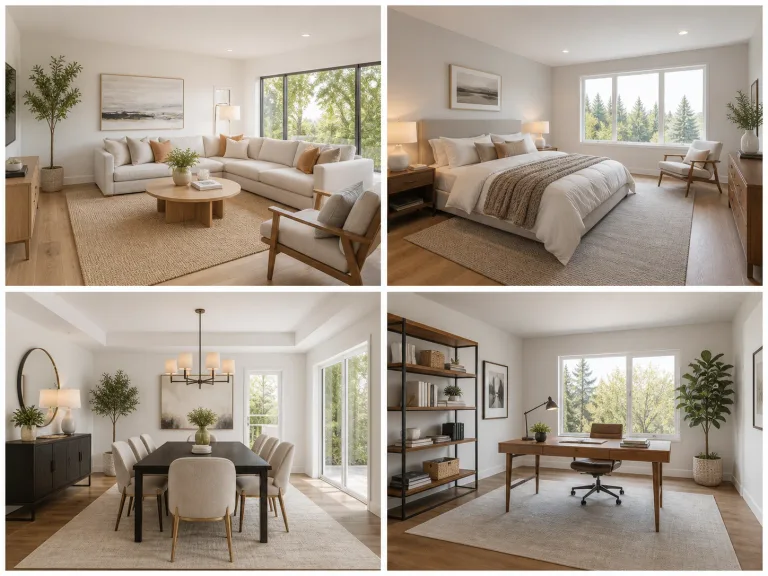
Living, Bedroom, Dining, and Office Staging
Choose a room-appropriate arrangement, then keep the notes practical: approximate furniture scale, buyer profile, material direction, and items to avoid.
Stage a RoomSave up to 73% on plans
Image
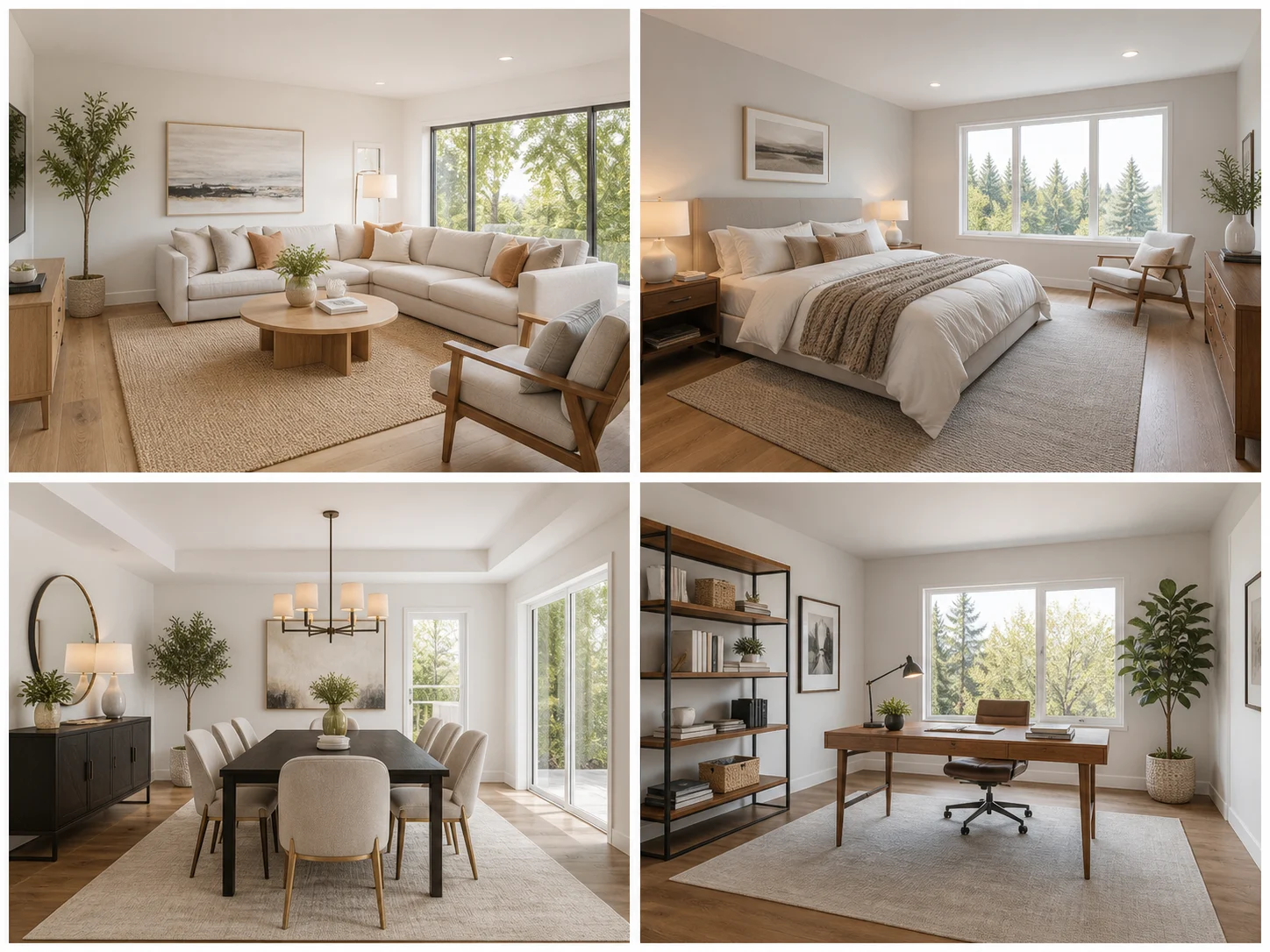
Browse every other AI image model and effect published on this site in a continuous carousel.
NanoPic asks the image model to preserve the exact camera position, room dimensions, walls, windows, doors, ceilings, floors, built-ins, fixtures, outlets, outdoor views, and structural condition. It adds only plausible movable furniture, rugs, lamps, art, plants, and decor with realistic scale, perspective, contact shadows, and reflections. Generative output can still introduce errors, so compare every result with the original and reject any image that hides defects or changes permanent features.
Each direction uses restrained, listing-friendly furniture rather than redesigning the architecture.
Choose a room-appropriate arrangement, then keep the notes practical: approximate furniture scale, buyer profile, material direction, and items to avoid.
Stage a RoomA straight, well-lit source photo and honest constraints produce the most useful draft.
Use a clear room image with visible walls, floor, windows, doors, and fixed features. Keep the original photo with the listing record.
Select living room, bedroom, dining, or office styling and add practical furniture or material notes without requesting structural changes.
Reject changes to windows, doors, views, floor plans, fixtures, damage, or room size. Label and disclose virtual staging according to local MLS and advertising rules.
The template focuses on movable furnishings and structural preservation.
Walls, windows, doors, floors, ceilings, built-ins, fixtures, views, and camera perspective must remain unchanged.
Furniture prompts require plausible scale, perspective, contact shadows, reflections, and circulation space.
Choose restrained arrangements for living, sleeping, dining, or work rooms.
The workflow reminds users to preserve the original and follow applicable MLS and advertising disclosure rules.
Do not present a generated image as the current physical condition of a property. Keep and publish the original where required, label virtually staged images clearly, and never use AI to conceal damage, change permanent finishes, enlarge a room, replace a view, or add amenities that do not exist.
Retain the unedited listing photo and make it available wherever local rules or platform policies require.
Use clear wording such as “Virtually Staged” when required by your MLS, regulator, brokerage, or advertising platform.
Requirements vary by jurisdiction and platform. Confirm current rules before publishing any AI-staged listing image.
Answers about room photos, structure, disclosure, MLS use, credits, and review.
Use a straight, well-lit photo with the room boundaries and fixed features visible. Extreme wide-angle distortion, darkness, and heavy clutter increase errors.
The template strongly requests structural preservation, but generative AI can still alter geometry or fixtures. Compare every output with the original and reject misleading changes.
Rules vary. Preserve the original, disclose the edit where required, and check current MLS, regulator, brokerage, and platform policies before publication.
No. This workflow is for movable furniture and decor. Do not hide defects, change permanent features, enlarge rooms, or replace views.
New users receive the welcome credits shown in the live generator. Generation uses NanoPic credits, and free-credit output includes a watermark.
Upload an authorized room photo, preserve the structure, and disclose the generated staging where required.

80s Photo Filter adds warm, faded film color to your photo in the browser. Adjust strength, preserve clothing and framing, and download a PNG.
Open tool
AI Age Filter creates a natural older-look concept from an authorized adult portrait. Review identity, complete-head framing, light and scene after editing.
Open tool
AI Age Progression creates a target-age concept from an authorized adult portrait. Set an age interval and review identity, framing and scene after editing.
Open tool
AI Labubu Generator helps explore your own monster doll concept from an authorized reference. Create original shapes and outfits, with no official affiliation.
Open tool
Camera Roll AI turns an authorized reference photo into one lifestyle collage. Plan varied scenes and a phone-gallery-inspired layout, then save one image.
Open tool
Face in Hole Generator places an authorized face into your chosen photo or template. Upload two references, refine the blend, and save a creative portrait.
Open tool
Explore a Hotpot AI alternative with NanoPic’s independent Seedream 5.0 editor. Upload a reference, direct a visual concept, and review your image.
Open tool
Make Image Higher Resolution with real 2× or 4× browser resizing. Compare pixel dimensions and download PNG without claiming recovered detail.
Open tool
Remove Glare from Glasses in photos with an editable AI image prompt. Upload your portrait, reduce lens reflections, and review the result before using it.
Open toolTurn one authorized adult portrait into a realistic flashlight scene with a miniature stylized double. Generate, then inspect identity, hands, light, scale, and crop.
Open toolTry 12 original funny AI prompts on one authorized person or pet photo. Load, edit, generate, and review identity, anatomy, props, text, and visual coherence.
Open toolTurn one authorized photo into original blocky pixel art with six editable prompts. Generate, then review subject detail, geometry, text, rights, and composition.
Open tool