









































































































Free ai comic generator from Photo
Sign In

Free ai comic generator from Photo

Upload one photo, choose a genuinely different comic treatment, and edit the full prompt before you generate. New accounts receive gifted credits so you can start free; each actual generation consumes the credit amount shown in the tool. Images generated with free credits include a NanoPic watermark, while paid-credit generations do not include that free-credit watermark. This Nano Banana 2 image-to-image workflow creates one comic-style illustration while asking the model to preserve the recognizable subject, visible age, complete head, pose, clothing, hands, important objects, and scene composition.

Each choice loads a different, editable comic prompt into the field below.

Upload a Photo*
Try a Photo Sample

470 / 800

Public Visibility
Copy Protection
Credits required:-

Free ai comic generator from Photo

Image

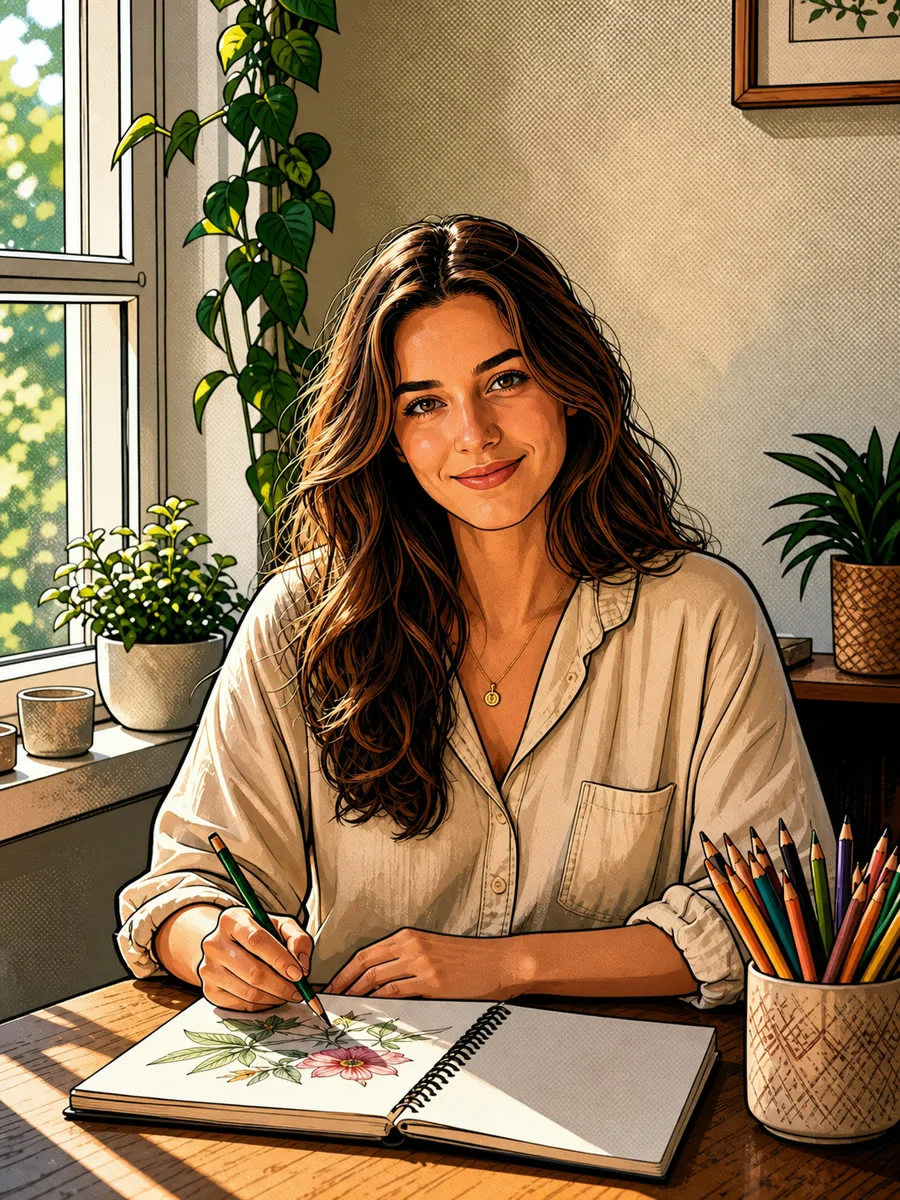
Adult drawing at a desk before using the AI comic generator
Photo
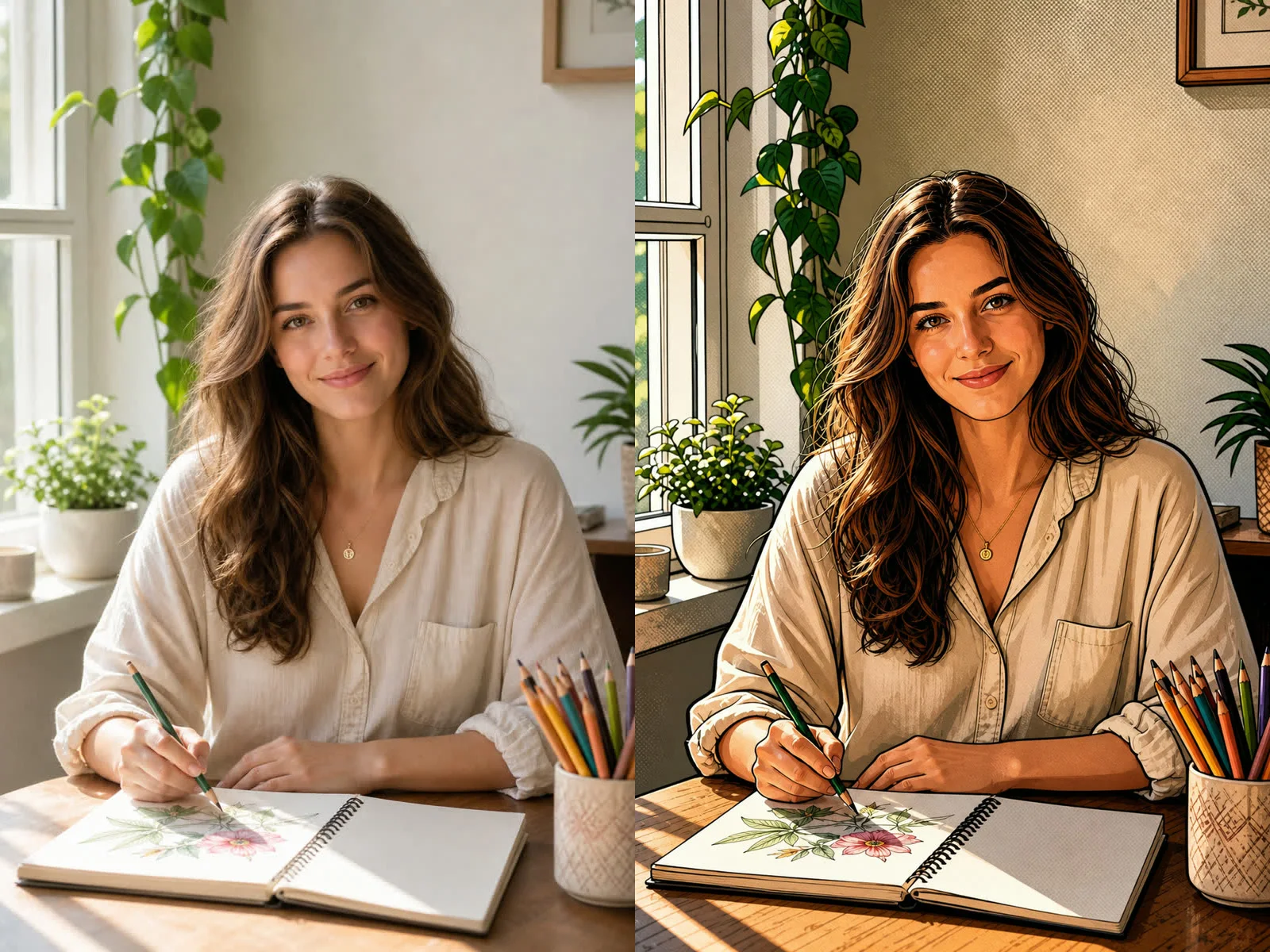
Same adult and drawing desk rendered as a modern color comic illustration
Modern Comic
Before and after comparison of an adult at a drawing desk transformed into modern comic art

Turn a Photo into Comic Art Without Losing the Subject

A useful AI comic generator should show the transformation before asking visitors to read a long explanation. NanoPic starts with the photo itself, not an unrelated text-only character, and keeps the complete editable instruction visible inside the generator. The four presets are separate visual systems: Modern Comic combines confident contours, cel shading, and restrained halftone depth; Ink Manga removes color and builds form with cross-hatching and screen tones; Soft Webtoon uses tapered digital lines and luminous color without forcing a childlike face; Vintage Pulp uses limited color, coarse dots, imperfect print registration, and aged paper character. Every style asks Nano Banana 2 to retain recognizable facial features, visible age, hair, expression, pose, clothing, hands, important objects, and the overall camera composition. The output is one comic-style image rather than a full multi-panel page. That focused promise keeps the workflow honest and gives you a clean visual that can later become a profile image, story panel, invitation, storyboard frame, or layout asset.

What This Photo-to-Comic Workflow Controls

The template combines an upload, one selected visual language, an editable prompt, and preservation constraints that remain practical across portraits and everyday scenes.

A Real Image-to-Image Starting Point

Your uploaded photo supplies the face, hair, expression, pose, clothing, hands, objects, framing, and background context. The generator does not pretend that a short text description can reproduce the same personal details. A clear source image gives the model concrete visual evidence to follow.
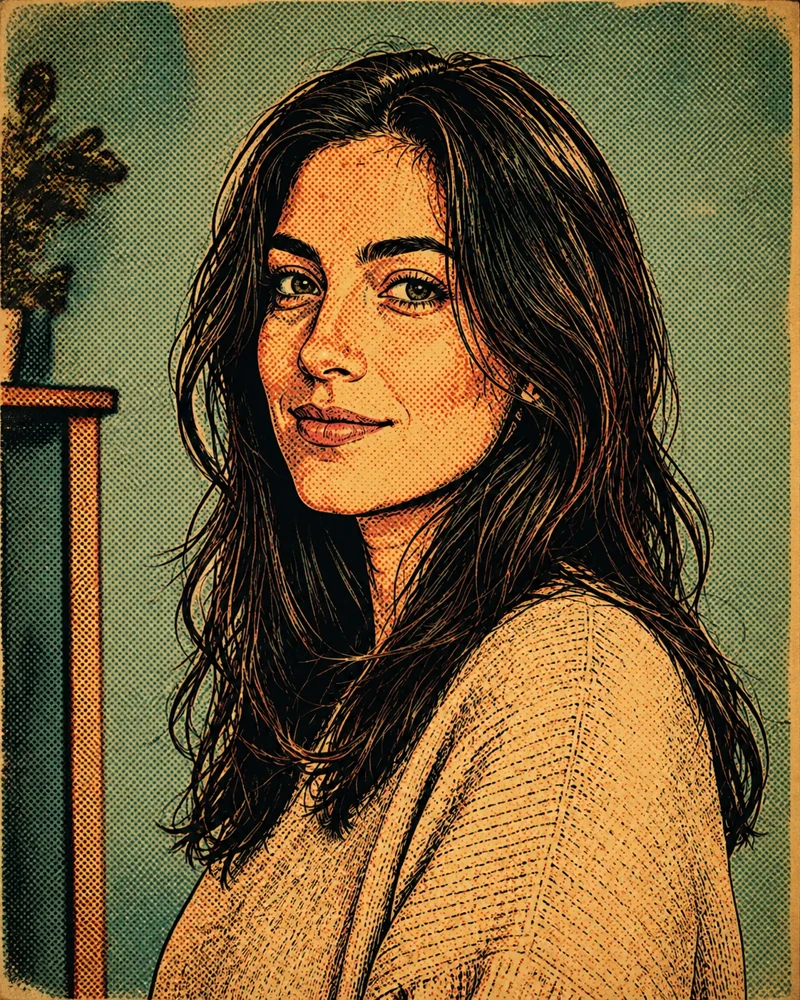
Four Distinct Comic Systems

Modern color comics, monochrome manga ink, softly colored webtoon art, and vintage pulp printing differ in line weight, shading, color, surface texture, and mood. Choosing a preset changes the visible prompt, so you can read and edit the exact treatment before spending credits.

Identity, Age, and Framing Guardrails

The shared instruction protects recognizable facial structure, visible age, skin tone, hair, expression, natural proportions, complete head, and composition. It also rejects extra limbs, duplicate people, distorted hands, cropped hair, and style choices that make an adult look much younger.

One Editable Prompt, Not a Mystery Filter

The full style instruction appears in an editable field. Keep it as written, or add a precise constraint such as preserving glasses, retaining a pet, reducing background detail, keeping a jacket color, or using stronger shadow contrast. Avoid piling several incompatible art styles into one request.

How to Use the AI Comic Generator

Three deliberate steps make a photo-to-comic conversion easier to review and refine.

1. Upload a Clear Photo with Safe Framing

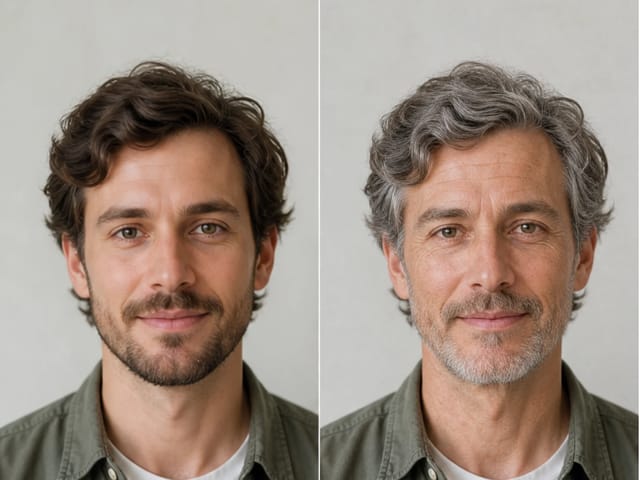
Choose a sharp image that you have the right to use. Keep the complete head, all hair, face, important hands, and meaningful props inside the frame. Single-subject portraits are the easiest to preserve, but a well-lit pet, product, couple, or scene can also work when the important shapes are large enough to read. Avoid severe motion blur, beauty filters, tiny faces, heavy occlusion, and crops that already cut off hair or hands. Leave a little room around the subject so the selected comic treatment can add outlines without pushing important details outside the image.

Upload Your Photo
Clear source photo and modern comic output shown side by side

2. Choose a Style and Read the Loaded Prompt

Select Modern Comic for color blocks and halftone depth, Ink Manga for monochrome line and screen-tone work, Soft Webtoon for clean digital contours and gentle color, or Vintage Pulp for limited color and printed-paper texture. The style choice loads a complete prompt into the editor. Read it before generating, then change only what matters. For example, ask to keep glasses, protect a green jacket, retain the window and plants, simplify a cluttered shelf, or strengthen dramatic shadow. The preservation constraints remain most effective when your added direction is short and specific.

Compare the Four Styles
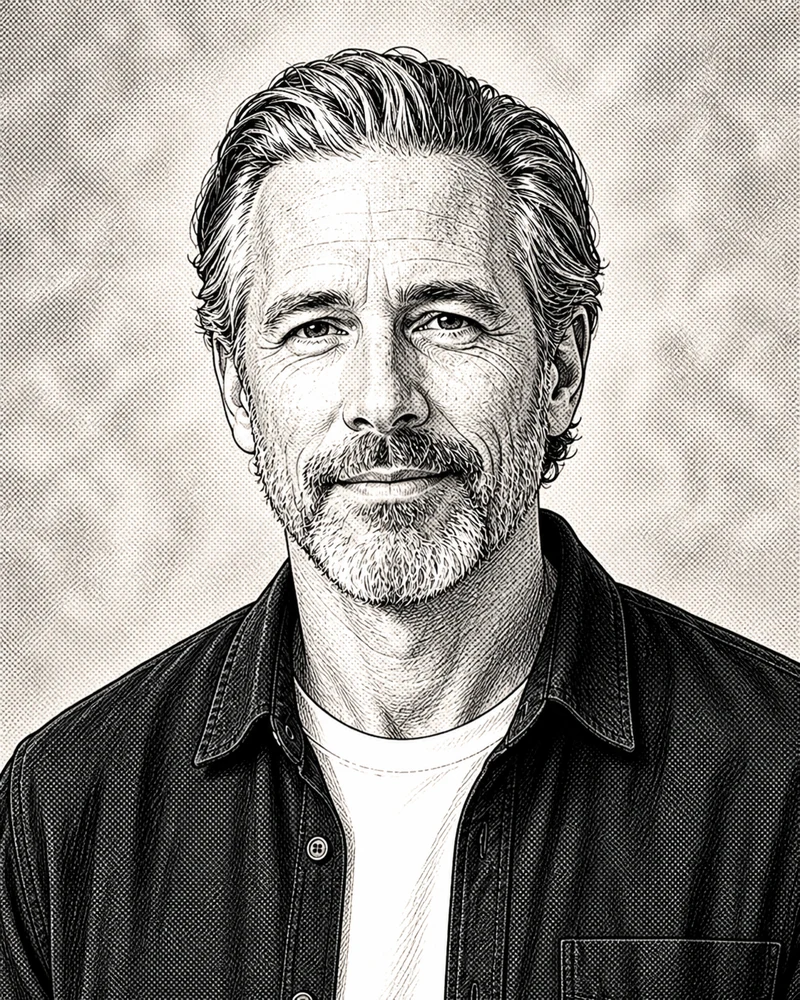
Black-and-white ink manga style preview with complete head framing

3. Generate One Image and Inspect the Details

Generation uses NanoPic credits. When the result is ready, compare it with the source at full size. Check face shape, visible age, hairline, expression, hand anatomy, clothing details, jewelry, pet markings, object edges, and the top of the head. If one feature changed too much, keep the same source and style, then add one direct correction such as preserve the silver beard, keep both hands on the sketchbook, or retain the short dark bob. Download the version that stays recognizable and add exact dialogue, captions, or panel layout later in a design tool where spelling and placement remain controllable.

Generate and Review
Original vintage pulp comic style preview with limited color and print dots

Practical Uses for Comic Art Made from a Photo

One clean comic-style image can support several projects without pretending to be a finished comic book or a complete design system.

Profile Art and Creator Avatars

Convert a readable head-and-shoulders photo into a recognizable illustrated profile image. Modern Comic gives a strong small-size silhouette, while Soft Webtoon produces a gentler digital finish. Review the face and hair at thumbnail size before using the image as an avatar.

Personal Gifts and Keepsakes

Turn an authorized family, couple, pet, or travel photo into original comic art for a card, framed print, or personal memento. Preserve the meaningful clothing, setting, or prop in the prompt, and inspect each person separately if the source contains more than one face.

Storyboard and Campaign Frames

Use a photo as a concrete composition reference for an early storyboard, social concept, educational frame, or campaign mood test. The result is a visual draft, so keep the original reference beside it and verify brand details, product shapes, hands, and factual context before production use.

Panel-Ready Art for Later Layout

Generate one clean image without baked-in dialogue or panel borders, then place it in a comic strip, slide, poster, or invitation using a layout editor. Adding text afterward gives you exact spelling, accessible typography, editable speech bubbles, and a reliable reading order.

AI Comic Generator FAQ

Straight answers about photo input, styles, prompts, credits, text, and responsible use.

What does this AI comic generator create?

It transforms one uploaded photo into one comic-style image. The source photo guides the subject, visible age, face, hair, pose, clothing, hands, important objects, and composition. This page does not claim to automatically build a multi-panel comic book, write dialogue, or keep a character consistent across many separate scenes.

Can I use the AI comic generator for free?

Yes, new accounts receive gifted NanoPic credits so you can start free. You can also open the page, try a sample, choose a style, and edit the prompt before spending credits. Each actual image generation consumes the credit amount shown in the generator. Images made with free credits include a NanoPic watermark; paid-credit generations do not include that free-credit watermark. Your current balance and the displayed generation cost are the source of truth.

What is the difference between Modern Comic, Ink Manga, Soft Webtoon, and Vintage Pulp?

Modern Comic uses bold contours, cel shading, color blocks, and restrained halftone texture. Ink Manga is monochrome and uses linework, cross-hatching, and screen tones. Soft Webtoon uses clean tapered digital lines and luminous color while protecting natural adult proportions. Vintage Pulp uses limited retro color, coarse dots, hand ink, and aged printed-paper character.

Is the default comic prompt editable?

Yes. Choosing a style loads its complete prompt into the visible editor. You can change the art direction or add a focused preservation note before generation. Keep edits concise: preserve glasses, retain the red jacket, keep the dog beside me, simplify the background, or increase shadow contrast are clearer than combining many unrelated styles.

Which photos work best for photo-to-comic conversion?

Use a sharp, well-lit image with the subject large enough to read. Keep the complete head, hair, important hands, and meaningful objects inside the crop. Avoid heavy blur, severe backlight, aggressive beauty filters, tiny group faces, blocked eyes, and source photos that already cut off essential details.

Will the comic result look exactly like the person in my photo?

The template asks the model to preserve recognizable facial features, visible age, skin tone, hair, expression, pose, clothing, hands, and composition, but generative output can still drift. Compare the result with the original, especially when the photo is crowded, low resolution, heavily filtered, or contains partially hidden faces and hands.

Can the generator add speech bubbles and exact dialogue?

This workflow intentionally asks for a clean single image without speech bubbles, captions, or readable text. Image models can misspell or distort words. For reliable dialogue, names, dates, and panel order, generate the artwork first and add editable text and bubbles later in a layout or design tool.

Can I upload a pet, couple, group, or product photo?

You may try any image you have the right to use. Single subjects are usually most predictable. For pets, keep distinctive markings visible. For couples or groups, keep every face large, unobstructed, and fully framed. For products, inspect shape, labels, and small geometry carefully because the template prioritizes creative comic treatment rather than exact product rendering.

Can I imitate a famous comic artist or copyrighted character?

The built-in prompts use broad visual characteristics such as ink contours, screen tones, cel shading, print dots, and limited color. They explicitly avoid named artists, copyrighted characters, publishers, and franchises. Use your own source material and original visual direction rather than asking for a direct imitation.

Can I use the generated comic image commercially?

Only upload material you are authorized to use, and review the final image against the likeness, copyright, trademark, contract, platform, and disclosure requirements for your project. NanoPic provides a creative generation workflow, not legal clearance or a guarantee that every output is suitable for commercial use.

Create Comic Art from Your Photo

Upload one well-framed image, choose a comic system, read and edit the loaded prompt, then generate a single result you can inspect at full size.