












Save up to 73% on plans

Black Friday Poster Maker From Your Product Photo
Sign In

Black Friday Poster Maker From Your Product Photo

Upload one clear product photo, choose a sale style, and the black friday poster maker builds a designed scene around your item. You can add a headline such as BLACK FRIDAY and offer text such as 30% OFF in the editable notes box, or change colors before you generate. Review the result at full size before you download it.

Pick a look; its direction fills the notes box, where you can edit it.

Upload One Product Photo*
Try Upload One Product Photo sample

Please add the required Upload One Product Photo before generating.

233 / 900

Public VisibilityAllow this result to appear in public inspiration surfaces.
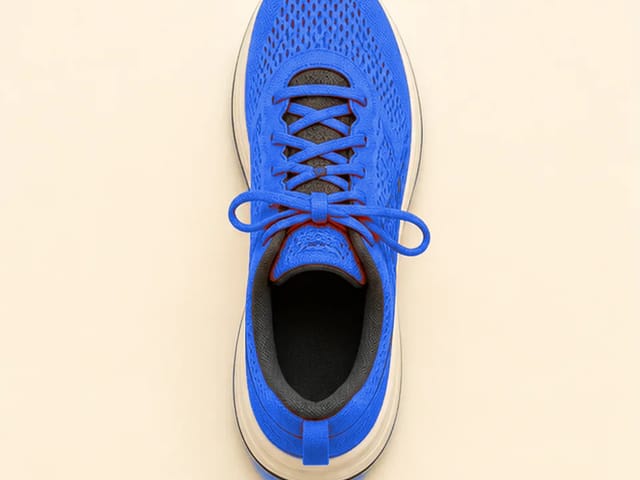
Plain sneaker photo
Photo
Sneaker on a crimson sale stage
Crimson Sale

More AI Image Models & Effects

Four Sale Styles for Your Black Friday Poster

Each card pairs a plain product photo with a styled poster scene, so you can see how far each look moves the background, light and mood while the item itself stays put.

Crimson Sale for Sneakers and Everyday Goods

The white sneaker on the left is a plain studio shot on grey; on the right it sits on a black block in front of stacked crimson panels with hard side light. That is the Crimson Sale direction in the black friday poster maker: loud color, deep shadow and a stage that makes a simple item feel like the deal of the day. The red stripe, stitching and sole shape match the photo, because the scene is built around the product. Use it for footwear, accessories and gadgets. If your product is already red, ask for more black in the notes.

Try Crimson Sale
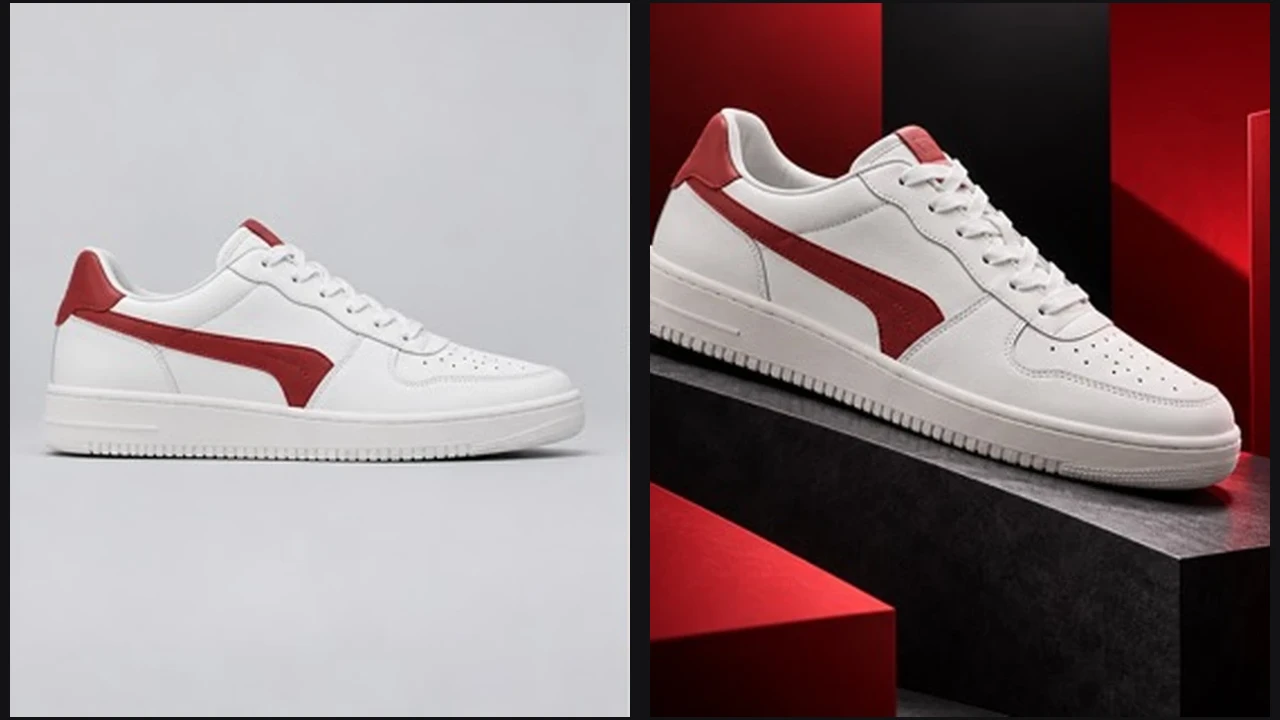
Plain white sneaker photo beside the same sneaker on a black block with crimson panels

Black and Gold for Fragrance, Beauty and Gifts

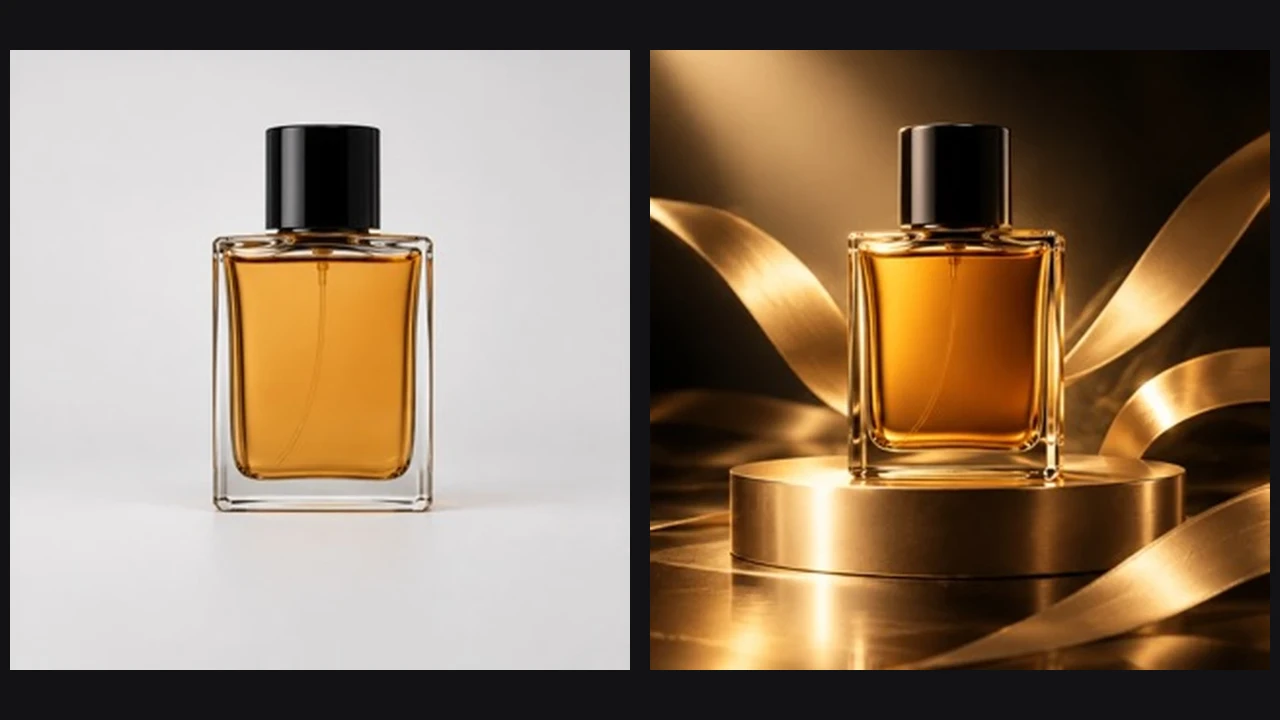
The amber perfume bottle starts on a pale backdrop and ends on a gold pedestal wrapped in ribbon, lit by a warm spotlight against a dark set. Black and Gold is the quiet luxury option, made for products where a shouting sale banner would cheapen the item. The cap, square glass and liquid color carry across, so shoppers still recognize what they buy. It suits perfume, skincare, jewelry and gift boxes. Glass reflects the new light, so zoom in on edges before you post your black friday poster maker result.

Try Black and Gold
Perfume bottle on a pale backdrop beside the same bottle on a gold pedestal with ribbons

Ivory Minimal for Clothing, Home and Handmade Goods

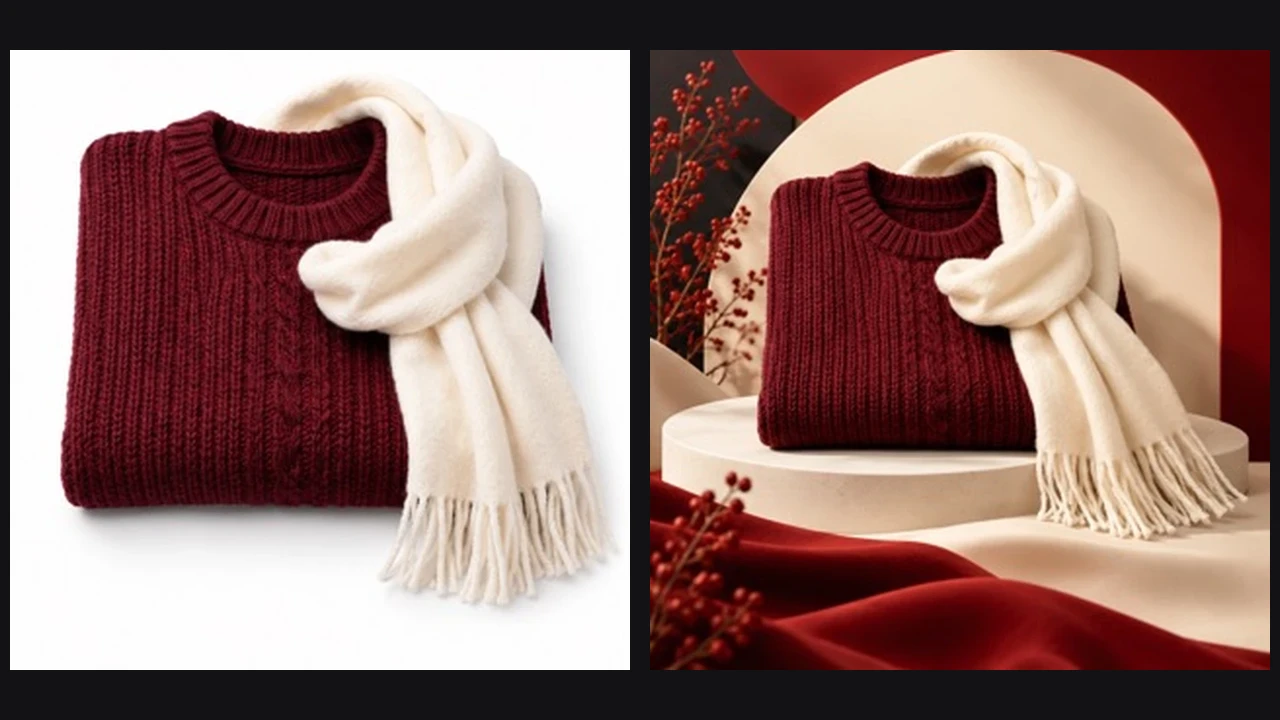
A folded burgundy sweater with a cream scarf moves from a white tabletop to a soft ivory arch, a round plinth and a few red berry sprigs. Ivory Minimal keeps the sale message calm, which helps knitwear, ceramics and handmade pieces look considered rather than discounted. The cable knit, fringe and fold stay recognizable, and the empty space leaves room for an offer line. Small shops often pick this black friday poster maker style for an email header. Add a note such as no berries if the props pull attention.

Try Ivory Minimal
Folded sweater and scarf on white beside the same set on an ivory plinth with berries

Electric Blue for Tech, Gadgets and Gaming Gear

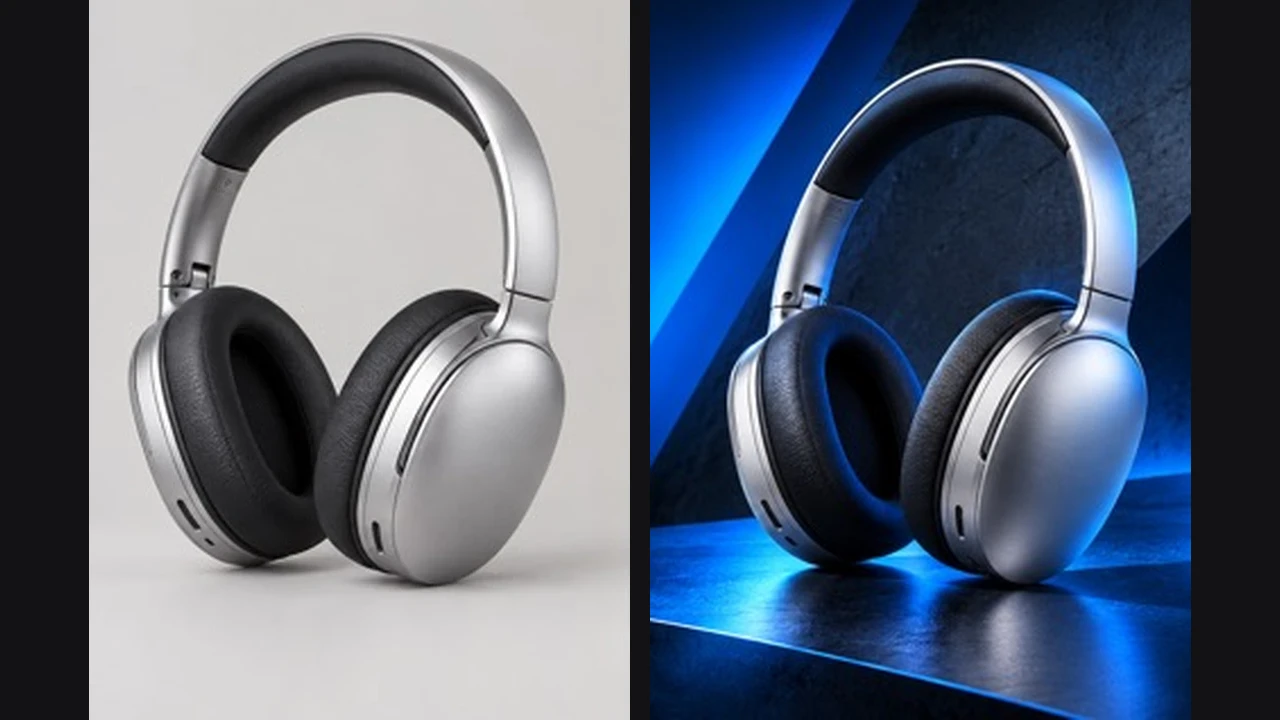
The silver headphones go from a flat grey studio shot to a dark stage cut by angled panels and a strong electric blue glow. Electric Blue is the cool, modern choice in the black friday poster maker for headphones, speakers, keyboards and consoles. The band, cushions and metal finish follow the photo, while the reflective floor adds depth. Choose 16:9 for a store header or 9:16 for a story. If the blue tints a white product too much, ask for a neutral key light on the item.

Try Electric Blue
Silver headphones on grey beside the same headphones lit with electric blue light

How to Make a Black Friday Poster in Three Steps

From one photo to a poster you can post, print or drop into a sale email.

Upload a Clear Product Photo

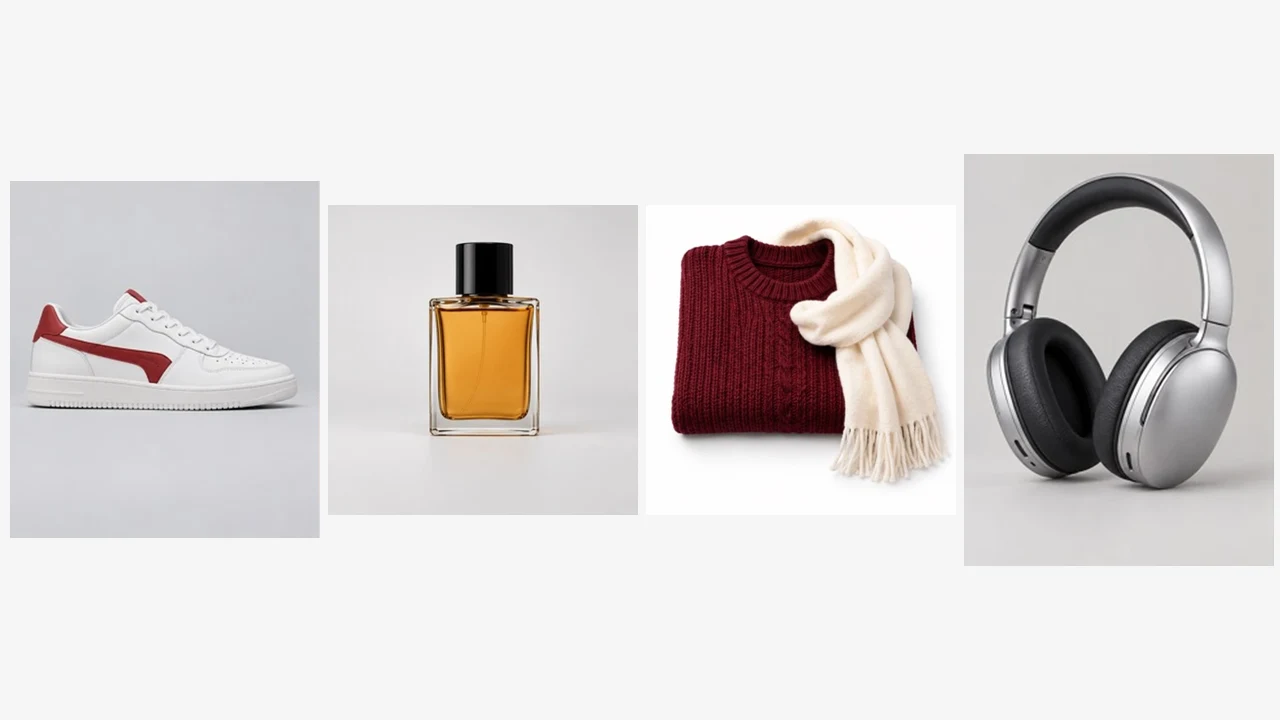
Use one product photo in JPG, PNG or WebP, up to 10 MB. Start with the photo from your product listing, or shoot a new one against a plain wall in daylight. Keep the whole item in frame with space around it, because the black friday poster maker needs the full shape to place it on a new stage. One product or one neat bundle works better than a shelf of mixed items. Avoid heavy filters, hands over labels and crops that cut off edges.

Make My Poster
Four plain product photos: sneaker, perfume, sweater set and headphones

Pick a Style, Shape and Your Offer Text

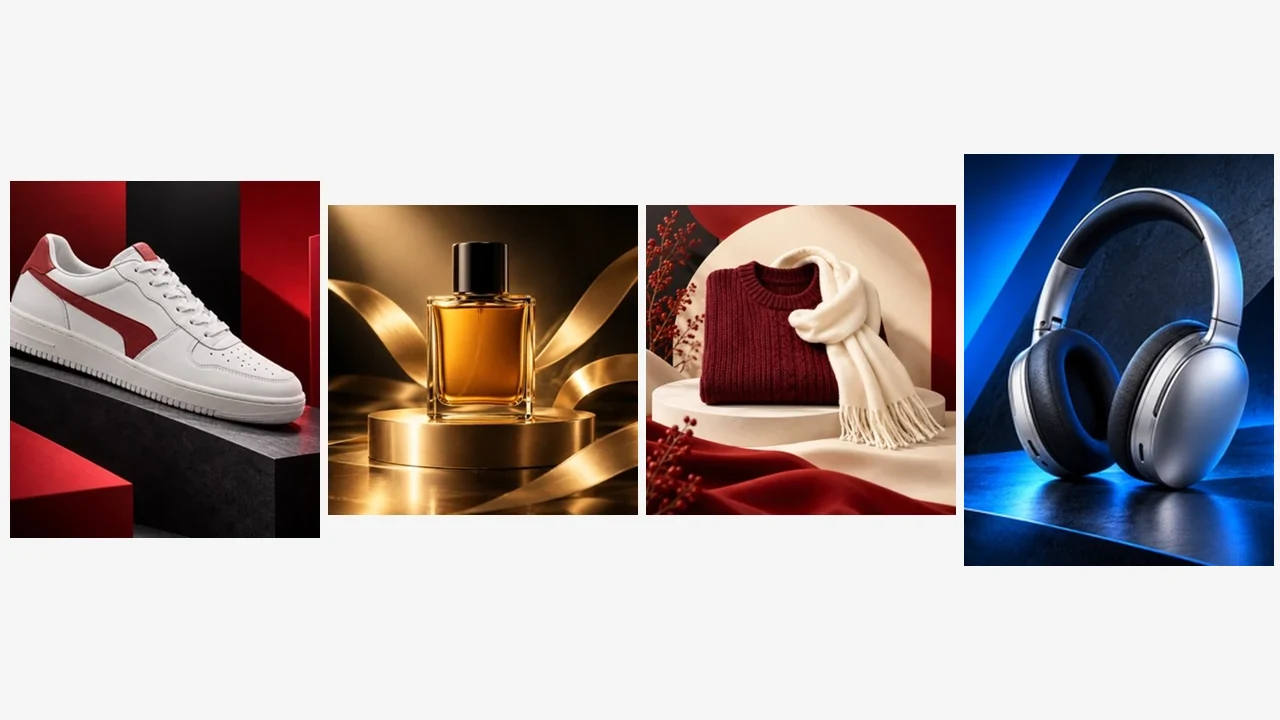
Choose Crimson Sale, Black and Gold, Ivory Minimal or Electric Blue, then read the style text that appears in the notes box. You can add an optional headline or offer, such as BLACK FRIDAY or 40% OFF SITEWIDE, in capitals. Keep extra text short, since the poster tries to follow your wording but every line is one more thing to check. Pick 3:4 for print, 4:5 or 1:1 for a feed, 9:16 for stories or 16:9 for a banner.

Make My Poster
Four styled sale scenes in red, gold, ivory and blue

Check Every Word, Then Download

Open the poster at full size and read the headline letter by letter. Compare the product with your photo: shape, color, logo position and packaging text should match what you sell. If a letter is off or the item drifted, run the black friday poster maker again with a shorter note or a cleaner photo. For print, pick 2K or 4K resolution and confirm size and bleed with your print shop. Download the posters you want to keep soon after they finish.

Make My Poster
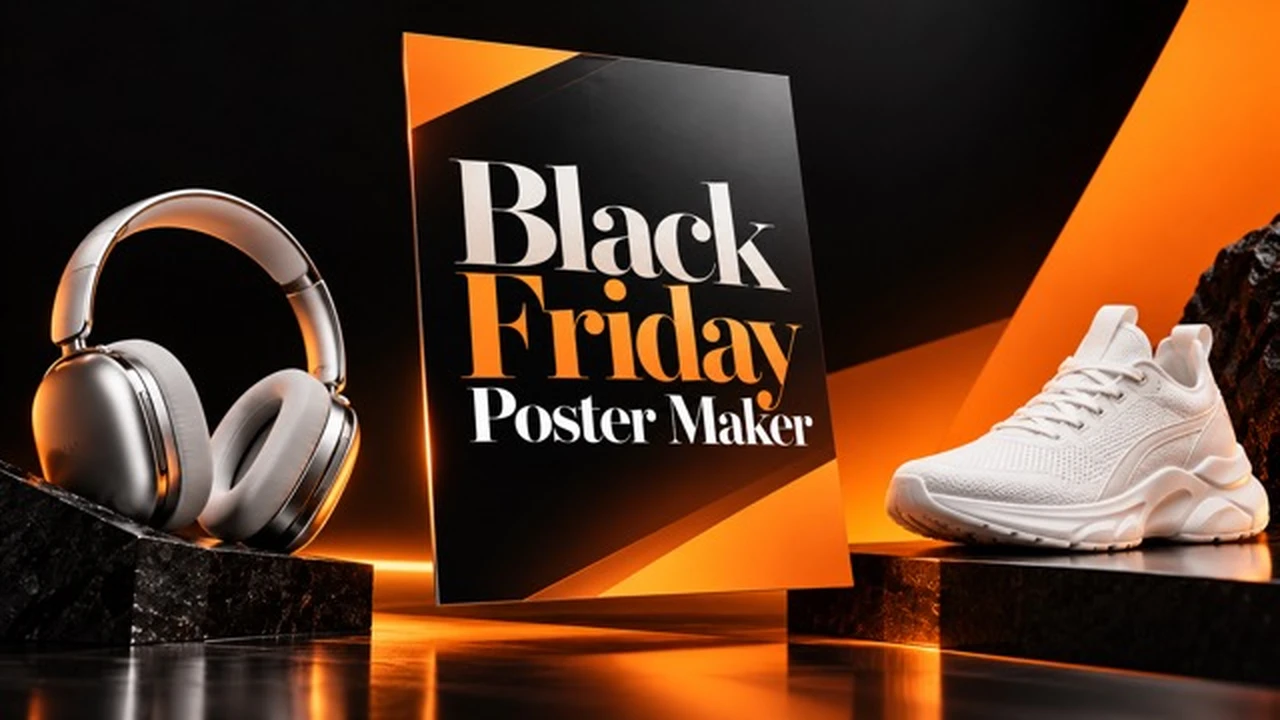
Black Friday sale layout with headphones, sneaker and large lettering on an orange and black stage

Black Friday Poster Tips That Help Your Sale Read Fast

Shoppers scroll past dozens of sale graphics in late November, so a poster has to say what is on sale at a glance. Lead with one product and one offer; three competing discounts on one image read as noise. Keep offer text to five words or fewer, in capitals, typed exactly as it should appear. Match the style to the price point: Crimson Sale and Electric Blue suit volume deals, while Black and Gold and Ivory Minimal fit gifts and premium items. Make the feed and story versions as separate runs so each shape gets its own layout. Reuse one style across a product line so the campaign looks planned, and swap the headline in the notes when you need a Cyber Monday version from the same black friday poster maker run.

Where Sellers Use a Black Friday Poster Maker

Online stores use the black friday poster maker to turn an existing product shot into a homepage banner and a matching email hero. Marketplace sellers make one poster per bestseller for pinned posts. Local shops print the 3:4 version for the window and post the 1:1 version the same day. Freelancers show a client two or three directions from one product photo before final layout work. Social media managers use the black friday poster maker to build a full set of story, feed and banner shapes from one product shot, so every channel shows the same offer in the same style. Small brands with a single hero product make one clean poster per color or variant and rotate them through the sale weekend.

Black Friday Poster Maker FAQ

Short answers to what sellers ask before they make their first poster.

How do credits work for the black friday poster maker?

Credits for each render show in the generator. If a run fails, those credits are returned automatically. Sign in to generate your poster.

Can I make a Black Friday poster from my own product photo?

Yes. Upload one clear photo, choose a style and generate. The scene and light are new, while the product is kept as close to your photo as possible, and the sample images only show style directions. Always compare the result with the original item.

Can I put my discount, prices or dates on the poster?

Yes, optionally. Type the lines in the notes box, for example BLACK FRIDAY or 50% OFF. The poster tries to follow your wording, but AI lettering can slip, so read every character after it is made and add long fine print in an editor.

What size should a Black Friday poster be?

Use 3:4 or 2:3 for printed posters, 4:5 or 1:1 for Instagram and Facebook feeds, 9:16 for stories and 16:9 for website banners. Make each shape as its own run for the cleanest layout.

Can I print the poster?

Yes. Choose 2K or 4K resolution for print. Confirm the final size, bleed and color settings with your printer and check the lettering at full size first.

Will the poster add brand logos or fake prices?

The style instructions ask for no invented prices, badges, store names or brand marks. AI output can still slip, so check the logo area and any small text on the product.

Can I reuse it for Cyber Monday or other sales?

Yes. Type CYBER MONDAY or your own headline in the notes, keep the same style, and the campaign keeps one consistent look.

Do I need design skills?

No. You choose a style and shape, optionally type a short offer, and download. An editor helps only for long legal text.

Make Your Black Friday Poster Before the Rush

Upload a product photo, pick a style, add an optional offer and get a black friday poster maker result ready for your store, feed or window.

Related tools

80s Photo Filter

80s Photo Filter

80s Photo Filter adds warm, faded film color to your photo in the browser. Adjust strength, preserve clothing and framing, and download a PNG.

Open tool
AI Age Filter

AI Age Filter

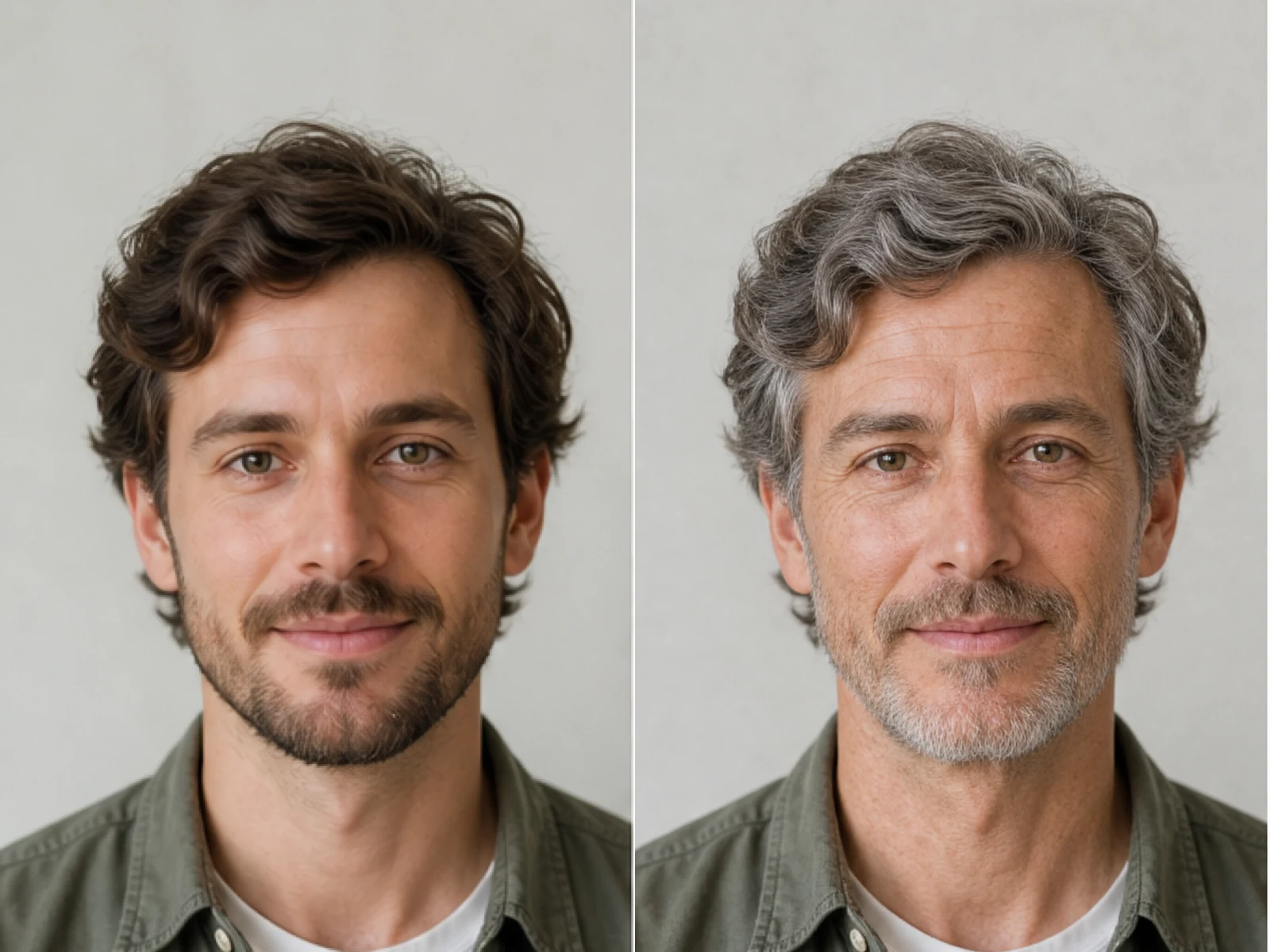
AI Age Filter creates a natural older-look concept from an authorized adult portrait. Review identity, complete-head framing, light and scene after editing.

Open tool
AI Age Progression

AI Age Progression

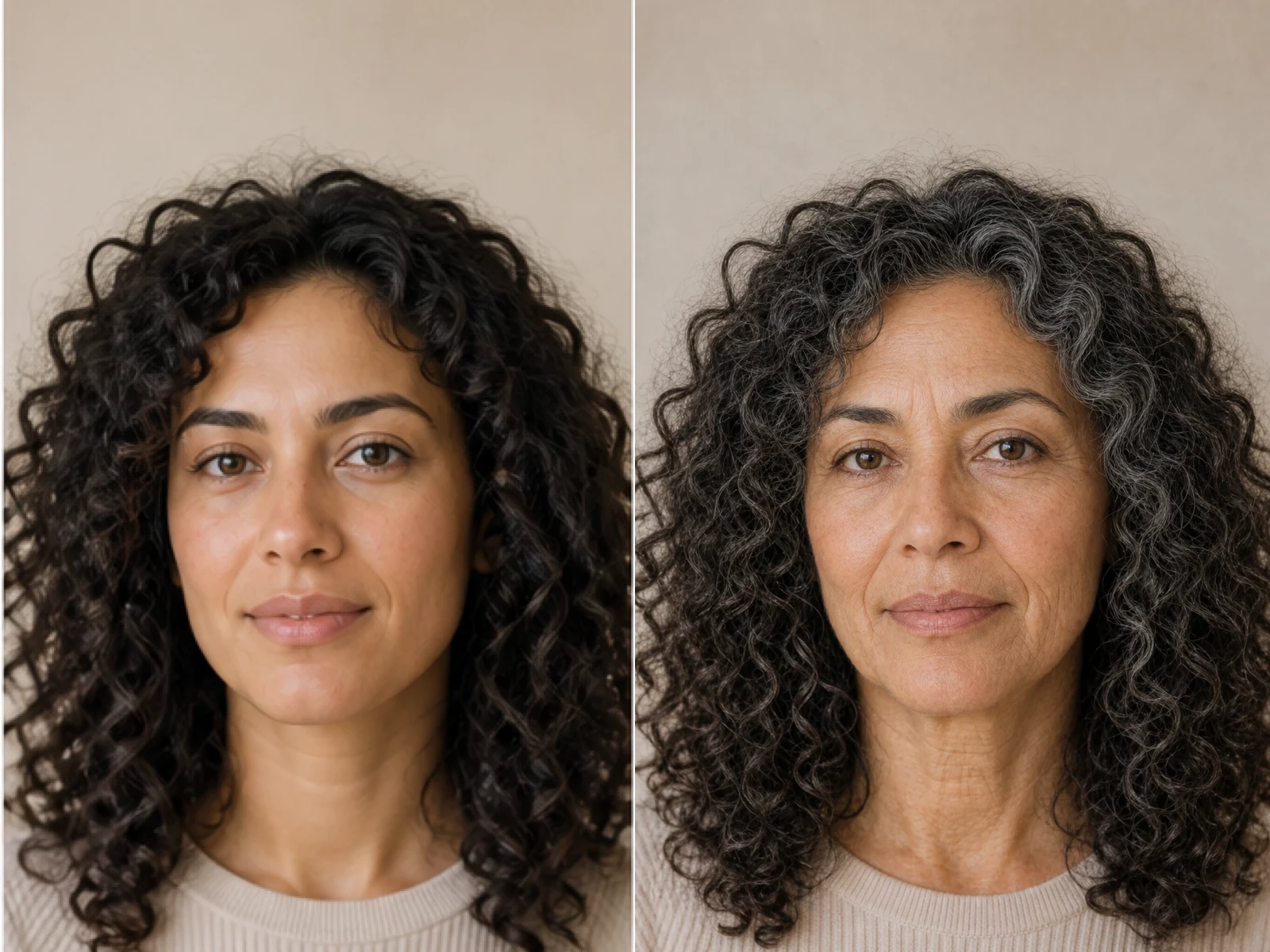
AI Age Progression creates a target-age concept from an authorized adult portrait. Set an age interval and review identity, framing and scene after editing.

Open tool
AI Labubu Generator

AI Labubu Generator

AI Labubu Generator helps explore your own monster doll concept from an authorized reference. Create original shapes and outfits, with no official affiliation.

Open tool
Camera Roll AI

Camera Roll AI

Camera Roll AI turns an authorized reference photo into one lifestyle collage. Plan varied scenes and a phone-gallery-inspired layout, then save one image.

Open tool
Face in Hole Generator

Face in Hole Generator

Face in Hole Generator places an authorized face into your chosen photo or template. Upload two references, refine the blend, and save a creative portrait.

Open tool
Hotpot AI Image Generator

Hotpot AI Image Generator Online | NanoPic

Create still images with the Hotpot AI Image Generator on NanoPic. Write a clear scene, generate with Nano Banana 2, refine the look, and download the picture you like.

Open tool
Make Image Higher Resolution

Make Image Higher Resolution

Make Image Higher Resolution with real 2× or 4× browser resizing. Compare pixel dimensions and download PNG without claiming recovered detail.

Open tool
Remove Glare from Glasses in Photos

Remove Glare from Glasses in Photos

Remove Glare from Glasses in photos with an editable AI image prompt. Upload your portrait, reduce lens reflections, and review the result before using it.

Open tool
Wooden porch at dusk with a glowing carved jack-o'-lantern and autumn leaves

Add Pumpkin to Photo: Place Pumpkins in Your Picture | NanoPic

Add pumpkin to photo: upload one picture, say how many and where, keep faces and pets, then download a still with realistic or glowing pumpkins.

Open tool
Small mushroom-cap vinyl figure in a yellow raincoat beside a leaf-pattern box

AI Blind Box Generator: Turn a Photo into a Chibi Figure | NanoPic

AI blind box generator: upload one photo of you or your pet and get a cute chibi, plush or boxed collectible figure image to download and share.

Open tool

Flashlight AI Photo: Tiny Character Scene | NanoPic

Turn one authorized adult portrait into a realistic flashlight scene with a miniature stylized double. Generate, then inspect identity, hands, light, scale, and crop.

Open tool

Funny AI Prompts — 12 Photo and Pet Editing Ideas | NanoPic

Try 12 original funny AI prompts on one authorized person or pet photo. Load, edit, generate, and review identity, anatomy, props, text, and visual coherence.

Open tool
Demo cover showing clearer detail after enhancement workflow

Magnific AI Image Generator Workflow on NanoPic | Clarity from One Photo

Run a magnific ai image generator style enhance on NanoPic: upload one photo, rebuild edges and textures toward 4K, then download after a full-size check.

Open tool

Mera Prompt AI Photo Prompts: Copy Viral Edits | NanoPic

Copy free mera prompt AI photo prompts for boys, girls, couples, festivals and cricket, then turn your own selfie into a viral edit on NanoPic.

Open tool

Minecraft Pixel Art — Turn a Photo Into Block Art | NanoPic

Turn one authorized photo into original blocky pixel art with six editable prompts. Generate, then review subject detail, geometry, text, rights, and composition.

Open tool

Prompt Seen Girl AI Photo Prompts & Generator | NanoPic

Prompt seen girl portraits from your own selfie: upload one photo, describe the outfit, setting and light, and keep your face looking like you.

Open tool
Row of glowing carved jack-o'-lanterns on a leaf-covered wooden porch at dusk

Pumpkin Head Photoshoot - Turn Your Photo into a Jack-o'-Lantern Portrait | NanoPic

Pumpkin head photoshoot from one photo: swap heads for carved jack-o'-lanterns while keeping your outfit and pose, with an optional autumn or spooky mood.

Open tool
Synthetic demo cover for sorry i lied ai Halloween costume reveal carousel

Sorry I Lied AI: Childhood Costume Reveal Photos | NanoPic

Make sorry i lied ai costume reveal photos from one authorized childhood costume shot: Perfect, First Apology, Almost Honest, then your real original last.

Open tool
Vikas editor style Diwali balcony portrait in a teal kurta with glowing diya lamps

Vikas Editor AI Image Generator: Vikas Prompts | NanoPic

Vikas Editor AI image generator: turn your own photo into a Vikas edit style portrait online, with editable prompts that keep your face recognizable.

Open tool