








































































































Free braid filter for AI braided hair previews
Sign In

Free braid filter for AI braided hair previews

Upload one clear adult portrait, choose a generated braid style, and edit part size, length, color, or accessories. Nano Banana 2 changes visible hair while asking to preserve identity, face shape, and the complete head. New users currently get 40 gifted credits—enough for one preview at the current 40-credit cost. Generation consumes credits; free-credit images have a watermark.

Each card shows an actual generated braid result and loads its tested, editable prompt.

Upload an Adult Portrait*
Try a Fictional Portrait Sample

298 / 500

Public Visibility
Copy Protection
Credits required:-

Free braid filter for AI braided hair previews

Image

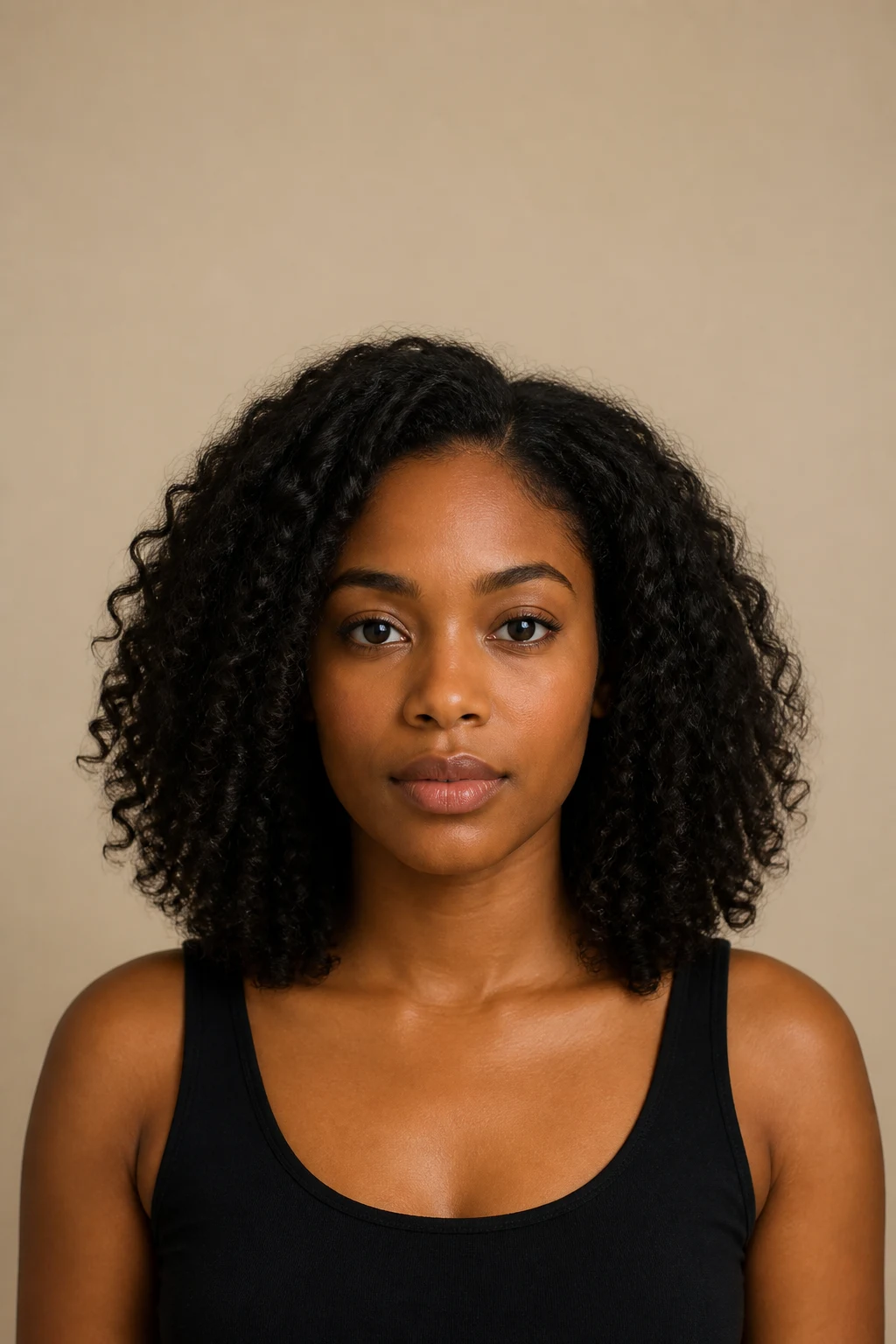
Fictional adult portrait with loose natural curls before using the braid filter
Source
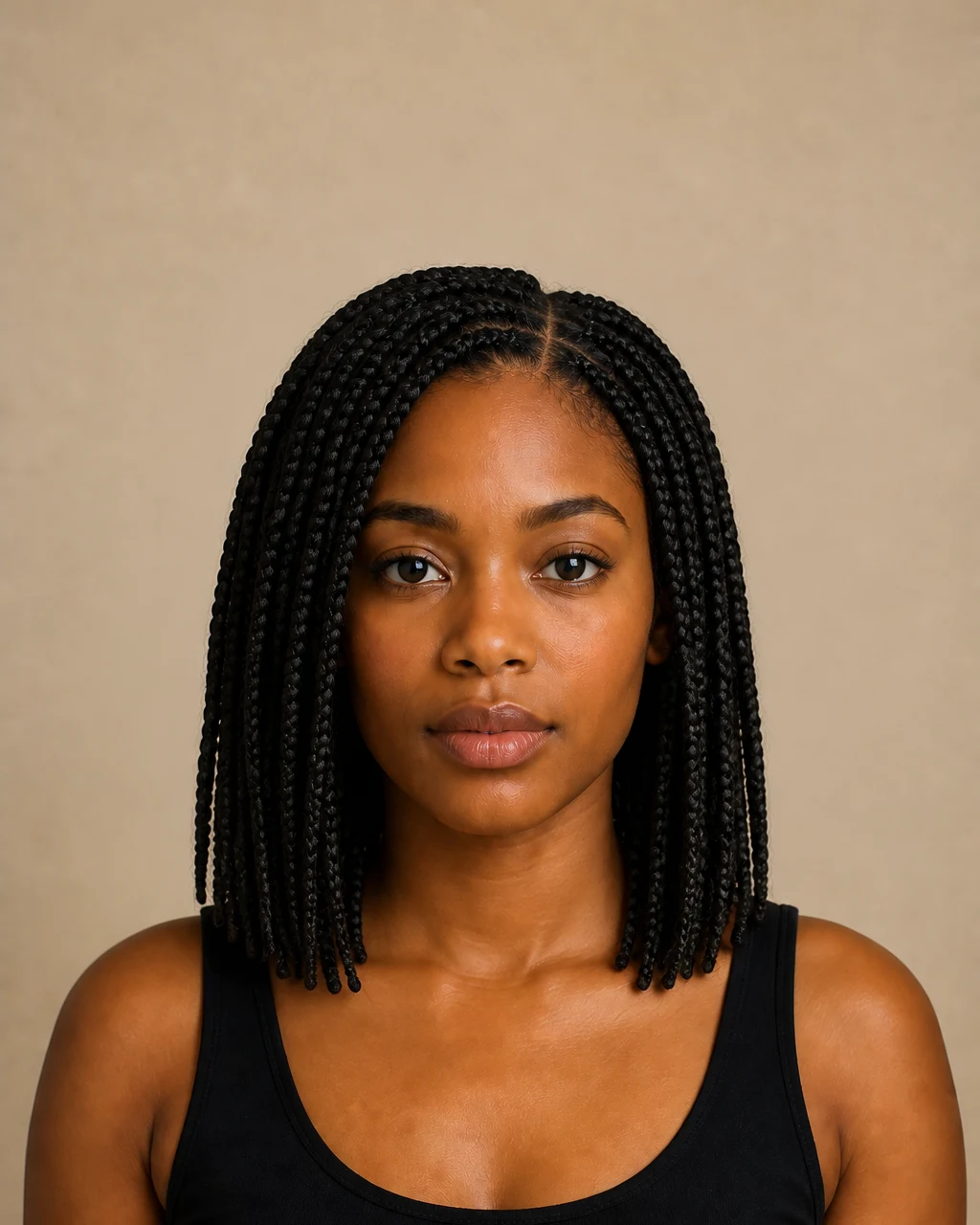
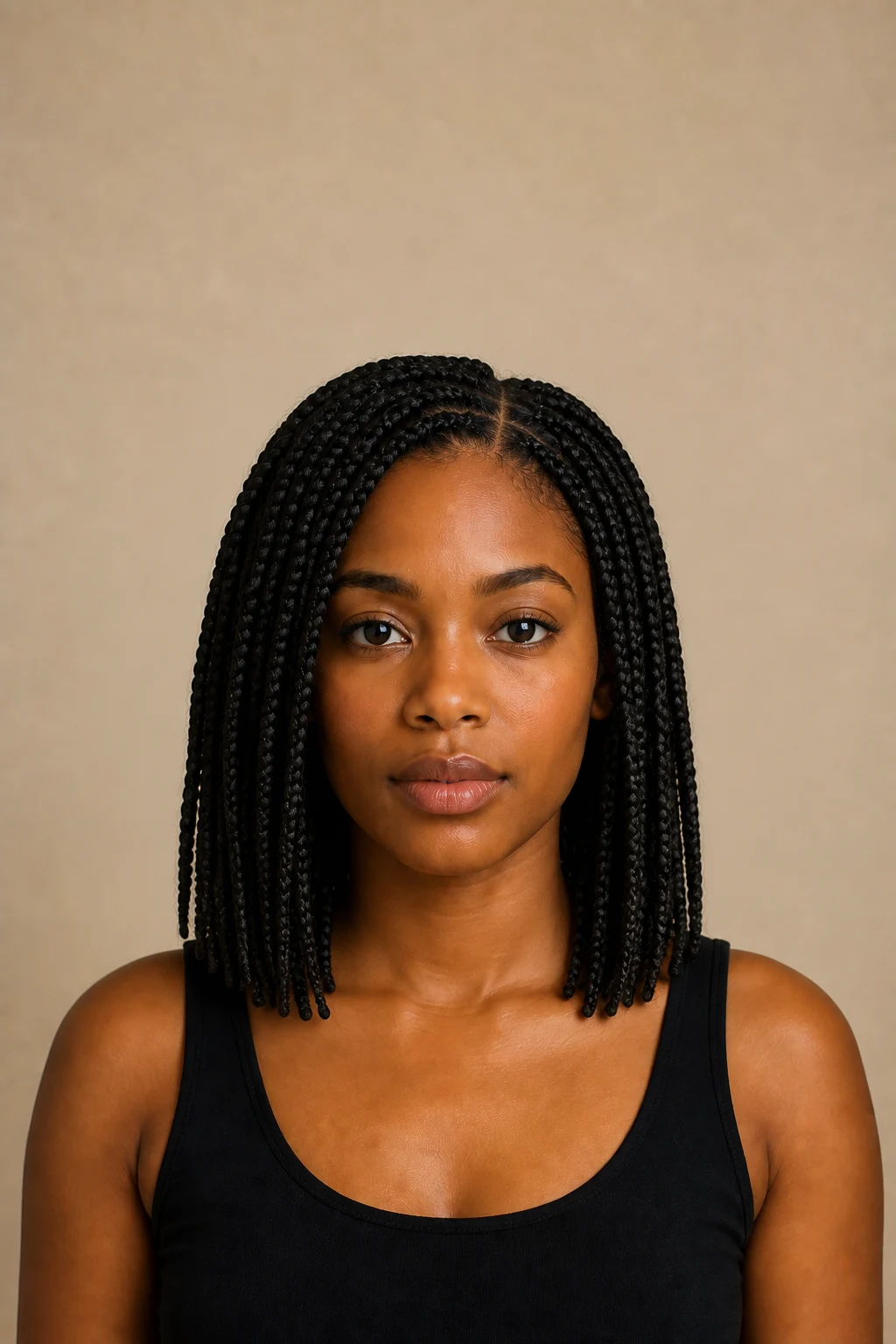
Same fictional adult portrait with medium knotless box braids
Braided Hair
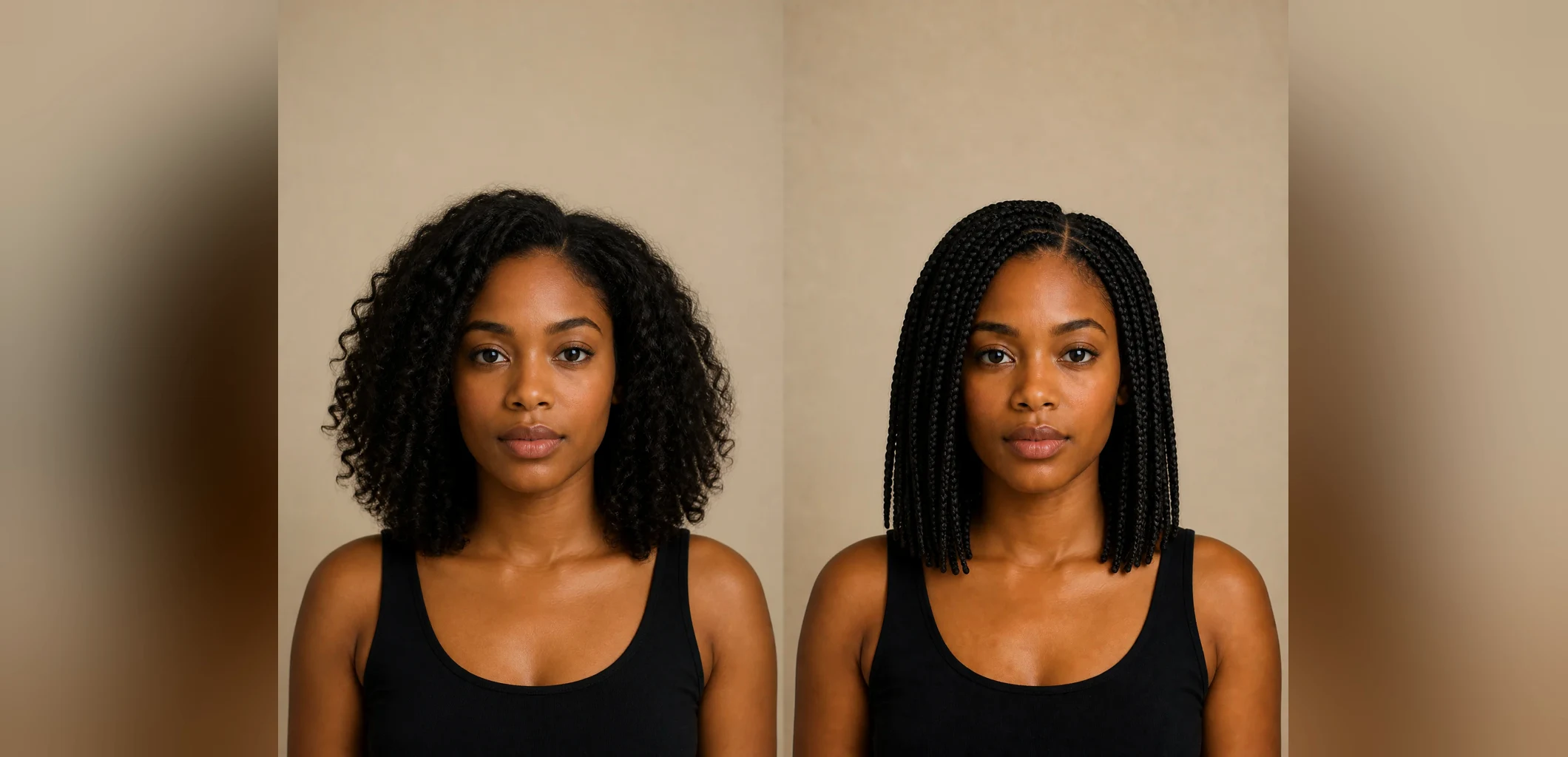
Original fictional adult portrait and generated knotless box braids shown side by side

Preview Braids on Your Portrait, Not on an Unrelated Model

A useful AI braided hair preview should still look like the photo you uploaded. This braid filter concentrates the edit on visible head hair: the parting map, hairline transition, braid width, woven strand path, volume, fall, ends, flyaways, and shadows. The saved prompt also protects the face shape and complete head so the result is easier to compare with the source. It is a generated concept, not a live camera effect and not a lesson in how to install or maintain braids. Real tension, scalp health, hair density, length, products, added hair, wear time, and maintenance need advice from a qualified braider or stylist.

Four Original AI Braided Hair Results

Every style card and example uses an original fictional adult source paired with its actual generated braid result. The matching framing makes hairstyle changes easier to judge without copying competitor images or presenting a generic gallery as product proof.

Knotless Box Braids with Readable Parts

The knotless result replaces loose curls with medium braids that begin from clean square parts and fall to the shoulders. The face, black top, light, and warm background remain recognizable, so attention stays on the root transition, braid width, weight, and tapered ends. Inspect both sides of the face and the lower braid tips; a good result should not dissolve into repeated ropes or float away from the shoulders.

Try Knotless Braids
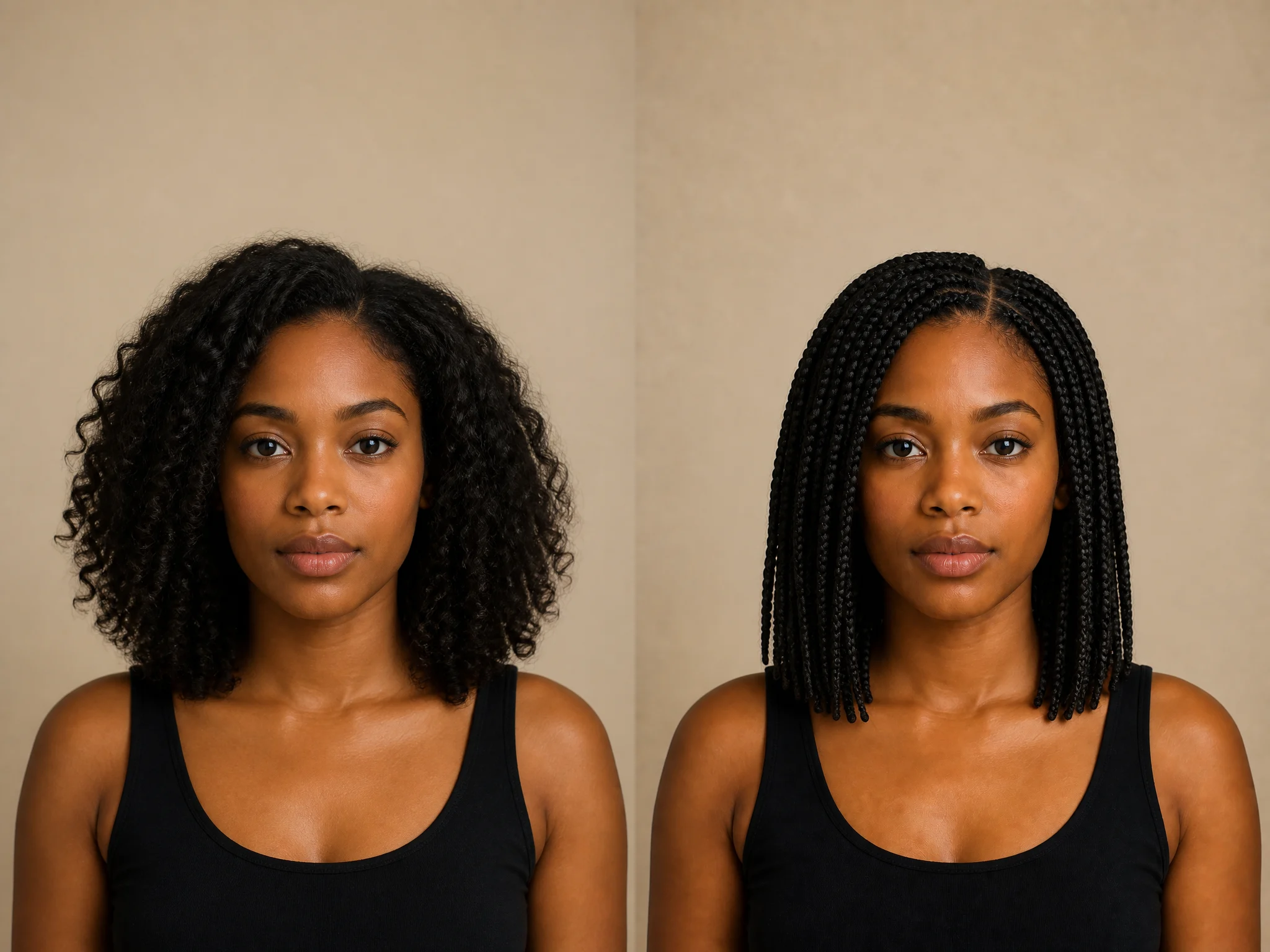
Loose natural curls changed to knotless box braids on the same fictional adult portrait

Straight-Back Cornrows for a Short-Hair Portrait

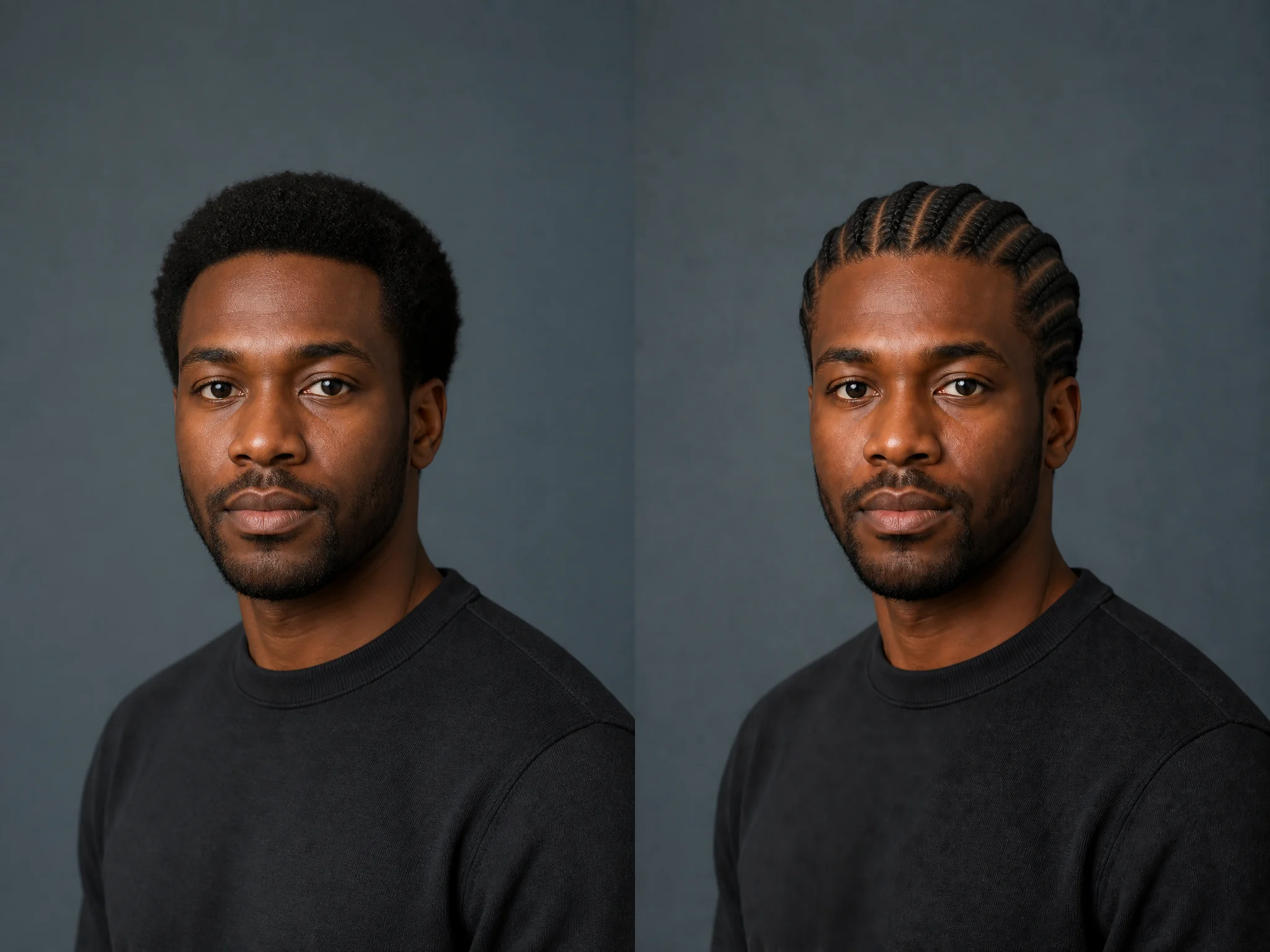
This example uses a close adult portrait with a short natural afro, then maps several rows from the hairline toward the back of the head. Because the camera is slightly three-quarter, the result needs coherent part spacing on both the front and visible side. Compare the forehead, temples, ears, beard, shirt seam, and background to catch identity or geometry drift before saving the preview.

Try Cornrows
Short natural afro changed to straight-back cornrows on the same fictional adult man

A Braided Crown with Soft Face Framing

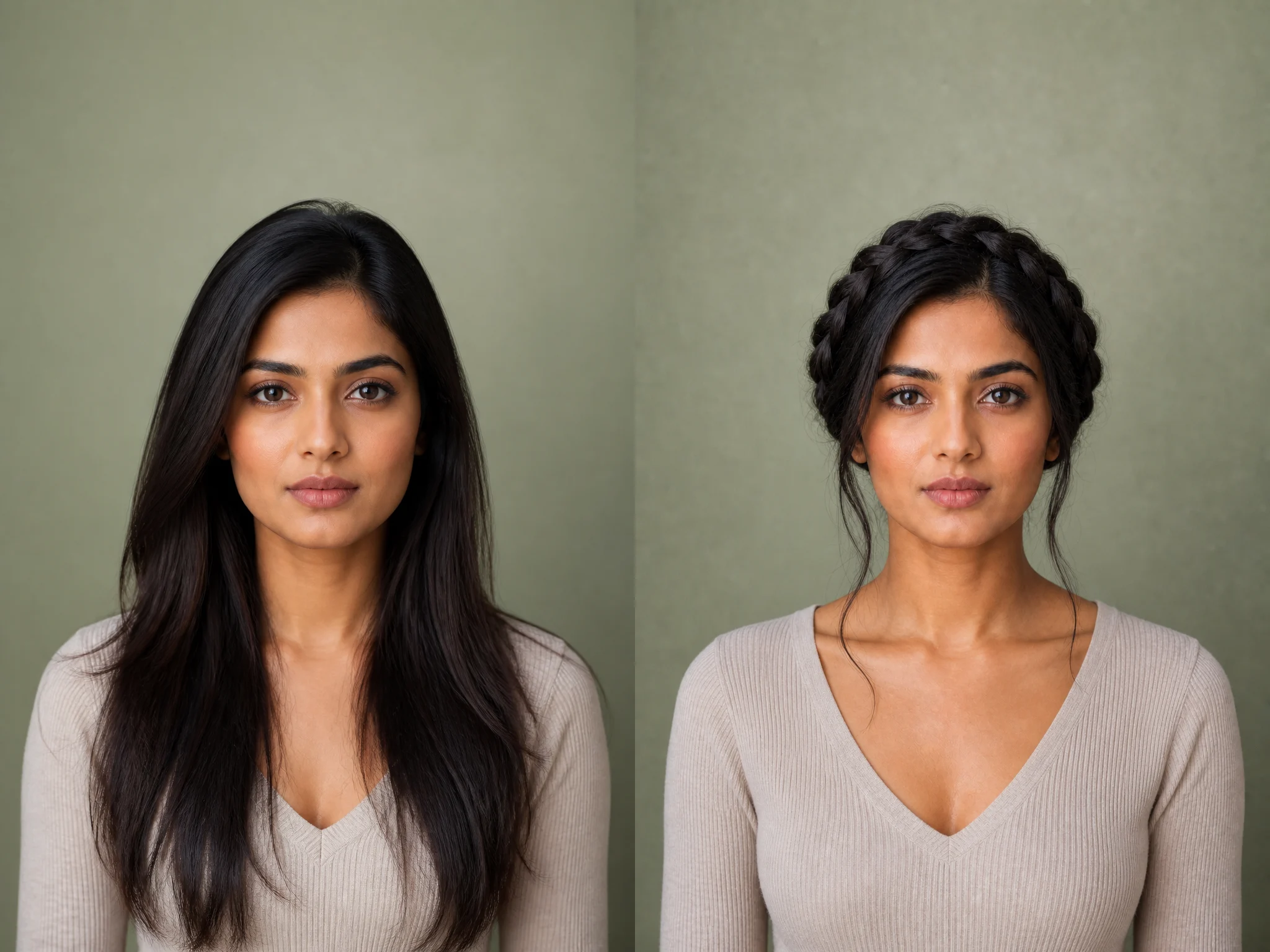
The braided crown changes long loose hair into an updo wrapped around the complete head. Woven sections should follow the skull rather than sit like a separate ring, while a few restrained strands can keep the transition soft. The example also shows why headroom matters: a tight crop can cut the crown and make the hairstyle impossible to evaluate.

Try a Braided Crown
Long straight hair changed to a thick braided crown on the same fictional adult portrait

Short Goddess Braids That Preserve Silver Hair

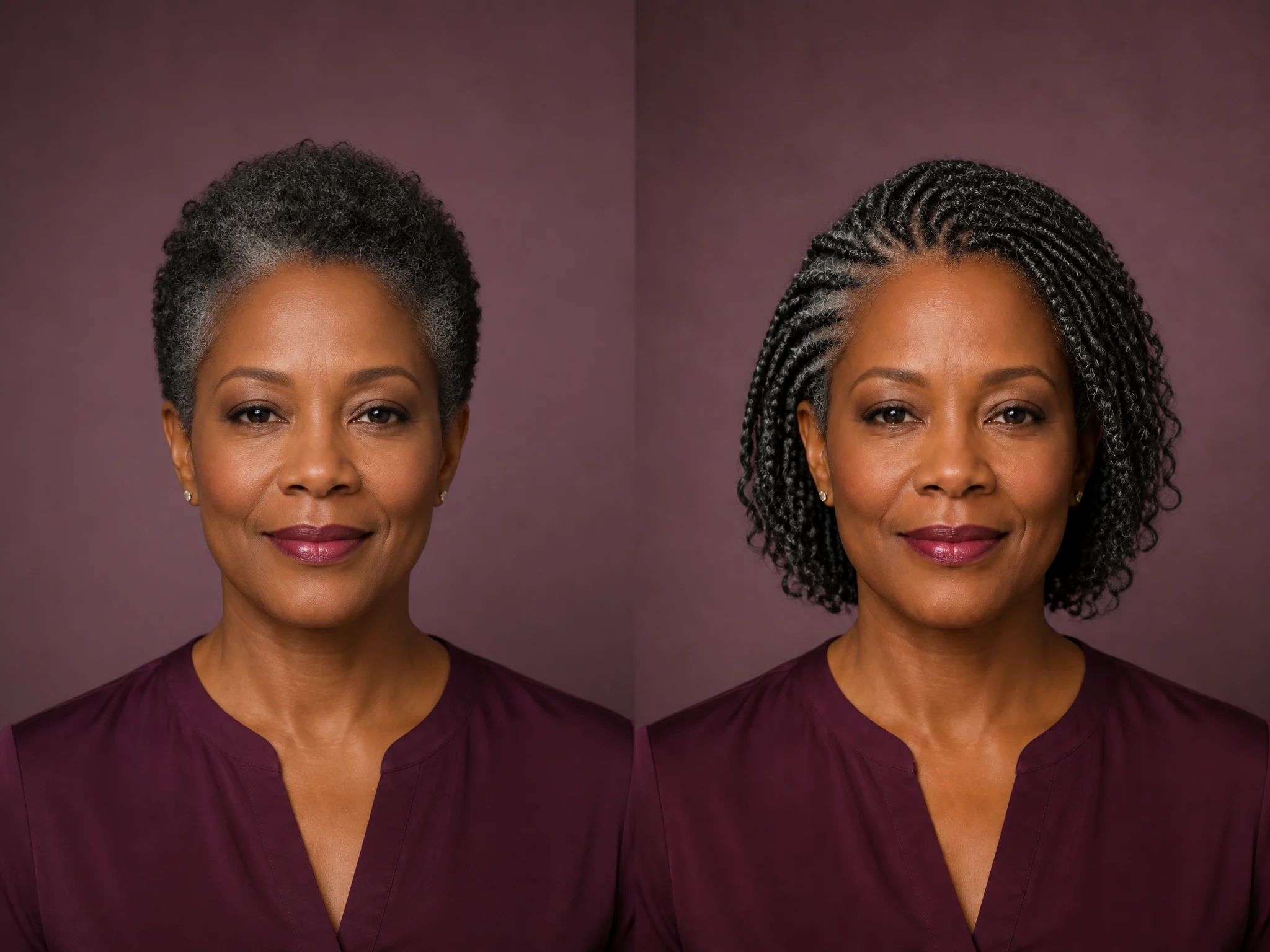
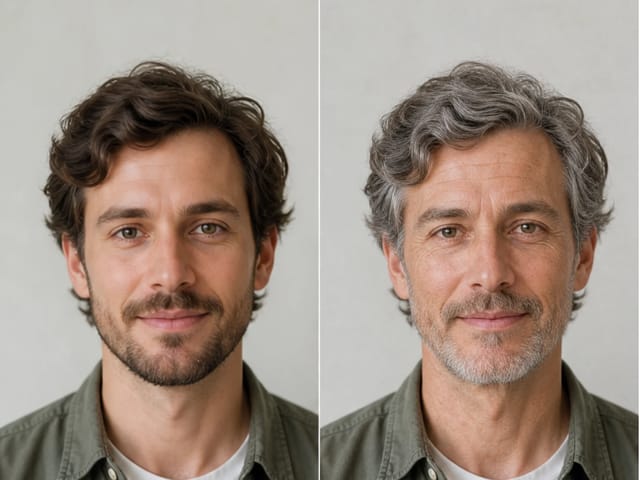
Braided previews should not erase age or an existing color pattern by default. This mature portrait keeps the original black-and-silver distribution while adding short goddess braids and softly curled loose strands. The result offers a different length and texture from the other presets, while retaining natural skin detail, earrings, expression, blouse, and plum studio setting.

Try Goddess Braids
Short black-and-silver natural hair changed to goddess braids on the same fictional mature adult

How to Use the Braid Filter

A clear source, one braid direction, and a careful comparison produce a more useful hairstyle concept than a long stack of conflicting changes.

1. Upload a Clear Adult Portrait

Choose a sharp front-facing or gentle three-quarter photo with the full head, hairline, face, ears, neck, shoulders, and current hair boundary visible. Leave room above the crown and around the sides. Avoid hats, hands over the hair, dark roots that disappear into the background, severe crops, motion blur, tiny faces, or beauty filters that remove natural edges.

Upload a Portrait
Clear fictional adult portrait suitable for an AI braided hair preview

2. Choose One Braided Hairstyle

Pick knotless box braids, straight-back cornrows, a braided crown, or silver goddess braids. Each preset adds a tested description of parts, roots, braid paths, fall, and finish. The editable note is for one focused change such as smaller parts, shoulder length, original color, no beads, or softer loose strands. It does not replace the identity and full-head protections around the request.

Choose a Braid Style
Generated knotless box braids result used as a selectable style card

3. Generate, Then Check More Than the Face

Compare identity first, then inspect the hairline, scalp parts, root direction, braid continuity, ear edges, crown, shoulders, and every visible end. Look for fused braids, impossible paths, repeated parts, clipped ends, floating hair, or background changes. If the edit drifts, reuse the same source and style with one concise correction instead of adding unrelated changes to makeup, age, clothing, or scene.

Generate and Compare
Before-and-after check of a short afro and generated straight-back cornrows

A Focused AI Hairstyle Preview Workflow

The page turns a real image-to-image generator into a bounded braided-hair preview with visible source-to-result proof.

Identity and Face-Shape Protection

The saved instruction asks the model to keep the adult identity, facial structure, expression, skin tone, head angle, pose, clothing, light, and background recognizable while changing only visible head hair.

Full Head and Braid-Path Checks

The prompt keeps the complete head, roots, parts, hairline, ears, braid silhouette, and visible ends in frame, then excludes floating braids, fused paths, pasted edges, duplicate features, text, and borders.

Actual Result Style Cards

The four selectable thumbnails show real generated outputs made from the paired fictional sources. They are not stock photos or promises that every portrait will produce an identical result.

Editable, Bounded Notes

Adjust a practical detail such as part size, length, original color, beads, or loose strands. The generator combines that note with the chosen braid direction and the permanent portrait protections.

Useful Ways to Compare AI Braided Hair

Treat the output as a visual concept for discussion and planning, never as a promise of salon feasibility, scalp comfort, or long-term wear.

Before a Braider Consultation

Compare part scale, braid width, length, face framing, and overall silhouette on your own portrait. Bring the source and preferred concept to a qualified braider, who can assess hair length, density, scalp condition, tension, added hair, timing, cost, and maintenance.

Portrait and Headshot Planning

Preview how cornrows, box braids, or an updo might work with an existing neckline, camera angle, or background before arranging a new shoot. Review identity and edges carefully before using any generated portrait publicly.

Character and Campaign Mood Boards

Explore a braided hairstyle direction for a fictional adult character, costume, creator portrait, or early campaign concept. Keep generated work labeled appropriately when viewers could mistake it for documentary photography.

One-Portrait Style Comparison

Use the same clear source across several presets so hairstyle is the main variable. This is easier to judge than comparing unrelated models with different faces, head shapes, lighting, crops, and camera lenses.

Braid Filter FAQ

Answers about photo choice, braid styles, identity preservation, credits, privacy, and realistic expectations.

What does this braid filter do?

It uses an uploaded adult portrait as an image reference and asks the model to change visible head hair into a selected braided hairstyle. The prompt focuses on parts, roots, hairline transitions, braid paths, volume, fall, ends, and shadows while asking it to keep the face and photo context recognizable.

Is this a live camera braid filter or a braiding tutorial?

No. It is a web-based AI image-to-image generator that produces a new still-image concept from an uploaded portrait. It does not track a face through a live camera, teach installation steps, or evaluate real hair and scalp conditions.

Which braid styles can I preview?

The page includes knotless box braids, straight-back cornrows, a braided crown, and short silver goddess braids. You can add one focused editable note for part size, length, original color, beads, or loose strands. Results vary by source photo and generation.

Will the AI braided hair result preserve my face exactly?

The template explicitly asks the model to preserve identity, face shape, expression, skin tone, age, head angle, clothing, light, and background, but generative edits can still drift. Always compare the result with the source and retry when important details change.

What photo works best for the braid filter?

Use a clear adult portrait with balanced light and the full head, hairline, face, ears, neck, shoulders, and current hair boundary visible. Front-facing or gentle three-quarter views work best. Avoid hats, hands over hair, severe crops, blur, tiny faces, or dark backgrounds that hide the silhouette.

Can men and mature adults use the braided hair filter?

Yes. The workflow is designed for adult portraits rather than one gender or age. The original examples include straight-back cornrows on a man and black-and-silver goddess braids on a mature adult to demonstrate different directions.

Does the preview show exactly how real braids will look or feel?

No. It is a generated visual concept, not a physical simulation. It cannot predict tension, scalp comfort, achievable parting, exact length, added-hair needs, installation time, maintenance, or how long a style will last. Consult a qualified braider for real-world advice.

Is the braid filter free?

Yes, new users currently receive 40 gifted credits, enough to start with one braid preview at the current 40-credit cost. Every generation consumes the live credit amount shown before submission. Images generated entirely with free credits include a watermark; paid-credit generations do not include that free-credit watermark. Gifted credits are limited, and the live interface remains the source of truth if pricing changes.

Can I upload someone else's portrait?

Only upload an image you have the right and permission to use. Get the adult subject's consent, avoid private or sensitive photos, review NanoPic's current terms and privacy information, and inspect generated results before saving or sharing them.

Compare a Braided Hairstyle on Your Own Adult Portrait

Upload one clear photo, choose a generated braid direction, refine one useful detail, and review the source and result side by side.