



















































































































Free AI Cartoon Image Generator
Sign In

Free AI Cartoon Image Generator

Upload one clear portrait or people photo, choose a distinct cartoon style, and create a recognizable illustrated version. The image-to-image workflow protects identity, natural proportions, and the complete head while your optional notes refine color, background, or scene detail.

Pick one clearly defined look. Identity and full-head preservation stay active for every style.

Upload a Photo*
Try the Portrait Sample

0 / 600

Public Visibility
Copy Protection
Credits required:-

Free AI Cartoon Image Generator

Image

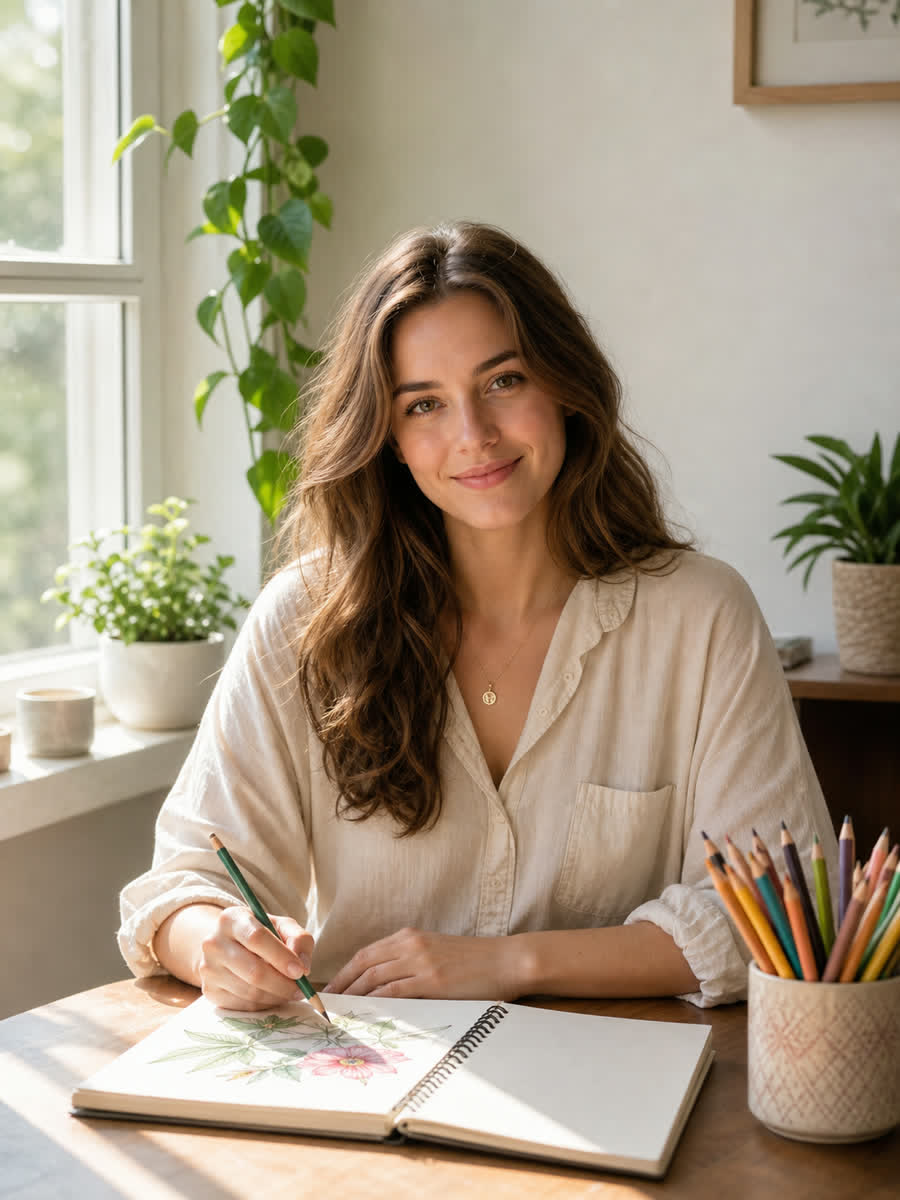
Natural portrait before using the AI cartoon image generator
Photo
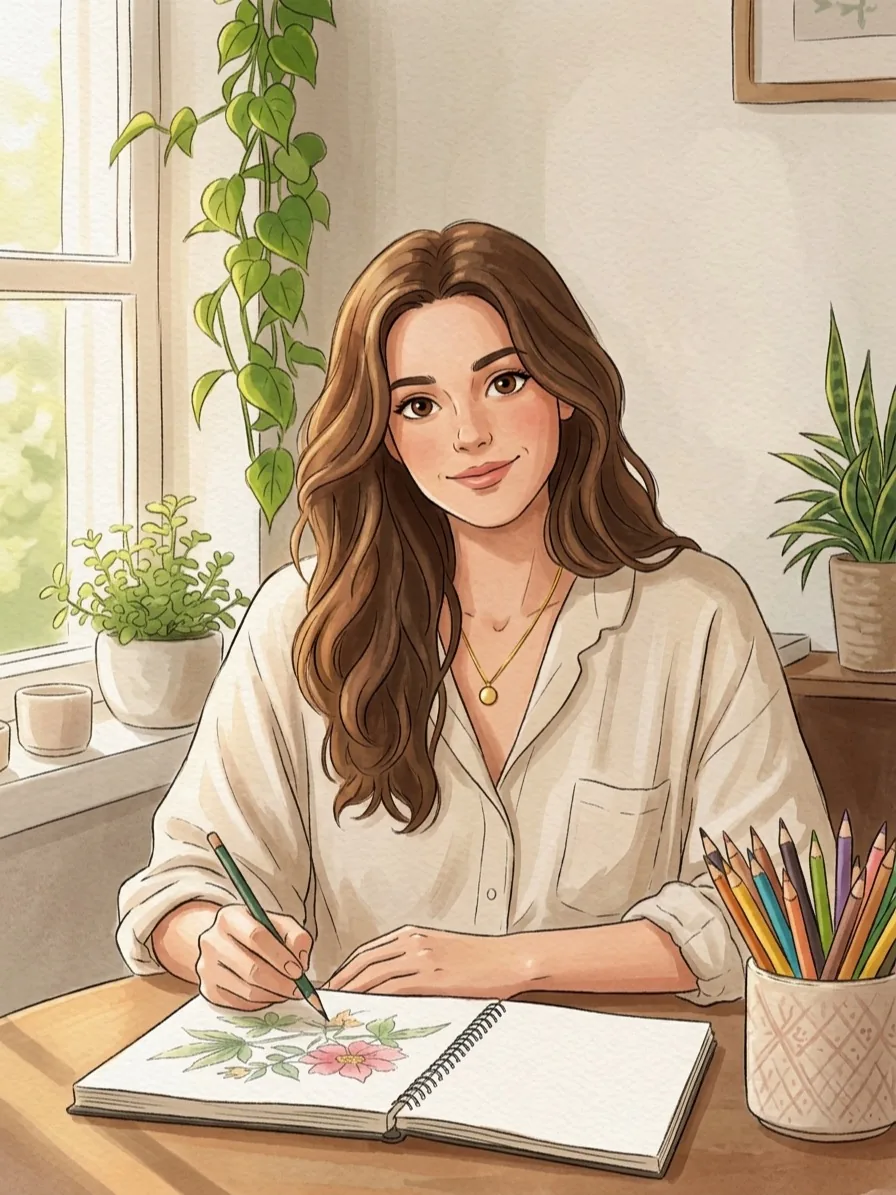
Identity-preserving storybook cartoon portrait generated from the uploaded photo
Cartoon
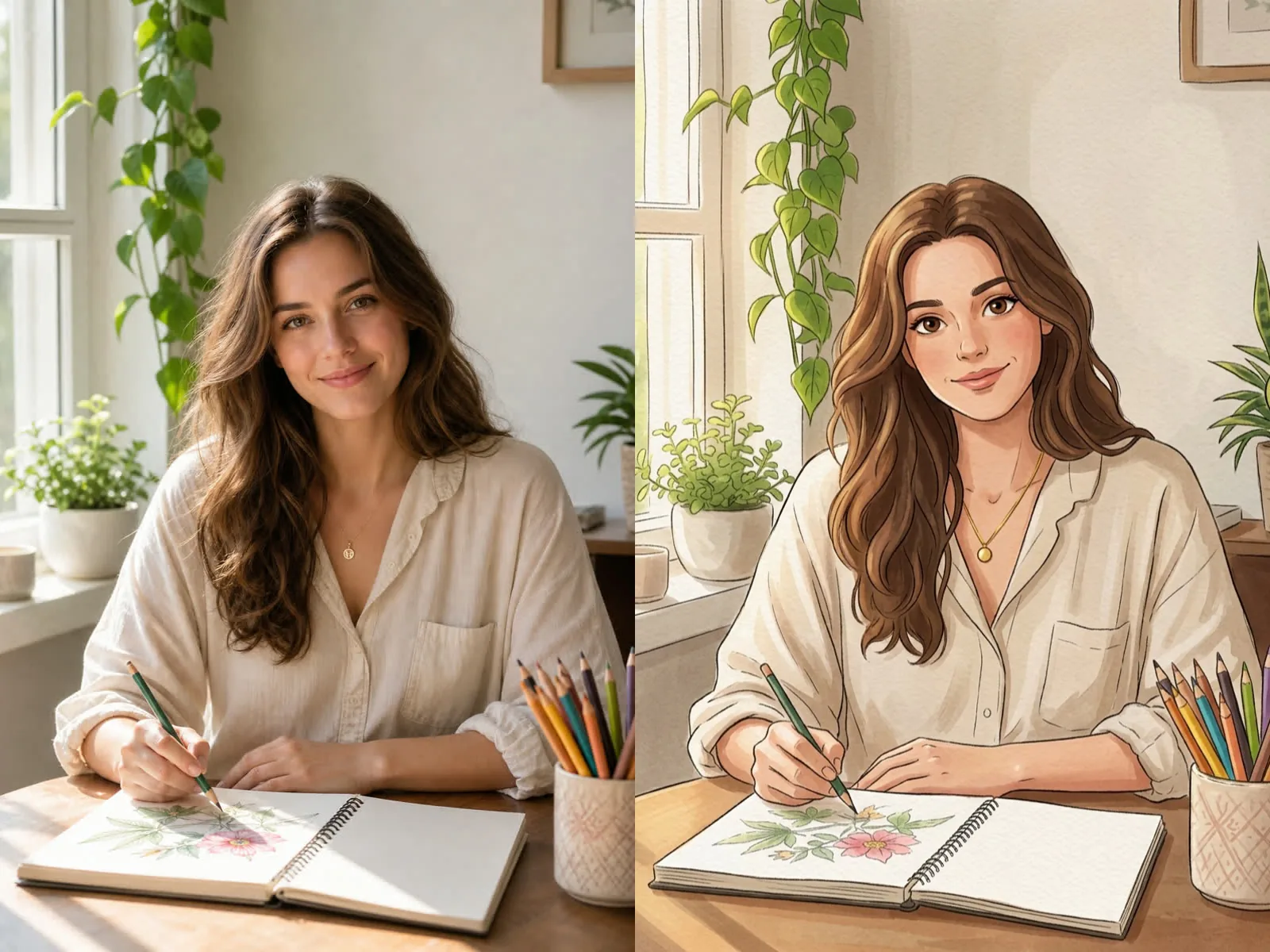
Before and after comparison of a portrait transformed into storybook cartoon art

Turn a Real Photo into a Cartoon That Still Looks Like You

An AI cartoon image generator should do more than place a generic filter over a face. It should translate the person, pose, clothing cues, and meaningful scene details into a deliberate illustrated style without losing who is in the photo. NanoPic starts from your uploaded image, so the model can reference facial structure, hair shape, expression, body proportions, hands, and background context. Every preset also carries practical framing constraints: keep the complete top of the head, retain all hair, avoid extra limbs, and do not reshape the person into an unrelated character. Choose Storybook Animation for warm painted charm, Clean Comic for graphic ink and cel shading, Clay 3D for tactile sculpted depth, or Retro Anime for nostalgic hand-painted color. The result is a useful creative image for an avatar, invitation, family keepsake, creator post, or character concept—not a promise of exact biometric reproduction, but a controlled transformation you can review and refine.

Photo-to-Cartoon Features Built Around Recognition

The generator combines a real reference image, clearly separated style directions, and guardrails that protect the subject and composition.

Identity-Aware Transformation

The prompt asks the model to retain facial structure, age, skin tone, hair color and length, expression, clothing cues, and pose. This reduces the common problem of receiving a polished cartoon that looks like a completely different person.

Complete Head and Natural Proportions

Every style keeps the top of the head, all hair, shoulders, hands, and important subject details inside the frame. The generator also rejects excessive eye enlargement, face reshaping, distorted fingers, extra limbs, and duplicate people.

Four Genuinely Different Presets

Storybook painting, clean comics, clay-like 3D, and retro anime use different materials, line treatments, shading, and lighting. A preset changes the visual language rather than merely changing a color adjective.

Editable Creative Notes

Optional notes can preserve glasses, simplify a busy room, request softer color, keep a pet, or emphasize a meaningful prop. The fixed identity and framing constraints remain active even when you add those details.

How to Use the Free AI Cartoon Image Generator

A good result begins with a readable source photo and one clear style choice. Use this short workflow to avoid accidental crops and identity drift.

1. Upload a Clear, Complete Photo

Choose a sharp image with the face in focus and the full head visible. Leave space around hair, hats, and shoulders so the model does not have to invent missing edges. For a seated or full-body scene, include hands, feet, and important props. Even window light and moderate contrast usually preserve features better than beauty filters, motion blur, strong backlight, or tiny group faces.

Upload a Photo
Clear source portrait beside its generated cartoon result

2. Pick One Visual Language

Select Storybook Animation for warm painted line art, Clean Comic for sharper graphic contours, Clay 3D for sculpted material, or Retro Anime for cel-painted nostalgia. Start with one preset instead of mixing several incompatible looks. If you add notes, describe only the details that matter—such as keeping glasses, retaining a garden, simplifying office clutter, or using a softer palette.

Choose a Style
Photo and storybook animation comparison showing preserved composition

3. Review Identity, Framing, and Hands

After generation, compare the result with the original. Check face shape, hairline, eye color, expression, clothing, hands, and the top edge of the head. Also inspect pets, jewelry, glasses, and objects that carry personal meaning. If a feature drifted, keep the same source photo and add one concise correction rather than rewriting the entire request. Download only the version that stays recognizable at both thumbnail and full size.

Create and Review
Side-by-side quality check for identity and full-head preservation

Useful Ways to Turn Photos into Cartoon Images

The same identity-preserving workflow can support personal, social, and creative projects when the source photo and chosen style match the final use.

Profile Pictures and Creator Avatars

Convert a clear head-and-shoulders photo into a distinctive avatar that remains recognizable at small size. Clean Comic and Retro Anime work especially well when a strong silhouette and controlled background matter.

Family, Couple, and Pet Keepsakes

Create an illustrated memory from a favorite home, holiday, or pet photo. Leave everyone fully visible and choose Storybook Animation for a softer keepsake feel; review each face separately when more than one subject appears.

Invitations and Personalized Gifts

Use a cartoon portrait as the visual starting point for a birthday card, wedding sign, graduation gift, or printed memento. Add event text later in a design editor so names and dates remain exact and typographically clean.

Character and Campaign Concepts

Turn a founder, team member, or model photo into an early character direction for a campaign. Keep the original reference and generated image together so collaborators can judge what changed before producing a final brand asset.

AI Cartoon Image Generator FAQ

Practical answers about source photos, styles, identity preservation, framing, and responsible use.

What is an AI cartoon image generator?

It is an image-to-image tool that uses an uploaded photo as a visual reference, then redraws the subject in a selected illustrated style. This page uses the photo to guide identity, pose, clothing, and scene details rather than generating an unrelated cartoon from text alone.

Is the AI cartoon image generator free to use?

You can open and configure the generator for free. Creating an image uses NanoPic credits; images created with free credits include a watermark, while paid credits generate images without that free-credit watermark.

Which photo gives the best cartoon result?

Use a sharp, well-lit image with the face in focus and the complete head inside the frame. Avoid heavy filters, severe blur, tiny faces, clipped hair, or important hands hidden outside the crop. A little space around the subject gives the model room to preserve the composition.

Will the cartoon still look like the person in my photo?

The template explicitly requests the same facial structure, age, skin tone, hair, expression, clothing cues, pose, and body proportions. AI can still drift, especially with low-quality or crowded photos, so compare the result carefully and regenerate with one focused correction when needed.

How are the four cartoon presets different?

Storybook Animation uses painted color and warm linework; Clean Comic uses ink contours and controlled cel shading; Clay 3D uses softly sculpted tactile forms; Retro Anime uses nostalgic cel painting and hand-painted backgrounds. They are separate visual systems, not four names for the same filter.

Can I use a group, couple, child, or pet photo?

You can try any photo you have the right to use, but single-subject images are usually the most reliable. For couples, groups, children, or pets, keep every face and complete head visible, avoid distant subjects, and inspect each identity and limb in the result before sharing it.

Why does the prompt insist on the complete head?

Cartoon transformations often enlarge faces or tighten the crop, which can remove hair, hats, ears, or the top of the skull. The full-head constraint protects a natural silhouette and makes the output easier to reuse for profile pictures, cards, and prints.

Can I add names or event text to the cartoon?

For exact spelling, generate the clean artwork here and add names, dates, or headlines afterward in a layout or design tool. Image models can render inconsistent text, while a separate text layer remains editable, accessible, and print-ready.

May I use the result commercially?

Only upload images you are authorized to use, and review the generated result for rights, likeness, brand, and platform requirements that apply to your project. NanoPic provides a creative workflow, not legal clearance or an identity guarantee.

Try the Free AI Cartoon Image Generator

Upload a complete, well-lit photo, choose one clear style, and generate a cartoon image with identity, proportions, and full-head framing built into the prompt.