








































































































Save up to 73% on plans

Comic Book Generator
Sign In

Comic Book Generator

Upload one photo to create a wordless four-panel comic image. Your subject becomes the recurring character in a short visual sequence on one page.

Upload a Photo*
Try Sample Images
Copy Protection
Public VisibilityAllow this result to appear in public inspiration surfaces.

Comic Book Generator

Image

AI output preview
Input
AI output preview
Output

More AI Image Models & Effects

Browse every other AI image model and effect published on this site in a continuous carousel.

A four-panel visual story on one page from your photo

A photo supplies the recurring character and setting. Four panels create a small beginning, surprise, interaction and resolution, with consistent ink lines and readable gutters. This workflow creates one four-panel comic image without dialogue. It does not write a full book, edit panel layouts or export a multi-page document.

See the original example and result

The sample characters, input photographs and reference scenes were newly generated with AI for NanoPic.

Four-panel visual story on one page

The sample characters, input photographs and reference scenes were newly generated with AI for NanoPic. A photo supplies the recurring character and setting. Four panels create a small beginning, surprise, interaction and resolution, with consistent ink lines and readable gutters.

Try My Photo
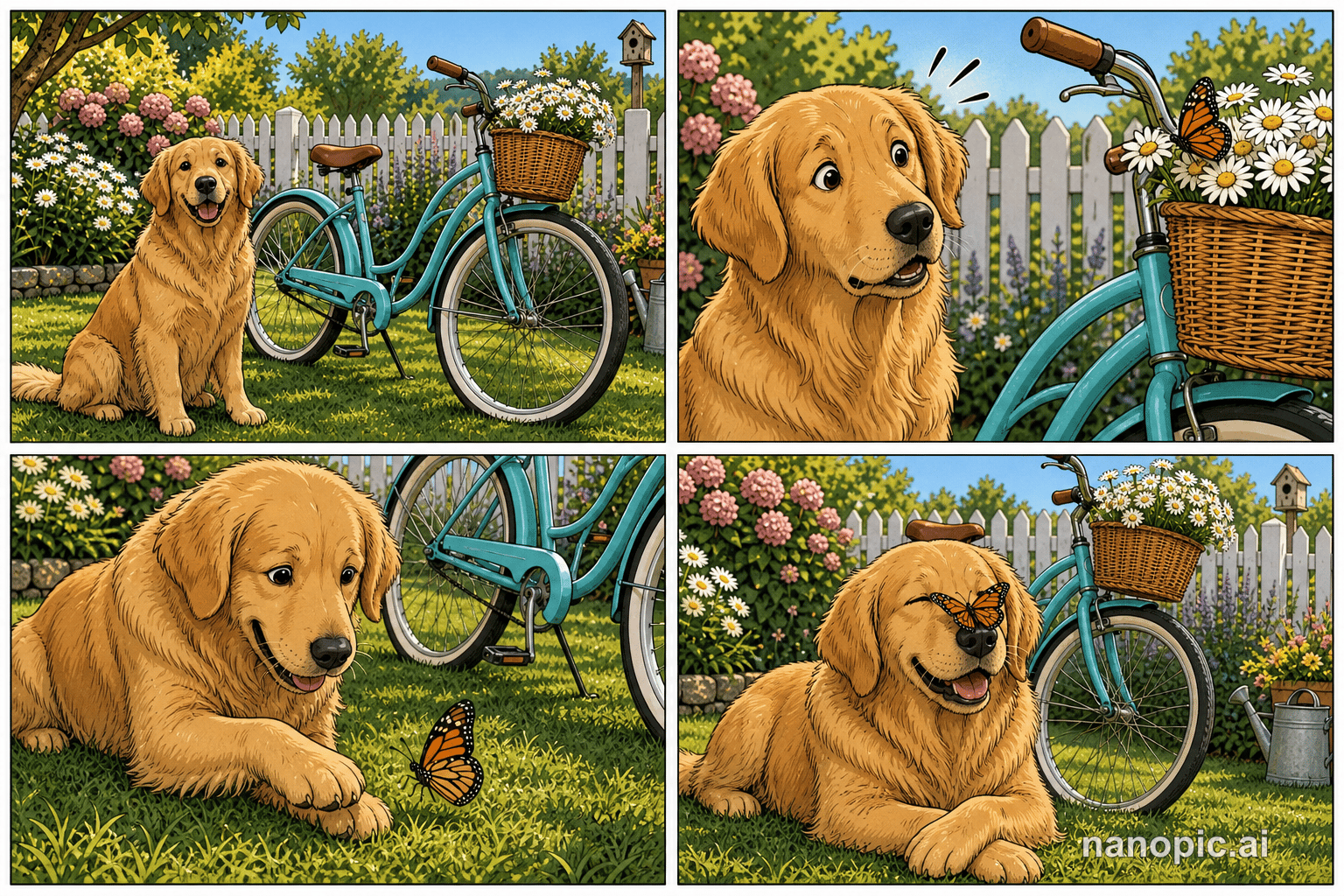
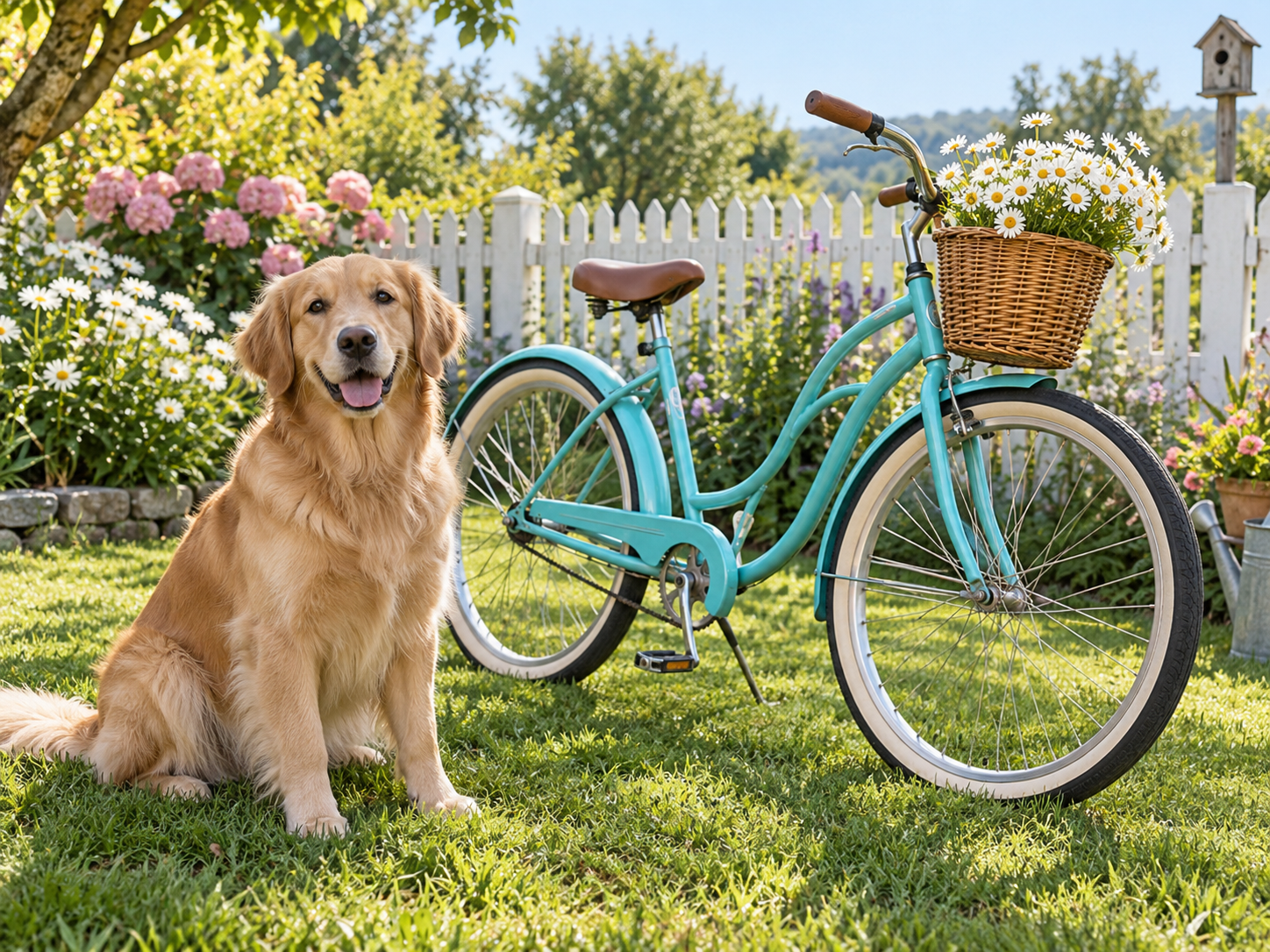
four-panel visual story on one page

How it works

1. Choose a clear reference

Start with an in-focus photograph, an unobstructed subject and even lighting. Try the sample to understand the transformation, then use your own image. A clean input makes the result easier to judge.

2. Check the roles and credit estimate

Preview the uploaded image and make sure the important subject is not cropped out. Check the displayed model, settings and credit requirement before submitting.

3. Review and download

When the task finishes, inspect the complete output before downloading. Your generation history keeps the task available if you leave the page. Check the existing task before submitting the same input again.

Choose inputs that make the result readable

Subject and edges

Keep the complete subject inside the frame. Avoid cutting off faces, hands, ears or important object edges. A less crowded background helps separate the subject from details the model might interpret differently.

Review the transformation

This workflow creates one four-panel comic image without dialogue. It does not write a full book, edit panel layouts or export a multi-page document.

Allow for variation

AI can change small details, proportions or movement. The example demonstrates a particular input and output, not a promise that every photograph will behave identically. Check important details at full size before sharing.

A practical guide to choosing, creating and reviewing

Start with a photograph that suggests a small situation

A single photo provides the recurring character and the starting setting for this four-panel page. Choose an image with one clearly identifiable subject and enough context to make a small visual event understandable. A person holding an everyday object, a pet near a toy or a character in a simple room can provide more useful cues than a crowded group. You do not need to write a screenplay for this preset, but the photo should give the sequence something coherent to build around. Look for a readable pose, a clear face and objects that are not hidden behind each other. Avoid relying on tiny text or a complicated background sign to explain the situation. The page has only four panels, so a simple starting point is easier to follow than an image that already contains several unrelated stories.

Expect one four-panel page rather than a complete book

The name describes the comic-making intent, but this particular workflow produces one image containing a four-panel visual sequence. It does not generate a bound book, a collection of independently editable pages or a publishing file. There is no dialogue in the intended result, so the story is carried by expressions, poses and changes between panels. Understanding that scope helps you plan a useful output. You might make a small visual joke, a character vignette or a page to share with a friend. If your project needs a long narrative, precise dialogue, editable panel placement or print-ready multipage layout, those require a broader writing and production workflow. You can use this page as a creative starting point, but generating several independent images does not automatically make them a consistent book with the same character and continuous plot.

Look for a beginning, a surprise and a readable resolution

A short comic works when the reader can notice what changes. The intended sequence gives a small beginning, an unexpected moment, an interaction and a resolution room to unfold. You do not need to label each stage on the page, but you should be able to explain the visual progression after looking at the result. If all four panels seem to show the same pose, the page may feel more like a collage than a story. If too much changes at once, the connection between the images may be unclear. Check whether the character has a stable reason to be in each panel and whether the final moment follows from the earlier ones. A modest, understandable action is often more satisfying than an elaborate scene that requires a paragraph of explanation outside the comic.

Keep character identity readable across the panels

Compare the main character with the source photo, then compare the panels with one another. Face shape, hair, clothing and distinctive accessories can help the reader understand that the same character continues through the page. Artistic simplification is expected, but large unexplained changes can break the sequence. For a pet, inspect markings, ears and body proportions. For a person, look at the relationship between the face and the changing pose rather than expecting a photographic duplicate. Hands and objects deserve attention when the story depends on an interaction. If an object switches size or disappears between panels, the reader may not understand the action. Treat these checks as part of selecting a good result. A beautiful opening panel does not compensate for a character who becomes unrecognizable before the final frame.

Inspect gutters, panel boundaries and reading order

The spaces between panels help separate moments in time. Look at the whole page first and check whether the four images are easy to distinguish. A character or object crossing a boundary can be a deliberate comic device, but an accidental overlap may make the sequence harder to read. Then follow the page in the order suggested by its layout and see whether the action remains understandable. At the size where you plan to share it, important expressions should not disappear into tiny marks. If you reduce the image too far, both the story and the ink lines may become difficult to see. This generator does not provide editable panel-layout controls, so review the completed arrangement as a whole. Choose a result with clear separation and a readable sequence rather than planning to fix every structural problem inside the tool.

Use a wordless format for a compact idea

Without dialogue, expressions and physical actions do most of the storytelling. That can suit a small joke, a pet adventure or a familiar everyday moment that does not require exact names or explanations. It also lets the reader focus on the character rather than generated lettering. If you need a caption for context, you can add one outside the image when sharing it. If the project requires speech balloons or a precisely written script, use a separate editor and check how the text fits the artwork. This page does not offer a lettering workspace or guarantee clean printed text inside generated panels. Keep additions brief enough that they do not hide the faces or the action. A clear visual sequence can stand on its own, while too much later text can make a simple four-panel page feel crowded.

Make input changes that help the story

If the character is hard to recognize, try a clearer photograph with a larger face or a simpler pose. If the sequence feels confusing, choose a source with fewer competing objects and a more obvious central activity. If a small prop is essential, make sure it is visible in the original rather than hidden at the edge of the frame. Keep the previous result so you can compare whether the new input improved identity, action or panel clarity. Changing every aspect at once makes that comparison harder. Each submission uses the credits displayed by the generator, so review before retrying. Free-credit image generations include a NanoPic watermark, while paid-credit generations do not add that watermark. Decide which version fits your intended sharing or printing use before building a larger layout around the finished comic image.

Share or develop the page with clear expectations

A four-panel image can be a personal greeting, a small social story or an early visual concept for a larger project. View the downloaded image at the size your audience will see, especially on a phone. Keep the four panels together when the sequence depends on their relationship; posting only one panel changes the meaning. If you print the page, preserve the image proportions and check the preview so that no panel is cut off. The file is a raster image, not a vector document with separately editable ink strokes. Further work such as adding a cover, arranging several pages or preparing a print publication happens outside this preset. For a broader comic-style creation process, compare the general comic generator. For this page, success means a recognizable character and a small visual story that reads clearly from beginning to end.

Comic Book Generator questions

What will I receive?

You receive a four-panel visual story on one page. This workflow creates one four-panel comic image without dialogue. It does not write a full book, edit panel layouts or export a multi-page document.

Do I need to write a prompt?

No. Upload the required photograph or photos and start the generation. NanoPic applies this effect automatically, so you can focus on choosing the subject and reviewing the result.

Which photos should I use?

Use a clear photograph you have permission to use. Keep the important subject inside the frame and choose an input that fits this effect. Check the preview before submitting.

Does generation use credits?

Each generation consumes the displayed credits. Images generated with free credits include a NanoPic watermark; paid-credit generations do not add that watermark.

How is this different from nearby tools?

This page makes a four-panel visual sequence from one photo. The general AI Comic Generator is a broader comic-style creation workflow.

Choose a related creative workflow

Choose by the input you have and the result you want to make.

AI comic generator photo and modern comic before-and-after example

Explore comic-style creation

Compare the example and input requirements before choosing a workflow for your idea.

Explore tool
Explore photo effects

Explore photo effects

Compare the example and input requirements before choosing a workflow for your idea.

Explore tool

Start with your own photo

Review the example, choose your input and check the credit estimate.