



















































































































Save up to 73% on plans

AI Action Figure Generator
Sign In

AI Action Figure Generator

Upload a person, pet, mascot, or character photo. NanoPic turns it into a boxed action figure product shot without asking you to write a long prompt.

Upload Image*
Try Sample Images
Public VisibilityAllow this result to appear in public inspiration surfaces.
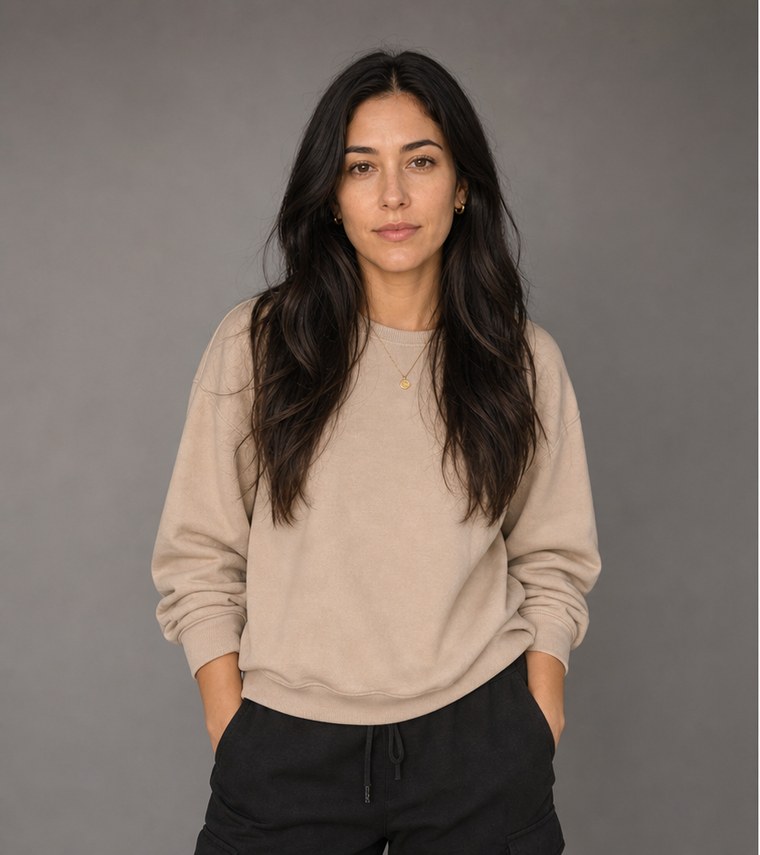
Portrait input before AI action figure generation
Input
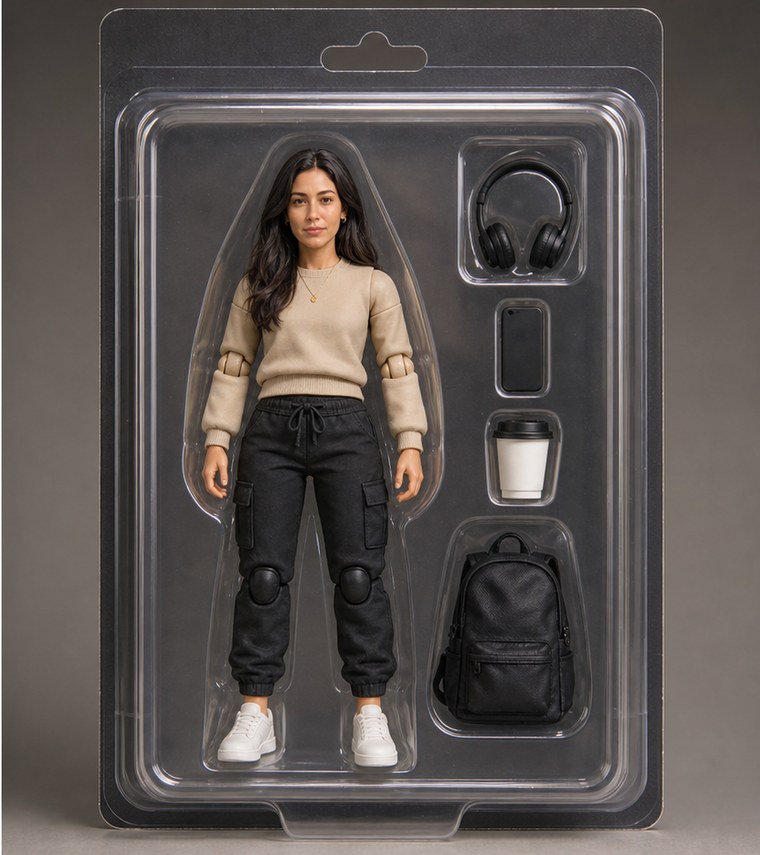
Boxed collectible output after AI action figure generation
Output

More AI Image Models & Effects

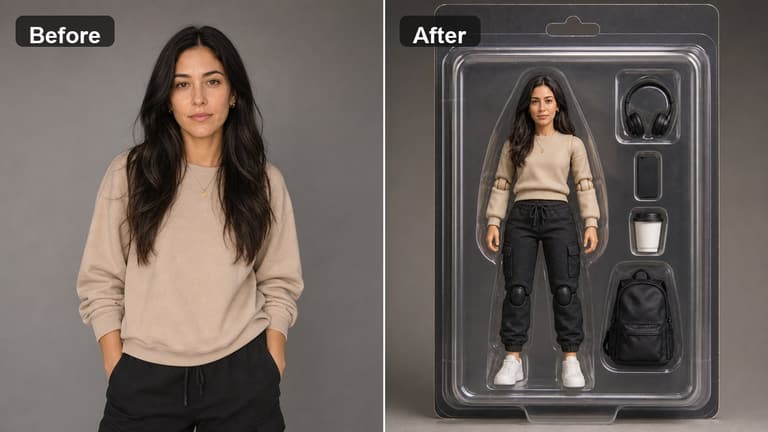
AI action figure generator before and after collectible packaging example

AI Action Figure Generator from a Single Photo

Use NanoPic's AI action figure generator when you want the fast collectible-toy look: one uploaded photo, a polished figure, arranged accessories, transparent blister packaging, and clean product-shot lighting. The workflow is built for creators making social posts, profile reveals, gift mockups, brand mascot concepts, creator merch ideas, and character collectibles without manually writing packaging prompts from scratch.

What This AI Action Figure Generator Does

The template focuses on identity preservation and a believable boxed-toy finish instead of a generic cartoon filter.

Photo-to-Figure Identity Lock

The preset asks the model to keep face shape, hairstyle, outfit colors, body cues, pet markings, mascot features, and recognizable accessories from the uploaded image, so the result still feels connected to the original subject.
Collector Box Presentation

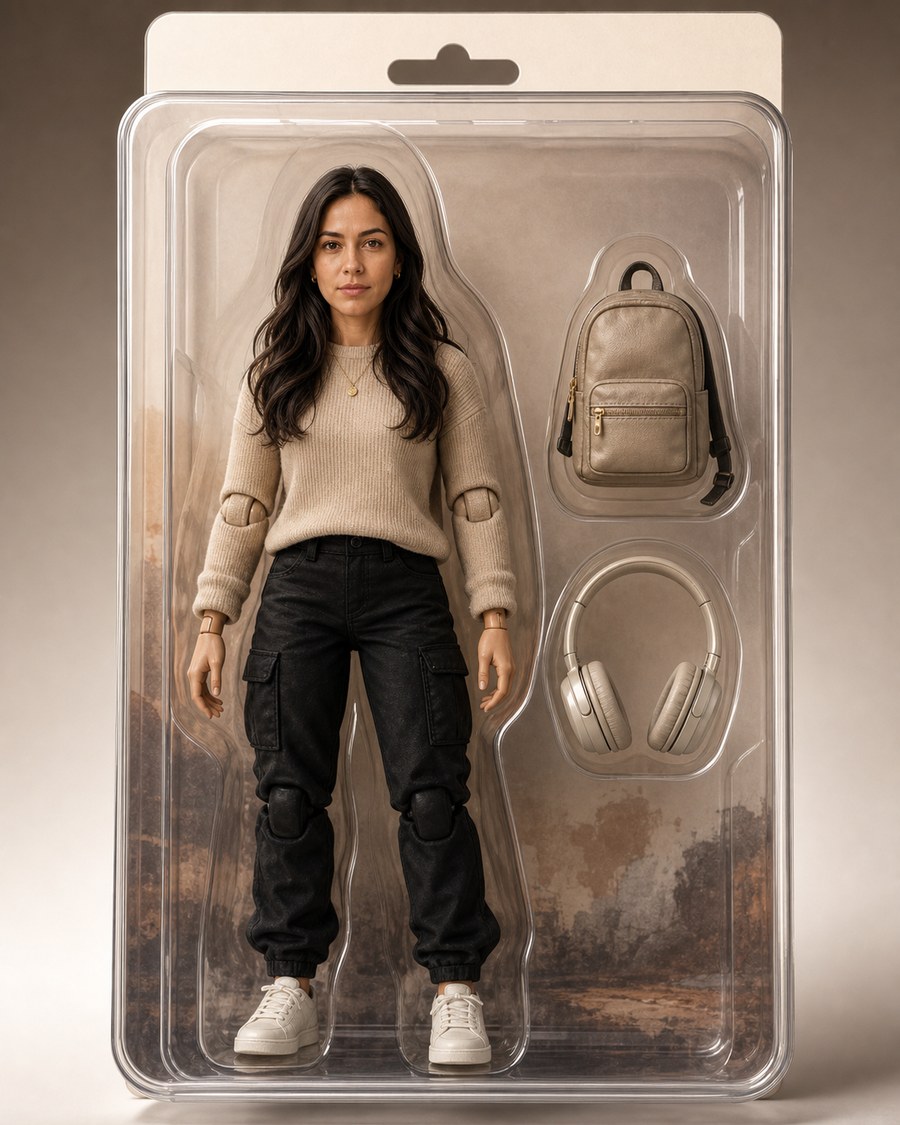
NanoPic prompts for blister plastic, a boxed toy layout, accessory placement, glossy highlights, clean background, and commercial product lighting. The output reads like a collectible package rather than a loose avatar render.

One-Click Creative Workflow

For this search intent, the main action is simple: upload a photo and generate. The hidden template prompt handles the packaging language while the real image-to-image generator keeps the workflow fast.

Best Uses for AI Action Figure Images

Action figure renders work best when the source photo has a clear subject, visible outfit details, and enough personality cues for the toy package.

Creator and Influencer Collectibles

Turn a portrait or full-body creator photo into a boxed collectible image for launch teasers, channel updates, fan posts, or personal brand experiments. Choose a source photo with clean lighting and readable clothing, then let the action figure generator build the toy box and accessories around the subject.

Make a Creator Figure
AI action figure generator creator collectible before and after

Personal Gift Mockups

A clear selfie, pet image, couple photo, or character reference can become a playful action figure mockup. The preset gives the model direct instructions for miniature proportions, molded packaging, small accessories, and a polished retail-photo finish.

Generate Gift Mockup
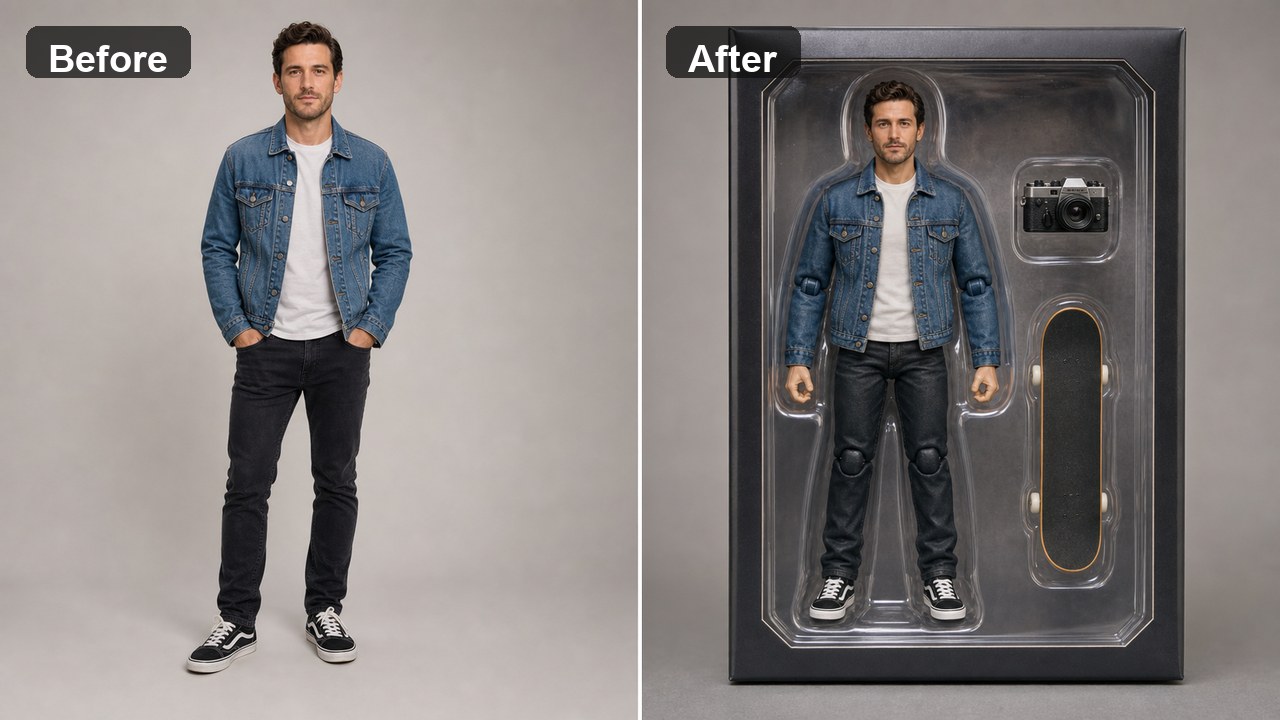
AI action figure generator personal gift mockup before and after

Mascot and Character Packaging Concepts

Upload a mascot, costume photo, illustration, or character reference to explore how it could look as a collectible product. The generator keeps the figure readable while adding the product-photography polish needed for internal pitches, merch discussions, and social concepts.

Create Mascot Figure
AI action figure package detail with accessories and blister plastic

AI Action Figure Generator FAQ

Quick answers for using a photo-to-action-figure workflow in NanoPic.

Do I need to write a prompt?

No. This page is configured as a one-click image-to-image template. Upload a clear photo and the saved preset adds the action figure packaging instructions for you.

What kind of photo works best?

Use a sharp portrait, half-body shot, full-body shot, pet photo, mascot image, or character reference with visible details. Avoid tiny subjects, heavy blur, strong face occlusion, and screenshots with lots of text.

Can it make boxed toy packaging?

Yes. The template explicitly requests a boxed toy package, transparent blister plastic, accessory layout, glossy highlights, and a clean commercial product-shot finish.

Will the AI keep the same person or character?

The prompt is designed to preserve identity, but AI edits can still drift. Use a clear front-facing photo and regenerate if the face, outfit, pet marking, or character details need a tighter match.

Can I use it for pets or brand mascots?

Yes. Pets, mascots, stylized characters, costumes, and creator photos all fit the action figure format when the source image has enough visual detail.

Create a Boxed AI Action Figure

Upload one reference photo and generate a collectible-style render ready for social posts, mood boards, gift concepts, or merch exploration.

Related tools

80s Photo Filter

80s Photo Filter

80s Photo Filter adds warm, faded film color to your photo in the browser. Adjust strength, preserve clothing and framing, and download a PNG.

Open tool
AI Age Filter

AI Age Filter

AI Age Filter creates a natural older-look concept from an authorized adult portrait. Review identity, complete-head framing, light and scene after editing.

Open tool
AI Age Progression

AI Age Progression

AI Age Progression creates a target-age concept from an authorized adult portrait. Set an age interval and review identity, framing and scene after editing.

Open tool
AI Labubu Generator

AI Labubu Generator

AI Labubu Generator helps explore your own monster doll concept from an authorized reference. Create original shapes and outfits, with no official affiliation.

Open tool
Camera Roll AI

Camera Roll AI

Camera Roll AI turns an authorized reference photo into one lifestyle collage. Plan varied scenes and a phone-gallery-inspired layout, then save one image.

Open tool
Face in Hole Generator

Face in Hole Generator

Face in Hole Generator places an authorized face into your chosen photo or template. Upload two references, refine the blend, and save a creative portrait.

Open tool
Hotpot AI Image Generator

Hotpot AI Image Generator Online | NanoPic

Create still images with the Hotpot AI Image Generator on NanoPic. Write a clear scene, generate with Nano Banana 2, refine the look, and download the picture you like.

Open tool
Make Image Higher Resolution

Make Image Higher Resolution

Make Image Higher Resolution with real 2× or 4× browser resizing. Compare pixel dimensions and download PNG without claiming recovered detail.

Open tool
Remove Glare from Glasses in Photos

Remove Glare from Glasses in Photos

Remove Glare from Glasses in photos with an editable AI image prompt. Upload your portrait, reduce lens reflections, and review the result before using it.

Open tool

Flashlight AI Photo: Tiny Character Scene | NanoPic

Turn one authorized adult portrait into a realistic flashlight scene with a miniature stylized double. Generate, then inspect identity, hands, light, scale, and crop.

Open tool

Funny AI Prompts — 12 Photo and Pet Editing Ideas | NanoPic

Try 12 original funny AI prompts on one authorized person or pet photo. Load, edit, generate, and review identity, anatomy, props, text, and visual coherence.

Open tool
Demo cover showing clearer detail after enhancement workflow

Magnific AI Image Generator Workflow on NanoPic | Clarity from One Photo

Run a magnific ai image generator style enhance on NanoPic: upload one photo, rebuild edges and textures toward 4K, then download after a full-size check.

Open tool

Mera Prompt AI Photo Prompts: Copy Viral Edits | NanoPic

Copy free mera prompt AI photo prompts for boys, girls, couples, festivals and cricket, then turn your own selfie into a viral edit on NanoPic.

Open tool

Minecraft Pixel Art — Turn a Photo Into Block Art | NanoPic

Turn one authorized photo into original blocky pixel art with six editable prompts. Generate, then review subject detail, geometry, text, rights, and composition.

Open tool

Prompt Seen Girl AI Photo Prompts & Generator | NanoPic

Prompt seen girl portraits from your own selfie: upload one photo, describe the outfit, setting and light, and keep your face looking like you.

Open tool
Row of glowing carved jack-o'-lanterns on a leaf-covered wooden porch at dusk

Pumpkin Head Photoshoot - Turn Your Photo into a Jack-o'-Lantern Portrait | NanoPic

Pumpkin head photoshoot from one photo: swap heads for carved jack-o'-lanterns while keeping your outfit and pose, with an optional autumn or spooky mood.

Open tool
Synthetic demo cover for sorry i lied ai Halloween costume reveal carousel

Sorry I Lied AI: Childhood Costume Reveal Photos | NanoPic

Make sorry i lied ai costume reveal photos from one authorized childhood costume shot: Perfect, First Apology, Almost Honest, then your real original last.

Open tool
Vikas editor style Diwali balcony portrait in a teal kurta with glowing diya lamps

Vikas Editor AI Image Generator: Vikas Prompts | NanoPic

Vikas Editor AI image generator: turn your own photo into a Vikas edit style portrait online, with editable prompts that keep your face recognizable.

Open tool