
























































































































Free AI Straight Hair Filter for Your Photo
Sign In

Free AI Straight Hair Filter for Your Photo

Upload one clear adult portrait, choose a tested straight-hair direction, and adjust the editable notes if you want a different part, length, or finish. NanoPic uses its real Nano Banana 2 image-to-image workflow to change the visible hairstyle while asking the model to keep the same person, expression, pose, clothing, light, and background recognizable. You can start with free credits; generation uses credits, and free-credit outputs include a watermark.

Start with one tested direction, then adjust the editable notes below.

Upload a Portrait*
Try a Portrait Sample

0 / 500

Public Visibility
Copy Protection
Credits required:-

Free AI Straight Hair Filter for Your Photo

Image

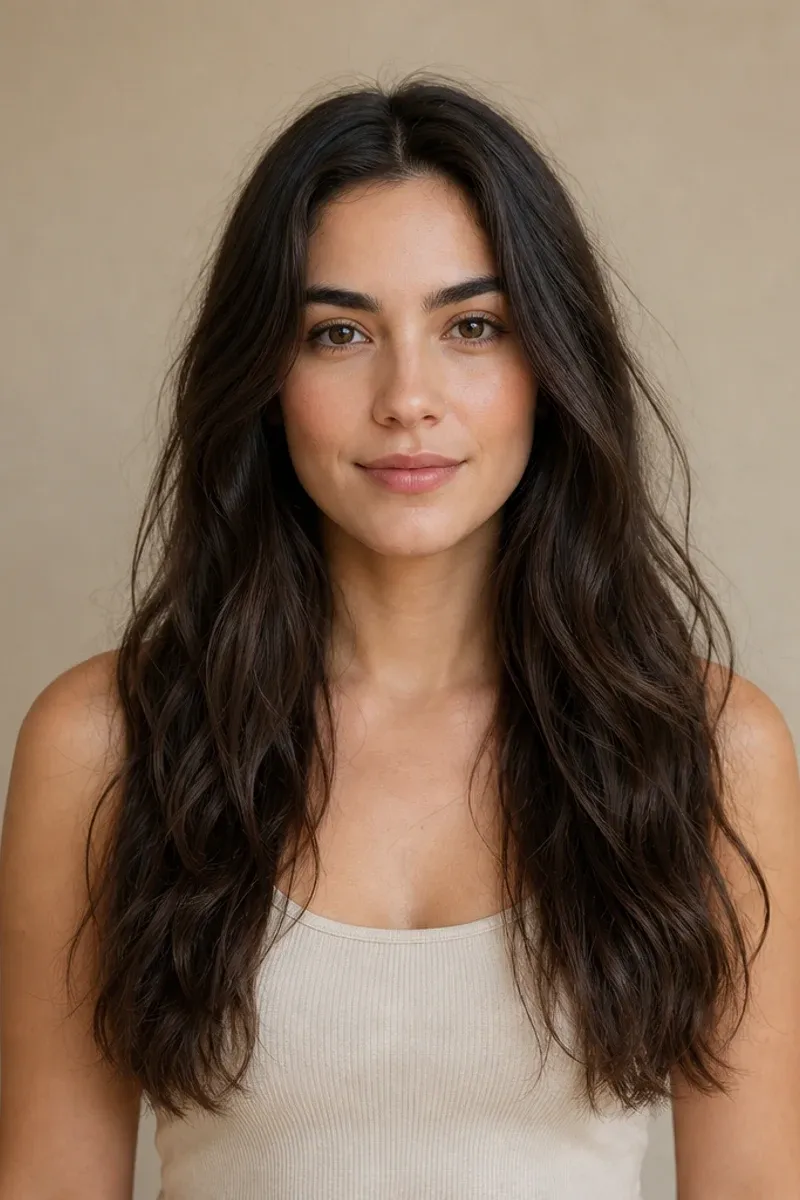
Fictional adult portrait with long wavy hair before using the AI straight hair filter
Source
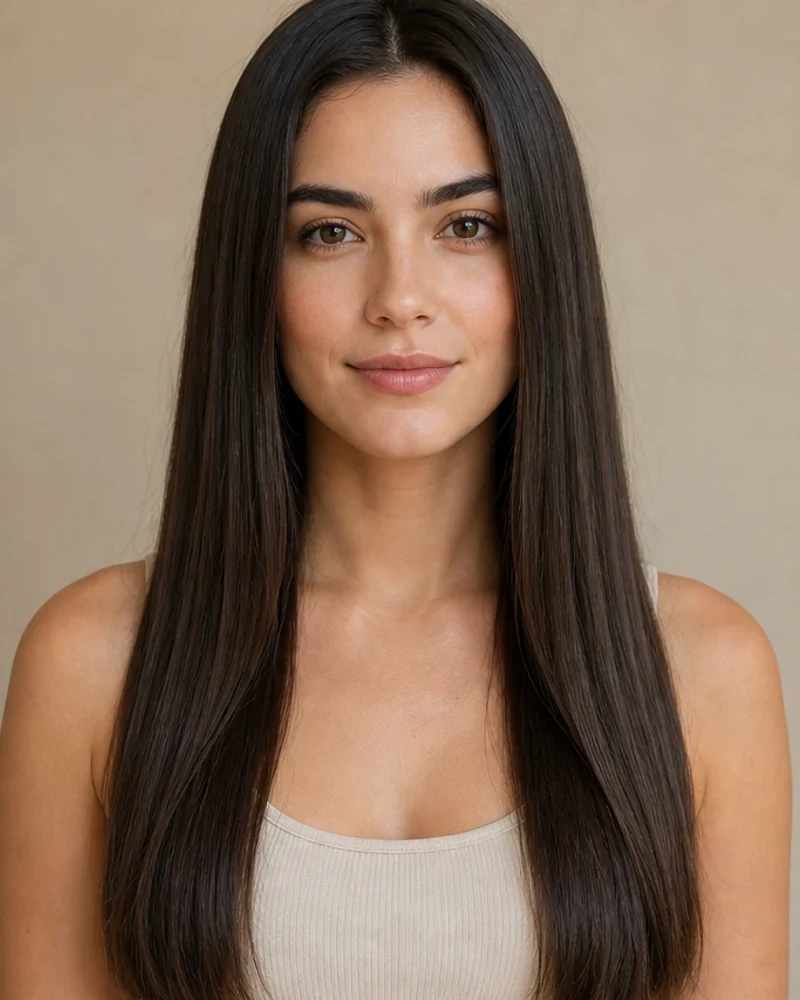
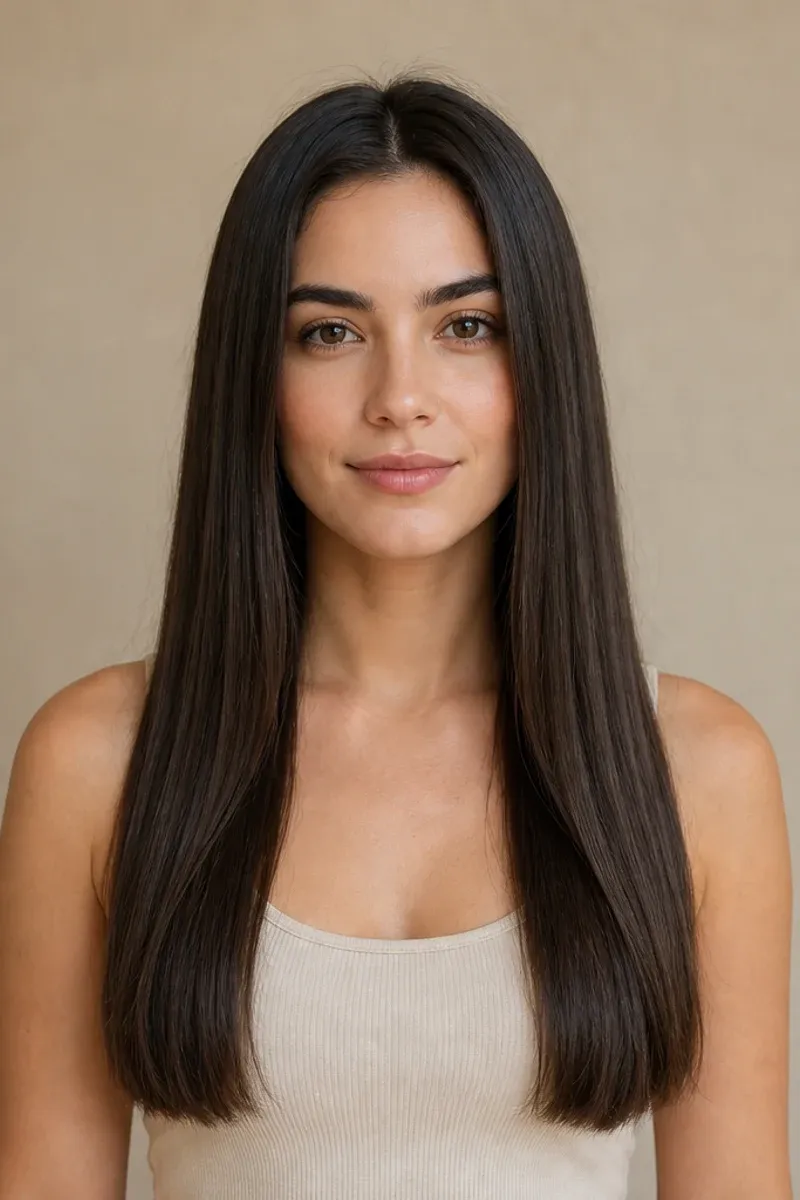
Same fictional adult portrait with long sleek center-part straight hair
Straight Hair
Original wavy portrait and straight center-part hairstyle preview shown side by side

Preview Straight Hair Without Rebuilding the Whole Portrait

A useful straight-hair preview should still look like your source photo. NanoPic focuses the edit on visible hair texture, parting, strand direction, face framing, and ends while the prompt protects the person, expression, pose, outfit, light, and setting. Results are generated concepts, not a promise of how a haircut, heat styling, chemical service, or daily routine will behave on real hair. Use the image to compare a visual direction, then discuss real-world fit and hair health with a qualified stylist.

Four Original Before-and-After Straight Hair Directions

These fictional adult portraits were created for NanoPic and paired at the same framing. They demonstrate different textures, ages, lengths, and face-framing choices without using competitor photos or social screenshots.

Long Waves to a Sleek Center Part

The straight version keeps the original dark color and long silhouette, then replaces broad waves with cleaner strand direction and softly finished ends. A center part makes symmetry easy to compare, while restrained shine keeps the image closer to natural portrait photography than a plastic beauty render.

Try a Center Part
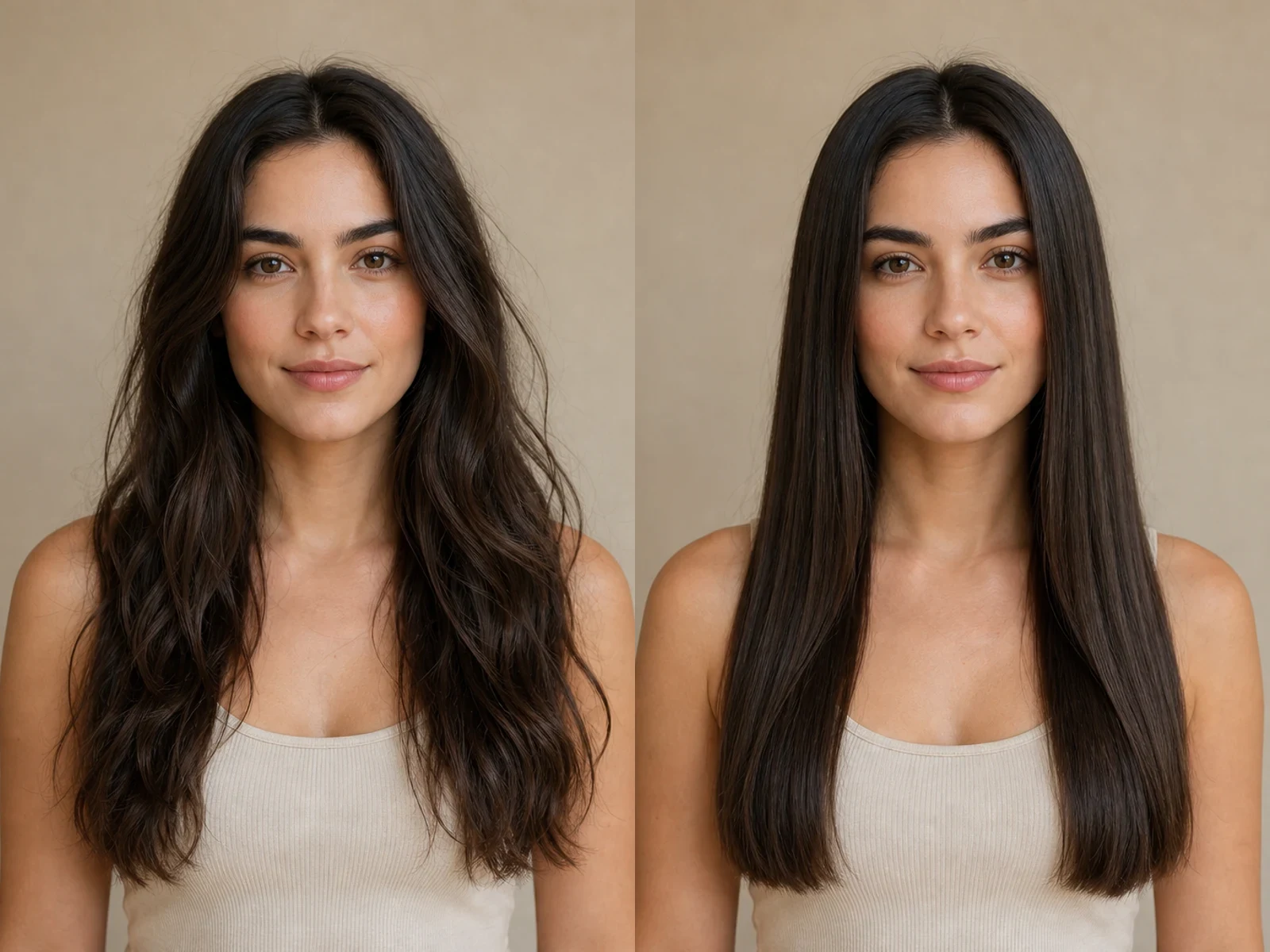
Long wavy hair changed to sleek center-part straight hair on the same fictional adult

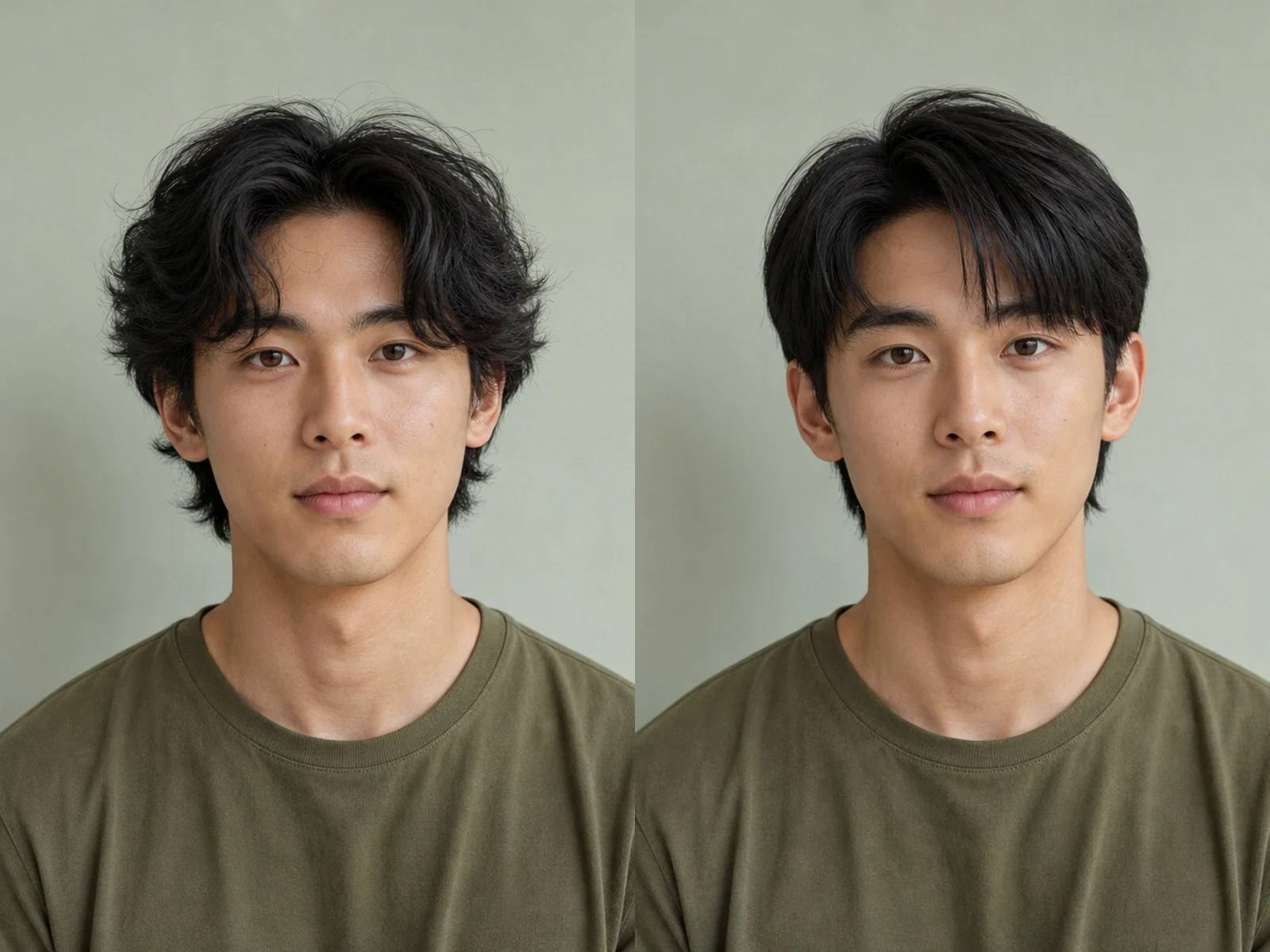
Soft Waves to a Straight Layered Fringe

Straight hair is not one fixed long style. This example uses a shorter layered shape and a soft fringe for a masculine grooming direction. The face, expression, shirt, light, and camera angle remain familiar so the hairstyle is the clearest variable to review.

Try a Layered Fringe
Softly wavy hairstyle changed to a neat straight layered fringe on the same fictional adult man

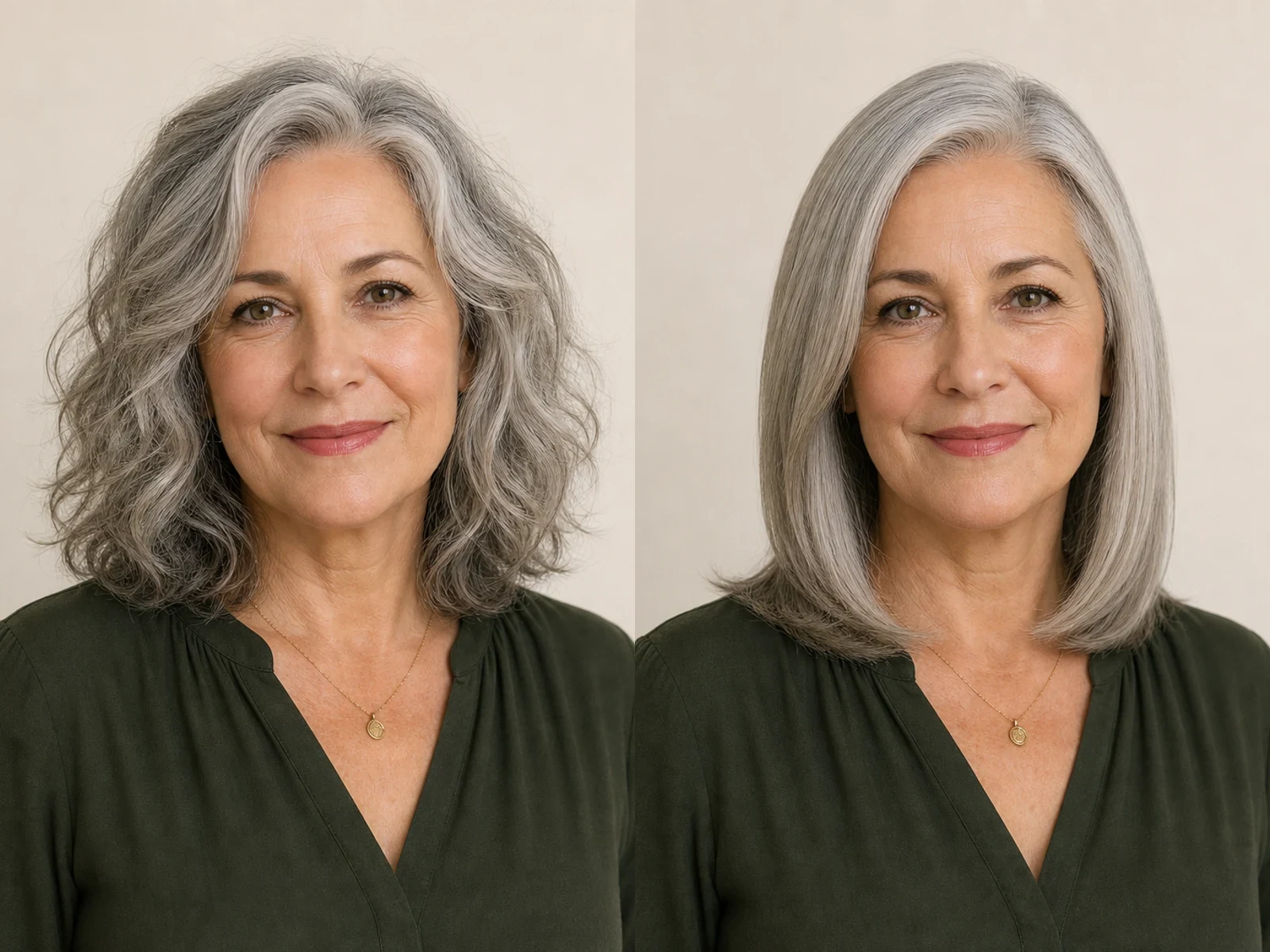
Wavy Silver Hair to a Soft Side Part

The silver example preserves age, visible gray variation, natural skin texture, and shoulder-length proportions. Its straight result keeps modest root lift and curved ends, showing that a polished look can retain movement instead of flattening every strand against the head.

Try a Soft Side Part
Wavy silver hair changed to straight shoulder-length silver hair on the same fictional mature adult

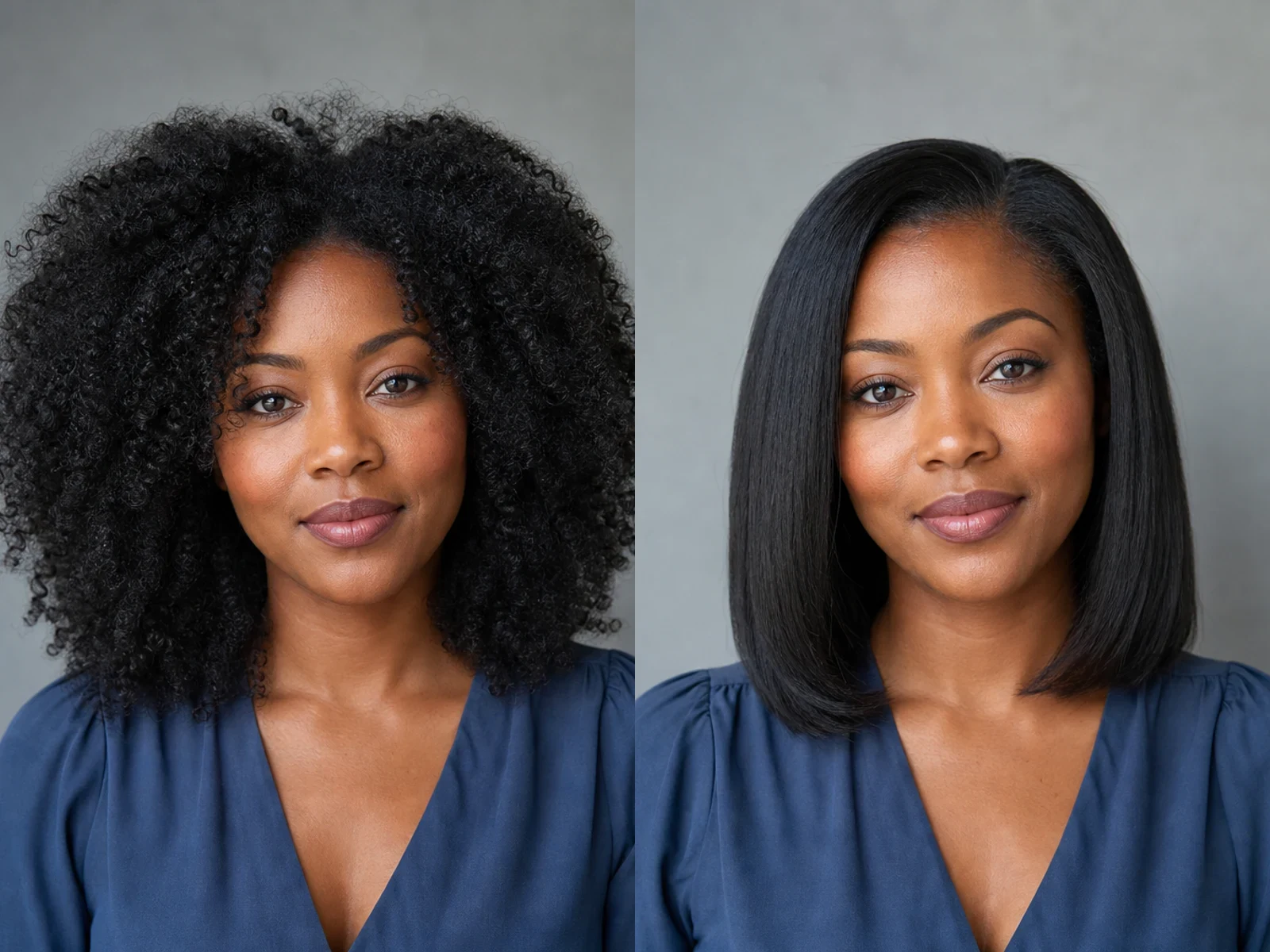
Coily Hair to a Shoulder-Length Sleek Finish

This comparison explores a straighter shoulder-length concept while keeping the same fictional person and original dark color recognizable. It is a visual mood-board direction only. It does not predict how an individual texture will respond to heat, products, protective styling, or chemical treatment.

Try a Sleek Finish
Coily hair changed to a shoulder-length straight hairstyle on the same fictional adult

How to Use the Free AI Straight Hair Filter

A clear portrait and a bounded hairstyle request make the comparison easier to judge.

1. Upload a Clear Adult Portrait

Choose one photo with the complete head, hairline, face, ears, neck, and shoulders visible. Front-facing and slight three-quarter views can both work when the hair boundary is readable. Avoid hats, hands over the hair, severe crops, motion blur, tiny faces, heavy beauty filters, or deep shadow across one side of the head.

Upload a Portrait
Clear fictional adult portrait suitable for the straight hair filter

2. Choose One Straight-Hair Direction

Start with a center part, layered fringe, silver side part, or shoulder-length sleek finish. Then use the editable note for a small adjustment such as current color, lower shine, softer ends, or a different part. Asking for one hairstyle change is usually easier to evaluate than combining new hair, makeup, clothing, age, and background in one generation.

Choose a Look
Sleek center-part style preset for an AI straight hair preview

3. Compare Hair and Identity Separately

First inspect the hairline, part, strand direction, face framing, shoulder overlap, and ends. Then compare the face, expression, skin tone, jewelry, clothing, pose, and background against the source. AI can still change details. Generate again with a clearer photo or tighter note when the hairstyle looks pasted on or the person no longer feels recognizable.

Review a Preview
Before-and-after review of straight silver hair and preserved portrait details

A Focused Hairstyle Preview Workflow

The page turns a broad image editor into a practical straight-hair comparison with visible source-to-result proof.

Your Portrait Stays the Reference

NanoPic sends the uploaded image through a real image-to-image route. The prompt asks the model to protect identity, expression, clothing, lighting, pose, and background instead of inventing an unrelated portrait.

Four Distinct Starting Looks

The presets cover long center-part hair, a shorter layered fringe, straight silver hair, and a shoulder-length sleek finish. They are starting points, not fixed wigs pasted onto every face.

Editable Hair Notes

The visible input lets you clarify parting, length, shine, color preservation, face framing, or ends. The core safety and identity instructions remain active around your note.

Portrait-Friendly Output Shapes

Choose a supported portrait or square ratio. The reviewed route keeps resolution and image format locked so the page does not promise unsupported controls.

Ways to Use a Straight-Hair Concept

Treat the output as a conversation and planning image, not as medical, chemical, or professional styling advice.

Salon Conversation Starter

Show a stylist the general part, silhouette, face framing, and end shape you want to discuss. A generated image can make preferences visible, but a professional still needs to assess texture, condition, maintenance, and realistic technique.

Profile and Headshot Planning

If a portrait already has the expression and light you like, preview a sleeker hair direction before arranging a new shoot or final retouch. Review identity and hair edges carefully before publishing.

Beauty and Grooming Mood Boards

Compare straight-hair direction against wardrobe, neckline, makeup, lighting, or framing for an early creative review. Use the image as a reference, then produce the final campaign with normal consent and quality checks.

Character and Costume References

Explore how a straighter silhouette changes a fictional character or adult portrait concept while keeping the starting pose and mood familiar. Generated details should be reviewed before becoming a final design.

AI Straight Hair Filter FAQ

Answers about source photos, realistic expectations, privacy, styles, and result review.

What does the AI Straight Hair Filter change?

It uses an uploaded adult portrait as a visual reference and asks the model to change the visible hairstyle toward a naturally straight direction. The prompt concentrates on texture, parting, strand flow, face framing, ends, and restrained shine while asking it to keep the person and photo context recognizable.

Can it turn curly, coily, wavy, or frizzy hair into a straight-hair preview?

It can generate a straight-hair visual concept from several visible source textures when the complete hairline and silhouette are readable. Results vary with occlusion, crop, lighting, and texture complexity. The image is not a forecast of how real hair will respond to heat or chemical treatment.

Will the result preserve my face exactly?

The template explicitly asks the model to preserve identity, facial structure, expression, skin tone, age, pose, clothing, light, and background, but generative edits can still drift. Compare every output with the source and retry with a clearer portrait when important details change.

Which portrait gives the best straight-hair preview?

Use a sharp adult portrait with the full head, face, hairline, ears, neck, and shoulders visible. Balanced light and a front-facing or gentle three-quarter angle help. Avoid tight crops, hats, hands over the hair, heavy blur, or strong filters that erase natural boundaries.

Can I choose a center part, side part, fringe, or shoulder-length look?

Yes. The page includes four starting directions and an editable note field. Choose one preset, then describe one focused adjustment such as a softer side part, current color, lower shine, or shoulder-length ends.

Is the result a guarantee of how straight hair will suit me or affect my hair?

No. It is a generated visual concept. It cannot assess hair condition, face-shape suitability, maintenance, heat damage, product response, or chemical safety. Ask a qualified stylist for real-world guidance before making a significant change.

Can men and older adults use the AI Straight Hair Filter?

Yes. The workflow is not tied to one gender, age, or hair length. The original examples include a masculine layered fringe and straight silver hair to show that the prompt can adapt a direction to different adult portraits.

Does NanoPic add text or a social-media frame to the result?

The template asks for one clean portrait without text, logos, watermarks, borders, or multi-panel layouts. Generated models can still make mistakes, so inspect the final image before downloading or sharing it.

Can I use the preview for commercial work?

Review the generated output, your rights to the source photo, subject consent, and any applicable plan or usage terms before commercial use. Do not present a generated hairstyle as a guaranteed salon result or professional health recommendation.

See a Straight-Hair Direction on Your Own Portrait

Upload one clear adult portrait, pick a style, refine the notes, and compare the source with a generated straight-hair concept.