





















































































































Free AI Blonde Hair Filter for Your Own Portrait
Sign In

Free AI Blonde Hair Filter for Your Own Portrait

Upload one clear adult portrait, choose a blonde direction, and refine the editable color note. NanoPic uses a real Nano Banana 2 image-to-image workflow that targets visible head hair while asking the model to retain the same face, eyebrows, expression, hairstyle shape, pose, clothing, light, and setting.

Start with one tone family, then add one focused color note below.

Upload an Adult Portrait*
Try a Portrait Sample

0 / 500

Public Visibility
Copy Protection
Credits required:-

Free AI Blonde Hair Filter for Your Own Portrait

Image

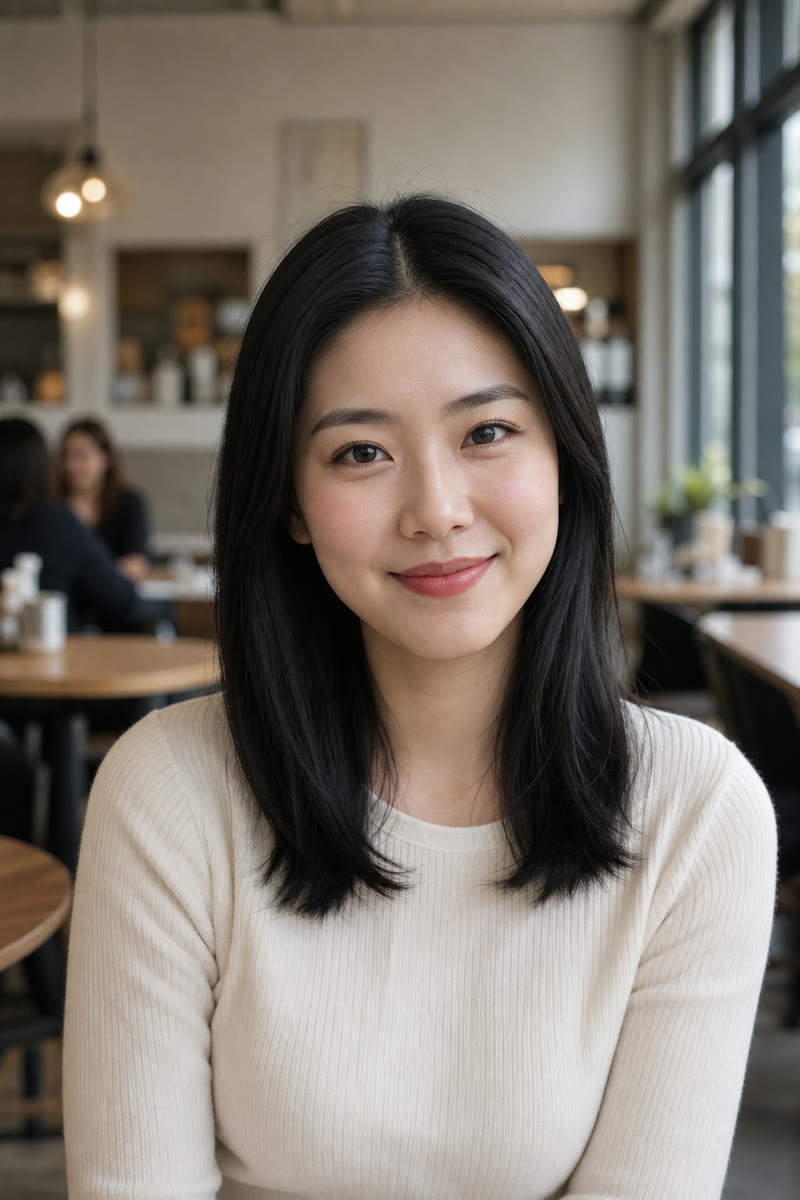
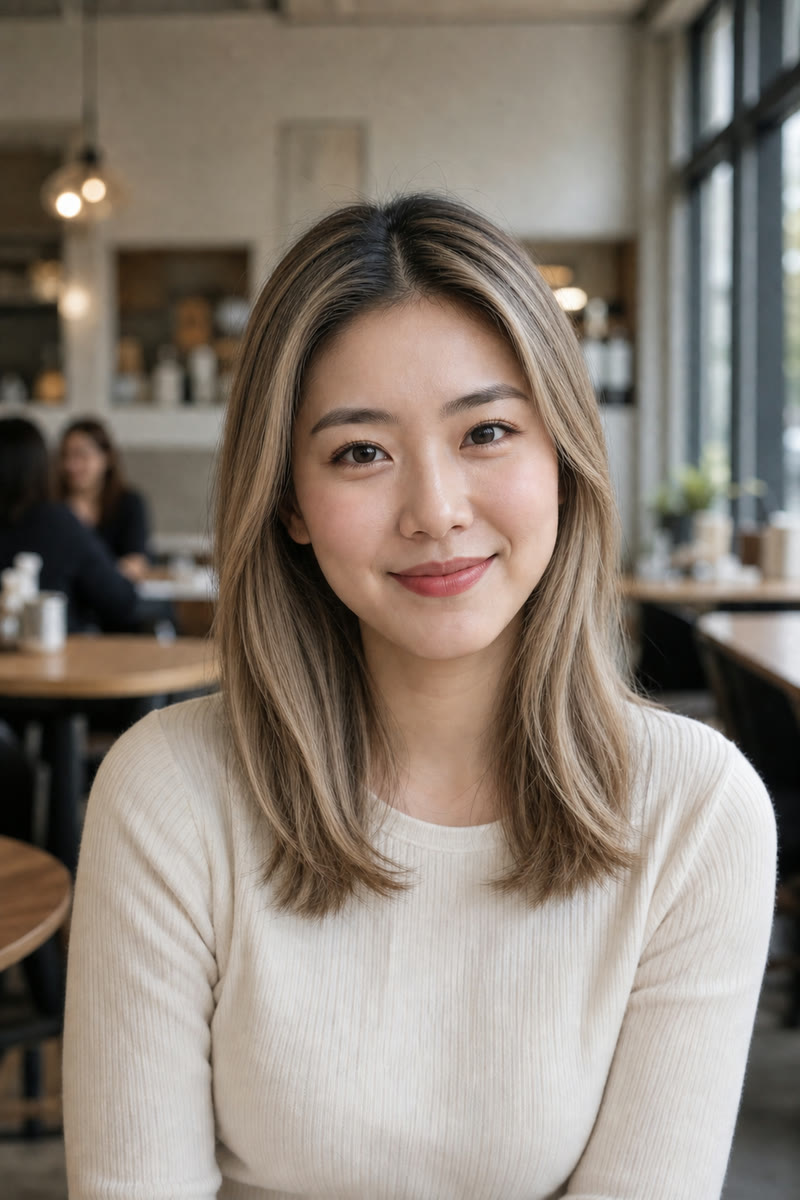
Fictional adult East Asian woman with straight black hair before using the AI blonde hair filter
Source
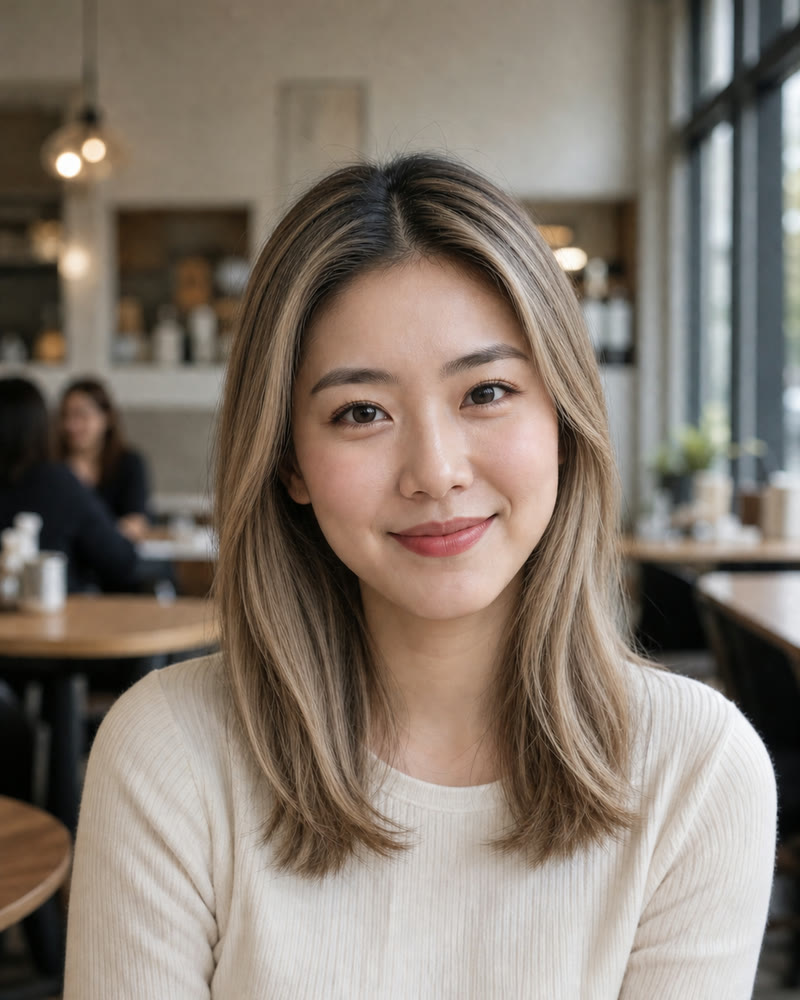
Same fictional adult with dimensional honey beige blonde balayage
Honey Blonde
Straight black hair and honey beige blonde balayage shown side by side on the same fictional adult

Preview Blonde Tones for Free Without Replacing the Person or Haircut

A useful blonde preview is more than a bright color overlay. Roots need believable depth, highlights should follow the scene light, lowlights should keep texture readable, and curls or waves should still move like the source hair. NanoPic bounds the request around those details while protecting the adult person and portrait context. The result is a generated visual reference—not a guarantee of how bleach, toner, dye, salon technique, lighting, or a display will affect real hair.

Four Original Blonde Before-and-After Portraits

These fictional adults and edits were created for NanoPic at matched framing. Different ages, genders, skin tones, textures, and locations make it easier to judge whether the workflow follows the source instead of forcing one generic blonde treatment onto every portrait.

Straight Black Hair to Honey Beige Balayage

Warm honey ribbons and neutral beige mids lighten the portrait without erasing strand direction. The subtle shadow root preserves depth around the center part, while the unchanged shoulder-length cut keeps hair color as the main variable. The face, expression, knit top, cafe light, and framing stay familiar for a direct comparison.

Try Honey Beige
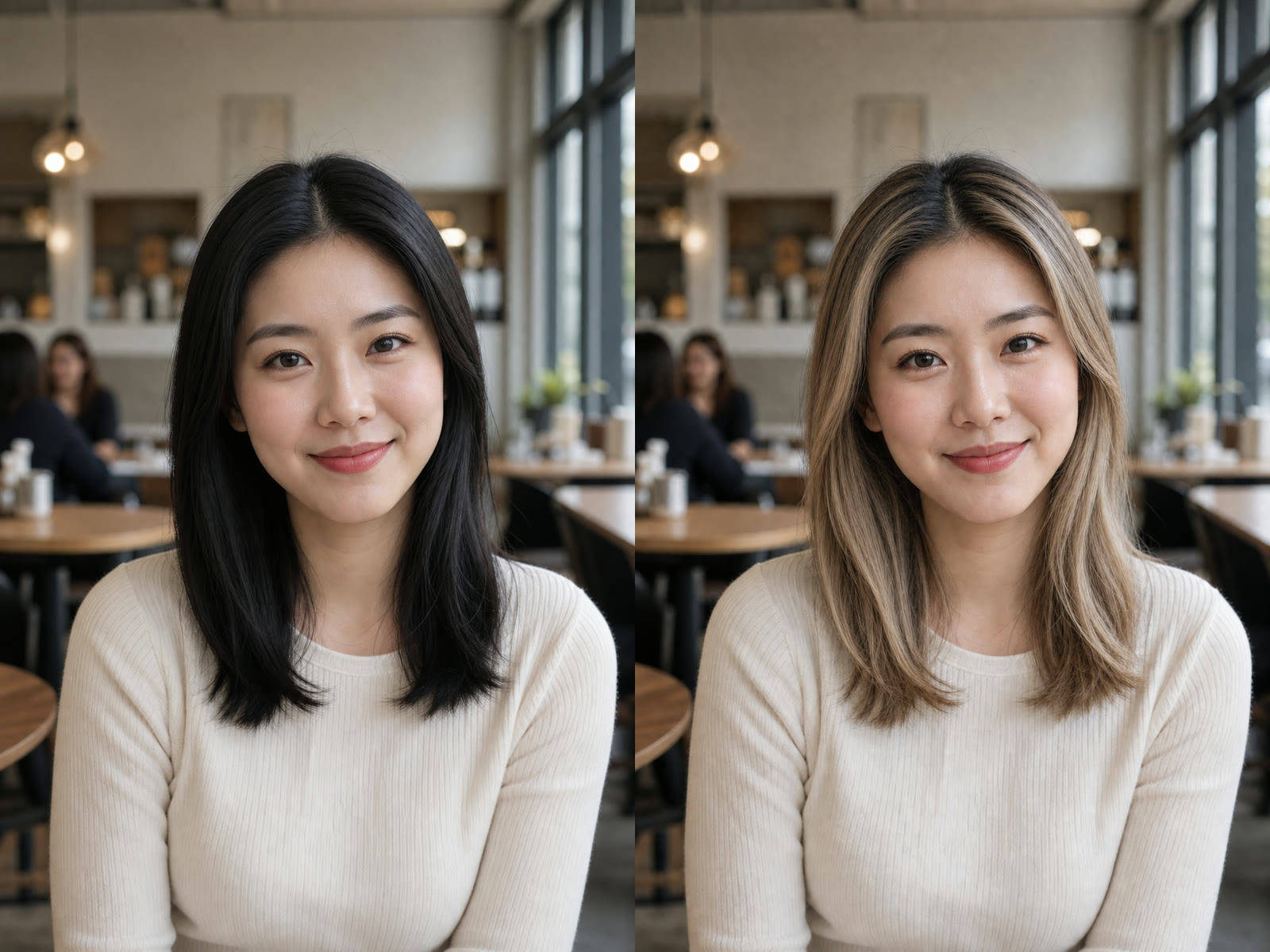
Straight black hair recolored to honey beige blonde balayage on the same fictional adult

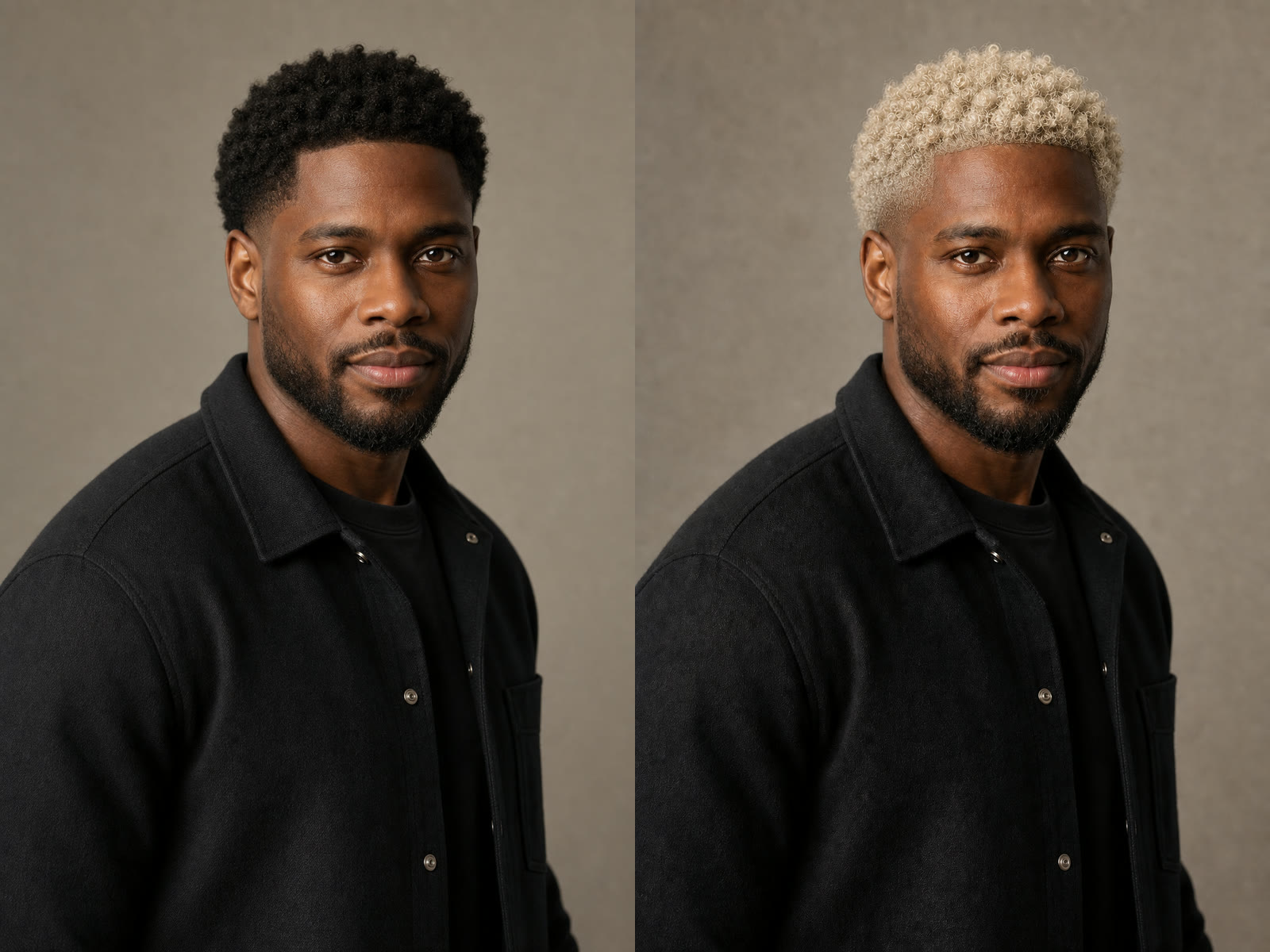
Short Dark Curls to Cool Platinum

Blonde previews are not limited to long hair or one gender. This cool platinum direction retains the short curl pattern, taper, hairline, and shaded depth. It also demonstrates an important boundary: beard and eyebrows remain dark, so the result reads as a focused head-hair recolor instead of a full identity restyle.

Try Cool Platinum
Short dark curls recolored to cool platinum blonde on the same fictional adult man

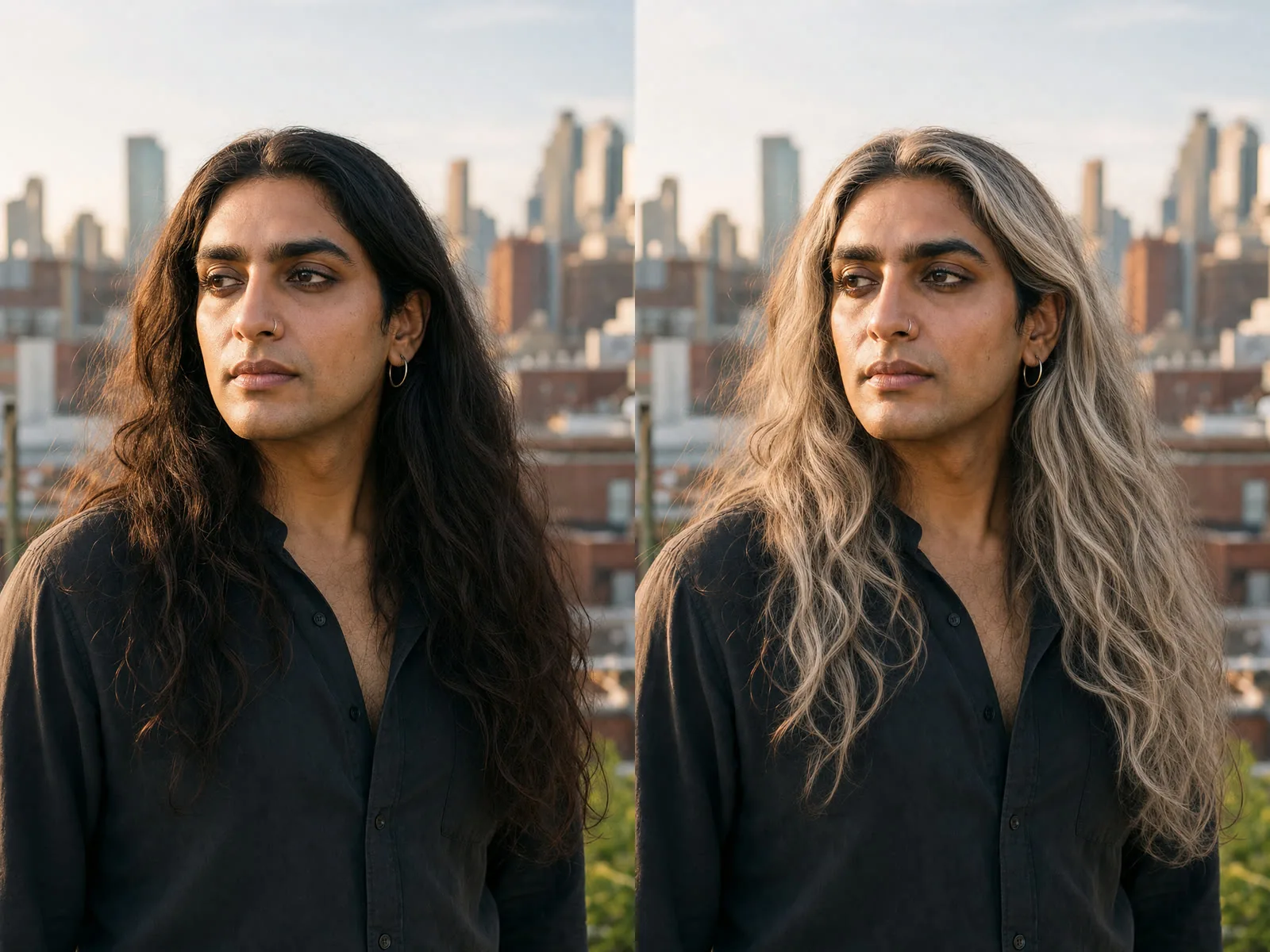
Long Dark Waves to Ash Champagne Blonde

Cool champagne and beige highlights follow the original waves rather than straightening them. Softly blended darker roots keep the crown grounded, while the original length, flyaways, nose ring, black shirt, rooftop background, and sunset direction remain useful reference points when checking identity and lighting consistency.

Try Ash Champagne
Long dark waves recolored to ash champagne blonde on the same fictional South Asian adult

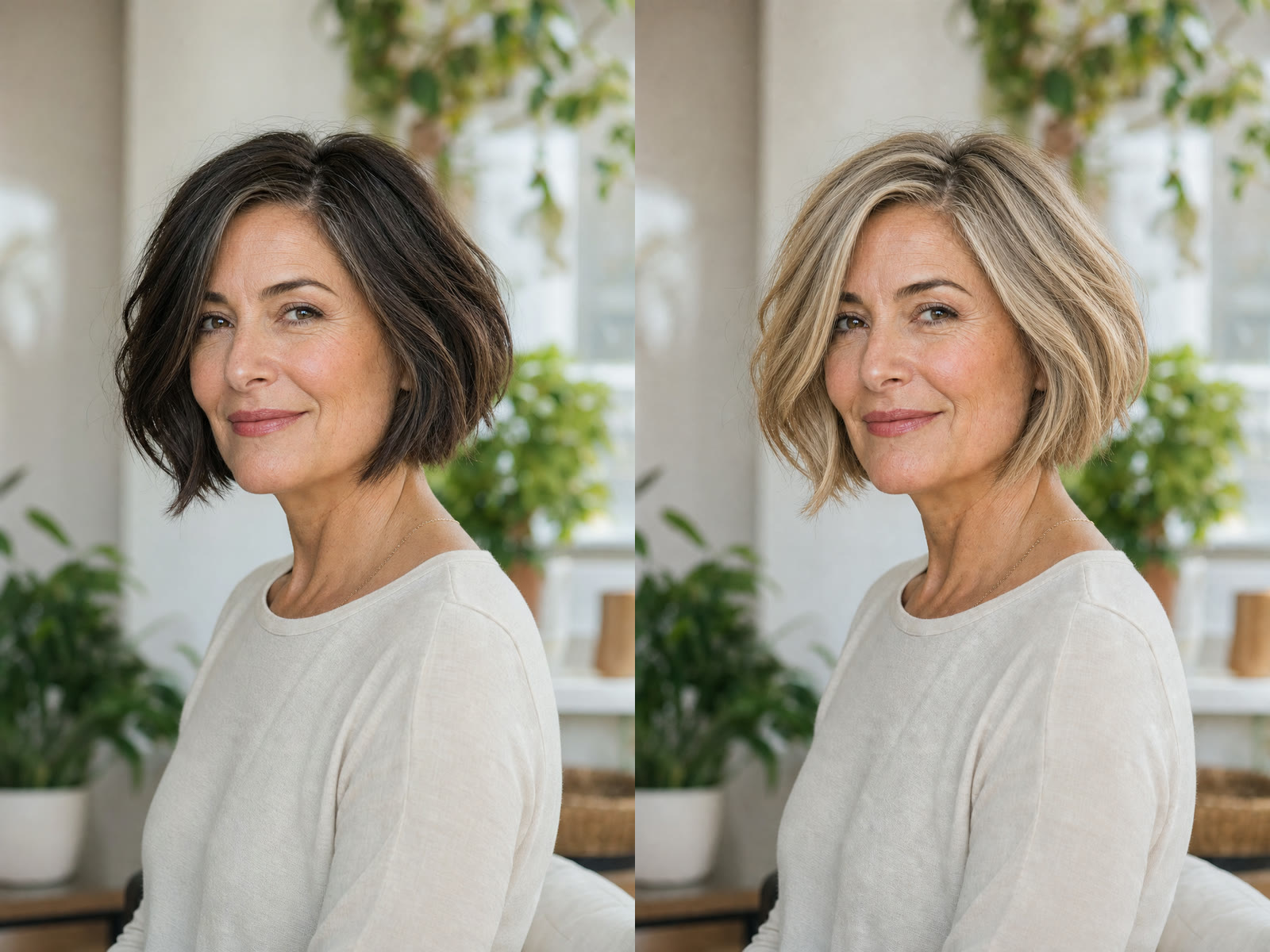
Textured Brunette Bob to Soft Golden Blonde

This mature portrait keeps natural skin texture, age, bob shape, side part, and subtle strand variation. Golden highlights are balanced with beige lowlights and a modest root shadow, avoiding a single flat yellow fill. It is a styling concept to discuss and compare, not a claim that one salon session can reproduce the exact color.

Try Soft Golden Blonde
Textured brunette bob recolored to soft golden blonde on the same fictional mature adult

How to Use the AI Blonde Hair Filter

A readable source photo and one clear tone direction produce a more useful comparison.

1. Upload a Clear Adult Portrait

Choose one sharp image with the complete head, hairline, visible length, face, and shoulders inside the frame. Balanced light helps the model distinguish highlights from true hair color. Avoid hats, hands covering large sections, motion blur, crushed shadows, clipped crowns, tiny group faces, or beauty filters that erase individual strands.

Upload a Portrait
Clear fictional adult portrait suitable for a blonde hair color preview

2. Choose One Blonde Tone Family

Start with honey beige, cool platinum, ash champagne, or soft golden blonde. Then add one practical note such as darker roots, neutral highlights, preserved gray strands, or lower shine. Keeping the request focused on color makes it easier to tell whether the model preserved the haircut, curl pattern, face, and setting.

Choose a Blonde Tone
Honey beige balayage style preset for an AI blonde hair preview

3. Inspect Color, Edges, and Identity

Review the roots, hairline, part, highlights, internal shadows, flyaways, ears, and shoulder overlap. Then compare eyebrows, face shape, complexion, expression, accessories, clothing, and background with the source. If the color looks flat, the hairstyle changes, or the person drifts, reuse the same source and give one concise correction.

Generate and Review
Before-and-after review of ash champagne blonde color and preserved portrait details

A Blonde Preview Built Around Hair Color Boundaries

The page turns a general image editor into a focused comparison with visible proof and restrained claims.

Head Hair Is the Target

The prompt explicitly keeps eyebrows, eyelashes, beard, facial hair, skin, clothing, and background out of the recolor. This helps prevent a blonde request from becoming an unrelated makeover.

Texture and Cut Stay Recognizable

Straight hair, short curls, long waves, and a mature bob remain different in the examples. The instruction protects length, parting, hairline, volume, and curl pattern while changing color.

Depth Instead of Flat Yellow

Each preset defines roots, highlights, lowlights, strand variation, and lighting-aware shadow. Those cues make blonde read as dimensional hair rather than one uniform painted region.

Editable, Supported Controls

You can choose a reviewed tone and adjust a concise note. Supported portrait and square shapes are visible, while resolution and output format stay locked to the implemented route.

Ways to Use a Blonde Hair Concept

Treat every result as a visual starting point, not professional color advice or a guaranteed real-world outcome.

Salon Consultation Reference

Bring a preferred warmth, root depth, highlight placement, and overall contrast to a stylist as a conversation starter. A professional still needs to assess starting color, previous services, condition, achievable lift, toner, maintenance, and safety.

Portrait and Headshot Planning

Preview whether a warmer or cooler blonde direction changes the balance of an existing portrait before organizing a new shoot. Check identity and hair edges carefully before using the image publicly.

Wardrobe and Makeup Mood Boards

Place a generated blonde concept beside clothing, makeup, or background palettes during early creative planning. Display color and generated detail vary, so use it to compare broad direction rather than exact product matching.

Character and Costume Exploration

Recolor an authorized adult portrait for a character, wig, costume, or campaign concept while keeping the original pose and setting familiar. Review likeness, consent, and usage rights before publishing or commercial production.

AI Blonde Hair Filter FAQ

Answers about tone selection, source photos, identity, expectations, and responsible result review.

What does the AI Blonde Hair Filter change?

It uses an uploaded adult portrait as a visual reference and asks Nano Banana 2 to recolor visible head hair toward a selected blonde direction. The instruction focuses on roots, highlights, lowlights, strand texture, and lighting while asking the model to preserve the adult person, haircut, expression, pose, clothing, and background.

Can I preview honey, platinum, ash, or golden blonde?

Yes. The four starting presets cover honey beige balayage, a cool platinum crop, ash champagne waves, and a soft golden blonde bob. They are tone directions rather than rigid wigs, and the editable note can request a focused adjustment such as darker roots or more neutral highlights.

Will it keep my current haircut and hair texture?

The template explicitly asks the model to preserve length, shape, part, hairline, volume, curl or wave pattern, and flyaways while changing color. Generative edits can still drift, so compare the result with the source and retry when the haircut or texture changes.

Will the filter make my eyebrows or beard blonde?

The prompt tells the model to recolor head hair only and keep eyebrows, eyelashes, beard, mustache, facial hair, skin, clothing, and background unchanged. AI can still make mistakes, so inspect those boundaries before downloading or sharing the result.

Which photo gives the best blonde hair preview?

Use a sharp adult portrait with the complete head, hairline, visible texture, face, and shoulders inside the crop. Balanced light and a simple readable outline help. Avoid hats, hands over the hair, deep shadow, blur, clipped crowns, distant group faces, and heavy beauty filters.

Does the preview show exactly what a salon can achieve?

No. It is a generated visual concept. Starting color, previous dye or bleach, condition, curl pattern, lighting, toner, technique, maintenance, and display settings affect real results. Ask a qualified stylist to assess what is achievable and safe for your hair.

Can dark hair be previewed as blonde?

A well-exposed dark-haired portrait can be used as a visual reference, and the model can generate lighter tones with roots and lowlights. This does not estimate how many real sessions, products, or levels of lift would be required, nor whether bleaching is appropriate.

Can men, nonbinary people, and older adults use the filter?

Yes. The workflow is not tied to one gender, age, length, or texture. The original examples deliberately include different adults and hair shapes so the page demonstrates color adaptation rather than one narrow beauty ideal.

May I use a generated blonde portrait commercially?

Only upload a photo you are authorized to use. Review subject consent, likeness, generated details, plan terms, brand requirements, and local rules before commercial use. NanoPic provides a creative workflow, not legal clearance or a guaranteed identity match.

See a Blonde Direction on Your Own Portrait

Upload one clear adult portrait, choose a dimensional tone, refine one color note, and compare the source with a generated blonde concept.