
























































































































Try the Free AI Curly Hair Filter
Sign In

Try the Free AI Curly Hair Filter

Upload one clear portrait, choose a curl direction, and preview how curls could change your hairstyle. NanoPic uses a real image-to-image workflow that asks the model to edit the visible hair while keeping the same face, expression, hair color, apparent length, clothing, pose, lighting, and background.

Start with one curl pattern, then add a short preference only if needed.

Upload a Portrait*
Try a Portrait Sample

0 / 400

Public Visibility
Copy Protection
Credits required:-

Try the Free AI Curly Hair Filter

Image

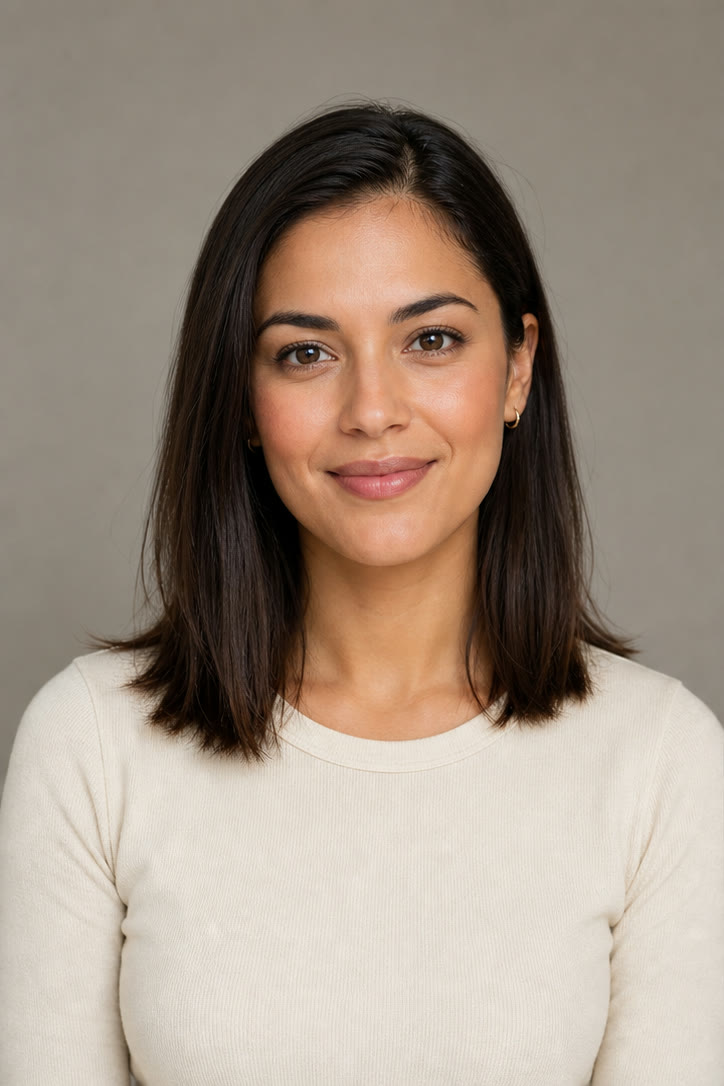
Fictional portrait with straight shoulder-length hair before using the curly hair filter
Before
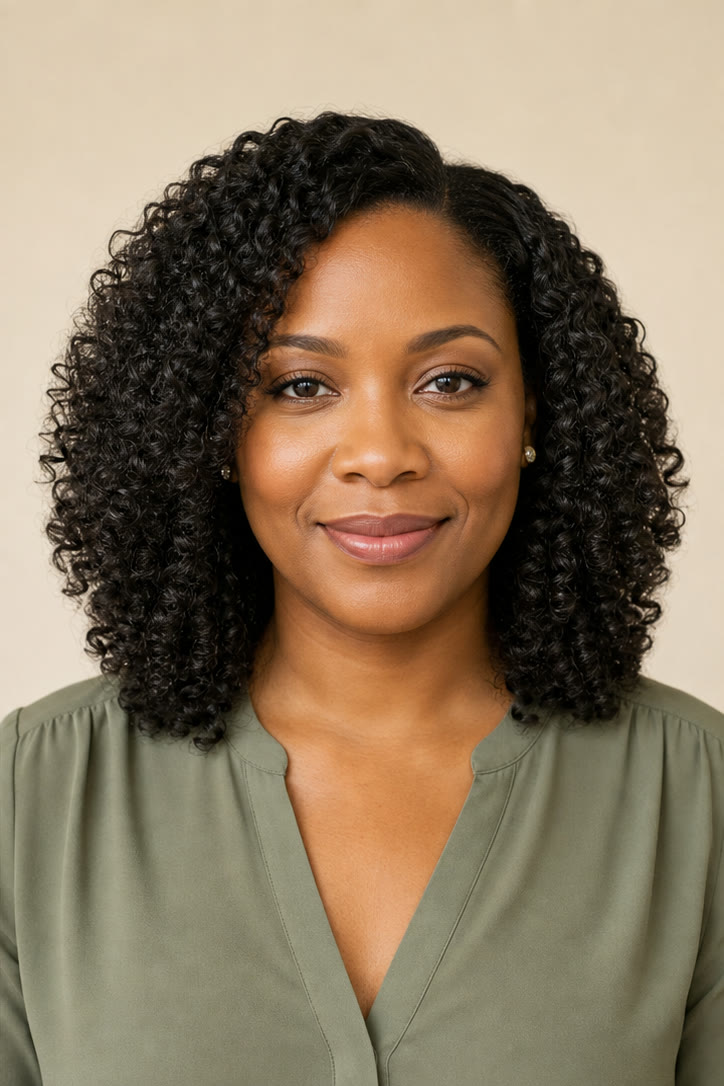
Same fictional portrait previewed with loose natural curls
Curl Preview
Before and after comparison of a fictional portrait with straight hair and loose curls

See How Curly Hair Could Frame Your Face

Curl pattern changes more than texture. It can alter visible length, volume, face framing, and the balance between the crown and sides, so a catalog photo on another person is a weak preview. The NanoPic curly hair filter starts from your portrait and asks the model to change only the visible hairstyle. Saved instructions protect facial structure, expression, skin tone, hair color, hairline, apparent length, clothing, camera angle, lighting, and background. They also request believable root direction, curl variation, strand detail, scalp coverage, and shadows instead of a pasted-on wig edge. Choose loose, defined, short, or salt-and-pepper curls and compare the generated concept with the source. This remains a creative visualization, not a physical hair simulation: real curl type, porosity, density, shrinkage, humidity, products, tools, and styling technique determine what your hair can achieve.

Four Curl Directions, Shown on Original Portraits

Each example pairs a source image with a generated result. They demonstrate different curl density, length, age, and hair-color situations without implying that every source will produce the same physical outcome.

Loose Curls with Relaxed Movement

Open curls add movement and face framing while keeping much of the source hairstyle's apparent length. This direction works best when you want a softer change rather than tight coils or dramatic side volume. Check the crown, part, shoulders, and ends after generation; the curl path should look varied rather than repeated like a stamped pattern.

Try Loose Curls
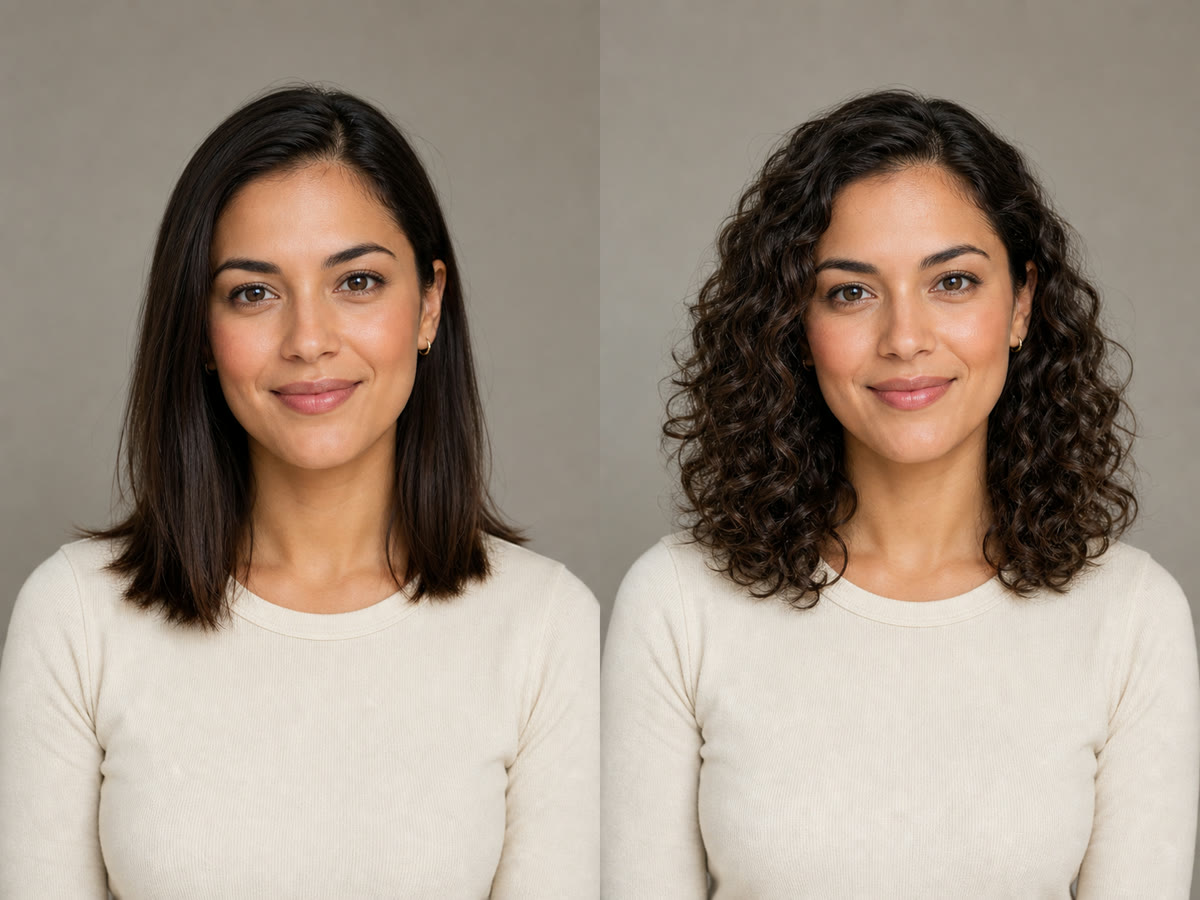
Straight shoulder-length hairstyle and loose curl preview shown side by side

Defined Curls with Controlled Volume

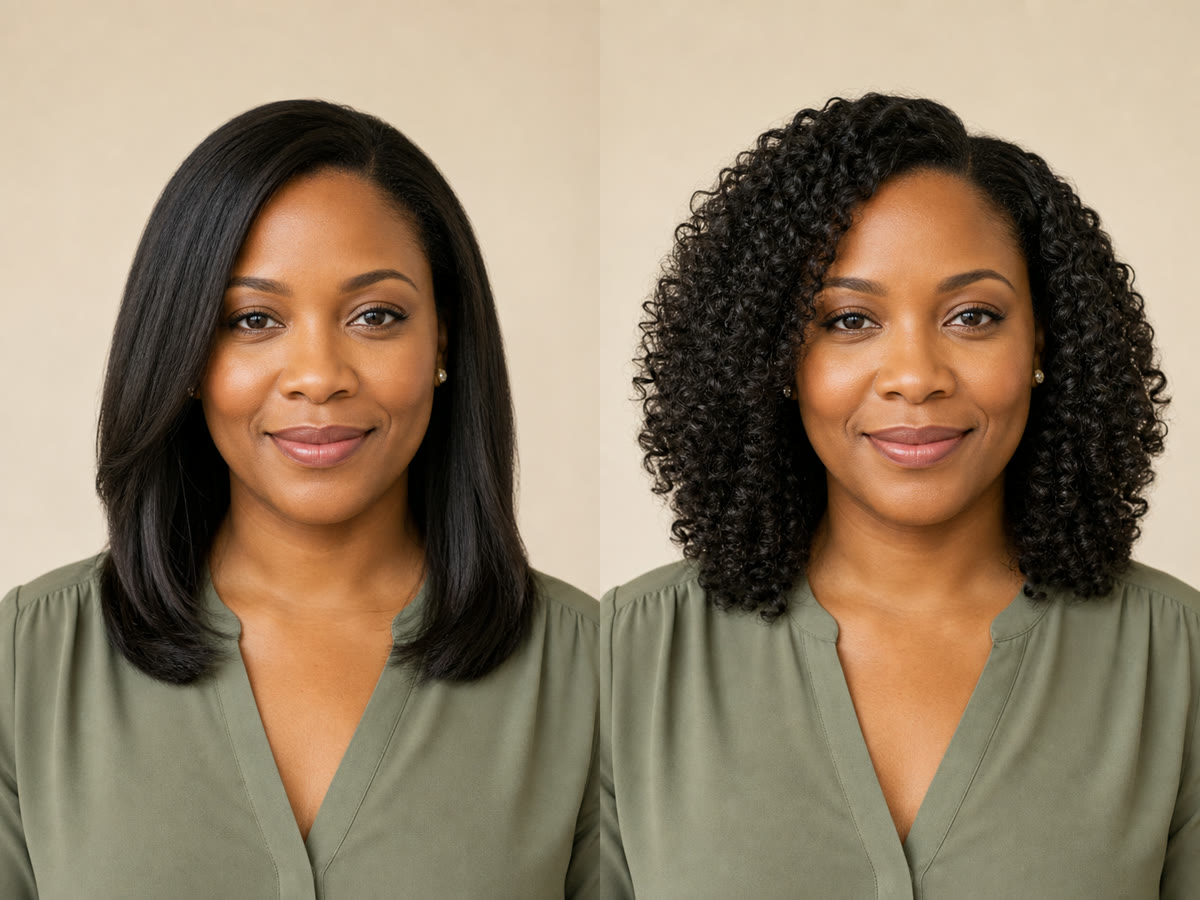
The defined direction uses clearer curl clumps, polished separation, and balanced volume. It should still retain a natural root area, visible hairline, and some strand-to-strand variation. Use it when you want a more styled result, then compare the face, ears, neck, and background to make sure the edit did not quietly change unrelated details.

Try Defined Curls
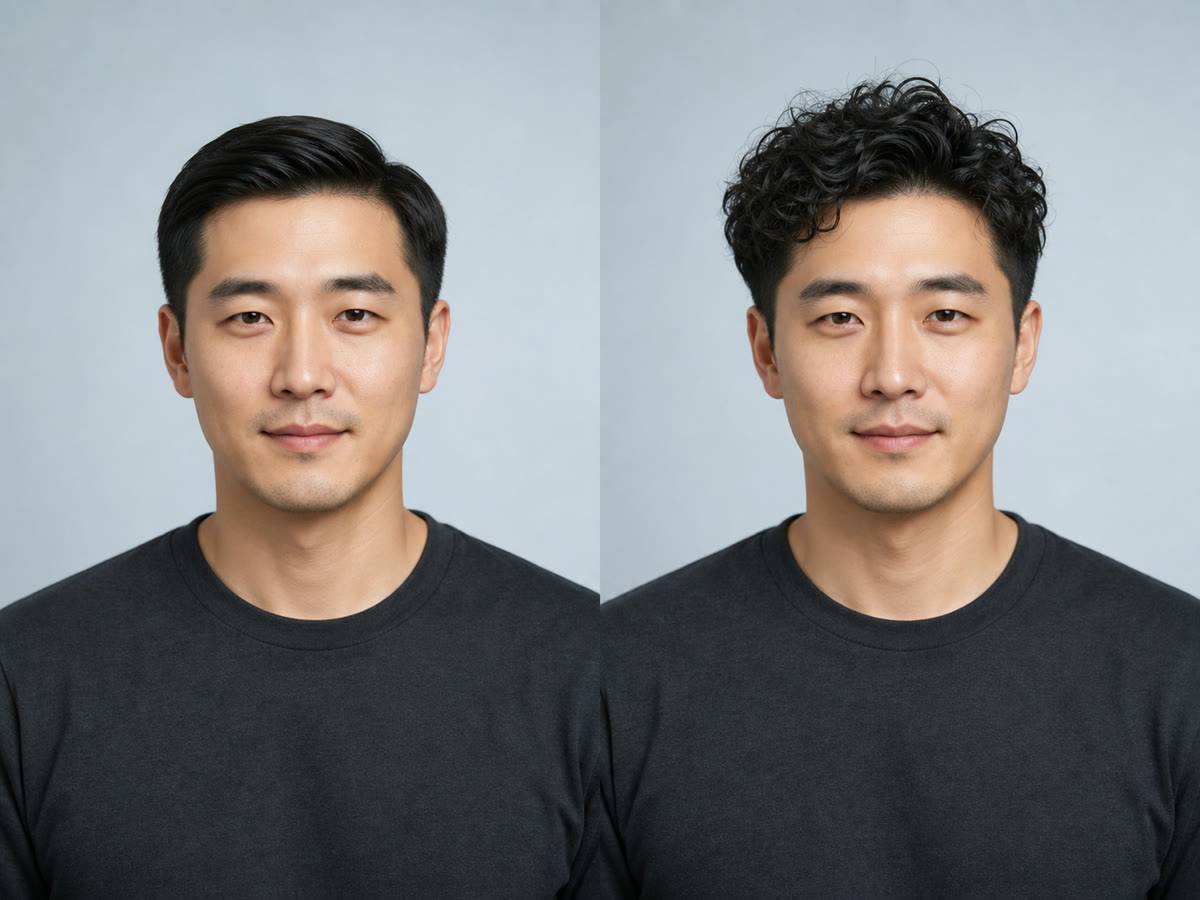
Smooth straight hairstyle and defined curl preview shown side by side

Short Curls that Follow the Existing Cut

Short hair needs compact curl structure rather than long ringlets pasted onto the head. The prompt asks for believable root direction, subtle separation, and volume that fits the current length. Review the temples, hairline, ears, crown, and neckline closely because those edges reveal whether the generated style feels attached to the portrait.

Try Short Curls
Short straight hairstyle and compact short curl preview shown side by side

Curls that Preserve Salt-and-Pepper Color

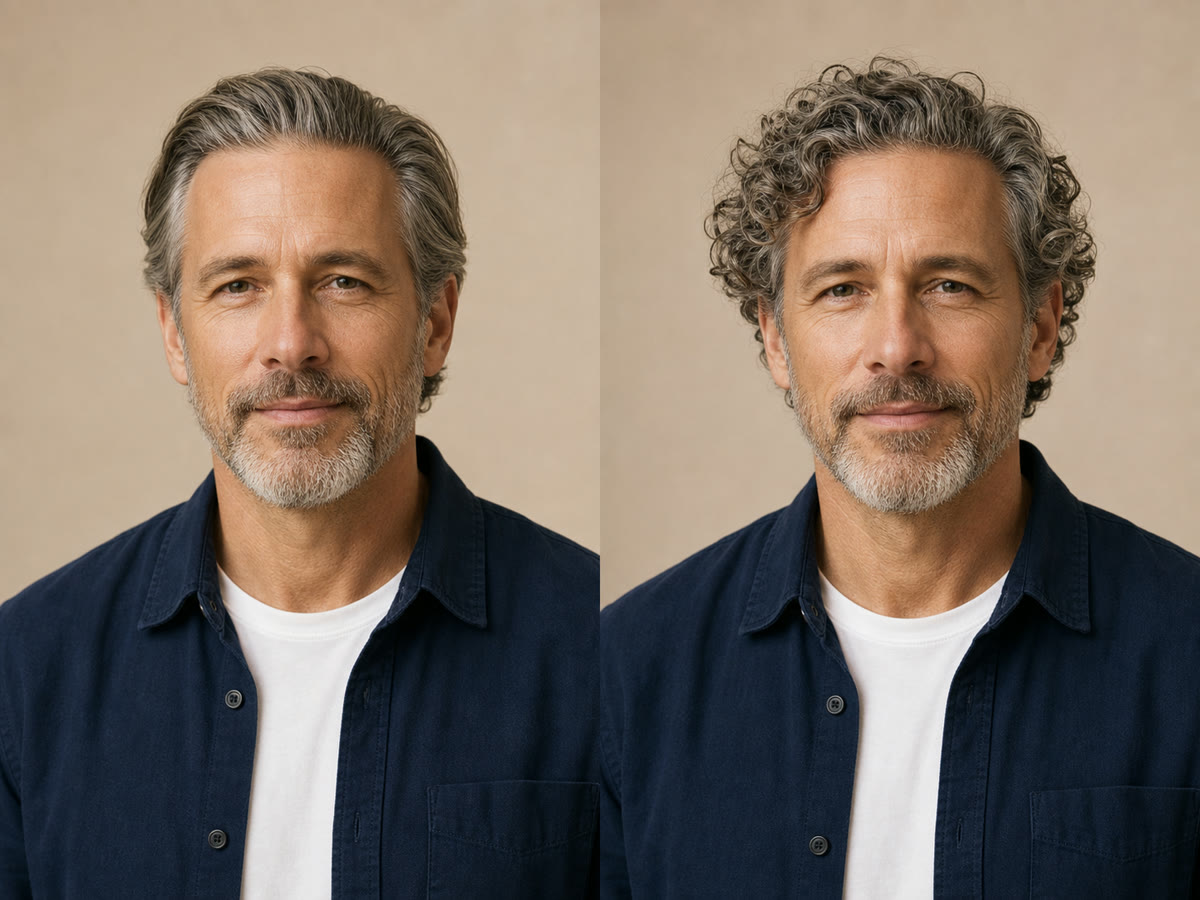
Hair-color variation is part of identity and should not disappear when texture changes. This option explicitly retains the existing mix and distribution of gray and darker strands while adding curl definition. It is useful for mature portraits where an automatic solid-color recolor would make the preview less recognizable and less helpful.

Preserve Gray Tones
Straight salt-and-pepper hairstyle and natural curl preview shown side by side

A Curly Hair Preview Built Around the Source Photo

The tool combines a real portrait reference, distinct curl directions, and constraints that keep the hairstyle edit focused.

Identity-Aware Hair Editing

The saved template asks the model to keep facial structure, expression, age, skin tone, body, clothing, pose, camera angle, lighting, and background. Hair texture and its natural silhouette are the intended variables.

Four Practical Curl Directions

Loose, defined, short, and salt-and-pepper curl options describe different strand behavior, volume, length constraints, and color-preservation needs instead of repeating one generic curly prompt.

Hairline and Full-Head Guardrails

Instructions protect the complete hairstyle around the forehead, ears, neck, and shoulders while rejecting cropped curls, bald gaps, duplicated features, warped ears, and wig-like edges.

Optional Notes for Real Preferences

Add one concise preference—keep bangs, reduce side volume, preserve gray strands, or soften definition—without rewriting the complete identity and composition safeguards.

How to Use the Free AI Curly Hair Filter

A useful preview starts with a readable portrait, one clear curl direction, and a deliberate comparison after generation.

1. Upload a Clear Portrait

Choose a sharp front-facing or gently angled image with the complete head and hair edges inside the frame. Even light and visible hairlines help the model understand the existing style. Avoid hats, heavy blur, hands covering large sections of hair, tiny screenshots, aggressive beauty filters, or crops that remove the crown and ends.

Upload a Portrait
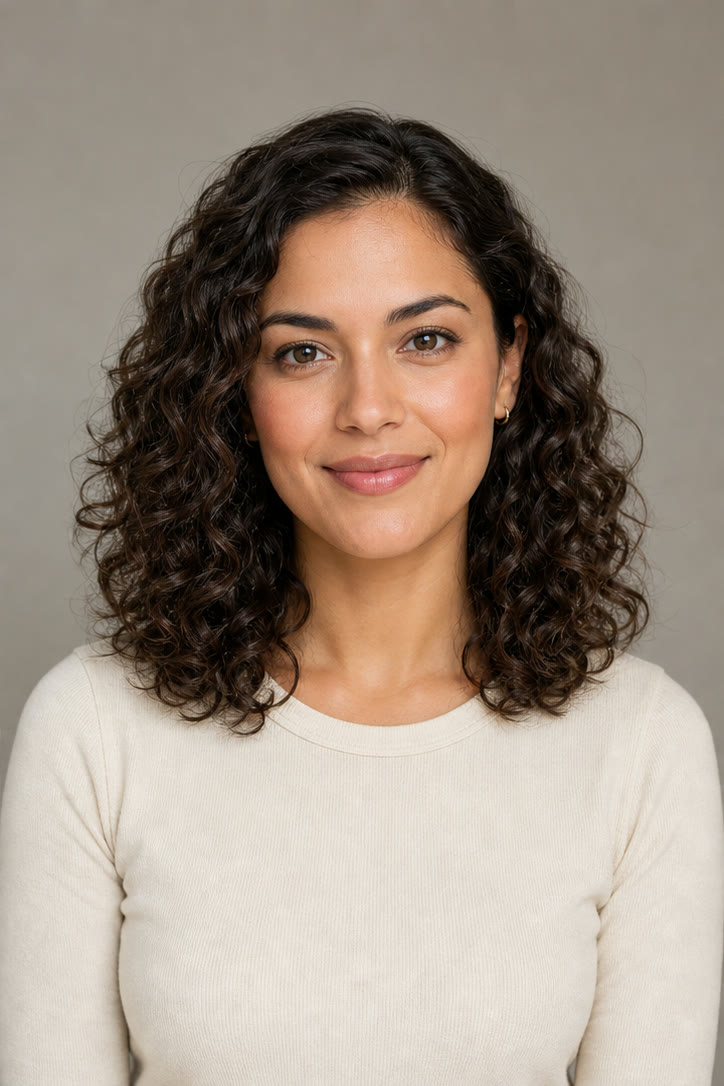
Clear fictional portrait prepared for the AI curly hair filter

2. Pick a Curl Direction

Choose Loose Curls for open movement, Defined Curls for polished curl clumps, Short Curls for compact texture that follows an existing cut, or Salt-and-Pepper Curls when preserving gray distribution is essential. Add a short note only when it expresses a real preference; conflicting instructions can make the result less predictable.

Choose Your Curls
Defined curl direction available in the curly hair generator

3. Compare Hair, Face, and Scene

Review the source and result side by side. Check identity, expression, hairline, ears, curl roots, ends, clothing, background, and shadows. Look for repeated curl stamps, pasted edges, color shifts, or a face that no longer looks like the source. If one detail drifted, keep the same image and curl direction and add one focused correction.

Generate and Review
Side-by-side review of a short hairstyle and generated curls

Useful Ways to Preview Curly Hair

Treat every generated image as a visual concept to compare and discuss, not as an exact forecast of a real styling result.

Before a Salon or Perm Consultation

Compare curl density and volume on your own portrait, then bring the source and preferred concept to a qualified stylist. Discuss whether your hair length, condition, density, curl history, and daily routine can support a similar direction.

Heatless or Temporary Style Planning

Preview a looser or more defined silhouette before trying rollers, braids, flexi rods, styling products, or another temporary method. The image suggests a direction but cannot model hold, weather, or exact shrinkage.

Portrait and Creator Concepts

Explore how curls change the silhouette of an avatar, creator portrait, costume, or campaign concept. Keep generated previews labeled appropriately when viewers could mistake them for documentary photos.

Consistent Side-by-Side Decisions

Use one portrait across several curl directions so hairstyle texture is the main variable. This is easier to judge than comparing unrelated models with different faces, head shapes, lighting, and camera angles.

AI Curly Hair Filter FAQ

Practical answers about curly hair previews, source photos, identity preservation, credits, and responsible use.

What is an AI curly hair filter?

It is an image-to-image editing workflow that uses an uploaded portrait as the visual reference and changes the visible hairstyle toward a curly direction. This page offers loose, defined, short, and salt-and-pepper curl templates while asking the model to preserve the same person and scene.

Is the AI curly hair filter free?

You can open the page, try a sample, and configure the generator without charge. Creating an image uses NanoPic credits. Images made with free credits include the standard free-credit watermark, while paid-credit generations do not include that watermark.

Which photo works best for a curly hair preview?

Use a sharp portrait with even light, a visible hairline, and the complete crown and hair edges inside the frame. Avoid hats, severe blur, extreme angles, heavy face filters, large obstructions, and crops that remove important hair areas.

Will the result keep my face the same?

The template explicitly asks the model to preserve facial structure, expression, age, skin tone, clothing, pose, light, and background. Generative edits can still drift, so compare every result with the source and regenerate with one focused correction if an important feature changes.

Which curly hairstyles can I try?

The built-in directions cover soft loose curls, polished defined curls, compact curls for shorter hair, and curls that retain salt-and-pepper color variation. Optional notes can refine bangs, side volume, definition, or gray preservation.

Will the filter keep my current hair length and color?

The saved instruction asks the model to preserve apparent length and original hair color, including gray distribution, unless your notes request a change. Curls naturally look shorter because of visual shrinkage, and generated details can vary, so review the result rather than treating preservation as guaranteed.

Does the preview show exactly how a perm or styling method will look?

No. It is a creative concept, not a physical simulation or professional hair recommendation. Real results depend on curl pattern, density, porosity, hair condition, shrinkage, humidity, products, tools, technique, and maintenance. Consult a qualified stylist before chemical or major changes.

Can I upload another person's portrait?

Use only photos you own or have permission to edit. Do not use generated hairstyle previews to impersonate someone, mislead viewers, or make sensitive claims. Label generated concepts when the surrounding context could otherwise be confusing.

Preview Curly Hair on Your Own Portrait

Upload one clear photo, choose a curl direction, and compare the generated concept with the original before planning a real styling change.