
Roadside approach
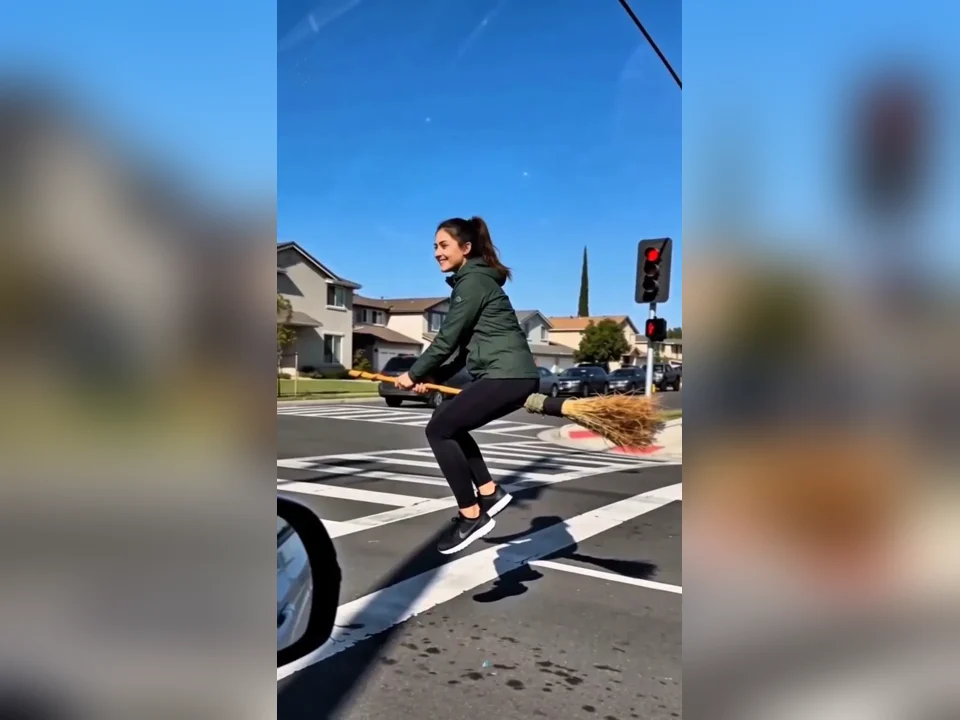
The rider appears in the side window, catches up with the car and travels alongside it, hovering low over the road.
Save up to 73% on plans
The "My Ride Is Here" trend plays a simple joke: a friend waits for a lift, and the ride turns out to be a broomstick gliding beside the car. Broom Riding AI recreates that moment from a single photo. You get the familiar car-window view, the same flight path and the same timing, with you as the rider, so the short scene feels like you actually flew past the window on your way to a Halloween night out.
Frames from sample clips that show the scene you will get. The rider changes with the uploaded photo, while the car-window view and the flight path stay the same in every clip.
The rider appears in the side window, catches up with the car and travels alongside it, hovering low over the road.
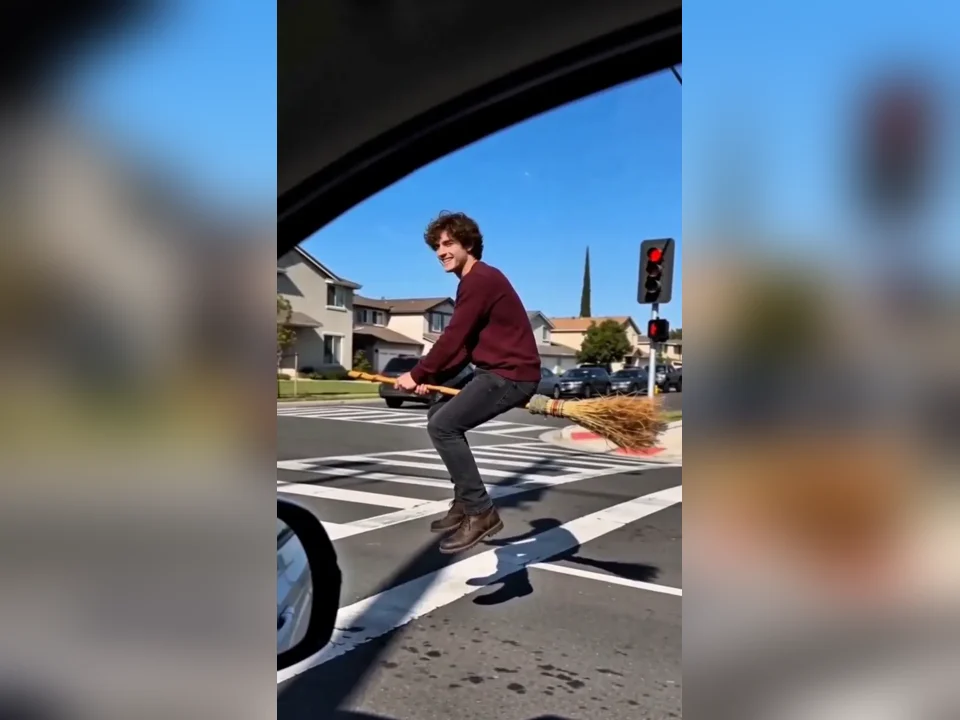
A second rider in a burgundy sweater hovers low over a crosswalk and turns toward the car window with a wide smile, the broom level with the road.
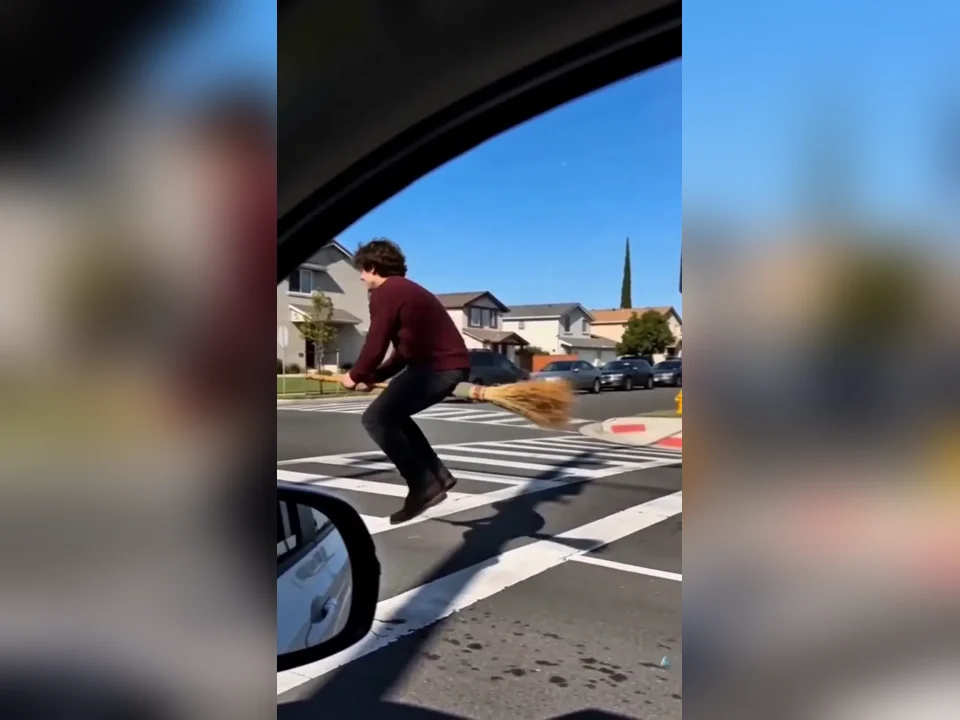
The same rider faces forward, grips the handle and leans ahead, keeping pace with the car just before pulling away.
The scene and the motion match the trend; your photo becomes the person who rides the broom.
The car-window view, the street, the approach, the smile and the exit all match the clip people know, so you do not need to describe anything.
The person in your photo becomes the rider. Broom Riding AI aims to keep their face, hairstyle, skin tone, body proportions and outfit recognizable, so friends can tell it is you at a glance.
The rider sits astride the broom with the handle between the legs and the bristles behind, and rider and broom move as one unit just over the road, matching the speed of the car.
The clip does not carry the popular song used in the original trend. Add your own music, sound effects or captions in a video editor after you download.
You only need one photo, so the process is short.
Use a sharp, well-lit picture where the face is clear. Waist-up or full-body framing brings your clothing and posture into the ride.
Add the image to the Broom Riding AI generator. You do not need to supply a video or write a prompt.
You fly up to the window, travel side by side with the car, turn to smile and then glide smoothly away.
Watch the whole clip, then download it and add music or captions in your usual app before posting.
You are rebuilt from your picture, so the photo sets the ceiling for quality. A few minutes choosing the right one saves retries later.
The scene has a single rider. Group photos can lead to the wrong person on the broom or extra figures.
Avoid sunglasses, masks, hands over the face and heavy beauty filters. The glance toward the camera is where the face matters most.
A coat, hoodie or costume shows up on the broom, so choose a picture in clothes you like.
A photo that is not cropped at the shoulders helps place arms and legs on the broom.
Use your own photo or one you have permission to animate.
A relaxed face or a small smile in the photo makes the glance toward the camera look friendly and easy to recognize.
Watch from start to end at full size, not just the thumbnail, and check these points before you post.
The smile toward the camera is the close-up. The face should stay recognizable and not drift.
The rider should sit on the broom, not hover over it or stand on it.
The handle should stay straight and the bristles should stay at the back. Bending or melting brooms are a reason to try again.
The trend is one continuous camera move. Sudden cuts, teleporting or a flight into the sky do not match it, so try again if you see them.
The car window and road perspective should stay steady through the clip.
The joke works best as a short, shareable moment.
Join the "My Ride Is Here" trend with your own face, then add the sound you want in the app you post from.
Send a Broom Riding AI clip to friends as an October message or a party reminder.
"Your ride is here" doubles as an invite for a Halloween night. Add the date and place as captions in your editor.
Upload a photo in your witch or wizard outfit and see it on the broom before the party.
Creators can use Broom Riding AI to make a short seasonal clip and then edit it into a longer video.
Send the clip in a group chat when you are on your way, or reply to a friend who keeps asking where you are. The broom says it better than any text.
Make a clip of a parent, a teammate or a roommate with their permission, then share it at a Halloween get-together or in a holiday message thread.
Results vary between attempts, so the same photo can look different each time. If one clip misses, a second try with the same or a sharper photo often fixes it.
The car, road and camera angle stay the same in every clip. To place yourself in a different setting, try another Halloween effect.
Each Broom Riding AI clip runs 10 seconds. Trim it in an editor if you need a shorter loop.
The output has no trending song and no text. Add both yourself after download.
Facial details, hand placement and motion can change between attempts. If the face drifts, try a sharper, front-facing photo.
The effect is built for a single person. Pets and groups are not part of this scene.
Sign in to NanoPic to create your Broom Riding AI clip. Before you start, the generator panel shows what the run needs. Upload only photos you have the right to use.

Turn one photo into a still portrait with a carved, glowing jack-o'-lantern head.
Make a pumpkin portrait
Turn one portrait into a classic, romantic or Victorian goth look for a Halloween profile picture.
Try the goth filter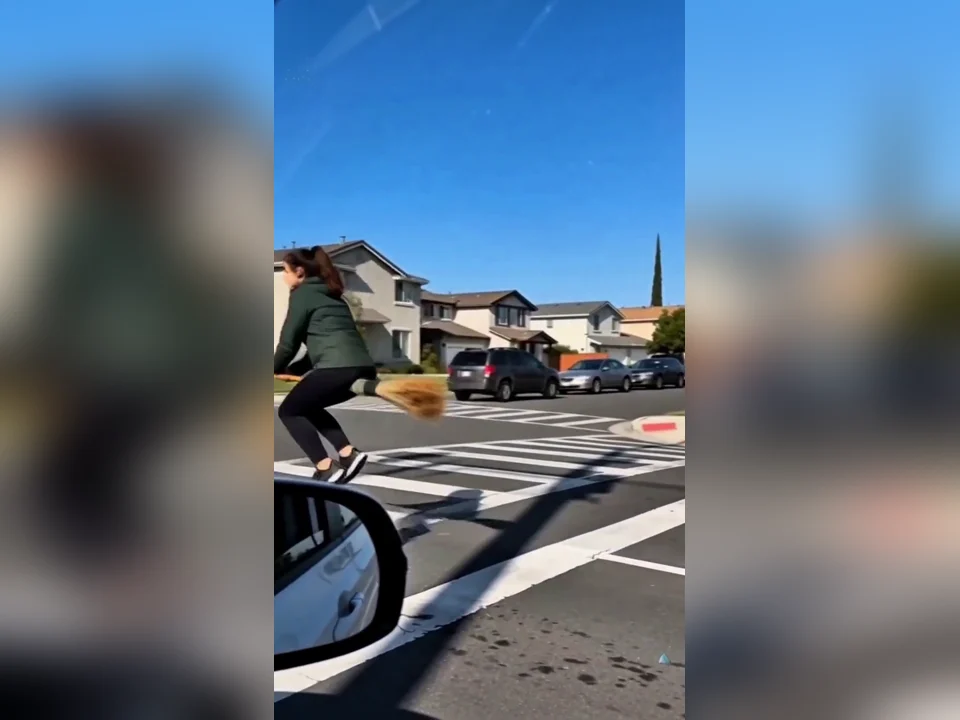
Broom Riding AI is a video effect that puts the person from your photo on a flying broomstick beside a moving car, following the "My Ride Is Here" trend.
No. The Broom Riding AI clip comes without the popular music from the original trend. Add your own audio in an editor or in the app where you post.
Each clip is 10 seconds. You only upload one photo of the rider; no video is needed.
Generative video sometimes loses contact between the rider and the broom. Use a photo with the full upper body visible and try again.
The effect is designed for one rider. Upload a photo with a single person for the cleanest Broom Riding AI result.
Yes, after download. The clip itself contains no text, so the caption stays sharp when you add it in your editor.
Broom Riding AI aims to keep your face recognizable, but details can change. A sharp, well-lit, front-facing photo gives the clearest starting point.
Yes. A photo in a witch hat or cape makes the ride look even more like Halloween.
No. Part of the joke is how ordinary the rider looks, so a hoodie, a work jacket or a school-run coat is just as funny as a cloak and pointed hat. Whatever you wear in the photo is what you wear on the broom, so pick the outfit you want people to see gliding past the window.
Download the clip, open it in the TikTok, Instagram or YouTube Shorts editor and pick the trending sound from the app library, then trim it so the rider appears as the beat starts. Because the file has no song baked in, you can use the original sound, a different track or a voice-over.
Yes, the clip is built for short-video feeds. Add the caption "my ride is here" or your own joke, tag friends who are always late, and label the post as AI-made so viewers know the flight is generated rather than filmed.
Filming it for real would need a moving car, a camera rig, a second driver and a lot of editing. Here one photo gives you the same car-window shot and flight path without any shoot.
Upload one clear photo, generate the 10-second flying broom scene and add your own soundtrack before you share it.