
Recast the performer
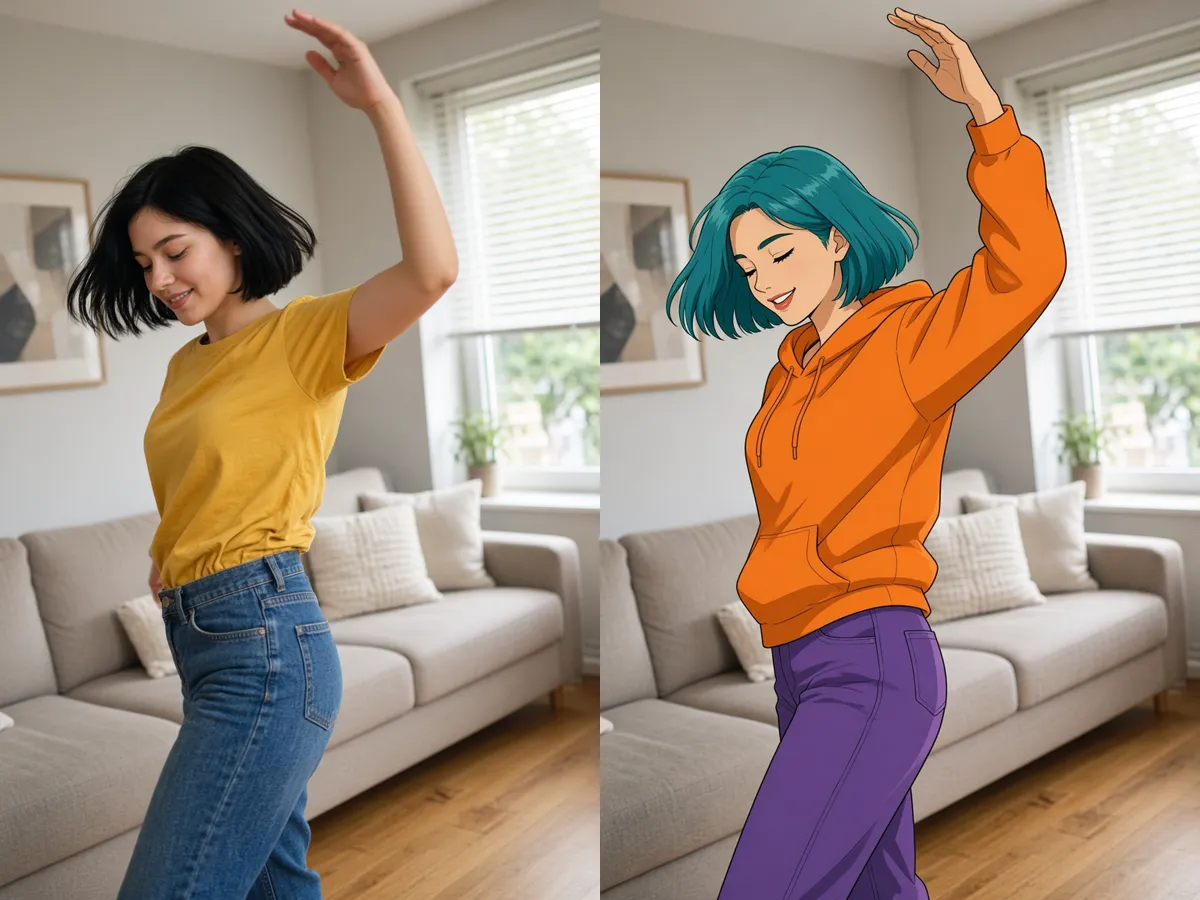
Film a dance on your phone in the living room, then have an illustrated character dance it again, step for step. Ask for arm swings, spins and the final pose to land on the same beats.
Save up to 73% on plans
Higgsfield Genjutsu keeps the moves and camera of your clip and changes who is on screen, what they wear, what they hold or where they stand. Film once on your phone, then turn that take into a new character, outfit, product shot or world without filming again. Upload a clip, add a photo of the new look, say what to change, and get your Higgsfield Genjutsu version. Dancers drop an original character into a trend, shops show one jacket in several colours on the same walk, and makers move a living-room scene into a castle or rainy street.
Film a dance on your phone in the living room, then have an illustrated character dance it again, step for step. Ask for arm swings, spins and the final pose to land on the same beats.
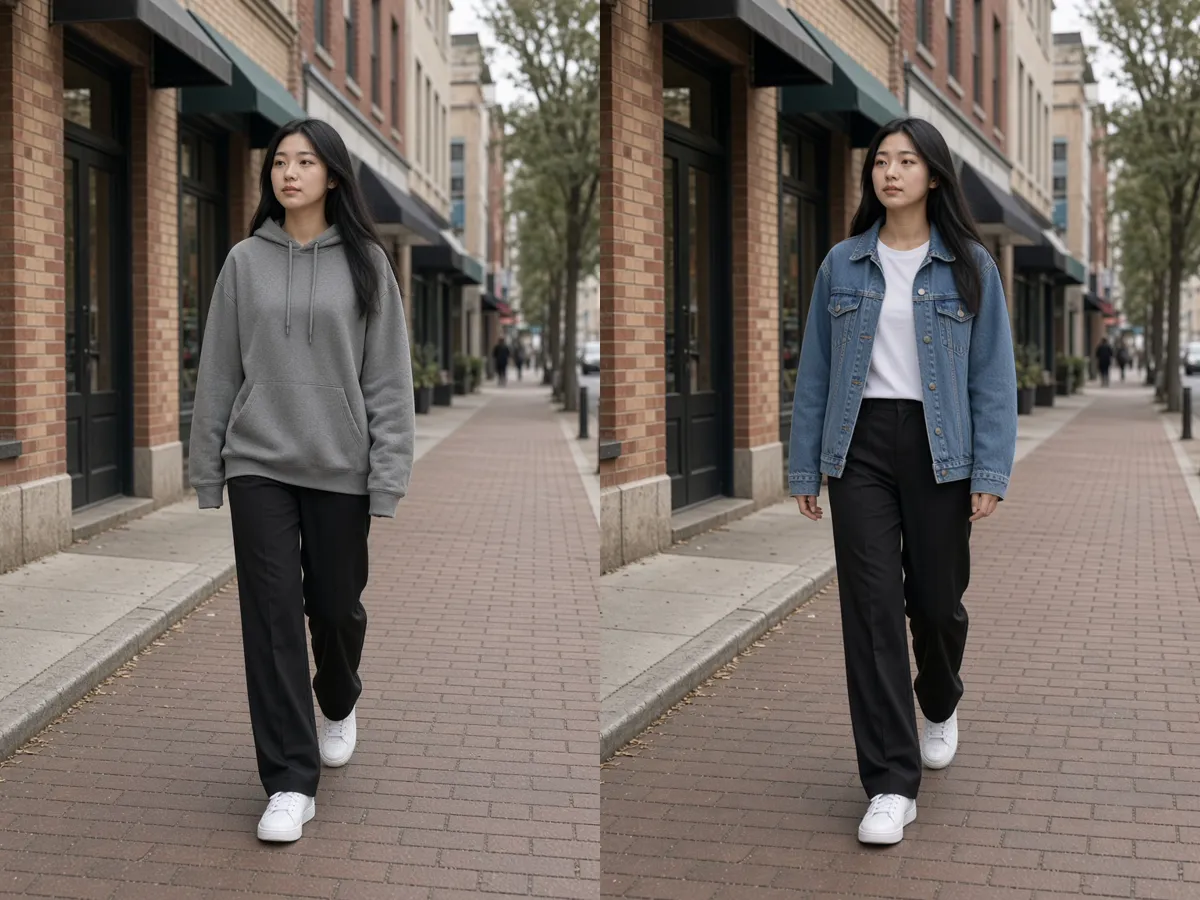
Film a walk down the street, keep the stride, and turn a grey hoodie into the denim jacket from a product photo. Ask for the folds to follow the body so the jacket looks worn, not pasted on.
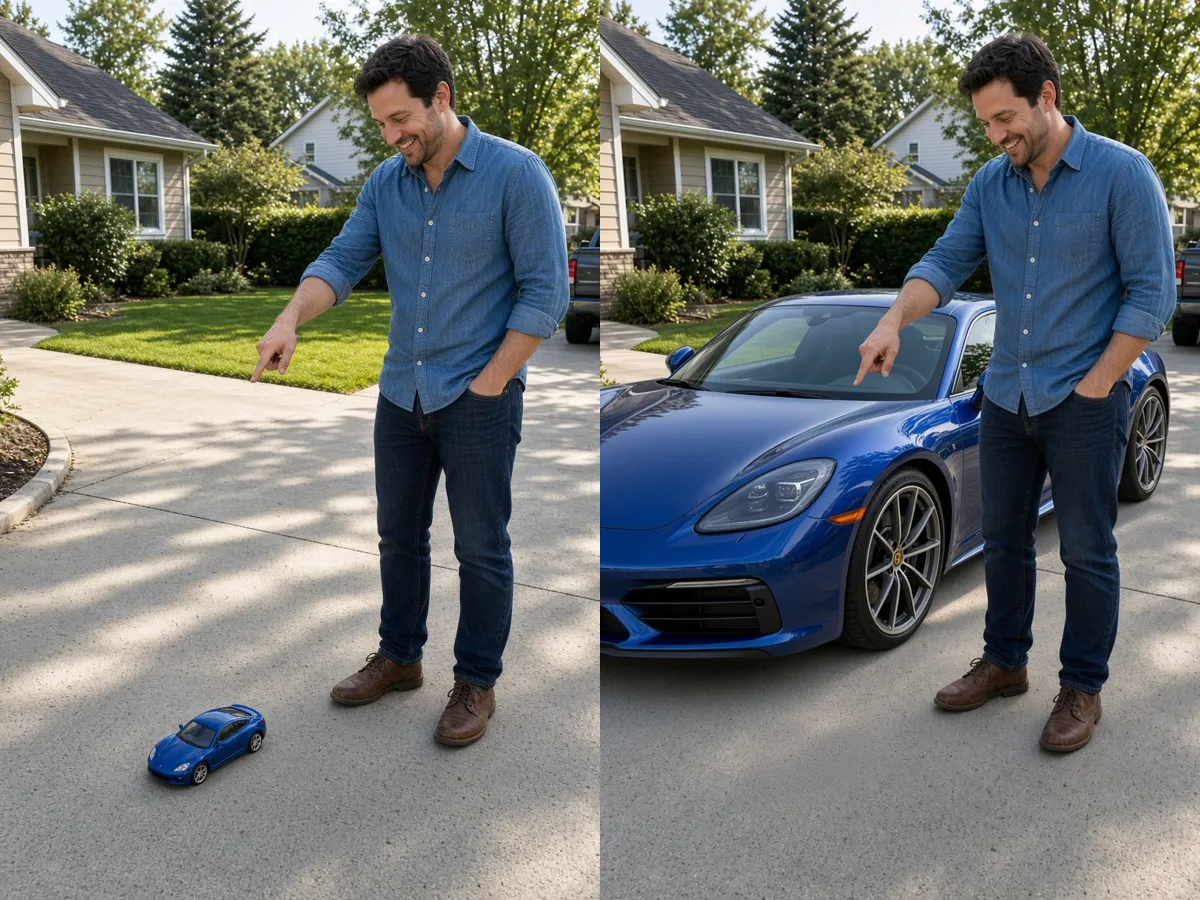
Film yourself beside a toy car, then turn it into a full-size sports car while you keep talking and pointing as filmed.
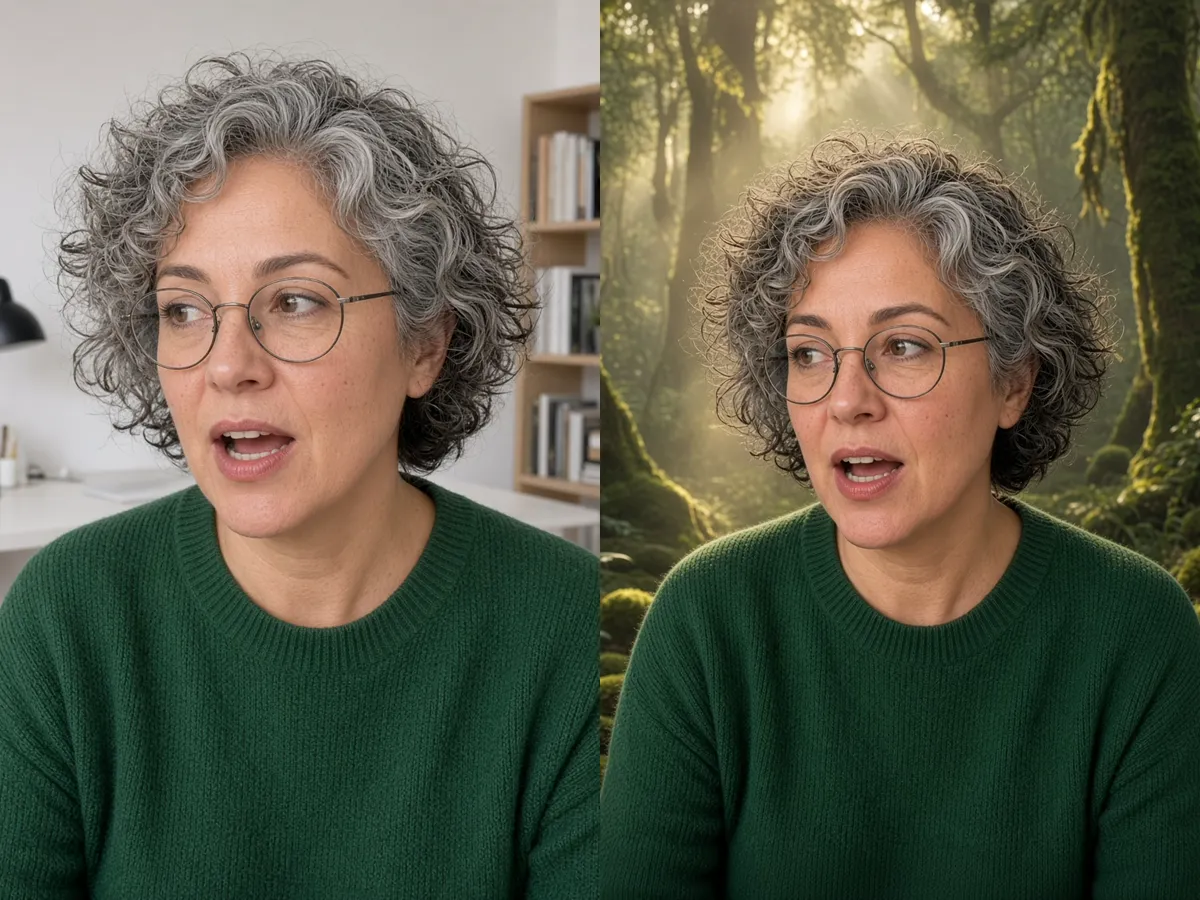
Record a talking-head shot, keep every head turn, and turn the plain office into a misty fantasy forest with matching light.
With Higgsfield Genjutsu, choose how much of your clip should change before you write a single word.
Keep the choreography, camera and timing, and rebuild the performer and the scene from your photos. Use it to move a phone take into a different place or look, like a bedroom dance by a cartoon fox on a rooftop.
Name one thing—a person, jacket, watch, product or background—and everything else stays as filmed. Pick this for product clips where the room and hands should look like your shoot.
Turn live-action footage into anime, clay, painterly or noir looks while the motion and cuts stay put.
Use the same character photo each time so a recurring character or AI influencer stays recognisable across a series.
Four steps take you from your own clip to a finished Higgsfield Genjutsu recast.
Pick a steady clip where the subject is easy to see and fills a good part of the frame. Note when each action happens, such as sitting, standing up or turning—natural points for a change to start or end.
Add a clear photo for each new character, outfit, product or place, shot from an angle similar to the clip. If you add more than one, decide which photo belongs to which change before you write.
Write one short line per change, for example: Replace the dancer with the character in the photo; keep the choreography, camera and timing. Then add what must stay, such as the background or lighting.
Play the Higgsfield Genjutsu result beside your clip and check faces, hands and the edges of the new element. If one detail is off, change only that line and try again.
Write one instruction per change, point to the photo, and say what must stay. Paste and adapt these Higgsfield Genjutsu prompts.
Replace the person in the clip with the character from the photo. Keep every movement, the camera path and the timing as filmed.
Dress the person in the jacket from the photo. Keep the face, pose, motion and background unchanged.
Replace only the toy car with the full-size car from the photo, at real-world scale. Keep my movements and the background.
Keep the same person and head turns. Turn the room into a misty forest at dawn with soft light through the trees.
Keep the motion and cuts. Render the live-action clip as hand-drawn anime with flat colour and clean outlines.
A good Higgsfield Genjutsu result starts with the clip you film.
Want a sports car or a plane in the shot? Film with a toy or any object in its place, then swap it for the real thing.
One continuous shot with clear movement gives the cleanest edit. Split longer videos into short parts, recast each with the same photos and wording, then join them.
If colours come out strange, export your phone clip in standard colour instead of HDR before uploading.
Your photos decide how the new element looks in every Higgsfield Genjutsu frame.
Give each outfit, shoe, watch or background its own photo on a clean background.
Use a photo taken from roughly the angle the camera sees in your clip, such as a three-quarter view of a car.
For clothing and accessories, a photo of someone wearing the item works better than a flat product shot.
For big objects, use a still from your clip with the real-size object already in place so it does not look toy-sized.
Small labels, plates and brand marks often come out garbled, so crop or blur them first.
Most Higgsfield Genjutsu problems come from the clip, the photo or the instruction.
Use a sharp, front-facing photo with light similar to your clip, and add keep the face consistent throughout.
Change one thing per run. Swap the outfit first, then move the scene in a second pass.
Start and end a change on a movement, like standing up or turning, not in the middle of a still moment.
Finish with keep everything else as filmed, or name the background, props and light you care about.
Quick spins, crossed arms and hands near the face are hardest to keep clean. Slow the action a little, or pick a take where hands stay visible.
Use a photo lit from the same side as your clip, and add match the light and shadows of the original video.
Sign in to NanoPic to create Higgsfield Genjutsu videos. Upload only clips and photos you have the right to use, and never pass yourself off as a real person without consent. Before you share a Higgsfield Genjutsu recast, ask the people who appear in it and say the video was edited with AI.
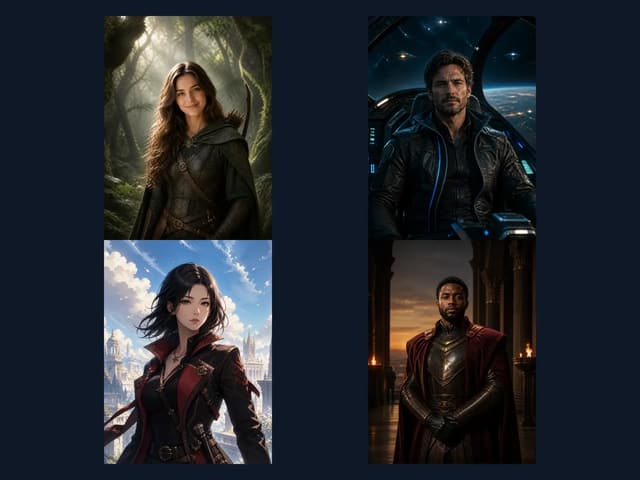
Design an original character from text or a sketch, then use it as the photo for your recast.
Open Character Design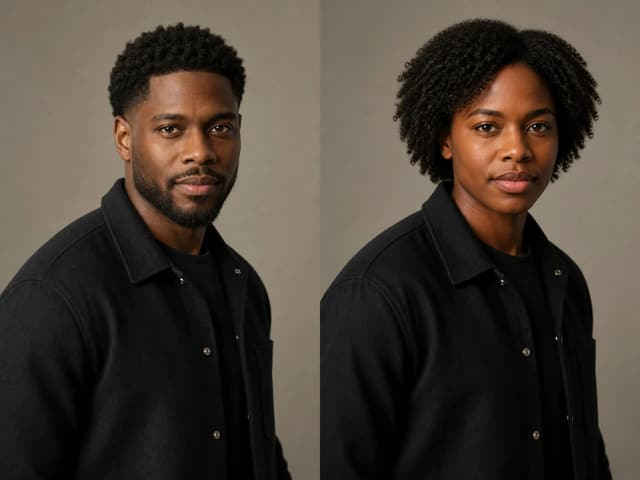
See how a portrait looks as another gender before you try a new look on video.
Open Gender SwapHiggsfield Genjutsu is a video-to-video edit that keeps the movement and camera of your clip while changing characters, outfits, locations or objects. It has two modes: Motion Transfer and Object Swap.
No. NanoPic made this generator and is not affiliated with Higgsfield, which owns the Higgsfield and Genjutsu names.
A new Higgsfield Genjutsu video with your original moves, camera and timing, and only the part you named changed.
Write one line per change: what to replace, which photo to use, and what must stay—motion, camera and background.
Add a clear photo of the new character, then ask to replace the person with the character in the photo and keep the movement and camera.
Motion Transfer keeps the movement and camera and rebuilds the performer and scene. Object Swap changes one named person, outfit, prop or product and keeps the rest as filmed.
Yes. Keep the motion and cuts and ask for a style or setting, such as hand-drawn anime or a misty fantasy forest.
Usually the photo is blurry, the subject is small, or the instruction asks for too much. Use a sharp front-facing photo and change one thing per run.
It is full-body and element replacement, not only a face swap. Body, clothing, props and setting can all change.
You can try, but one change per run is steadier. Recast one person, then the other.
Plan to handle sound yourself: add the original audio back in your editor if needed.
You will see the accepted clip length when you upload. Short, single-shot clips give the most stable Higgsfield Genjutsu results.
Only upload clips and photos you have the right to use, get consent before recasting a real person, and label shared results as AI-generated.
Upload the clip you already like, add one photo, say what to change, and post the before and after side by side.