Save up to 73% on plans

Sorry I Lied AI — Progressive Halloween Costume Photo Edits
Sign In

Sorry I Lied AI — Progressive Halloween Costume Photo Edits

Upload one authorized childhood costume photo and run the reveal stage by stage. Keep the same face, age, pose and background while you rewrite only the costume finish. Work through Perfect Costume, First Apology and Almost Honest as separate edits, then add your untouched original as the last carousel slide yourself. Write the stage you want in the prompt box; optionally upload a previous stage as a second guide when two uploads are available.

Childhood costume photo*
Previous stage (optional)

Please add the required Childhood costume photo before generating.

0 / 100

Copy Protection
Public VisibilityAllow this result to appear in public inspiration surfaces.
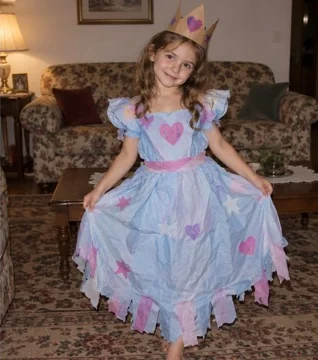
Synthetic demo of a handmade princess costume look used as a childhood reference
Input
Synthetic demo of a polished princess costume stage for sorry i lied ai
Output

Turn one costume photo into a funny four-slide reveal

A childhood Halloween costume photo can become a short apology story: first the outfit looks too perfect, then each edit peels away sparkle until the real homemade look returns, and the last slide is your untouched file. The edit keeps identity, age, pose and room locked while only costume materials and accessories change. You run three image edits, download each stage, then assemble TikTok Photo Mode or Instagram carousel order and pick the sound yourself. Use a photo you own or that a guardian cleared, and treat every demo as synthetic fiction rather than a real childhood memory.

Sorry i lied ai example stages (synthetic demos)

Three synthetic fiction demos for the costume reveal. Each card walks through picking a clear costume photo, what to write for that stage, what to check in the result, and how to retry a weak edit. None of these images are real children; they are generated demos for costume continuity only.

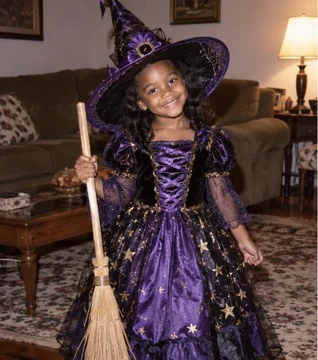
Perfect costume stage (synthetic princess demo)

Start with a childhood costume photo where the face, outfit edges and room are sharp enough to read. For the Perfect stage, ask only for richer fabric, cleaner seams and polished accessories in the same theme, while locking age, pose and background. In the finished frame, the subject should still look like the same child in the same spot, with only the costume finish upgraded. If the face drifts or the room changes, drop extra style words and run Perfect again from the same original upload. Keep this file labeled Perfect so you can place it first when you later build the carousel by hand.

Try Perfect Costume
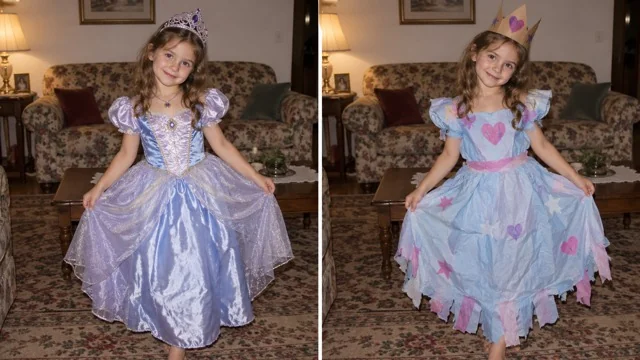
Synthetic fiction demo: polished princess dress stage for sorry i lied ai

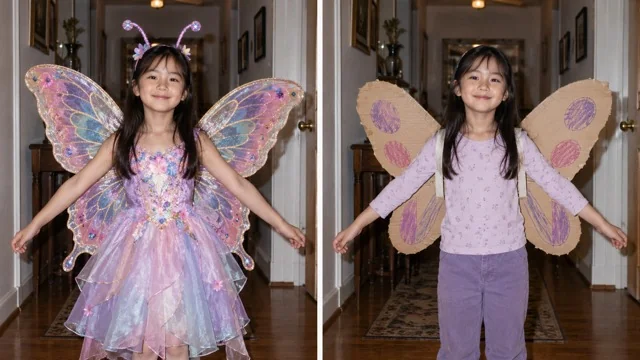
First apology to almost honest (synthetic butterfly demo)

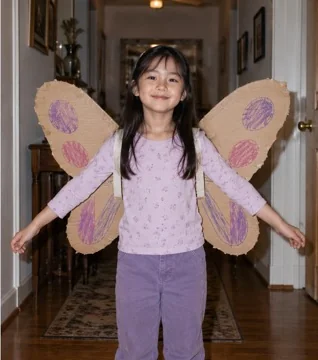
After Perfect, run First Apology by removing glitter, restoring a simpler hairstyle decoration and cutting back props while identity stays fixed. Then run Almost Honest and ask for cheap craft materials, taped edges or cardboard wings so the outfit looks homemade again. Optionally upload the previous stage as a second guide so the apology steps stay aligned with the same body and room. Check that only decorations fell away and that the face did not age up or swap. If one stage is wrong, redo that stage alone instead of regenerating the whole set.

Run apology stages
Synthetic fiction demo: butterfly costume apology stages for sorry i lied ai

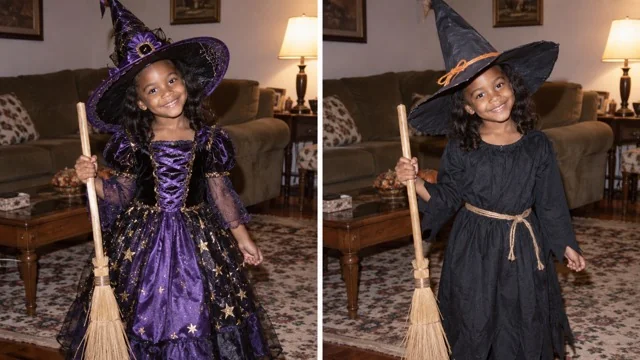
Original reveal as the last slide (synthetic witch demo)

The last slide of the carousel must be your untouched original file, not an AI rebuild, recolor or crop-aligned fake original. Download Perfect, First Apology and Almost Honest, then add the childhood photo you started from as slide four in TikTok Photo Mode or Instagram. Compare the third AI stage against the real file so viewers feel the punchline without mistaking edits for a true memory. If you need captions or the trend sound, add them in the posting app after the images are ordered. Never ask the generator to invent a pseudo-original; keep the real file offline until you assemble the carousel.

Finish with original
Synthetic fiction demo: witch costume reveal pairing for sorry i lied ai

How to build a sorry i lied ai costume reveal

Five practical blocks for the costume reveal: what stays locked, how to run the three apology stages, how to finish with the real original, how to assemble the carousel yourself, and how to fix a weak stage while keeping consent rules.

What sorry i lied ai changes, and what it locks

Sorry i lied ai is a costume-only edit: it keeps the same subject identity, apparent age, facial structure, pose, background, camera and crop from your upload. Only costume materials, accessories, small hair decorations and light age-appropriate costume makeup should move between stages. That lock is what makes a progressive apology readable instead of a brand-new character each time. Do not ask for a collage, a four-panel sheet or a single image that pretends to be the full carousel. Open the generator, upload one clear authorized childhood costume photo, and write only the costume change you want for the current stage.

Open the generator
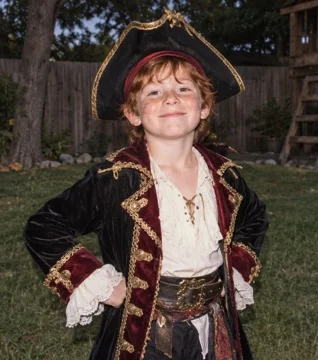
Synthetic demo of a polished pirate costume stage

Run Perfect, First Apology and Almost Honest as separate edits

Plan three independent image-to-image runs with sorry i lied ai. For Perfect Costume, describe an idealized version of the same theme with cleaner fabric and brighter accessories. For First Apology, remove flashy pieces and restore a more believable look while still not telling the whole truth. For Almost Honest, bring back craft paper, tape, cardboard or thrift materials and leave only one slightly nicer detail. When a second upload slot is available, you may add the previous stage as an optional guide; otherwise re-upload that stage as the main reference for the next edit.

Run the three stages
Synthetic demo of a polished witch costume stage

Finish with your real original photo, never an AI fake-original

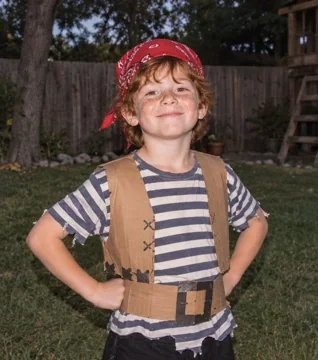
The fourth slide is not generated. Keep the childhood costume file you started with, unedited, and place it last after the three sorry i lied ai stages. Do not ask the model to rebuild, color-match or crop-align a pretend original, because that breaks the reveal and mislabels an edit as a real photo. Store the original beside your downloads with a clear filename so you do not mix it with Almost Honest. When friends watch the carousel, the jump from the third edit to the real file is the punchline. If the original is blurry, still use it as slide four; soft focus is part of many real childhood shots and should not be AI-smoothed for the finale.

Keep the original file
Synthetic demo of a handmade pirate costume stage

Assemble the carousel yourself on TikTok Photo Mode or Instagram

Sorry i lied ai does not spit out a finished four-image carousel in one pass. Download Perfect, First Apology and Almost Honest in order, then import those three files plus your untouched original into TikTok Photo Mode, Instagram carousel or another album tool. Set the slide order yourself, write short captions if you want, and pick the sound in the posting app. If you need a vertical video, drop the stills into your own editor after the album is ready. Keeping assembly in your hands avoids false claims that one button already stacked the full reveal.

Download stages
Synthetic demo of cardboard butterfly wings apology stage

Fix a weak stage and keep consent rules

If a sorry i lied ai stage drifts the face, ages the child up, or changes the room, redo only that stage from the best previous reference and shorten the prompt to costume words. Upload only photos you own or that a parent or guardian authorized; do not use someone else's kid, celebrity children or scraped school photos. Demo images here are synthetic fiction for costume continuity, not evidence of a real apology story. Do not present AI stages as authentic childhood memories when you post. Halloween timing can make the joke timely, but keep the tone playful and skip scare tactics or pressure to upload other people's children.

Retry one stage
Synthetic demo of a handmade princess costume stage

Consent, childhood photos and honest labeling

Upload a childhood costume photo only when you are the person in it or a guardian has cleared the use. Sorry i lied ai stages are creative edits; label them as AI-made when viewers could mistake them for untouched memories. Keep the final carousel slide as the real original file. Generating requires signing in so you can see the credit cost before a run starts.

More Halloween photo and video effects

Pumpkin Head Photoshoot

Swap visible heads for carved jack-o'-lanterns while keeping outfits and poses.

Open

AI Halloween Costume Transformation

Turn an everyday outfit into a short costume reveal clip.

Open

More photo effects

Browse other still-image effects you can try on an authorized photo.

Browse

Frequently asked questions

What is the sorry i lied ai / I'm so sorry I lied Halloween trend?

It is a short photo carousel that starts with an over-perfect childhood costume look, walks through softer apology stages, and ends on the real original costume photo. Sorry i lied ai helps you create the middle costume edits while you keep the last slide as your untouched file.

How do I make a sorry i lied ai carousel from one childhood costume photo?

Upload one authorized childhood costume photo, run Perfect Costume, then First Apology, then Almost Honest as separate edits, download each result, and place your real original photo last in TikTok Photo Mode or Instagram.

Is this an official TikTok or song effect?

No. NanoPic is an independent tool and is not an official TikTok, Douyin or original-song effect.

Do I need permission to upload a childhood photo? Can I use someone else's kid?

Yes, you need your own photo or a parent or guardian's authorization. Do not upload someone else's child or celebrity children.

Does the last slide have to be my real original photo?

Yes. The last slide must be the untouched original file. Do not ask the generator to invent a fake original.

Does it create all four carousel slides in a single run?

No. You usually run three separate image edits, then assemble order, captions and sound yourself in the posting app.

Can AI keep the same face, age, pose and background while only changing the costume?

That is the goal of the stage prompts: lock identity, age, pose and room, and change only costume materials and accessories. If something drifts, retry that single stage with a shorter costume-only note.

How many pictures do I need, and can I upload a previous stage as a guide?

A common carousel uses four slides: three AI stages plus the original. The main upload is required; when two slots are available you may add a previous stage as an optional guide.

What if the face drifts or one stage looks wrong?

Redo only the weak stage. Use a sharper source, fewer style words, and the best previous reference. Do not regenerate stages that already look right.

How do I post on TikTok or Instagram and add the sound? Can I turn it into a short video?

After downloads, build the album in TikTok Photo Mode or Instagram, add captions and choose the sound there. To make a vertical video, drop the stills into your own editor; this tool returns still images only.

Start your sorry i lied ai costume reveal

Upload an authorized childhood costume photo, run the three apology apology stages, then finish the carousel with your real original file.