

Happy Horse 1.5 AI Video Generator
Sign In

Happy Horse 1.5 AI Video Generator

CreditsCost

HappyHorse 1.1

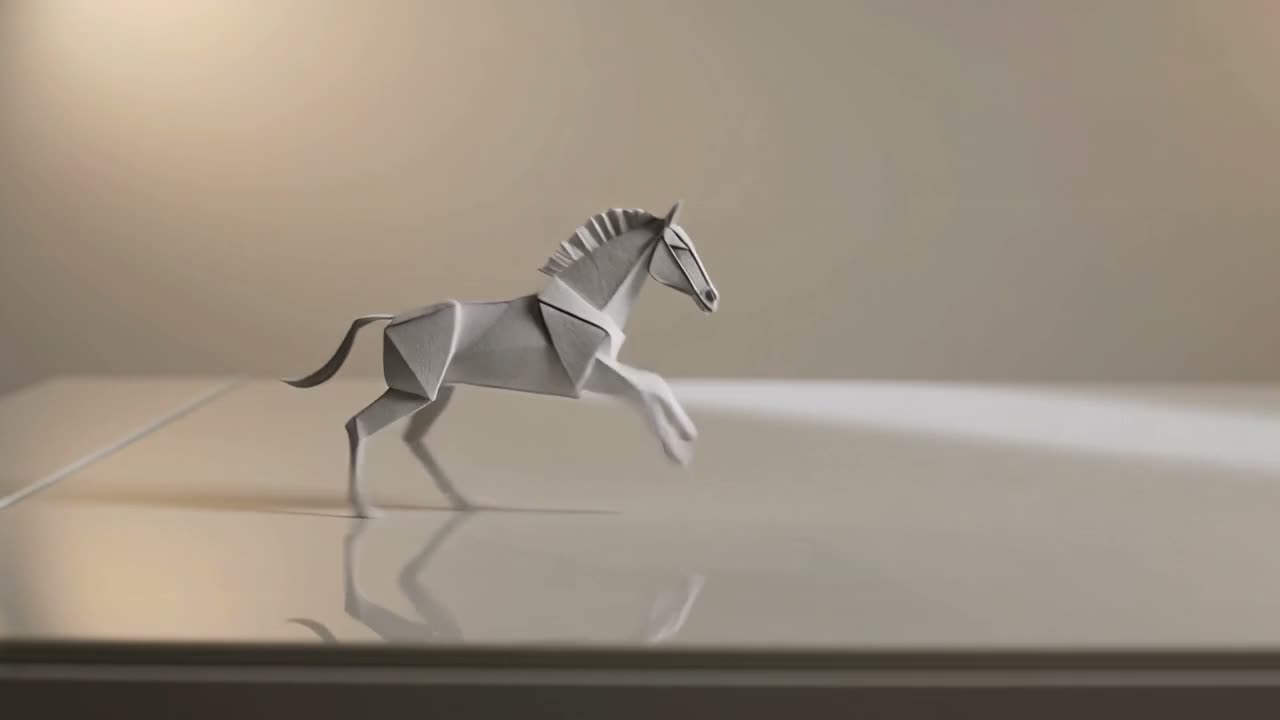
NanoPic text-to-video workflow example

A handcrafted paper horse crosses a bright studio table as the camera tracks beside it, soft morning light, restrained background motion, stable subject shape, clean composition, no readable text, no watermark.

1/3
Model-neutral NanoPic video workflow poster with a paper horse on a studio table

Plan Better Happy Horse 1.5 Video Workflows

Turn an idea into a production-ready video brief before you spend time generating. This page organizes text-led, image-led, and reference-led workflows around clear prompts, deliberate framing, review checkpoints, and reusable creative decisions inside NanoPic.

Build the Right Brief for Each Video Input

A useful model page should help you make better creative decisions, not simply repeat a model name. Begin by choosing the input that already contains the strongest evidence for your intended shot, then write the prompt around what that input does not yet communicate.

Text-led concepts

Start from text when the visual idea is still open. Define one subject, one visible action, one environment, one camera behavior, and one lighting direction. Keeping the first shot focused makes it easier to tell whether the model understood the brief or merely produced an attractive but unrelated scene.

Image-led motion

Use a source image when composition, product shape, wardrobe, character design, or art direction already matters. The prompt should describe motion and camera behavior rather than redescribing every pixel. Ask for restrained changes first so you can separate useful animation from unwanted redesign.

Reference-led direction

Use several references only when each image has a distinct job. Label the subject, material, lighting, palette, or atmosphere you want from each reference in the prompt. Clear roles reduce ambiguity and make the eventual result easier to review with collaborators.

Single-shot planning

Write the first generation as one coherent shot rather than a compressed screenplay. A single action with a start, middle, and finish gives the motion a readable purpose and leaves enough room for the camera to move without competing scene changes.

Reviewable creative controls

Choose the visible model, scene type, framing, duration, and other controls in the generator before submitting. Record what you changed between versions. A controlled comparison is more useful than several drafts whose prompts and settings all changed at once.

Reusable production notes

Treat every successful draft as a small piece of production knowledge. Save the prompt, source assets, intended crop, motion note, and review outcome so the same idea can be revisited with another NanoPic video model without rebuilding the brief from memory.

A Practical Happy Horse 1.5 Creation Workflow

Use a short feedback loop: define the shot, prepare the right input, generate one controlled draft, and review specific evidence before revising. The examples shown here are NanoPic workflow illustrations and are not presented as proof of Happy Horse 1.5 output quality.

1. Translate the idea into one observable shot

Replace broad goals such as “make this cinematic” with details a reviewer can see. Name the main subject, its action, the setting, the camera path, and the light. For example, describe a paper sculpture crossing a bright worktable while the camera tracks alongside it, with soft side light and a quiet background. This brief gives the shot a visible success condition: the subject should remain recognizable, the camera should move in one direction, and the scene should stay uncluttered. If the concept needs several shots, plan them as separate generations and assemble them later instead of forcing every beat into one prompt.

Draft a Text Prompt

2. Give every source or reference a clear role

For an image-led shot, inspect whether the source has enough space for the intended movement and target crop. Keep the full subject visible, remove watermarks and interface overlays, and avoid a frame that is already tightly cropped around the face or product. For a reference-led brief, assign roles explicitly: one image for subject form, one for material, and one for atmosphere. Do not assume the model will know which details to borrow. A prompt that explains these relationships gives you a much stronger basis for evaluating consistency, unwanted blending, and composition drift.

Prepare References

3. Review the first draft against a checklist

Watch the complete result at normal speed and again frame by frame around any difficult motion. Check whether the subject keeps its shape, whether hands or small product details drift, whether the camera follows the requested path, and whether the background introduces distracting objects. Also inspect the first and last frames because these often reveal continuity problems that are easy to miss during playback. Note the largest failure in plain language. That note should drive the next prompt revision instead of adding several new stylistic requests at once.

Run a Controlled Draft

4. Change one major variable per iteration

If subject stability is the problem, simplify the action or strengthen the visual anchor before changing the lighting and camera. If composition is the problem, adjust the source crop or camera instruction before adding more detail. If the shot reads correctly but lacks polish, then refine material, atmosphere, or pacing. One-variable iteration turns each generation into evidence. When a direction is ready, save the prompt and inputs, then compare it with other NanoPic video models using the same core brief so the model decision is based on the project rather than a generic ranking.

Compare Model Workflows
NanoPic controlled video iteration poster in a sixteen by nine frame

Prompt Methods for More Useful Video Drafts

Good prompts create a testable relationship between intent and output. Use concrete visual language, keep instructions compatible, and reserve vague quality adjectives for the end of the brief rather than using them in place of direction.

Subject before style

Open with the subject and the action that must remain readable. “A ceramic bird unfolds its wings on a display plinth” gives the generation a clearer center than a list of style adjectives. Add surface treatment, palette, and mood only after the shot has a defined subject.

One camera instruction

Choose a slow push-in, lateral tracking move, locked-off frame, orbit, or gentle handheld feel. Avoid combining several contradictory movements in a short shot. The camera instruction should support the action instead of competing with it.

Motion with an intensity word

Describe how much movement you want: subtle fabric motion, restrained head turn, steady walking pace, or energetic particle burst. Intensity words help distinguish a quiet product study from a dramatic transformation without relying on unsupported technical settings.

Composition and safe space

State where the subject sits in the frame and whether space is needed for a later crop, caption, or product message. Keep readable text out of the generated scene and add typography during editing when accuracy matters.

Visible continuity constraints

Ask for stable shape, consistent wardrobe, coherent reflections, a clean background, or preserved product geometry when those qualities matter. Review these constraints directly instead of assuming a polished-looking clip is also consistent.

A compact negative list

Finish with a small set of high-value exclusions such as no watermark, no readable text, no extra objects, and no sudden cut. A short negative list is easier to interpret than a long catalog of every possible artifact.

Happy Horse 1.5 Workflow Use Cases

The same disciplined brief can support several kinds of creative work. Choose a use case with a concrete review goal, then decide whether the output is a final asset, an editorial ingredient, or a direction test for a larger production.

Product motion concepts

Plan a single product reveal, turntable-like movement, material close-up, or packaging moment. Preserve recognizable geometry and leave space for verified brand text during editing.

Social hooks and transitions

Test one immediate visual beat for a short-form opening, transition, loop, or background plate. Frame for the destination format from the beginning instead of depending on an aggressive crop later.

Character and environment studies

Explore a controlled gesture, walk cycle, camera reveal, weather change, or ambient environmental motion. Keep character action simple when identity and costume continuity matter most.

Storyboard motion tests

Turn a written beat or key frame into a moving reference for editors, designers, and clients. Record the intended shot purpose so feedback stays focused on composition and timing rather than final polish.

Material and lighting exploration

Compare how paper, glass, fabric, metal, fog, daylight, or colored rim light changes the mood of the same shot. Keep subject action and camera direction consistent so the visual treatment is the variable under review.

Model comparison briefs

Use one licensed input set and one core prompt across several NanoPic video model pages. Compare prompt adherence, subject stability, motion, framing, and workflow fit for your project rather than declaring a universal winner.

Continue Through NanoPic Video Workflows

Keep the project brief consistent as you move between model pages. Internal comparisons are most useful when the input, intended shot, and review checklist remain the same.

Open the current Happy Horse workflow

Visit the Happy Horse 1.1 page when you want documentation tied to the model currently shown in NanoPic's selector, including its exposed modes and practical prompt-testing flow.

View Happy Horse 1.1

Compare reference-heavy briefs

The MiniMax H3 and Seedance pages provide adjacent workflows for creators who want to structure image, video, audio, or multimodal references. Reuse the same creative goal and compare only the controls actually visible on each page.

Explore MiniMax H3

Browse the complete model hub

Use the NanoPic video model hub to move between Happy Horse, Kling, Seedance, MiniMax, Veo, Sora, Wan, and LTX pages. Pick the workflow that matches your input and review needs rather than relying on an unverified specification list.

See All Video Models

Happy Horse 1.5 AI Video Generator FAQ

Practical answers for planning, prompting, reviewing, and running a Happy Horse video workflow in NanoPic.

What should I put in a Happy Horse 1.5 video prompt?

Start with one subject, one visible action, one setting, one camera direction, and one lighting note. Add a small number of constraints such as stable subject shape, clean background, no readable text, and no watermark. If a source or reference image is involved, explain what role it should play rather than repeating every visible detail.

When should I start from text instead of an image?

Start from text when composition and subject design are still open. Start from an image when a product, character, wardrobe, layout, or art direction must remain recognizable. The best input is the one that already contains the information you are least willing to lose.

How should I organize multiple reference images?

Give every reference a distinct purpose and state it in the prompt. One image might define subject form, another material, and another lighting or atmosphere. Use only relevant, licensed references, and remove private information, watermarks, and interface overlays before uploading.

How do I review an AI video draft objectively?

Check prompt adherence, subject and product stability, camera path, background continuity, first and last frames, and any difficult hand or face motion. Record the largest issue, then change one major variable for the next test. A repeatable checklist produces more useful feedback than judging only whether the clip looks impressive.

Can I use these workflow examples as proof of Happy Horse 1.5 performance?

No. The media on this page illustrates NanoPic video workflows, framing, prompt structure, and review practice. It is not labeled as Happy Horse 1.5 output and should not be used to infer benchmark results, technical specifications, pricing, resolution, duration, or provider behavior.

Which other NanoPic video pages should I compare?

Start with the video model hub, then compare the current Happy Horse 1.1 page with relevant MiniMax H3, Seedance, Kling, Veo, Sora, Wan, or LTX pages. Keep the same core brief and licensed inputs, and judge the visible controls and actual results for your project.

Can I generate with Happy Horse 1.5 on NanoPic today?

Happy Horse 1.5 is not yet connected to NanoPic's production API. The generator on this page currently selects HappyHorse 1.1, exactly as shown in the visible model selector, and outputs remain labeled with the model that actually runs. NanoPic will connect 1.5 as soon as a verified API route is ready.

Turn the Brief into a NanoPic Video Draft

Use the generator above to test one observable shot, review the result against a checklist, and keep the prompt and source assets ready for the next iteration.