




Save up to 73% on plans

Photo to Bobblehead
Sign In

Photo to Bobblehead

Upload one clear portrait of yourself or an adult who agreed to it, pick a bobblehead look, and add a short note about the outfit, prop or base. Photo to bobblehead keeps the face, hair and glasses recognizable while it gives the person an oversized head, a small sculpted body and a glossy painted finish.

Pick a look; its direction fills the details box, where you can change the outfit, prop or base.

Upload One Portrait*
Try Upload One Portrait sample

Please add the required Upload One Portrait before generating.

394 / 900

Public VisibilityAllow this result to appear in public inspiration surfaces.
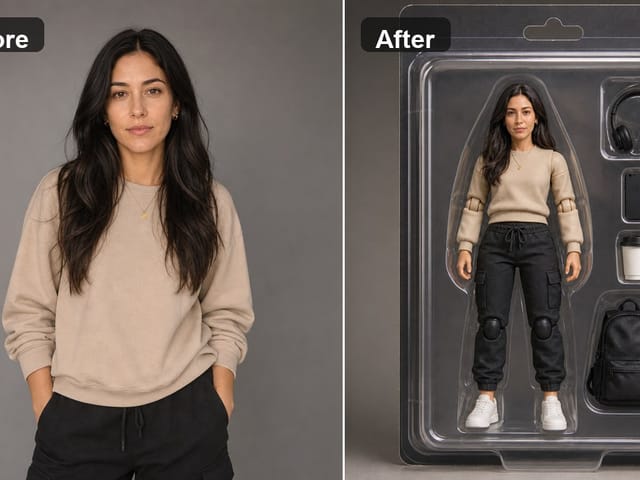
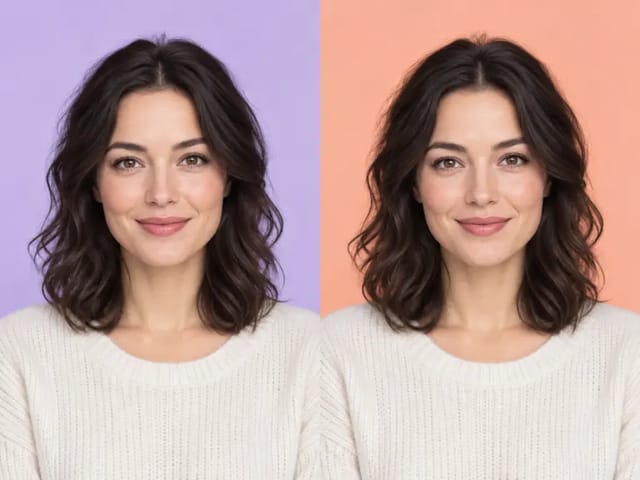
Adult woman with long dark wavy hair in a cream knit sweater
Before
Same woman as a full-body bobblehead in a cream sweater on a round base
After

More AI Image Models & Effects

What Is Photo to Bobblehead?

Photo to bobblehead is an image effect that redraws a normal portrait as a collectible bobblehead figure. The head grows to roughly a third of the figure's height, the body shrinks into a compact sculpted shape, and skin, hair and clothing take on the smooth, glossy look of painted resin. What stays is the part that makes the figure feel personal: the face shape, the hairstyle and hair color, the skin tone, glasses, a beard or a favorite pair of earrings. You do not need a studio photo or a sculpting skill, just one clear picture from your phone and an idea of how you want the figure dressed. Many people use photo to bobblehead as an AI bobblehead generator for profile pictures, team posts, birthday cards and holiday surprises, because the big-head proportions read as playful right away. The result is a flat image you can save and share. It is not a 3D model or a printable file, so think of it as a picture of the figure you would love to keep on a shelf.

How to Make a Bobblehead from a Photo

Three steps take you from an everyday portrait to a finished bobblehead picture.

Upload One Clear Portrait

Start photo to bobblehead with a single JPG, PNG or WebP under 10 MB that you took yourself or have permission to use. Only upload adults who agreed to be turned into a figure, and never use photos of children. A front-facing shot from the chest up, in soft daylight, gives the face the most detail to carry into the bigger head. Skip sunglasses, heavy filters and hands near the face, since those hide the features a bobblehead depends on. If the person wears glasses every day, keep them on so the figure still feels like them.

Make My Bobblehead
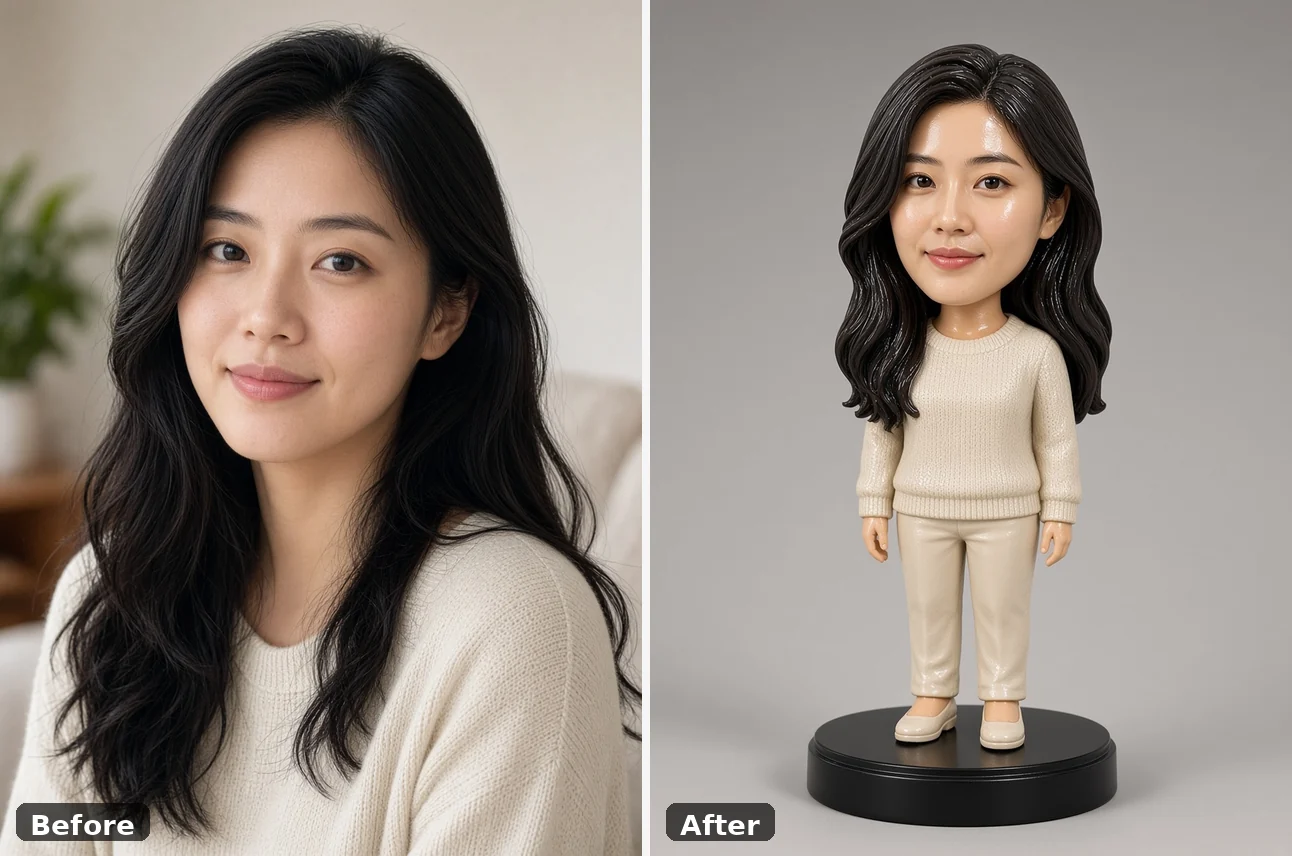
Before and after: adult woman portrait beside her cream-sweater bobblehead

Choose a Look and Add Details

Pick Classic Desk Figure, Sports Fan, Office Desk Toy or Gift Keepsake, and its direction appears in the details box. Edit that text to make the bobblehead from photo your own: swap the outfit for a chef's apron, put a guitar or a coffee mug in the hands, or change the base to wood with a small blank name plate. Short, concrete notes work better than long lists, so describe one outfit, one prop and one background. Pick a square, landscape or portrait shape depending on where you plan to post it. Then press Make My Bobblehead and wait for the figure to appear.

Make My Bobblehead
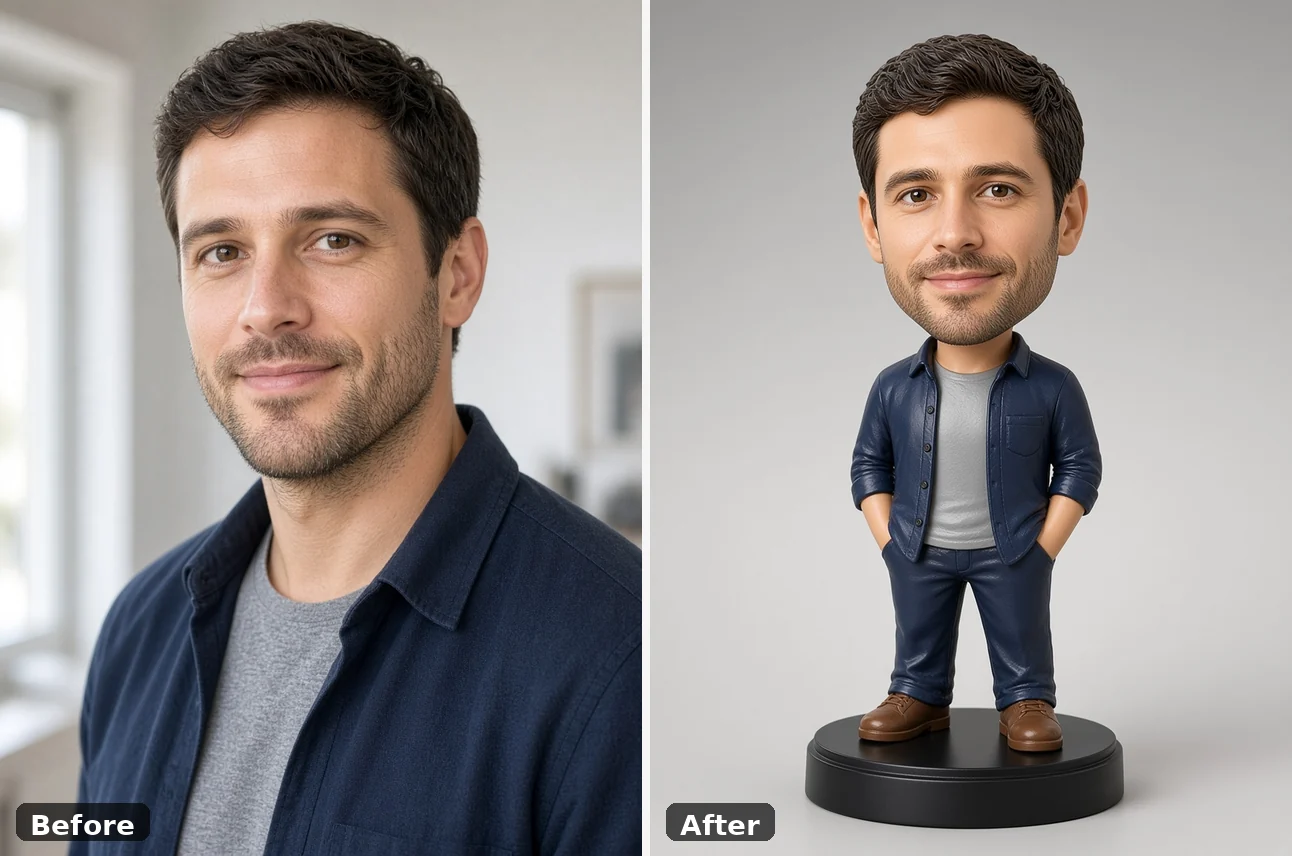
Before and after: adult man portrait beside his navy-overshirt bobblehead

Review, Adjust and Save

Compare the photo to bobblehead result with the original portrait before you keep it. Look at the eyes, hairline, glasses and smile first, since those carry the likeness at this size. If something feels off, change one detail in the notes and run it again rather than rewriting everything. When you are happy, download the image and use it as an avatar, print it on a card or add it to a gift message. Credits for each run show in the generator, and a failed run returns its credits.

Make My Bobblehead
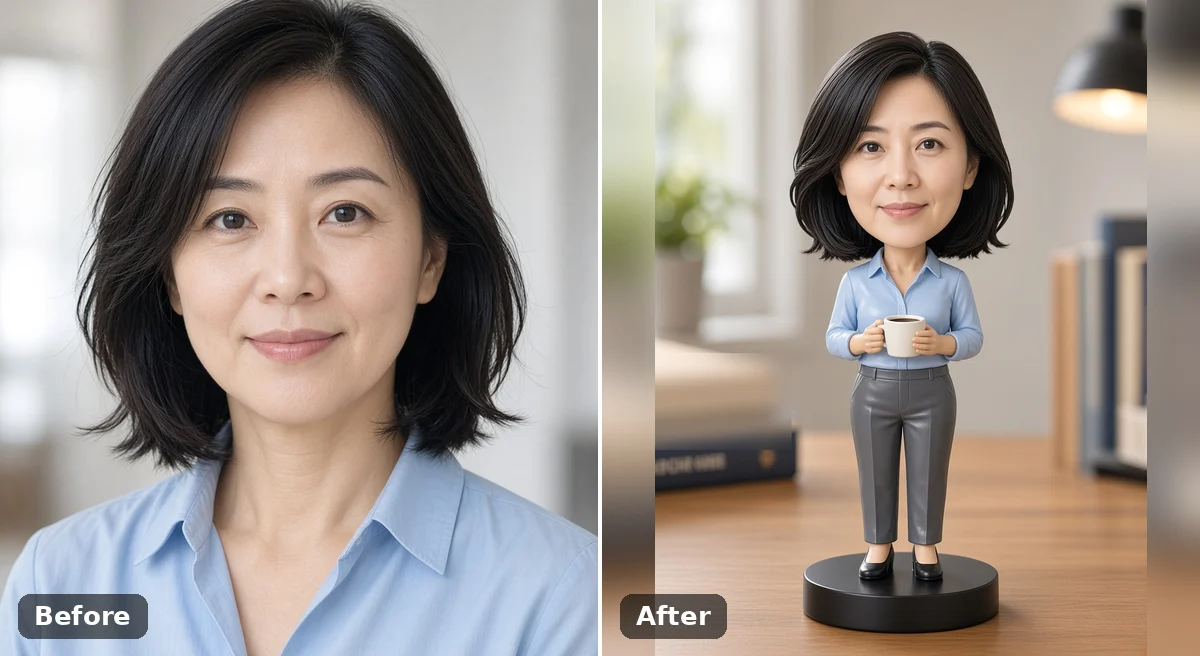
Before and after: woman with a black bob beside her desk bobblehead holding a mug

Bobblehead Looks You Can Create

Each look starts from the same portrait and changes the outfit, prop and setting around the big head.

Sports Fan Bobblehead

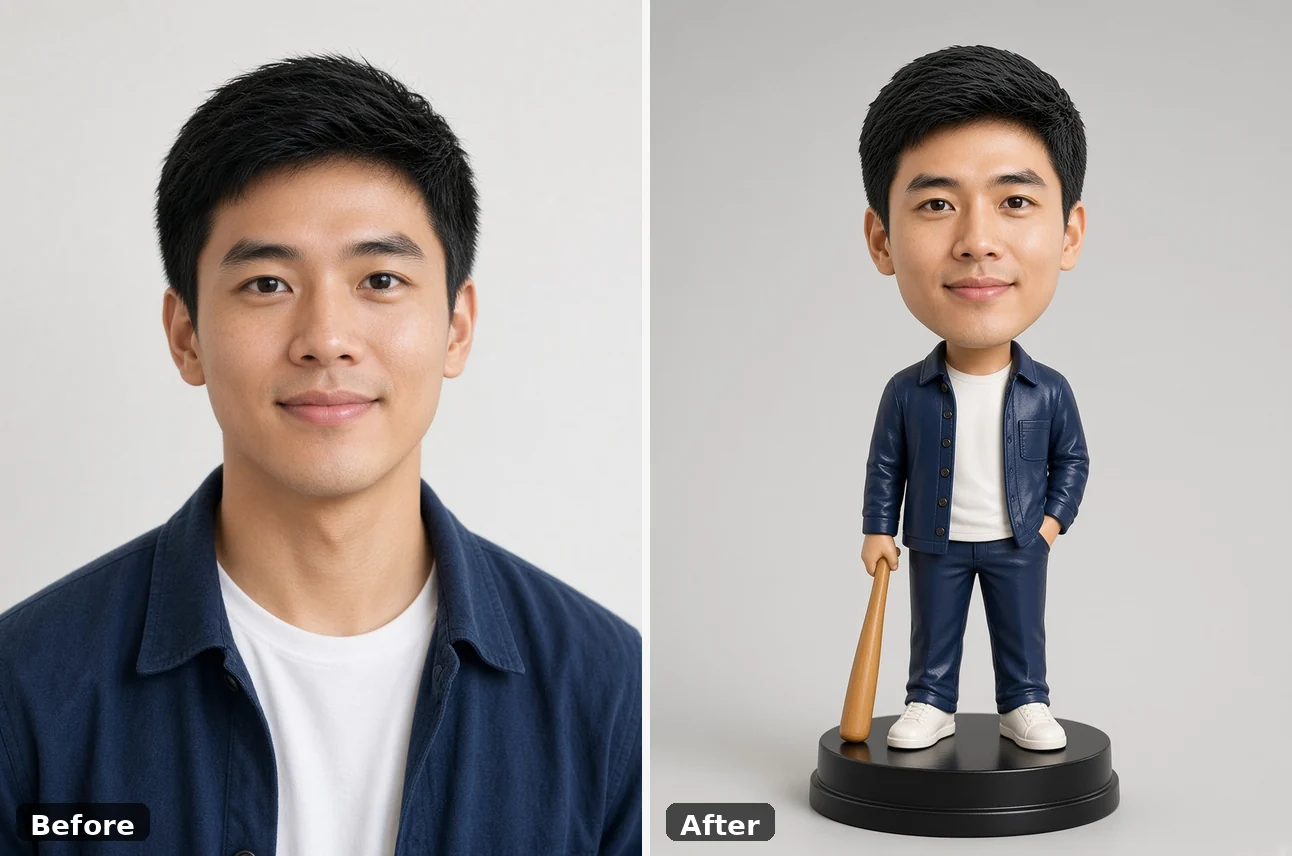
The sports look can put a bat in the figure's hand and keep a casual team-night outfit, so the big head still matches the face in your photo. It suits game-day posts, fantasy league avatars and gifts for the friend who never misses a home game. Your everyday clothes are fine in the upload, because photo to bobblehead can build the sports details for you. Ask for team colors in the details box if you want a closer match, and keep the face clear so props do not hide the eyes.

Make My Bobblehead
Before and after: young man portrait beside a baseball-style bobblehead with a bat

Classic Desk Figure

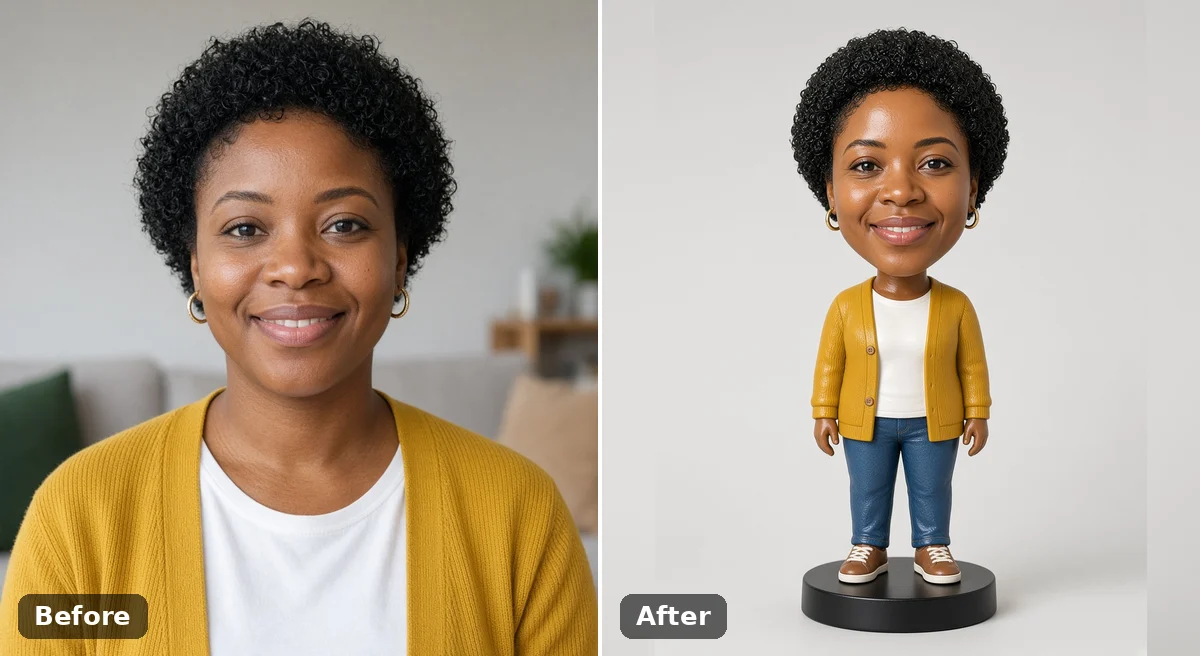
The classic look keeps the person's own outfit and turns them into the kind of figure that sits next to a keyboard. A round black base, a glossy painted surface and soft studio light give the image a clean collectible feel. This is the easiest place to start if you just want to see how photo to bobblehead treats a face. It also works well as a custom bobblehead AI preview before you commission a sculptor.

Make My Bobblehead
Before and after: woman with curly hair beside her classic bobblehead on a black base

Office and Career Figures

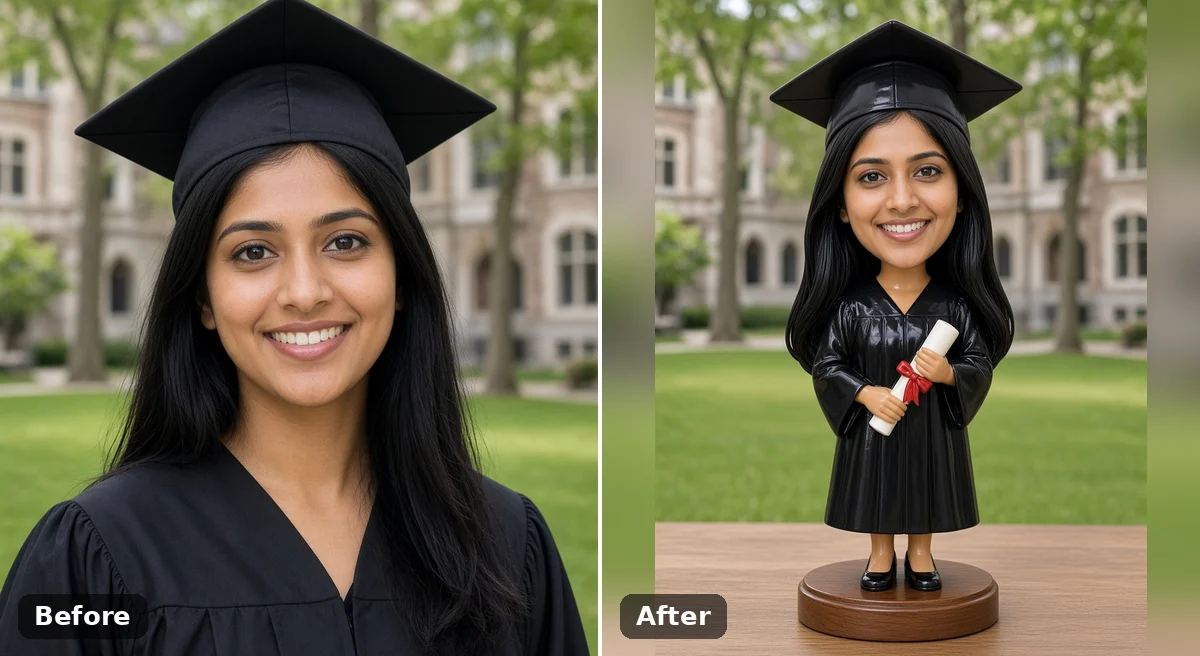
Describe a profession and the small body follows: scrubs for a nurse, an apron for a baker, a blazer and a mug for the colleague who runs every meeting. The figure lands on a tidy desk scene with books, pens and a lamp behind it. Career bobbleheads make warm farewell cards, work anniversary posts and team pages where everyone gets their own figure. Graduation gowns and wedding outfits work the same way. Run photo to bobblehead once per person with the same notes so the set looks consistent.

Make My Bobblehead
Before and after: graduate in cap and gown beside her graduation bobblehead with a diploma

Gift and Holiday Keepsakes

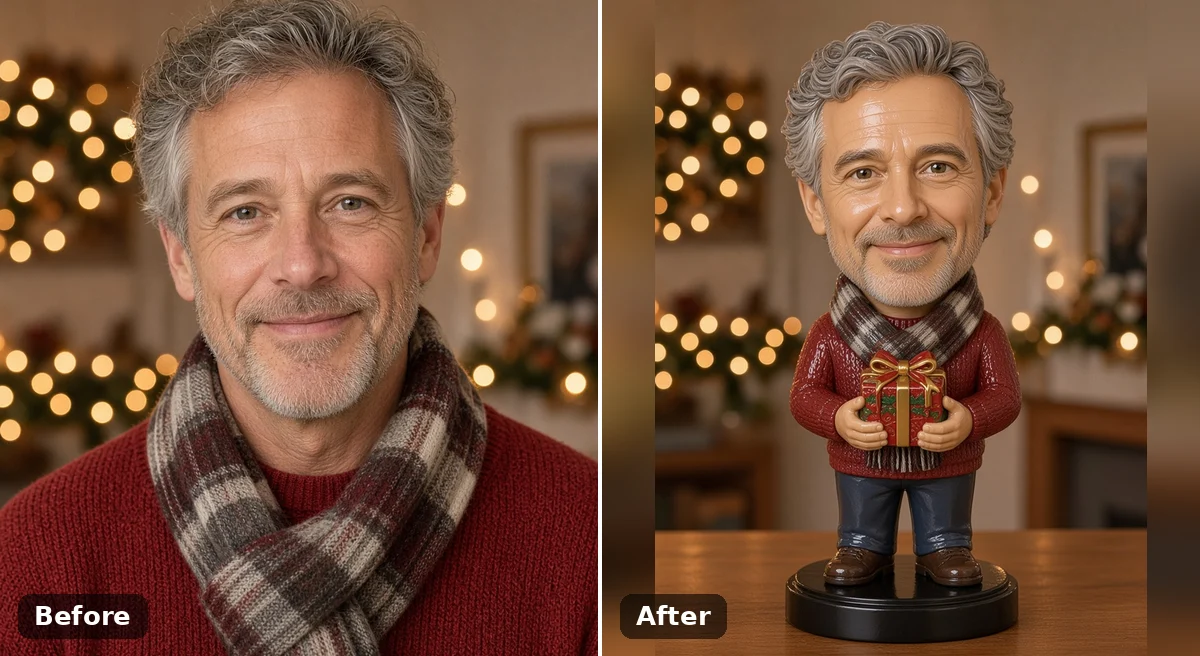
A bobblehead picture makes a fun surprise for birthdays, Father's Day and Christmas, especially when the person loves desk toys. Add a cozy sweater, a scarf or a small wrapped present in the notes to give the figure a seasonal touch. Print the photo to bobblehead image on a card, frame it next to a real photo, or send it first as a teaser for a handmade gift. Always ask the person in the photo before turning them into a keepsake to share.

Make My Bobblehead
Before and after: grey-haired man in a red sweater beside his holiday bobblehead holding a gift

Close Matches for Glasses, Beards and Hair

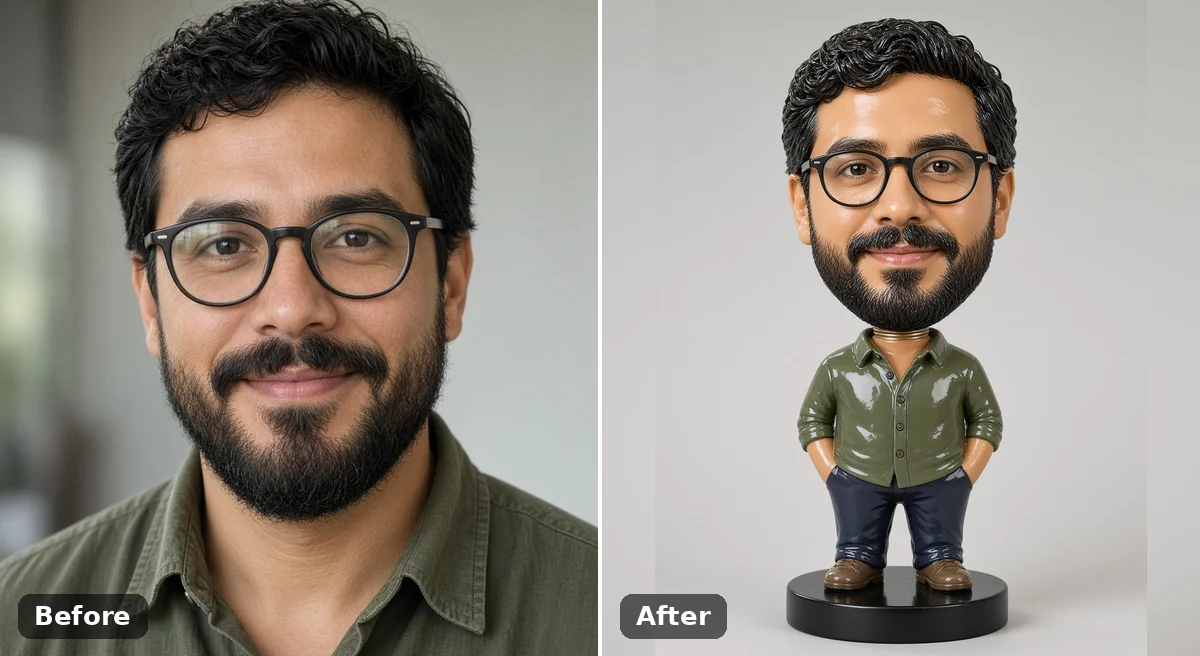
Distinctive features help the figure feel personal at a small size. Glasses, a beard, curls, braids or a bold hair color carry over as simplified painted shapes, so the bobblehead still reads as the same person. If the first version softens a feature too much, name it in the notes, such as round black glasses or a short grey beard. Photo to bobblehead responds best to one clear correction at a time.

Make My Bobblehead
Before and after: man with round glasses and a beard beside a bobblehead that keeps both

Photo Tips for a Better Bobblehead

Use a sharp portrait where the face fills a good part of the frame and both eyes are visible. Even daylight from a window is better than a flash, which flattens features and adds glare to glasses. A plain background keeps the attention on the face, though photo to bobblehead replaces the setting anyway. A slight three-quarter angle is fine, but skip full side profiles. Neutral or smiling expressions carry over best; extreme faces can look strange on an oversized head. For couples or friends, run one portrait per person and match the notes so the figures look like a set.

Photo to Bobblehead FAQ

Answers about uploads, likeness, outfits and what you can do with your figure image.

What does photo to bobblehead do?

It redraws a portrait as a collectible bobblehead figure with an oversized head, a small body and a painted finish, while keeping the face, hair and glasses recognizable. The output is a still image.

How do I turn my photo into a bobblehead?

Upload one clear portrait, pick a look, edit the details if you like, and press Make My Bobblehead. Review the figure, adjust one note if needed, and download the image you like.

What kind of photo works best?

A sharp, front-facing portrait from the chest up in soft, even light. Use JPG, PNG or WebP under 10 MB, keep the face uncovered, and avoid heavy filters or sunglasses.

Can I choose the outfit, prop or pose?

Yes. Write what you want in the details box, such as a chef's apron, a guitar, a soccer jersey or a wooden base. Short, specific notes give the clearest result.

Will the bobblehead look like me?

Photo to bobblehead keeps the main cues of a face, but toy styling simplifies features and changes proportions, so it is a stylized likeness rather than a copy. If something looks off, name that feature in the notes and run it again.

Can I make a bobblehead of a couple, a group or a pet?

Each run works best with one person in the photo. For a couple or a team, make one figure per person with matching notes. Pets can work with a clear, close photo, but results vary more than with people.

Can I use someone else's photo?

Only with their permission, and only for adults. Do not upload photos of children, and do not create figures of people to mock or mislead others.

Does it make a 3D model or a physical bobblehead?

No. You get a 2D image of a bobblehead figure. It is not a printable 3D file, and nothing is manufactured or shipped, though the picture can guide a sculptor or a gift idea.

How do credits work?

Credits for each run show in the generator before you start. If a run fails, its credits are returned to your account.

Can I download and share the result?

Yes. Download the image to use as an avatar, a card or a post. Make sure the person in the photo is happy with how it is shared.

Ready to Turn Your Photo into a Bobblehead?

Upload one clear portrait, pick a look and make a big-head figure image to keep or share.

Related tools

80s Photo Filter

80s Photo Filter

80s Photo Filter adds warm, faded film color to your photo in the browser. Adjust strength, preserve clothing and framing, and download a PNG.

Open tool
AI Age Filter

AI Age Filter

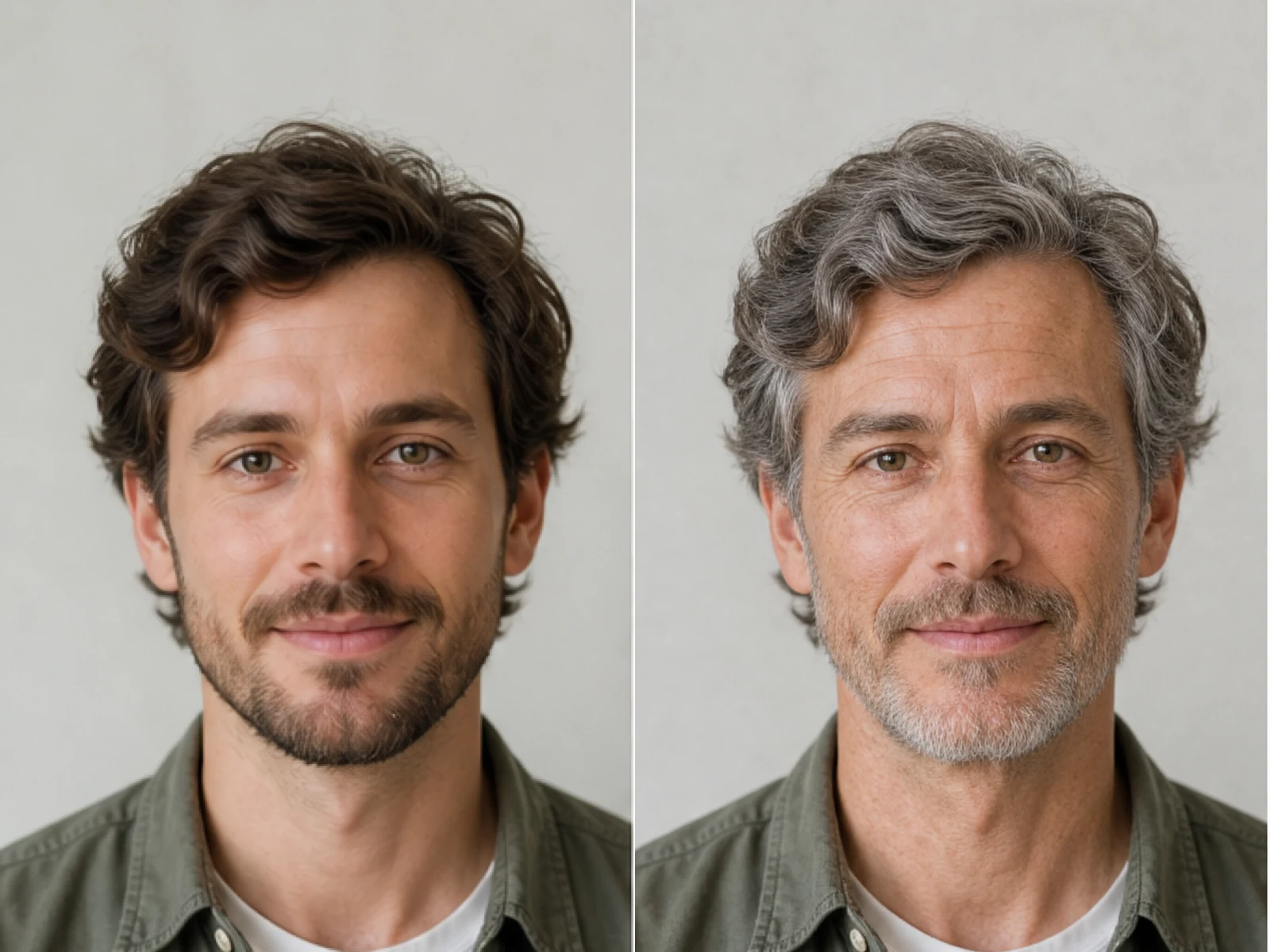
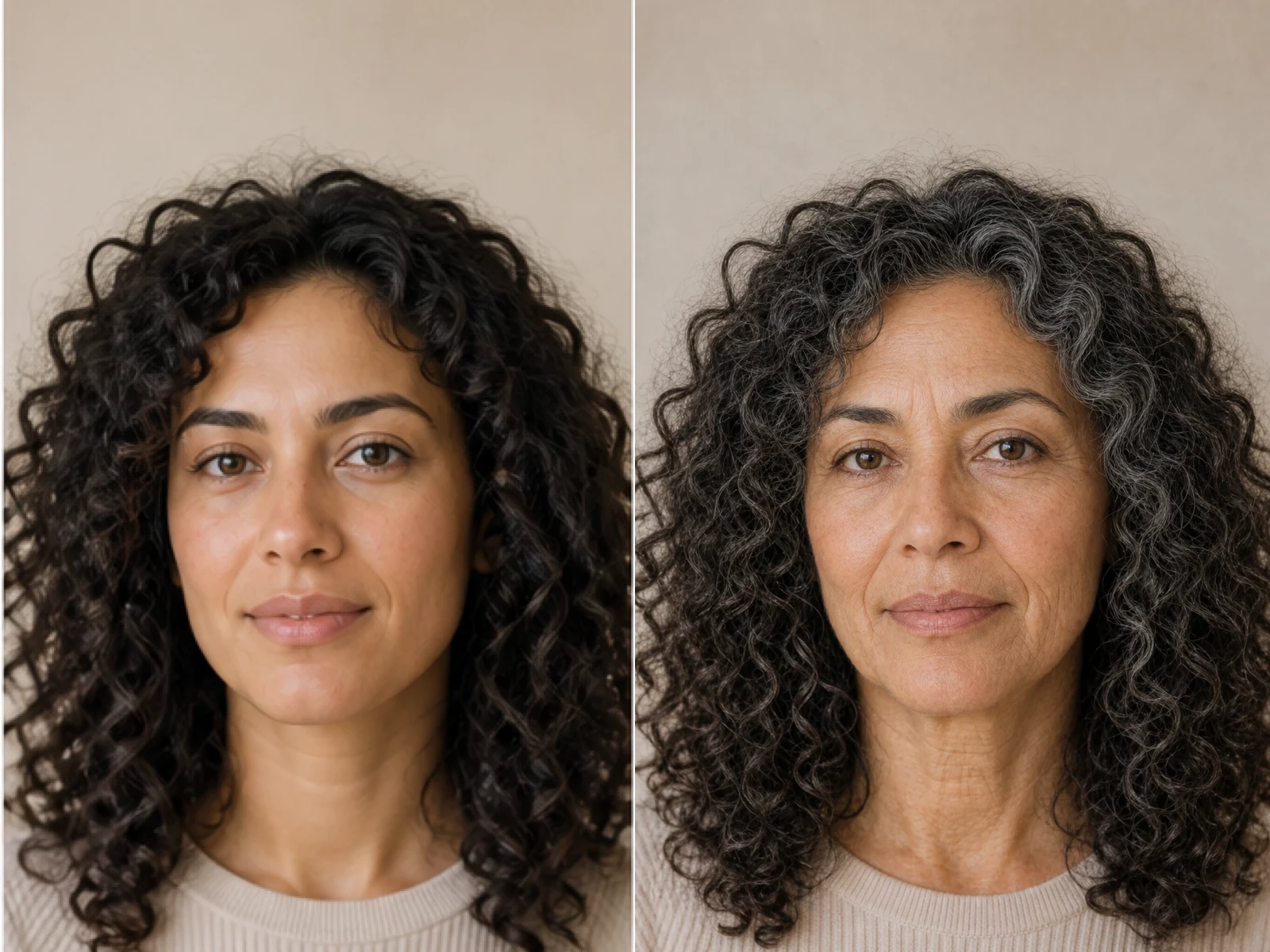
AI Age Filter creates a natural older-look concept from an authorized adult portrait. Review identity, complete-head framing, light and scene after editing.

Open tool
AI Age Progression

AI Age Progression

AI Age Progression creates a target-age concept from an authorized adult portrait. Set an age interval and review identity, framing and scene after editing.

Open tool
AI Labubu Generator

AI Labubu Generator

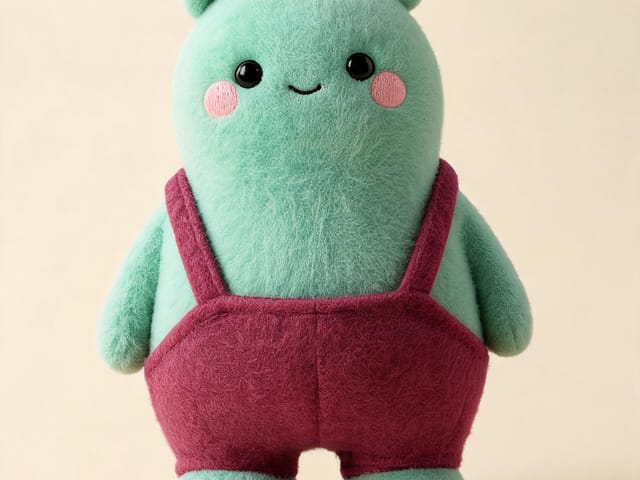
AI Labubu Generator helps explore your own monster doll concept from an authorized reference. Create original shapes and outfits, with no official affiliation.

Open tool
Camera Roll AI

Camera Roll AI

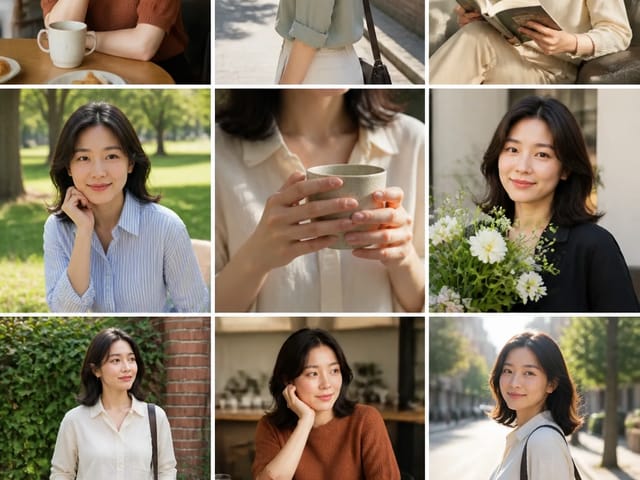
Camera Roll AI turns an authorized reference photo into one lifestyle collage. Plan varied scenes and a phone-gallery-inspired layout, then save one image.

Open tool
Face in Hole Generator

Face in Hole Generator

Face in Hole Generator places an authorized face into your chosen photo or template. Upload two references, refine the blend, and save a creative portrait.

Open tool
Hotpot AI Image Generator

Hotpot AI Image Generator Online | NanoPic

Create still images with the Hotpot AI Image Generator on NanoPic. Write a clear scene, generate with Nano Banana 2, refine the look, and download the picture you like.

Open tool
Make Image Higher Resolution

Make Image Higher Resolution

Make Image Higher Resolution with real 2× or 4× browser resizing. Compare pixel dimensions and download PNG without claiming recovered detail.

Open tool
Remove Glare from Glasses in Photos

Remove Glare from Glasses in Photos

Remove Glare from Glasses in photos with an editable AI image prompt. Upload your portrait, reduce lens reflections, and review the result before using it.

Open tool
Wooden porch at dusk with a glowing carved jack-o'-lantern and autumn leaves

Add Pumpkin to Photo: Place Pumpkins in Your Picture | NanoPic

Add pumpkin to photo: upload one picture, say how many and where, keep faces and pets, then download a still with realistic or glowing pumpkins.

Open tool
Small mushroom-cap vinyl figure in a yellow raincoat beside a leaf-pattern box

AI Blind Box Generator: Turn a Photo into a Chibi Figure | NanoPic

AI blind box generator: upload one photo of you or your pet and get a cute chibi, plush or boxed collectible figure image to download and share.

Open tool
Young man in a red scarf smiling beside a glowing Christmas tree

AI Christmas Photo Generator: Festive Portraits & Cards | NanoPic

AI Christmas photo generator: upload one photo and get a cozy holiday portrait or a Christmas card picture that still looks like you, ready to download.

Open tool
Black Friday sale scene with sneakers, knitwear and gift bags on dark stone

Black Friday Poster Maker: Product Photo to Sale Poster | NanoPic

Black Friday poster maker for sellers: upload one product photo, pick a sale style, and add an optional headline or offer text to your downloadable poster.

Open tool

Flashlight AI Photo: Tiny Character Scene | NanoPic

Turn one authorized adult portrait into a realistic flashlight scene with a miniature stylized double. Generate, then inspect identity, hands, light, scale, and crop.

Open tool

Funny AI Prompts — 12 Photo and Pet Editing Ideas | NanoPic

Try 12 original funny AI prompts on one authorized person or pet photo. Load, edit, generate, and review identity, anatomy, props, text, and visual coherence.

Open tool
Demo cover showing clearer detail after enhancement workflow

Magnific AI Image Generator Workflow on NanoPic | Clarity from One Photo

Run a magnific ai image generator style enhance on NanoPic: upload one photo, rebuild edges and textures toward 4K, then download after a full-size check.

Open tool

Mera Prompt AI Photo Prompts: Copy Viral Edits | NanoPic

Copy free mera prompt AI photo prompts for boys, girls, couples, festivals and cricket, then turn your own selfie into a viral edit on NanoPic.

Open tool

Minecraft Pixel Art — Turn a Photo Into Block Art | NanoPic

Turn one authorized photo into original blocky pixel art with six editable prompts. Generate, then review subject detail, geometry, text, rights, and composition.

Open tool
Young man redrawn as a decorated sugar cookie with a blue icing shirt

Photo to Sugar Cookie: Turn Any Photo into Iced Cookie Art | NanoPic

Photo to sugar cookie: upload a portrait, pet or object photo and get cute royal-icing cookie art that keeps its colors and shape, ready to download.

Open tool

Prompt Seen Girl AI Photo Prompts & Generator | NanoPic

Prompt seen girl portraits from your own selfie: upload one photo, describe the outfit, setting and light, and keep your face looking like you.

Open tool
Row of glowing carved jack-o'-lanterns on a leaf-covered wooden porch at dusk

Pumpkin Head Photoshoot - Turn Your Photo into a Jack-o'-Lantern Portrait | NanoPic

Pumpkin head photoshoot from one photo: swap heads for carved jack-o'-lanterns while keeping your outfit and pose, with an optional autumn or spooky mood.

Open tool
Synthetic demo cover for sorry i lied ai Halloween costume reveal carousel

Sorry I Lied AI: Childhood Costume Reveal Photos | NanoPic

Make sorry i lied ai costume reveal photos from one authorized childhood costume shot: Perfect, First Apology, Almost Honest, then your real original last.

Open tool