








































































































Free ai pattern generator for square pattern concepts
Sign In

Free ai pattern generator for square pattern concepts

NanoPic currently grants new users 40 credits for 7 days, enough to start this 40-credit 1K square PNG request. Free-credit images include a watermark; paid-credit images do not. Repeat-aware prompting is not a seamless guarantee.

294 / 900

Credits required:-

Free ai pattern generator for square pattern concepts

Image

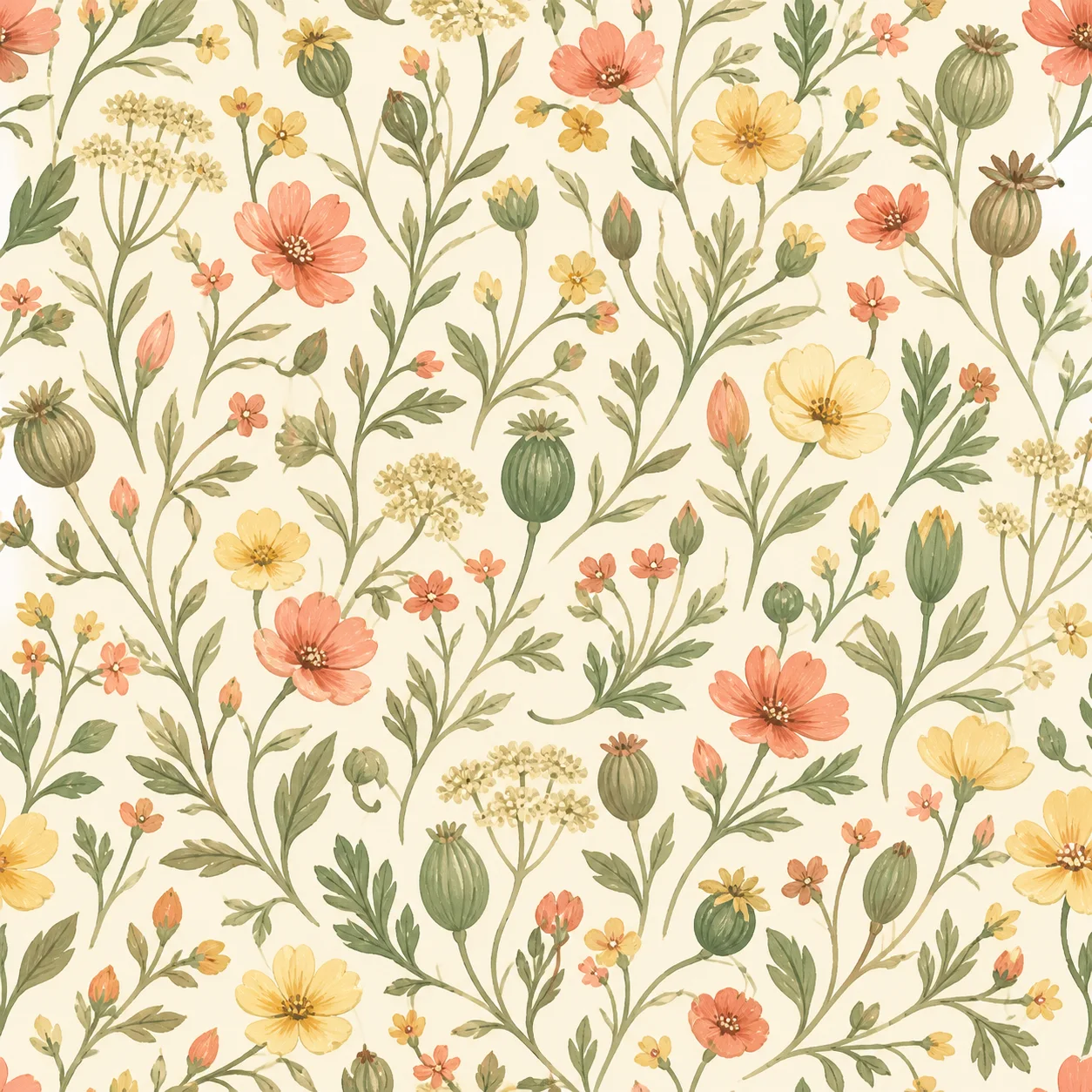
Small wildflowers and seed pods in refined gouache, sage, coral, butter yellow, warm cream, balanced all-over spacing.
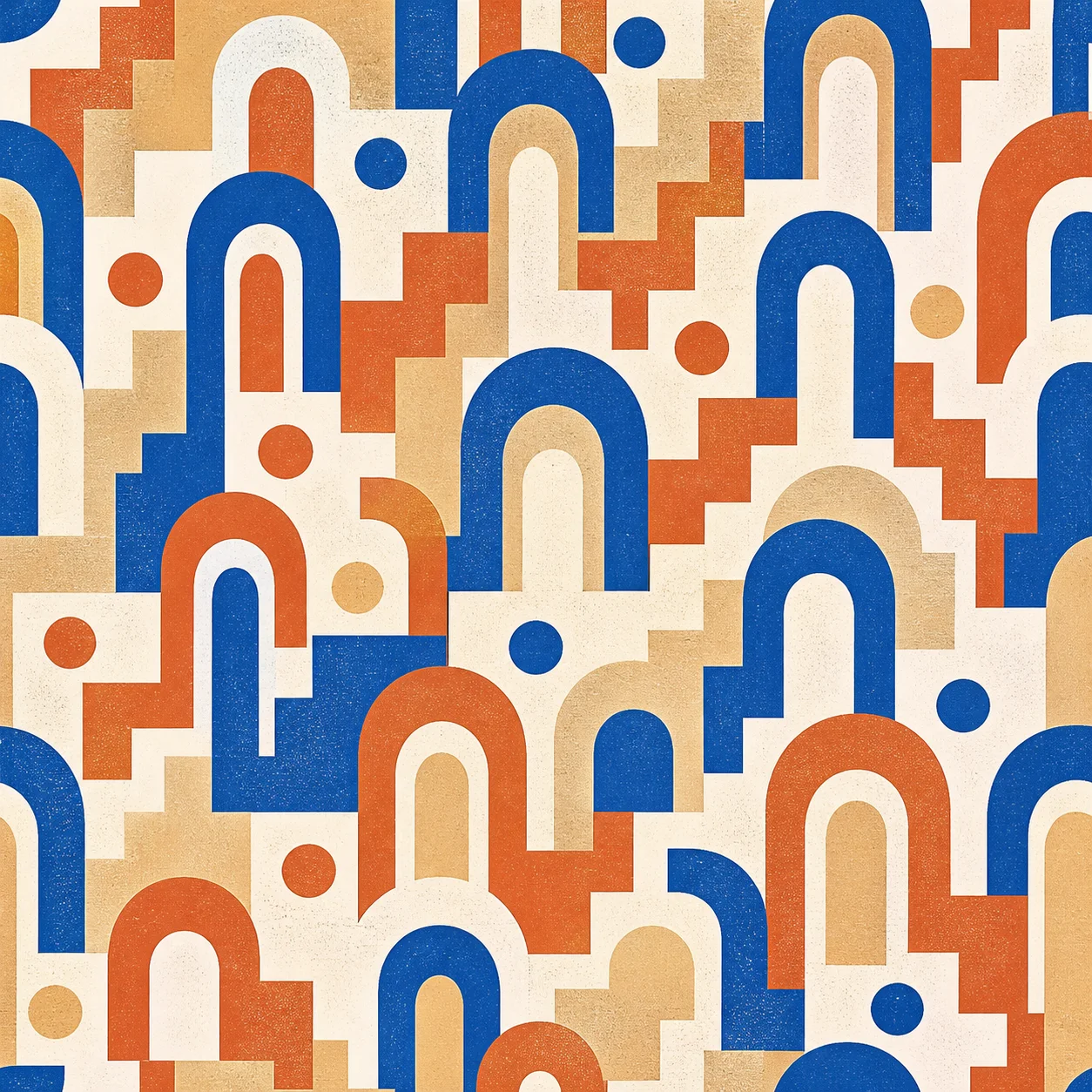
Rounded arches, dots, and stepped lines in cobalt, terracotta, sand, and off-white with subtle screen-print texture.
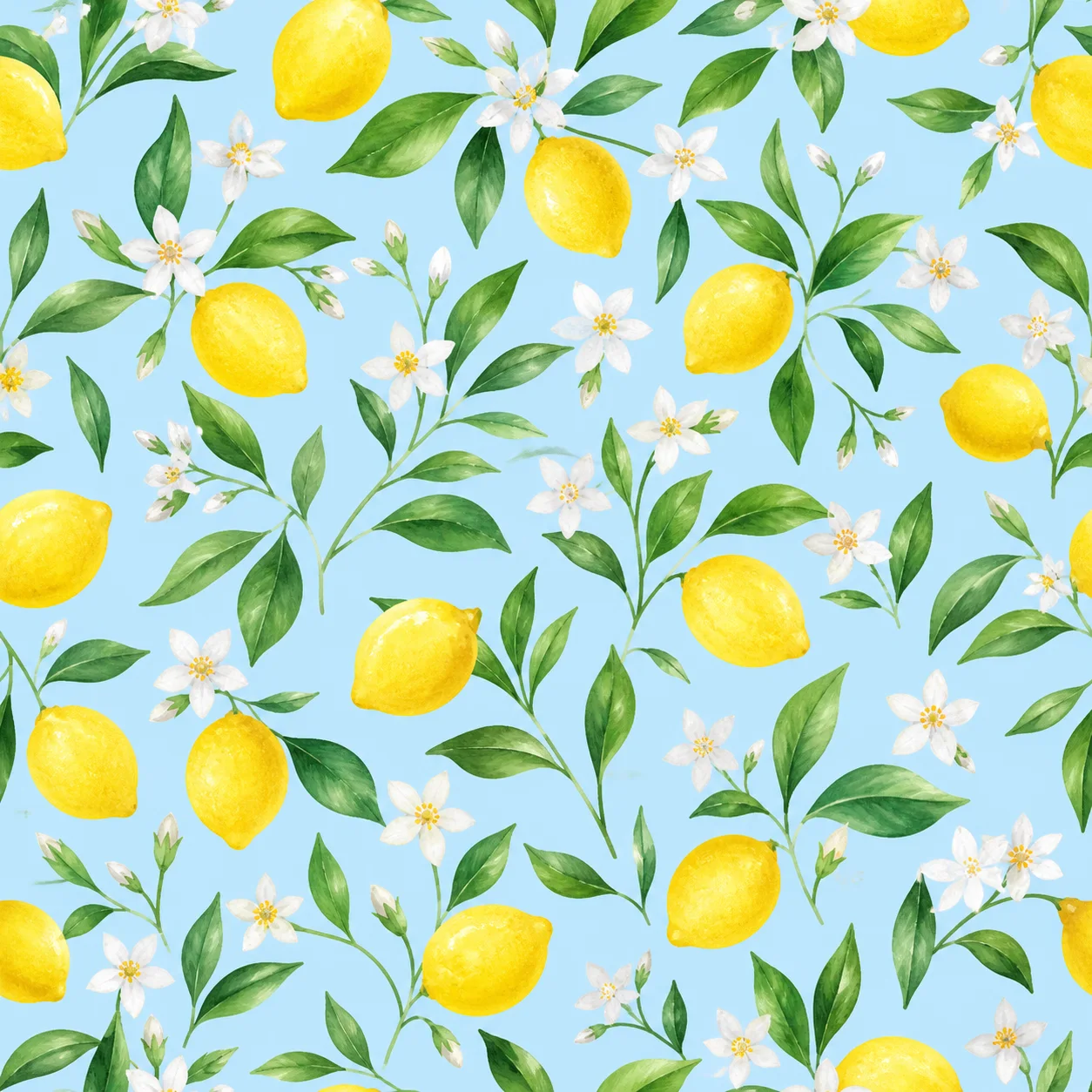
Tiny lemons, green leaves, and white blossoms in clean watercolor on a pale sky-blue ground.
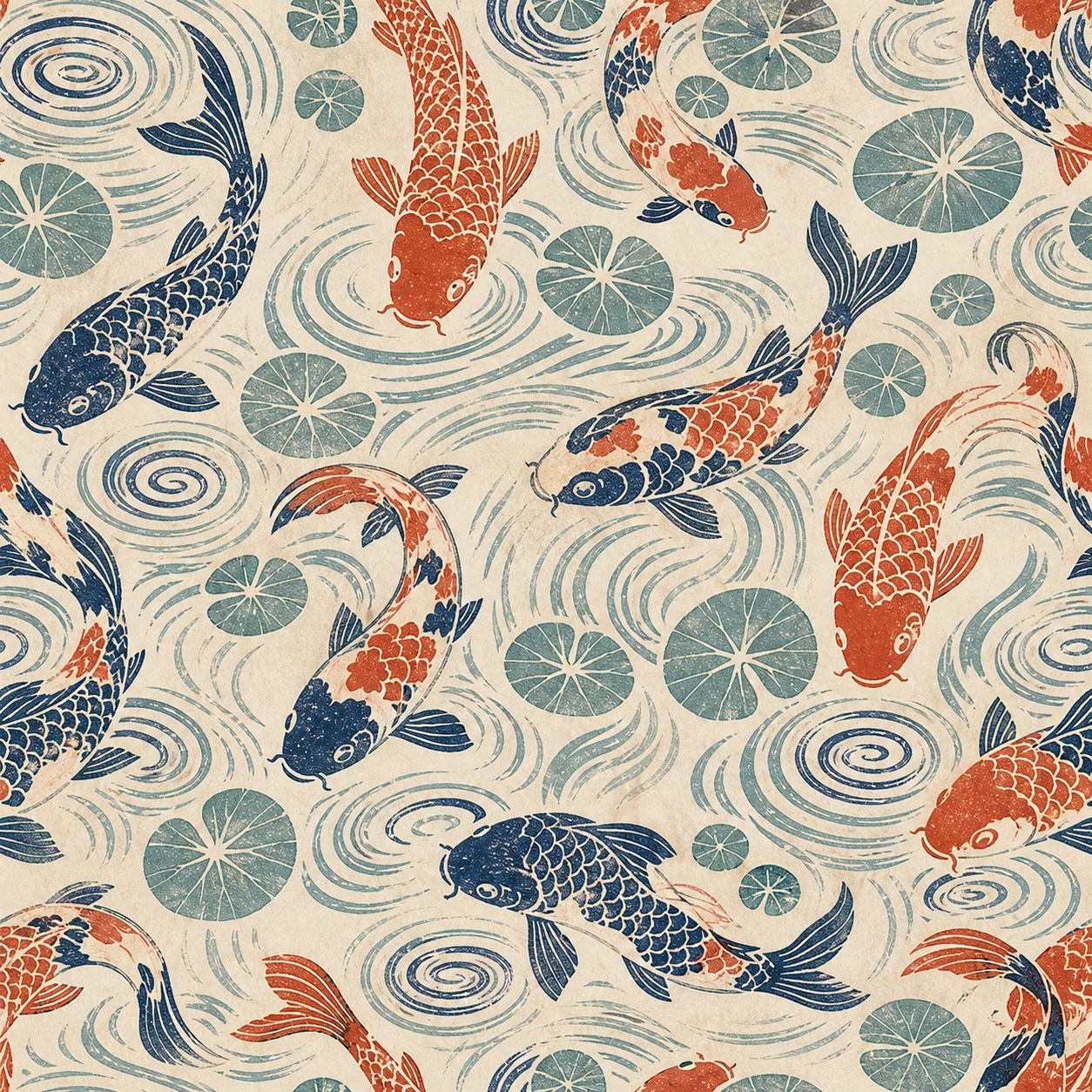
Stylized koi, ripples, and lotus leaves in an indigo, vermilion, aqua, and ivory linocut direction.

Turn a Clear Pattern Brief into an Original Visual Direction

An effective AI pattern generator should get you from a motif idea to a useful square concept without hiding the prompt or sending you through a generic image page. Start with a subject such as wildflowers, geometric arches, lemons, or koi; define a limited palette, art medium, motif scale, spacing, and layout; then generate a flat artwork you can inspect at full size. NanoPic keeps the real prompt editable and the square output visible. The result is generative artwork, not an editable vector swatch or a certified repeat tile. Treat it as a design draft, compare the four edges, and use a dedicated tiling or vector tool when production requires exact joins, color separation, bleed, DPI, or layered files.

Four Pattern Directions from Specific, Editable Briefs

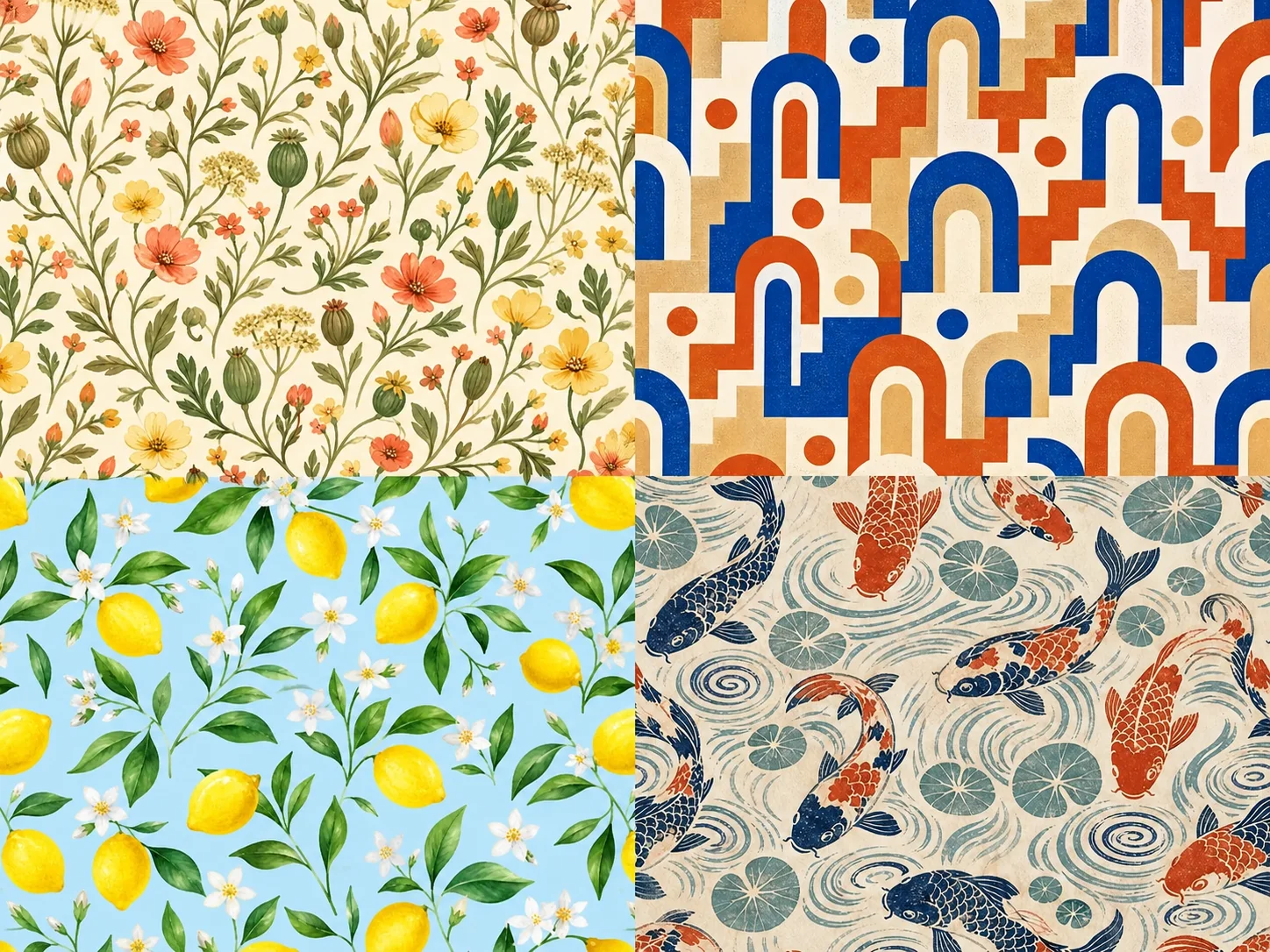
These original examples were generated for this page after the display slots were measured. Each preview is a square output; the 4:3 sampler below combines the four concepts without stretching. They demonstrate useful creative range, not a promise that every edge will tile perfectly.

Four original AI pattern concepts showing wildflowers, geometric arches, lemons, and koi in a 4 by 3 sampler

Botanical, Geometric, Citrus, and Linocut Concepts

One concise brief can control subject, palette, medium, density, and rhythm. The wildflower design uses warm gouache and open spacing; the arches use a constrained screen-print palette; the citrus direction favors airy watercolor; and the koi concept uses diagonal movement with handcrafted linocut texture. Open the generator and replace the default brief with the direction that fits your project.

Write Your Pattern Brief

What to Put in an AI Pattern Prompt

Pattern prompts become easier to control when they describe a small set of visual decisions instead of stacking unrelated adjectives.

Name the Motifs

List the objects that should repeat: tiny daisies, seed pods, koi, ripples, rounded arches, stars, mushrooms, leaves, or another focused motif family. Avoid asking for a full scene when you need an all-over pattern field.

Limit the Palette

Choose three to five dominant colors and name the background color. A restrained palette usually produces a more coherent surface design than requests for every bright color at once.

Choose a Medium

Specify gouache, watercolor, flat vector-like art, linocut, ink, paper cut, embroidery, ceramic glaze, or another readable treatment. Use one primary medium so the visual language stays consistent.

Set Scale and Density

Say whether motifs should be tiny, medium, or oversized, and whether spacing should be airy, balanced, or dense. This controls rhythm more clearly than a vague request for a beautiful pattern.

Describe the Arrangement

Try tossed, diagonal, evenly spaced, grid-based, alternating, or scattered all-over composition. Ask for one consistent motif scale unless deliberate variation is part of the concept.

Exclude the Wrong Output

State that you want one flat square artwork with no mockup, frame, text, logo, border, mood board, or sheet of options. This prevents the model from turning a pattern brief into a product presentation.

How to Generate a Pattern with AI

The workflow is intentionally short: describe, generate, then inspect before you scale the artwork into a real production process.

1. Edit the Complete Brief

Use the prefilled wildflower prompt or replace every part of it. Keep the motif list focused, name a limited palette and background, choose a medium, and describe scale, density, and layout. The prompt stays visible in the actual input field.

2. Generate One Square Concept

Select Generate Pattern to send the real text-to-image request through Nano Banana 2. The template uses one square 1K PNG output so the result is easy to compare, crop, and test as a potential tile. The live interface shows the current credit cost before generation.

3. Review, Refine, and Export

Open the result at full size. Check motif anatomy, spacing, palette, accidental text, edge cuts, and obvious seams. If one issue remains, revise one instruction at a time. Download only the version that passes your visual review.

How to Check a Pattern Before Calling It Seamless

A square image can look pattern-like without being a technically seamless repeat. NanoPic does not run an edge-matching algorithm or a mathematical seam test on this page, so use these checks before fabric, wallpaper, packaging, or large backgrounds.

Build a 2×2 Test

Place four copies of the exported square in a two-by-two grid inside a design editor. Inspect the vertical and horizontal joins, especially the center cross where all four tiles meet.

Inspect Opposite Edges

Compare left with right and top with bottom. Look for cut stems that do not continue, repeated empty bands, abrupt color changes, clipped motifs, or texture that resets visibly.

Check Rhythm at Real Scale

Zoom out to the size your audience will see. A join can disappear at thumbnail size but become obvious on fabric, a wall, gift wrap, or a large web background. Test the intended physical or digital scale.

Repair in a Tiling Tool

If exact repeatability matters, use a dedicated offset, seamless-fix, vector, or textile workflow after generation. That step can align edges, separate colors, set DPI, add bleed, and prepare production files more reliably than prompt wording alone.

Pattern Concepts for Creative and Commercial Workflows

Use generated artwork as a starting point, then apply the review and production checks required by your medium and license needs.

Fabric and Apparel Direction

Explore motif families, palette stories, and repeat density before building a production textile file. Confirm seams, color count, DPI, material behavior, and commercial rights separately.

Packaging Backgrounds

Create a recognizable decorative language for boxes, tissue, labels, or seasonal inserts. Add factual copy, barcodes, legal text, and brand marks later in a controlled layout tool.

Wallpaper and Home Decor

Test broad color and motif directions for wallpaper, cushions, curtains, or stationery. Preview the repeat at room scale and verify material, trim, and installation requirements before ordering.

Digital Backgrounds

Develop backgrounds for web sections, stream overlays, presentation slides, newsletters, and social graphics. Compress exported assets and confirm that text remains readable over the pattern.

Print-on-Demand Concepts

Explore visual directions for notebooks, phone cases, gift wrap, and accessories. Check the supplier template, safe area, repeat behavior, print profile, and rights before uploading a finished design.

Pattern Collection Ideation

Keep one motif family or palette stable while changing medium, scale, and spacing across several generations. Curate the strongest results instead of treating every generated image as a finished collection.

What This AI Pattern Generator Does—and Does Not—Provide

Clear product boundaries make the output easier to use responsibly and prevent a concept image from being mistaken for a production file.

Real Text-to-Image Generation

The visible prompt sends a real Nano Banana 2 text-to-image request and returns one generated image. It is not a decorative demo or a link to a different generic generator.

Repeat-Aware, Not Seam-Certified

The prompt asks for all-over composition and edge-crossing motifs. The page does not apply deterministic tiling mathematics, edge repair, or a seam checker, so seamless output is not guaranteed.

Raster PNG, Not Editable Vector

The reviewed route creates a 1K PNG. It does not return SVG, AI, layered PSD, color separations, CMYK profiles, print bleed, or an editable swatch library.

Free to Start with Signup Credits

NanoPic currently grants new accounts 40 credits for 7 days. This 1K square generation currently costs 40 credits, so the signup grant can cover one request. Generation consumes credits. Images made with free credits include NanoPic's standard watermark; images made with paid credits do not include the free-credit watermark. Live settings shown by the generator remain authoritative.

AI Pattern Generator FAQ

Practical answers about prompts, repeat checks, formats, credits, reference images, commercial workflows, and output review.

What is an AI pattern generator?

An AI pattern generator turns a text description into pattern-style artwork. You describe motifs, colors, medium, scale, spacing, and arrangement; the image model interprets that brief and creates a new visual concept. This NanoPic page produces one square raster image through a real text-to-image workflow.

How do I make a good AI pattern prompt?

Name a focused motif family, three to five dominant colors, the background color, one art medium, motif scale, density, and arrangement. End with output constraints such as one flat square artwork, edge-crossing motifs, no text, no logo, no frame, and no product mockup.

Does NanoPic guarantee a seamless repeating pattern?

No. The prompt requests repeat-aware composition, but the current Nano Banana 2 route does not apply deterministic edge matching, offset repair, or a mathematical seam test. Place four copies in a 2×2 grid and inspect every join. Use a dedicated seamless-fix or vector workflow when exact repeatability is required.

Can I create a pattern from an uploaded image on this page?

Not on this focused version. The page uses text-to-image and does not expose an upload control, because a reference-image workflow would imply different source handling and review requirements. Use AI Image Reimagine for reference-guided image work, then prepare the result in a dedicated pattern tool if needed.

What file and size does the generator return?

The reviewed template requests one square 1K PNG through Nano Banana 2. The downloaded pixel dimensions can depend on the provider response. This page does not promise SVG, layered files, CMYK, 300 DPI metadata, color separations, or print bleed.

Can I use generated patterns for fabric, wallpaper, or packaging?

You can use the artwork as a concept and continue it through your design workflow. Before production, verify seams, scale, color profile, resolution, bleed, material behavior, rights, and any supplier template. Add important brand text and legal information in a layout tool rather than asking the image model to typeset it.

Why should I use a square canvas for pattern concepts?

A square gives equal top-bottom and left-right dimensions, which makes repeat inspection straightforward and avoids implying a border or panoramic scene. It is a practical concept format, although the square shape alone does not make the image seamless.

Is the AI pattern generator free to start?

Yes. NanoPic currently grants new accounts 40 signup credits for 7 days. This template currently uses 40 credits per 1K square generation, so the signup grant can cover one request without a credit purchase. Generation still consumes credits and is not unlimited. Images made with free credits include the standard NanoPic watermark, while paid-credit generations do not include the free-credit watermark. Check the live generator for the current cost and balance.

How should I review an AI-generated pattern?

Open the image at full size and check motif anatomy, repeated artifacts, accidental text, palette consistency, spacing, clipped objects, and edge transitions. Then create a 2×2 repeat test at the intended display or print scale. Regenerate or repair the file if joins or visual rhythm are not acceptable.

Create an Original Pattern Direction from Your Own Brief

Describe the motifs, palette, medium, scale, spacing, and layout, generate one square concept, and review the result before production use.