


















































































































Save up to 73% on plans

AI Age Progression Generator
Sign In

AI Age Progression Generator

Upload an authorized adult portrait, state the current and target adult age, and create one future-stage concept. The age numbers guide a creative edit; they are not inferred facts or a prediction.

Use a preset as a starting point, then write the current and target adult age in the editable notes.

Upload an Authorized Adult Portrait*
Try a Fictional Adult Sample

380 / 500

Copy Protection
Public VisibilityAllow this result to appear in public inspiration surfaces.

AI Age Progression Generator

Image

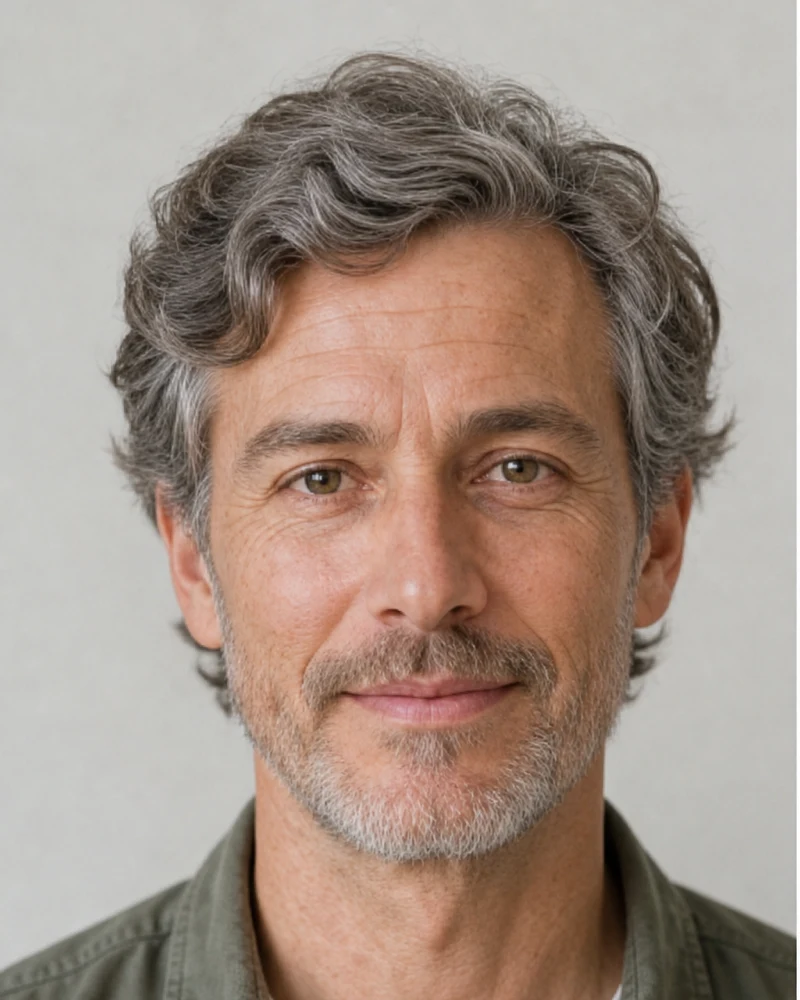
Fictional adult at the source stage before AI age progression
Current Stage
Same fictional adult in a natural target-sixties concept
Target Stage

More AI Image Models & Effects

Browse every other AI image model and effect published on this site in a continuous carousel.

Plan an Age Interval Instead of Applying a General Filter

AI Age Progression helps you explore one chosen adult-age interval. You describe a source stage and a target adult stage, then judge whether the same person remains recognizable across that interval. The target number is a prompt direction, not an age detector and not a promise of exact biological change. The model interprets one portrait, so the result is one possible visual concept rather than a year-by-year record.

Current age supplies context

Write an approximate current adult age instead of asking the system to guess it from a face. This reduces ambiguity and avoids presenting a model estimate as a fact. If the precise age is private or unknown, use a broad adult stage such as early 30s. Never use the page to infer age for employment, access, identity, health, or other consequential decisions.

Target age defines the requested stage

Choose one older adult target per generation, such as 65 or early 70s. A single clear interval is easier to review than asking for several decades in one image. The target is an artistic instruction: the model cannot calculate genetics, lifestyle, sun exposure, care, medical history, or future events.

Identity and composition remain the anchors

The image-to-image workflow uses the uploaded portrait as its primary visual reference. The prompt protects facial structure, eyes, expression, complete head, hairstyle silhouette, clothing, camera angle, light, and background. Generative edits can still drift, so a human source-to-result comparison remains essential.

How to Create an AI Age Progression

Use one authorized adult portrait, one age interval, and a repeatable review checklist.

1. Choose a suitable adult portrait

Select an image you own or are authorized to edit. One clearly visible adult, balanced light, sharp eyes, and a complete head usually provide the strongest reference. Keep the hairline, ears, neck, and shoulders inside the frame. Avoid children, groups, severe crops, hats that hide most hair, hands over the face, motion blur, deep shadow, and heavy beauty effects.

Upload a Portrait
Clear fictional adult portrait for an AI age progression

2. State the current and target age

Edit the visible note so it names both stages, for example current age approximately 35 and target age approximately 65. Add only the constraints that help comparison: preserve the haircut, keep the same expression, use restrained lines, or retain the studio background. Avoid mixing the progression with a new identity, wardrobe, makeup, location, and camera in the first attempt.

Set a Target Stage
Target-sixties starting direction for age progression

3. Compare the source and target stage

Start with identity: eye spacing, nose, mouth, jaw, expression, face shape, hairline, and head angle. Then check whether lines, pores, facial volume, gray strands, clothing edges, lighting, and background remain coherent. Reject a result that invents a different person, changes ethnicity or gender presentation, crops the head, adds illness cues, distorts anatomy, or creates text and logos.

Generate and Compare
Source and target-stage comparison for AI age progression

Write a Better Target-Age Instruction

A useful progression prompt separates what should change from what should remain stable.

Name one age interval

Use a concise pair such as current 30, target 60 or current early 40s, target early 70s. The number is not a biometric measurement. It only helps the model choose a visible degree of mature skin, gray hair, and facial-volume change. Very large intervals may require more invention and can increase identity drift.

Protect stable identity cues

Explicitly retain the eye shape, facial structure, expression, hairstyle silhouette, skin tone, clothing, pose, camera, and background. Do not demand pixel-perfect preservation from a generative image model. Instead, compare the source and output and revise one failed constraint at a time.

Keep changes plausible and restrained

Ask for natural pores, moderate lines, subtle age spots, believable gray variation, and age-appropriate facial-volume change. Avoid language that equates age with illness, frailty, neglect, or caricature. An older-stage concept can look healthy, expressive, and recognizably connected to the source adult.

Creative Visualization, Not Future Prediction

AI Age Progression cannot predict a person's future face, health, lifespan, genetics, treatment, or identity. It is not forensic age progression, medical advice, biometric analysis, or evidence of a real event. Use adult portraits with permission, disclose generated imagery when context could mislead viewers, and never use the output to impersonate, diagnose, harass, or make consequential decisions about someone.

AI Age Progression Questions

What is AI age progression?

It is a generative image edit that uses an authorized adult portrait, an approximate current age, and a requested older target age to create one possible future-stage concept. It is not a chronological measurement or prediction.

How is this different from an AI age filter?

Use the age filter for a quick, general older-look effect. Use age progression when you want to specify both the current adult age and one older target, such as 35 to 65, then compare the resulting portrait with your source. Both create an imagined visual change; neither predicts how a person will actually age.

Can the generator predict exactly how I will look?

No. One photograph cannot reveal genetics, lifestyle, sun exposure, care, health, environment, or future events. Treat every result as an entertainment-only creative visualization, not a medical, biometric, forensic, or lifespan forecast.

Which source image works best?

Use one sharp adult portrait with balanced light, a clear face, and the complete head, hairline, neck, and shoulders visible. Avoid group photos, hidden facial features, severe crops, blur, and heavy filters.

Will the same identity be preserved?

The template explicitly protects identity and composition, but generative editing can still drift. Compare the result with the source and retry with a clearer image, smaller age interval, or more focused prompt if the person is no longer recognizable.

Can I use a photo of another person?

Only when you own the image or have permission to edit it and the depicted adult has consented where required. Do not use the result for impersonation, deception, harassment, diagnosis, identity verification, or sensitive claims.

Is AI Age Progression free?

Each generation uses credits at the amount shown before submission. Sign in to check your balance and current account offers. This page does not promise a free completed generation.

What should I check before sharing?

Compare facial identity, complete-head framing, hairline, skin texture, hands, clothing, light, and background. Reject distorted, misleading, or unrecognizable outputs and label the image as AI-generated when viewers could mistake it for a real future photograph.

Create a Target-Age Concept Responsibly

Upload one authorized adult portrait, define one current-to-target interval, and review identity and realism before saving or sharing.

Related tools
