








































































































Free AI Product Background Generator for Ecommerce Photos
Sign In

Free AI Product Background Generator for Ecommerce Photos

Eligible new accounts get 40 starter credits for 7 days—enough for one current 40-credit generation. Each generation uses credits. Free-credit images include a watermark; paid-credit images do not. Upload one product photo and review every result.

Start with a scene direction, then edit the prompt to match your product and channel.

Upload One Product Photo*
Try a Product Sample

229 / 700

Public Visibility
Copy Protection
Credits required:-

Free AI Product Background Generator for Ecommerce Photos

Image

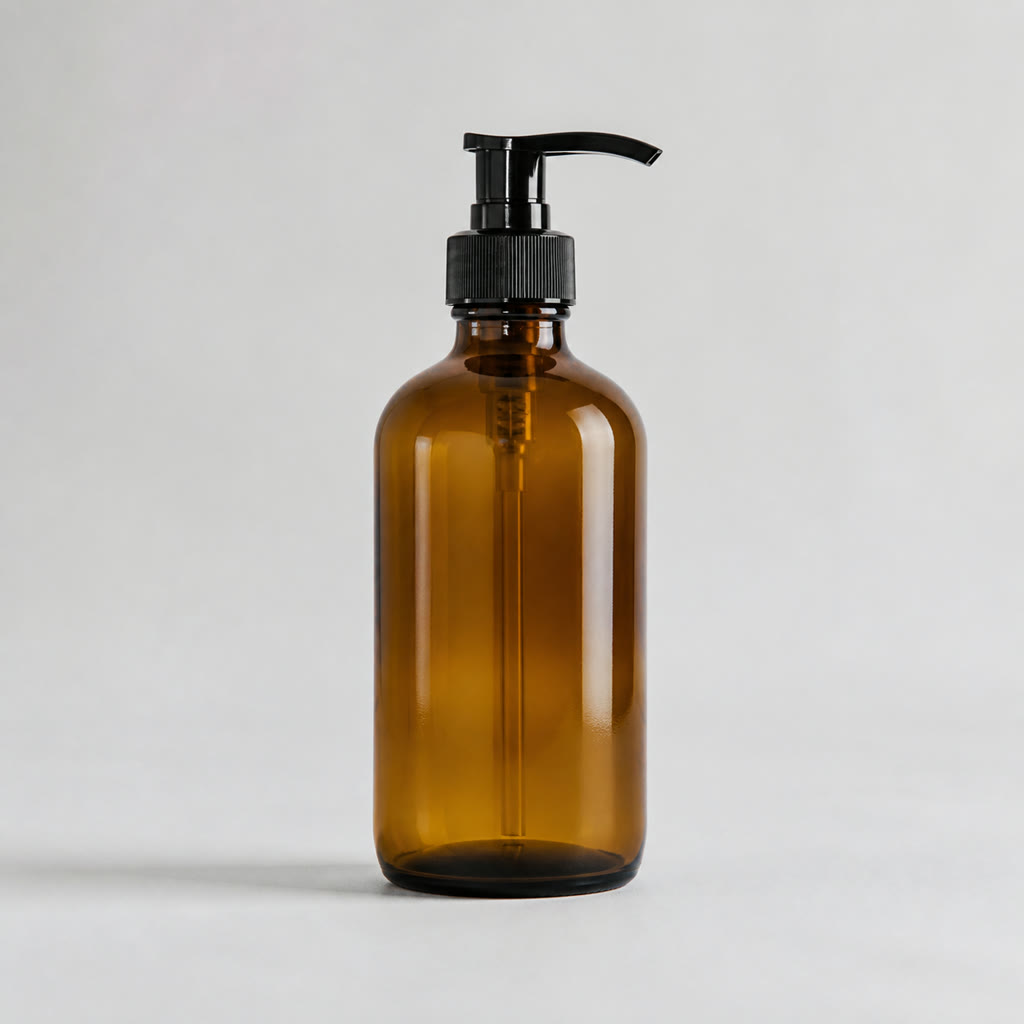
Unbranded amber pump bottle on a plain gray source background
Source
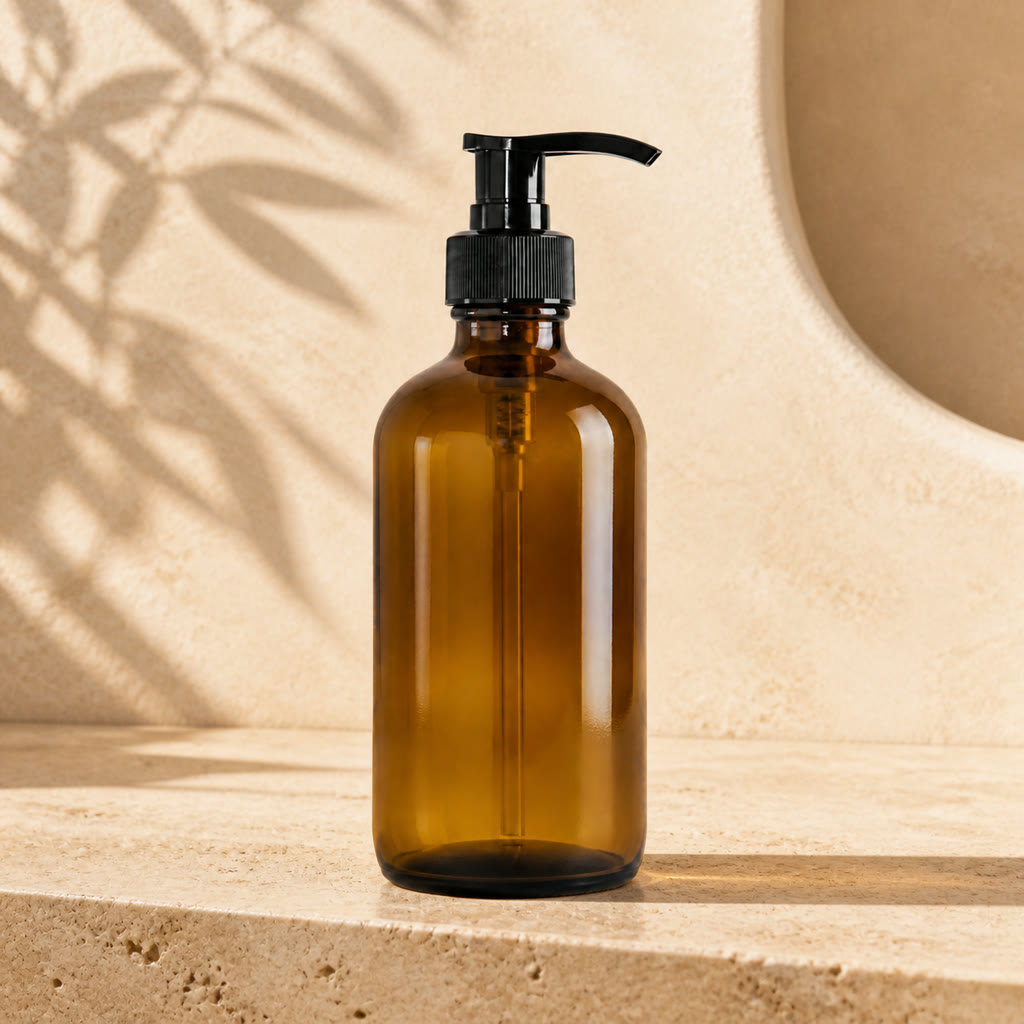
Same amber pump bottle on a warm travertine product background
Warm Studio
Amber pump bottle on a warm ecommerce product background

Turn a Plain Product Photo into a Channel-Ready Scene

A useful product background should support the item instead of redesigning it. This workflow combines one source photo with a scene prompt so you can explore studio, lifestyle, ad, and social compositions without arranging a new physical set for every concept. The instruction deliberately protects product shape, packaging, label layout, colors, angle, and scale as closely as the model can. Because generative editing is not pixel-locked, treat each output as a draft: zoom in on text, logos, seams, caps, handles, reflective edges, and proportions before using it in a storefront or campaign.

Four Product Background Directions

These original examples use unbranded products and intentionally different materials, silhouettes, lighting styles, and sales contexts. Compare both sides to judge product drift instead of looking only at the attractiveness of the new scene.

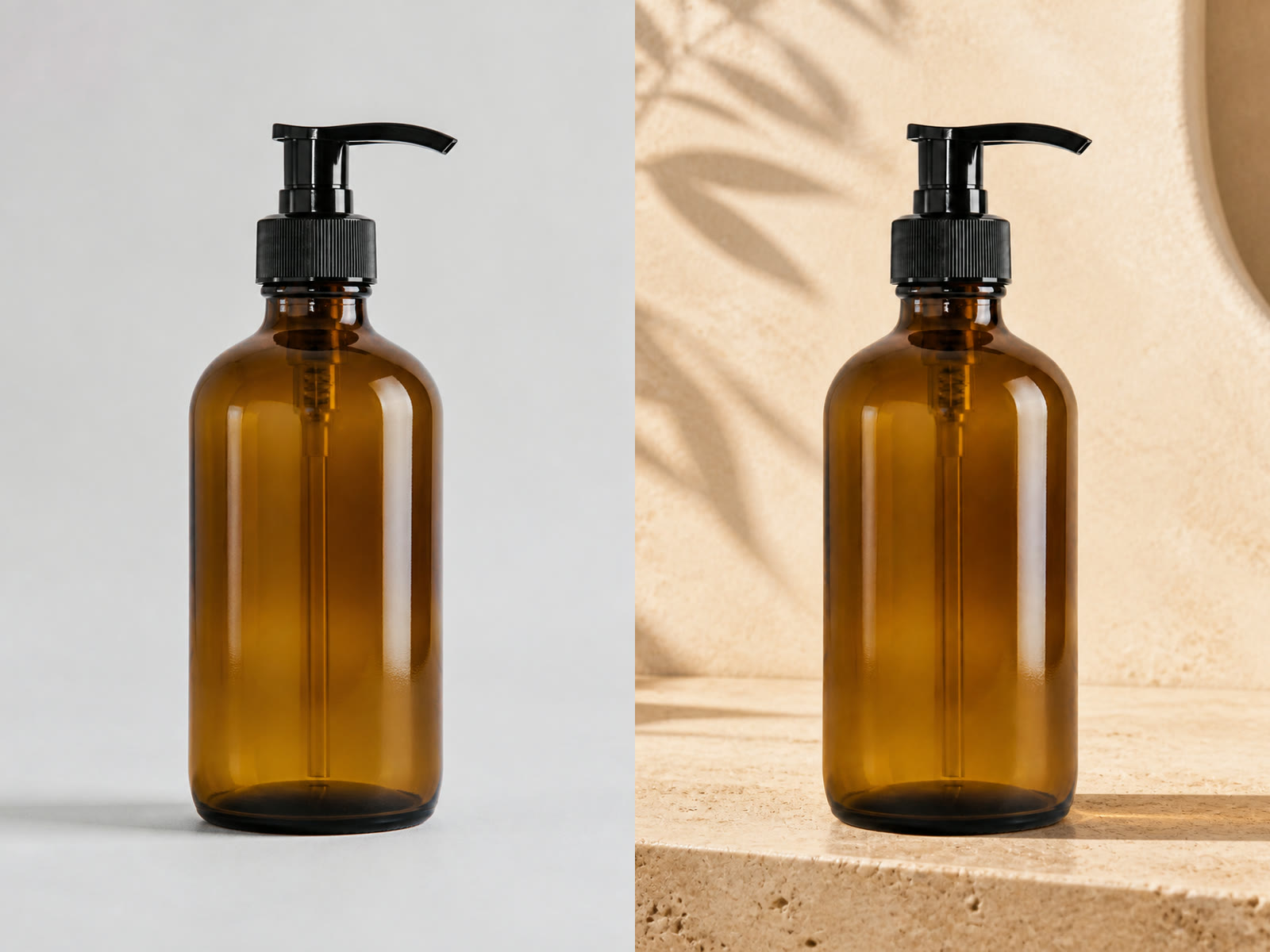
Plain Pump Bottle to Warm Skincare Studio

The source keeps the amber glass, black pump, dip tube, highlights, straight-on camera angle, and centered scale easy to inspect. The generated scene adds an ivory travertine surface, warm plaster, leaf shadows, and a stronger contact shadow. This direction suits skincare, soap, fragrance, and wellness concepts where the background should feel tactile but restrained. Check transparent tubes, pump nozzles, bottle shoulders, and printed labels carefully on your own output because reflective and transparent packaging can still drift.

Try Warm Travertine
Before and after comparison of an amber pump bottle with a warm product background

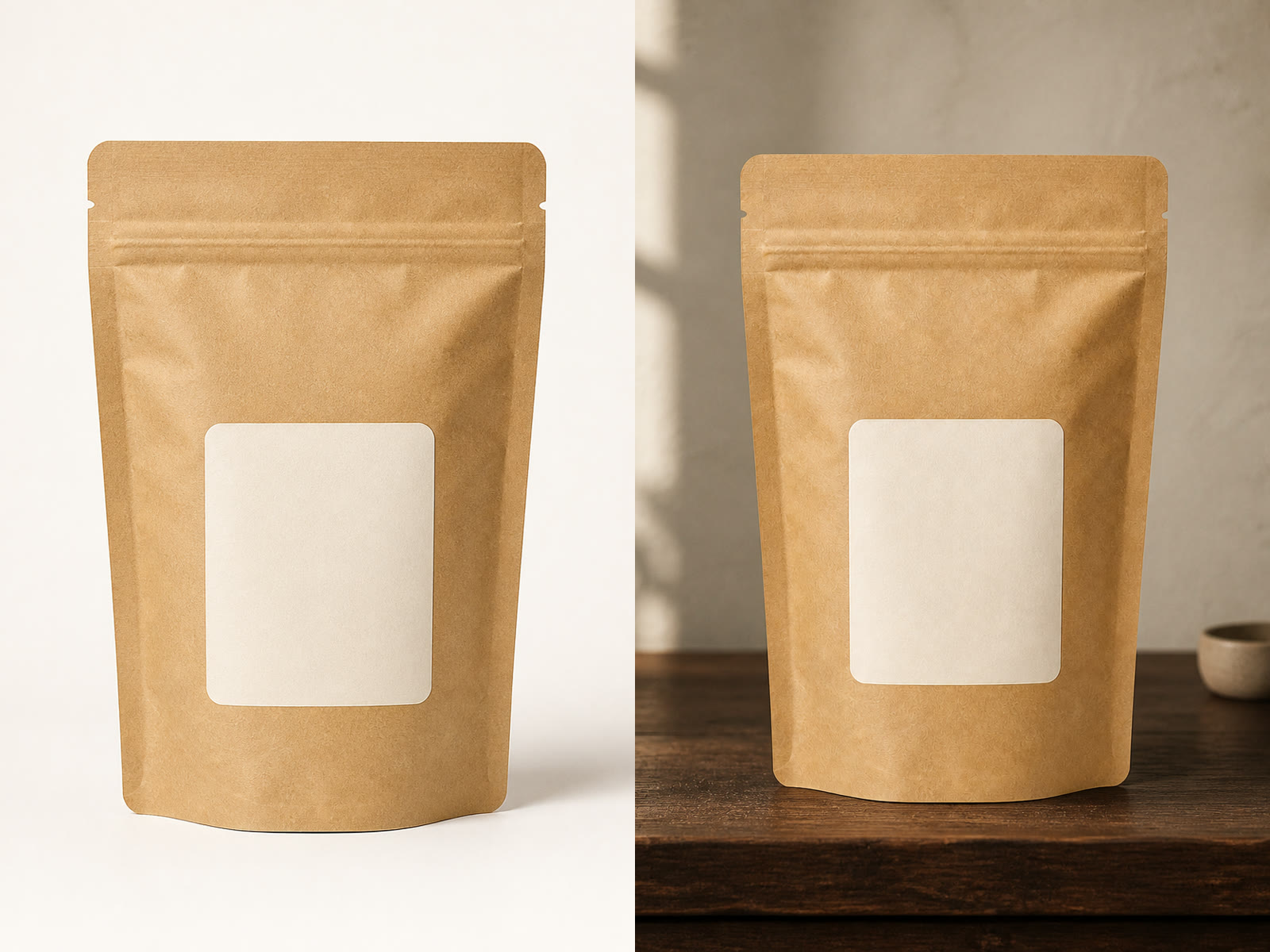
Simple Pouch to Craft Lifestyle Scene

A plain kraft pouch becomes a warmer small-business scene with dark walnut, soft morning light, and a distant neutral prop. The pouch outline, zipper seam, folds, kraft texture, and blank label remain the main visual reference. Use a similarly quiet scene for coffee, tea, snacks, supplements, or handmade goods when you want atmosphere without crowding the pack. If your source has nutritional facts or detailed typography, inspect every character and barcode before publishing.

Try Craft Lifestyle
Before and after comparison of a kraft pouch in a craft lifestyle background

Room Snapshot to Bold Performance Ad

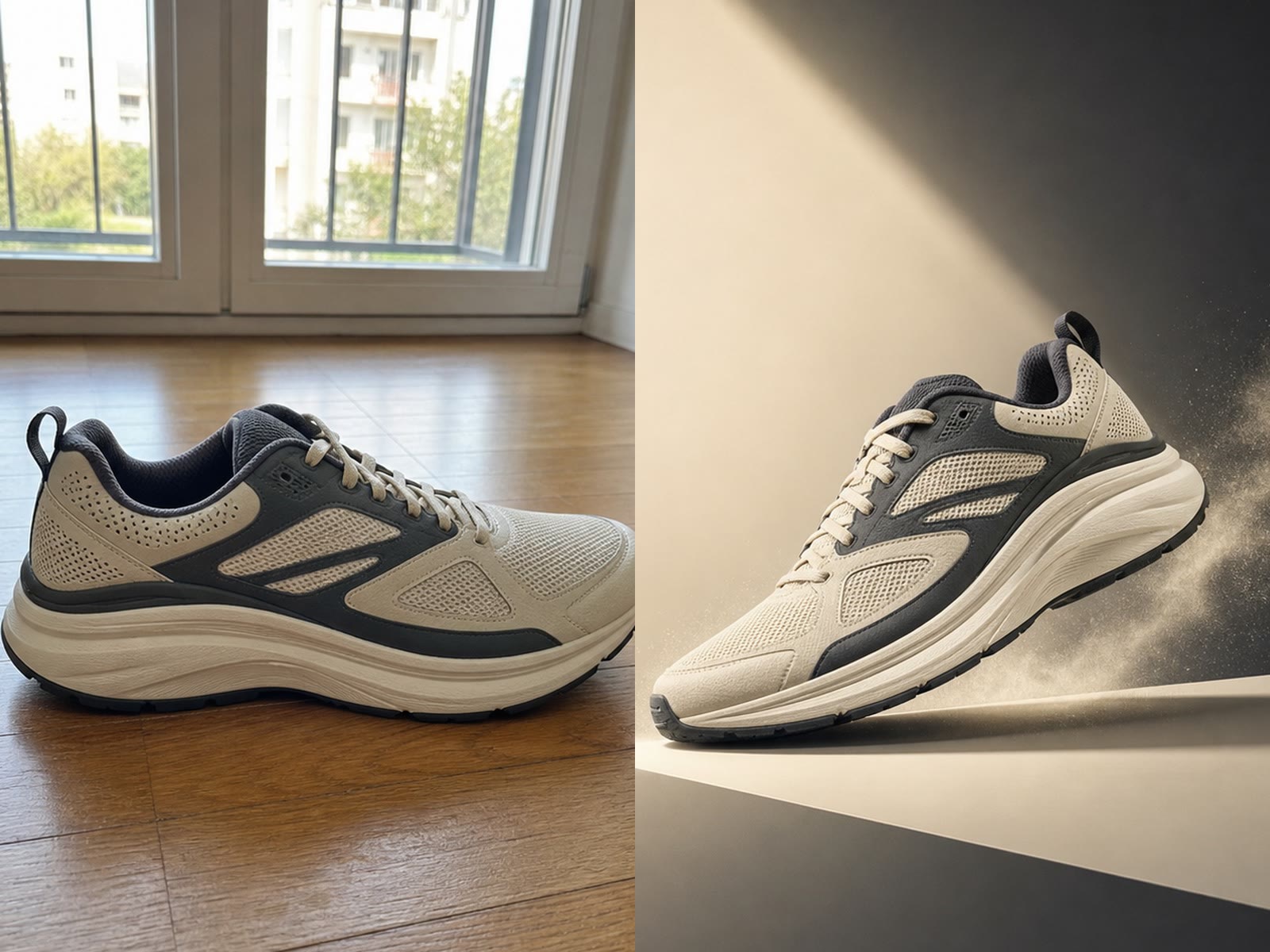
The running shoe moves from a simple room into a graphic spotlight scene with a display edge and restrained particles. The outsole, layered panels, mesh, laces, two-tone palette, orientation, and overall silhouette remain the details to compare. This direction can help plan paid-social or launch graphics for footwear and sporting goods, but it should not invent performance claims, sponsorships, or brand marks. Keep the scene energetic while leaving enough contrast around the product edge.

Try Bold Spotlight
Before and after comparison of a running shoe in a bold spotlight background

Tabletop Can to Fresh Social Color Pop

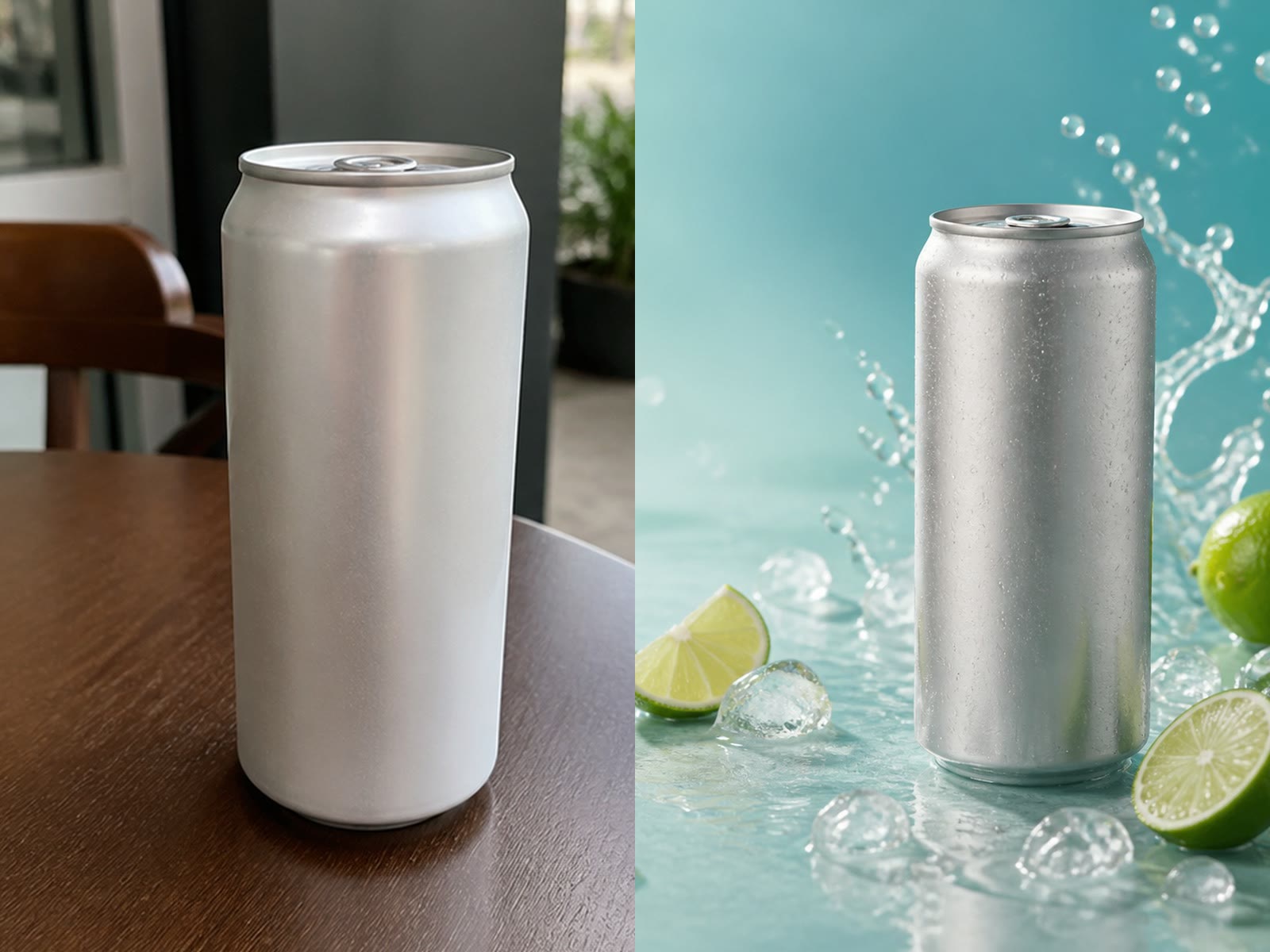
A neutral silver can receives an aqua backdrop, cool condensation, lime accents, ice, and a water splash placed behind the product. The tall can remains centered and readable as one uninterrupted form. This direction works for beverage and summer campaign concepts when the props support freshness rather than cover the packaging. For a labeled can, ask for the label to remain unobstructed and then verify the lid, rim, typography, ingredients, and mandatory legal copy at full size.

Try Fresh Color Pop
Before and after comparison of a silver can in a fresh aqua product background

How to Generate a Product Background

A clear source, a specific scene, and a careful product review produce a more useful draft than a vague request for something professional.

1. Upload One Clear Product Photo

Choose an image you own or are authorized to edit. Keep the complete product, packaging edges, label, logo, cap, handle, and contact surface visible. A simple background, sharp focus, even exposure, and a product that is not cropped usually give the model a cleaner reference. Avoid screenshots, watermarks, group shots, hands covering the package, severe glare, heavy motion blur, tiny products, and images where the important label is already unreadable.

Upload a Product
Clear amber bottle source compared with a generated ecommerce background

2. Describe the Scene and Protected Details

Select a preset or edit the prompt with a background material, surface, light direction, palette, camera mood, and only the props you actually need. Keep the protection language in place: product shape, packaging geometry, colors, material, label layout, readable text, logo, proportions, angle, crop, and scale. If a channel needs negative space for later copy, request clear space beside the product rather than asking the model to render marketing text inside the image.

Edit the Background Prompt
Kraft pouch example showing a specific warm lifestyle background direction

3. Generate, Zoom In, and Compare

After the task finishes, open the output image and compare it with the source at full size. Check silhouette, label spelling, logos, barcode, ingredient panels, colors, seams, closures, materials, reflective edges, proportions, camera angle, crop, and product count. Also inspect contact shadows and prop overlap. Regenerate with one focused correction or discard the output if product identity has changed. Final marketplace, advertising, and legal compliance remains your responsibility.

Generate and Review
Running shoe comparison for reviewing product shape and background changes

Controls Built for Product-First Background Changes

The generator keeps the creative choices visible and editable while reminding you where generative editing still needs human review.

Product-Preservation Instructions

The base instruction asks the model to protect silhouette, packaging geometry, materials, colors, label layout, readable text, logos, proportions, angle, crop, scale, and composition while changing the surrounding scene.

Four Editable Scene Directions

Warm stone, craft lifestyle, bold spotlight, and fresh color-pop presets give you a concrete starting point. The prompt stays editable so you can remove irrelevant props and match a real campaign brief.

Ecommerce-Friendly Output Shapes

Choose square 1:1, social 4:5, or portrait 3:4. When you change the ratio, ask the model to extend only the surrounding canvas and keep product placement and scale visually consistent.

Real Task History and Output Actions

The page reuses NanoPic's existing authenticated image generation, task polling, history, open-image, and download flow. The current generator displays any sign-in and credit requirement before you submit.

Product Background Use Cases

Use the AI background generator to explore channel-specific scenes while keeping product review and final compliance in your normal creative workflow.

Storefront Product Images

Create cleaner scene concepts for product detail pages and collection cards. Keep the product large, the background quiet, and the source-to-output comparison available for a final accuracy check.

Marketplace Listing Concepts

Explore secondary lifestyle images for marketplaces after confirming each platform's current image rules. Do not assume an AI scene is acceptable as the required main listing image.

Paid Social Variations

Generate square and 4:5 scene directions for ad testing, then add verified copy, pricing, disclosures, and logos in a design tool instead of asking the model to typeset them.

Organic Social Posts

Match a launch, season, or color story with a stronger background while keeping the product recognizable on a small phone screen and leaving deliberate space for captions or overlays.

Email and Landing Page Art

Create a cohesive visual direction for a campaign header or product module. Request negative space on the correct side, then place accessible text in HTML rather than baking important messaging into the bitmap.

Creative Brief Prototypes

Use generated scenes to compare materials, palettes, and lighting before arranging a physical shoot. Treat the result as a visual brief, not proof that the photographed set or props existed.

AI Product Background Generator FAQ

Answers about product preservation, labels, prompts, output ratios, credits, source rights, and commercial review.

What does the AI Product Background Generator change?

It uses one uploaded product photo as an image reference and generates a new surrounding scene. The instruction asks the model to preserve the visible product, package geometry, colors, materials, label layout, readable text, logos, proportions, camera angle, crop, scale, and composition while changing the background, supporting surface, non-product props, contact shadow, reflections, and scene light.

Will it keep my product exactly unchanged?

No. This is generative image editing, not a pixel-locked cutout compositor, so small details can change. Compare the output with the source at full size and check silhouette, labels, logos, colors, seams, closures, reflective edges, proportions, and product count. Regenerate or discard any output that misrepresents the real item.

Can the AI background generator preserve labels and logos?

The prompt explicitly asks the model to keep label layout, readable text, and logos stable, but it cannot guarantee character-perfect typography. Detailed packaging, barcodes, ingredient panels, compliance marks, and small logos need careful review. For critical pack shots, composite an approved product cutout over the generated background in a conventional editor.

What product photo works best?

Use one sharp, authorized image with the entire product and packaging edges visible, readable labels, even exposure, and a relatively simple background. Avoid heavy glare, severe blur, screenshots, watermarks, hands covering the package, tiny subjects, clipped products, and multiple different products in one frame.

How should I write a product background prompt?

Name the background material, surface, light direction, palette, camera mood, and only the props you need. Keep the protection instruction for shape, packaging, labels, logos, proportions, angle, crop, and scale. Ask for negative space if you plan to add copy later, and avoid asking the model to render verified prices, claims, or legal text.

Which output ratio should I choose?

Square 1:1 is a flexible starting point for storefronts and social feeds, 4:5 uses more vertical space in many social placements, and 3:4 suits portrait-oriented product art. Confirm the final channel requirements yourself. When changing ratio, review whether the model moved, enlarged, or cropped the product.

Is the AI product background generator free to start?

Yes, for an eligible new account. NanoPic currently grants 40 signup credits valid for 7 days, and this template currently shows a 40-credit cost for one 1K image generation. Each generation consumes the displayed credits. Images made entirely with free credits include a watermark; paid-credit generations do not include that free-credit watermark. The offer, eligibility controls, credit cost, and validity period can change, so confirm the live interface before generating. The starter offer is limited, and generation is not credit-free.

Can I use the result for ecommerce, advertising, or social media?

You can use a reviewed result in workflows where you have rights to the source product photo and where the output meets the channel's current rules. Verify product accuracy, packaging text, claims, trademarks, disclosures, marketplace policies, and any regulated-category requirements before commercial publication.

Are my generated images saved?

Signed-in NanoPic generations use the site's existing task and history flow. After a successful task, use the result actions to open or download the image and visit AI task history where available. Storage and retention follow the site's current product behavior rather than a special promise made by this page.

Build a Better Product Scene from One Clear Source

Upload one product photo, keep the preservation instructions, choose a focused background direction, and review the output against the real item before publishing.