












































































































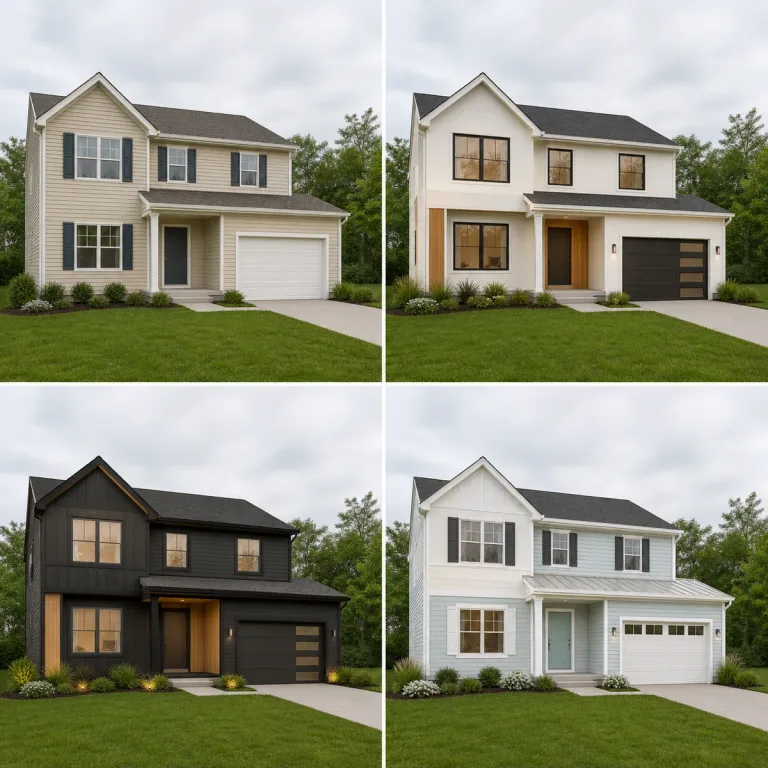
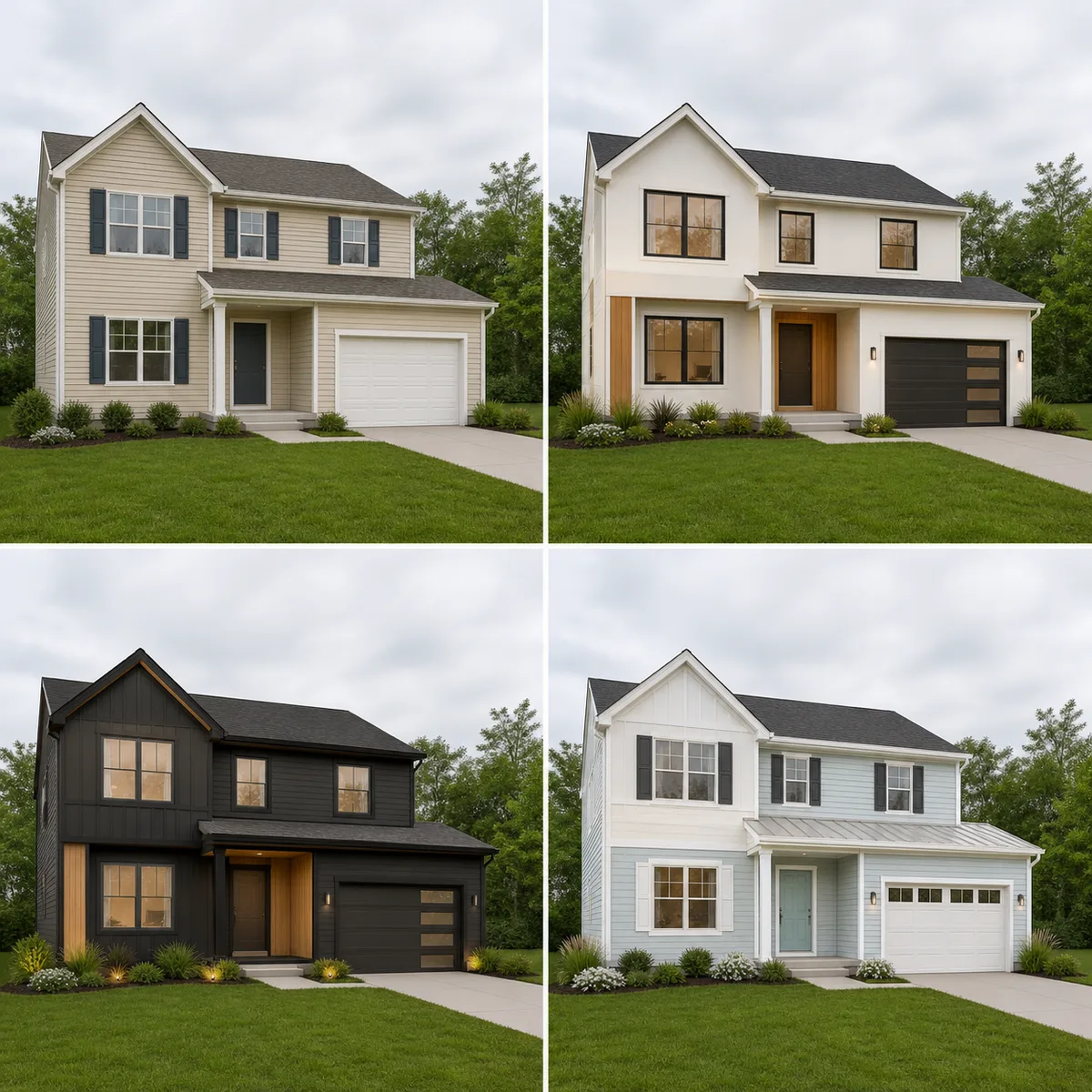
One Structure, Three Facade Concepts
The original and outputs retain a consistent view so color and finish differences are easier to discuss.
Design an ExteriorSave up to 73% on plans
Image
Browse every other AI image model and effect published on this site in a continuous carousel.
The template keeps the visible massing, roofline, windows, doors, garage, driveway, grading, camera, and neighboring context anchored to the source. It changes only concept-level colors, cladding, trim, exterior lights, and restrained removable landscaping. AI images cannot verify structure, waterproofing, energy performance, code, permits, cost, material availability, boundary conditions, or construction feasibility; use the result to discuss direction with qualified local professionals.
Compare warm modern, dark contemporary, and bright coastal materials without changing the building mass.
The original and outputs retain a consistent view so color and finish differences are easier to discuss.
Design an ExteriorA straight photo and finish-focused brief reduce structural drift.
Use an authorized, well-lit photo with the roofline, walls, openings, ground connection, and important site context visible.
Pick a direction and describe cladding, trim, entry accent, lighting, and restrained planting. Do not request invented floors, rooms, or amenities.
Compare the output with the source, then consult architects, engineers, contractors, product suppliers, and local authorities before making decisions.
The workflow protects the property image and separates inspiration from construction advice.
Massing, roofline, openings, driveway, grading, and camera remain anchored.
Directions use plausible cladding, trim, paint, wood, and lighting instead of fantasy architecture.
Prompts reject hiding damage, changing boundaries, or inventing amenities.
The page calls out permits, structure, waterproofing, cost, availability, and local rules.
Answers about photos, structure, materials, permits, credits, and professional review.
Use a straight, well-lit view with the complete building, roofline, openings, and connection to the site visible. Avoid heavy obstruction and extreme lenses.
The prompt strongly protects geometry, but generative AI can still move windows or alter details. Compare every output with the source and reject structural drift.
No. It cannot verify structure, code, permits, waterproofing, energy performance, cost, dimensions, material availability, or construction feasibility.
Use only images you own or are authorized to edit. Do not misrepresent a property condition, approved plan, or completed work.
New users receive the welcome credits shown in the generator. Generation uses NanoPic credits, and free-credit output includes a watermark.
Preserve the structure, compare materials, and take the selected concept to qualified professionals.

80s Photo Filter adds warm, faded film color to your photo in the browser. Adjust strength, preserve clothing and framing, and download a PNG.
Open tool
AI Age Filter creates a natural older-look concept from an authorized adult portrait. Review identity, complete-head framing, light and scene after editing.
Open tool
AI Age Progression creates a target-age concept from an authorized adult portrait. Set an age interval and review identity, framing and scene after editing.
Open tool
AI Labubu Generator helps explore your own monster doll concept from an authorized reference. Create original shapes and outfits, with no official affiliation.
Open tool
Camera Roll AI turns an authorized reference photo into one lifestyle collage. Plan varied scenes and a phone-gallery-inspired layout, then save one image.
Open tool
Face in Hole Generator places an authorized face into your chosen photo or template. Upload two references, refine the blend, and save a creative portrait.
Open tool
Explore a Hotpot AI alternative with NanoPic’s independent Seedream 5.0 editor. Upload a reference, direct a visual concept, and review your image.
Open tool
Make Image Higher Resolution with real 2× or 4× browser resizing. Compare pixel dimensions and download PNG without claiming recovered detail.
Open tool
Remove Glare from Glasses in photos with an editable AI image prompt. Upload your portrait, reduce lens reflections, and review the result before using it.
Open toolTurn one authorized adult portrait into a realistic flashlight scene with a miniature stylized double. Generate, then inspect identity, hands, light, scale, and crop.
Open toolTry 12 original funny AI prompts on one authorized person or pet photo. Load, edit, generate, and review identity, anatomy, props, text, and visual coherence.
Open toolTurn one authorized photo into original blocky pixel art with six editable prompts. Generate, then review subject detail, geometry, text, rights, and composition.
Open tool