



















































































































Make This Picture a Full Body Picture with AI
Sign In

Make This Picture a Full Body Picture with AI

Upload one authorized adult headshot or half-body portrait. The tool keeps visible identity and clothing cues while generating a complete vertical head-to-shoe composition.

Upload a Cropped Adult Portrait*
Try a Fictional Cropped Portrait

631 / 900

Copy Protection
Credits required:-
Public VisibilityAllow this result to appear in public inspiration surfaces.

Your Full Body Picture

Image

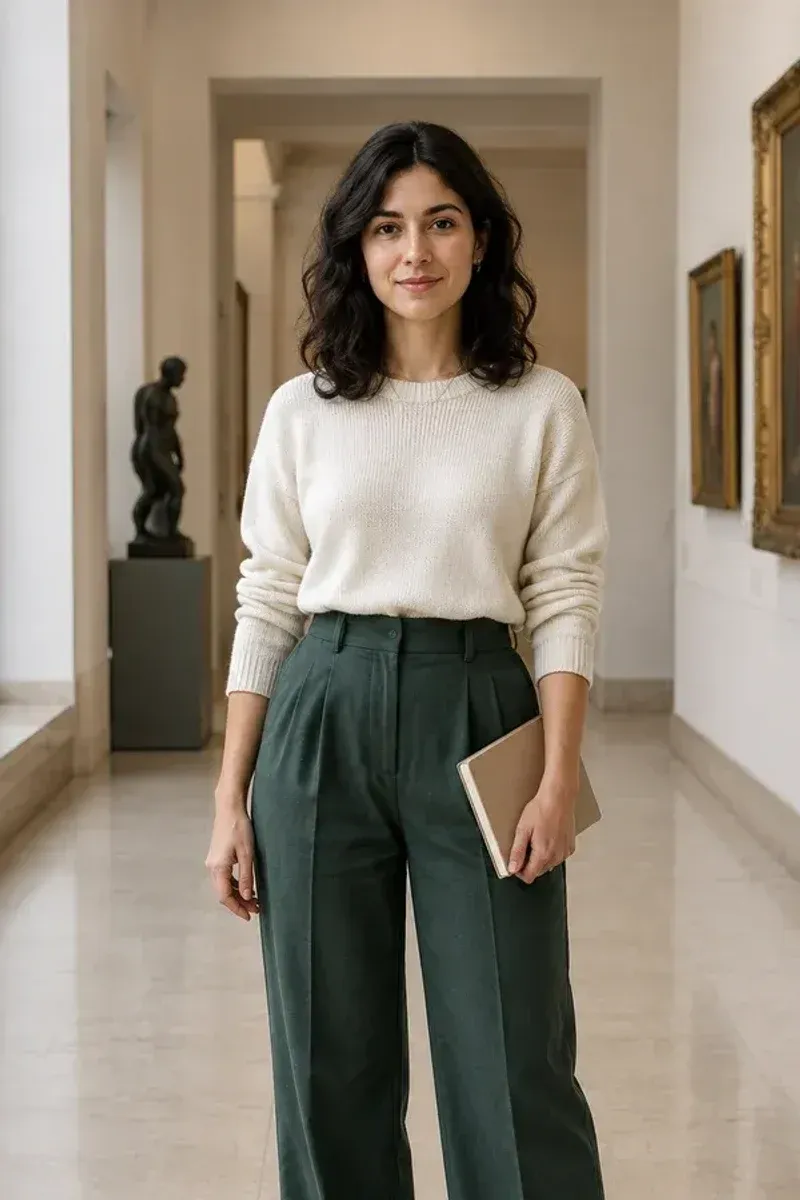
Waist-cropped fictional adult museum portrait used as the source
Cropped portrait
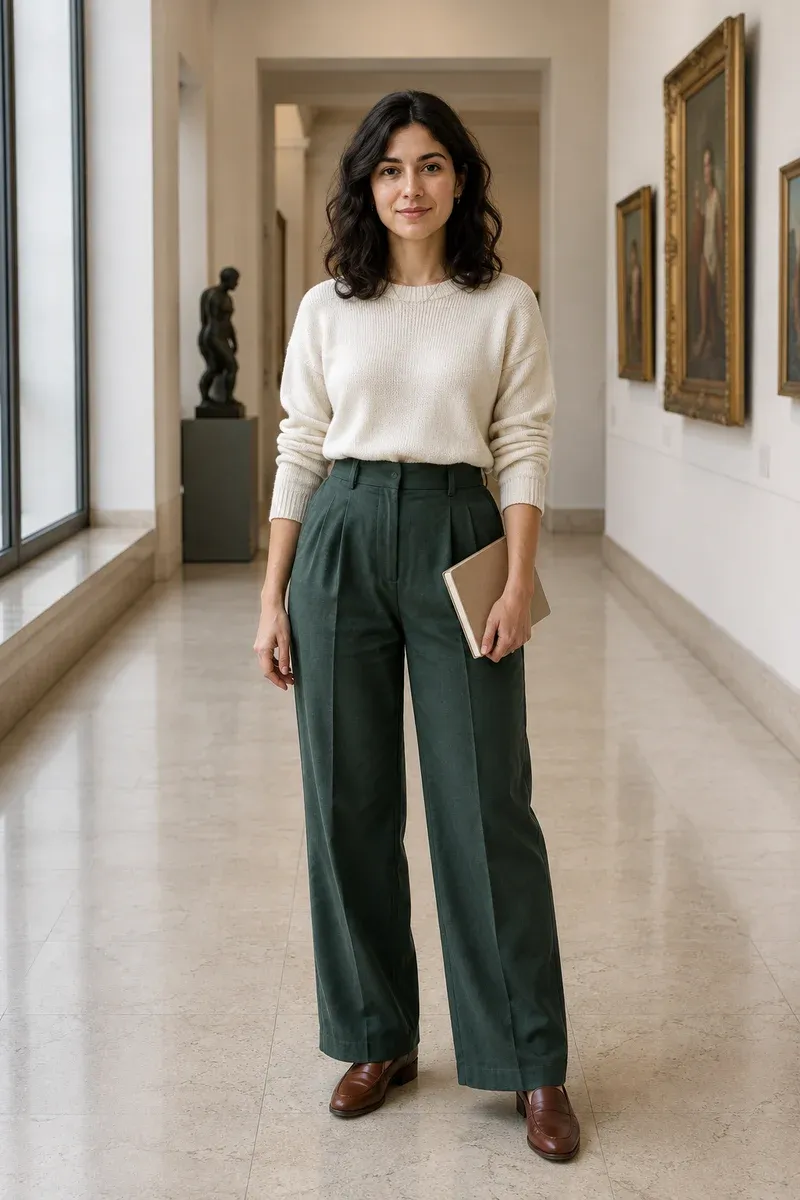
Complete fictional adult museum portrait with coherent trousers, hands, shoes, floor, and background
Full body reference
Exact crop of a fictional adult portrait beside its complete full-body master image

Turn the Portrait You Already Like into a Complete Standing Composition

A strong headshot may have the right face, expression, hair, light, and upper-body styling while ending at the chest, waist, or thighs. This workflow uses that visible photograph as the reference for a newly generated vertical image. It asks the model to keep recognizable identity and existing clothing cues, then invent the missing body, garments, footwear, floor contact, and surrounding scene. The hidden information was never captured, so the result is an interpretation—not a recovery of the real person’s unseen body or outfit. Treat every output as generated media, open it at full size, and check anatomy, identity, clothing, and background continuity before use.

Cropped-to-Full-Body Reference Examples

These proof pairs use fictional adult full-body masters and exact crops from the same masters. They demonstrate the continuity to request—same face, upper clothing, pose direction, light, and scene—without claiming that a live AI result will reproduce hidden details exactly.

Professional Portrait with Complete Tailoring

The source establishes the woman’s face, cream knit, green tailoring, notebook, hand positions, and museum light. A useful result continues those cues instead of changing the outfit halfway down. It also needs plausible leg length, two complete shoes, a level floor, contact shadows, and space below the feet. Add any important lower-body preference to the editable notes, while remembering that unseen details are generated interpretations.

Build a Standing Portrait
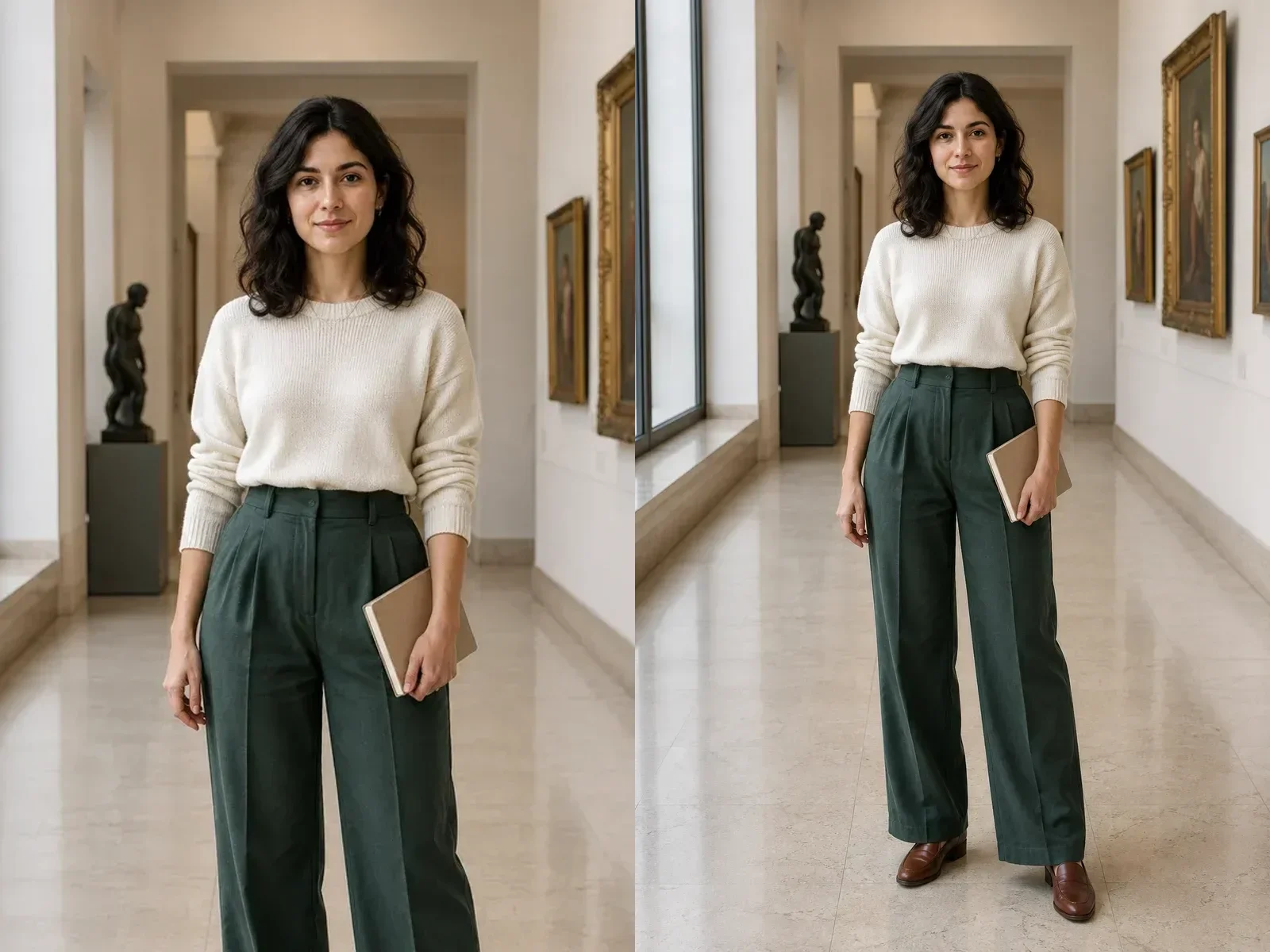
Cropped and complete fictional professional portrait with consistent green tailoring

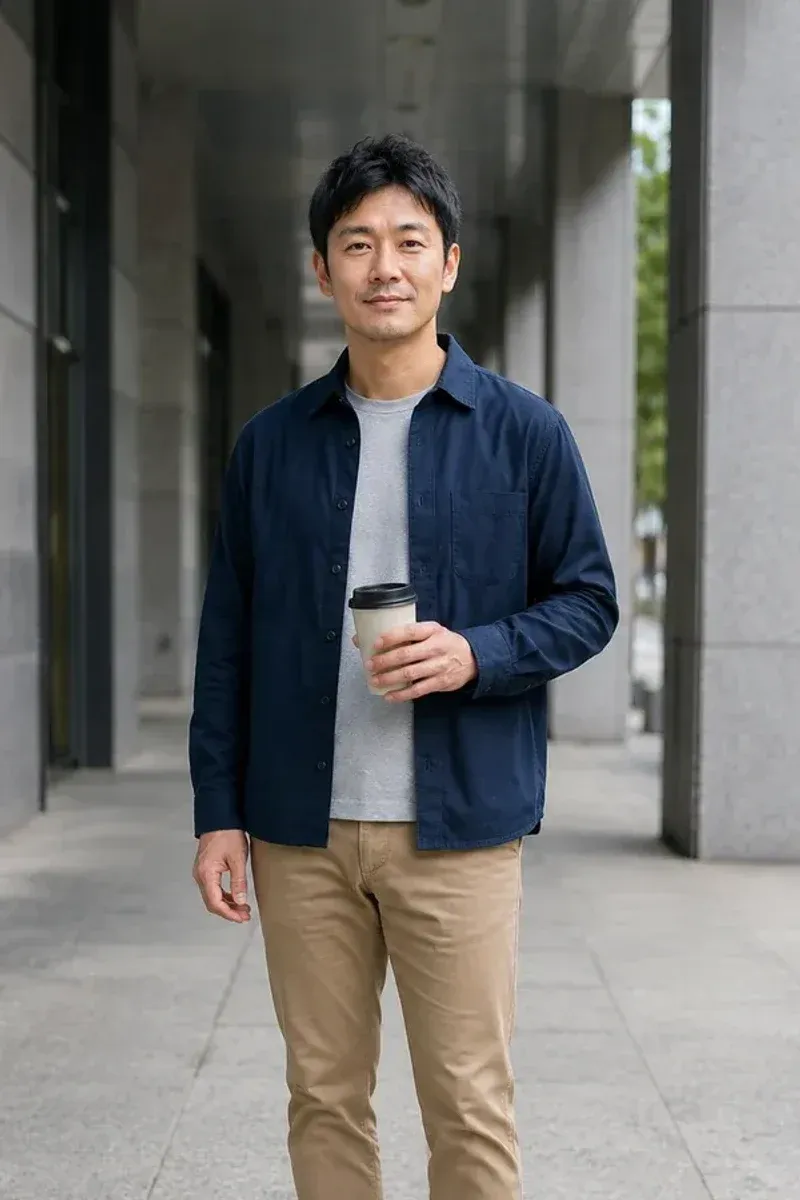
Casual Portrait with a Grounded Street Pose

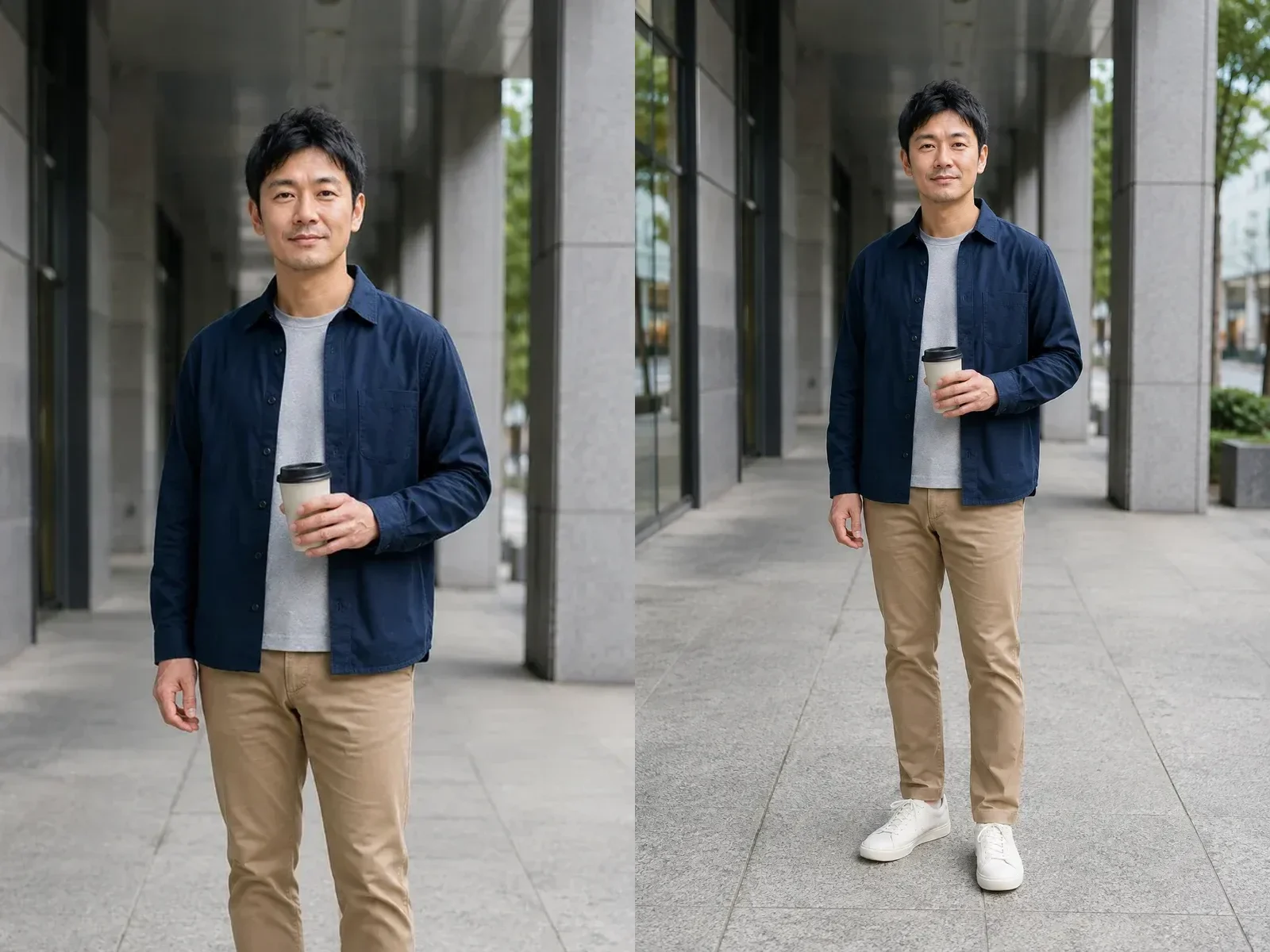
Full-body generation is more than adding legs. The face, overshirt, T-shirt, cup, hand placement, corridor perspective, pavement scale, and overcast light must agree. The lower body should balance under the shoulders, with both shoes on one ground plane. When a source contains a prop, mention it so the model has a better chance of keeping hands and interactions readable.

Complete a Casual Photo
Cropped and complete fictional casual city portrait with continuous pose and background

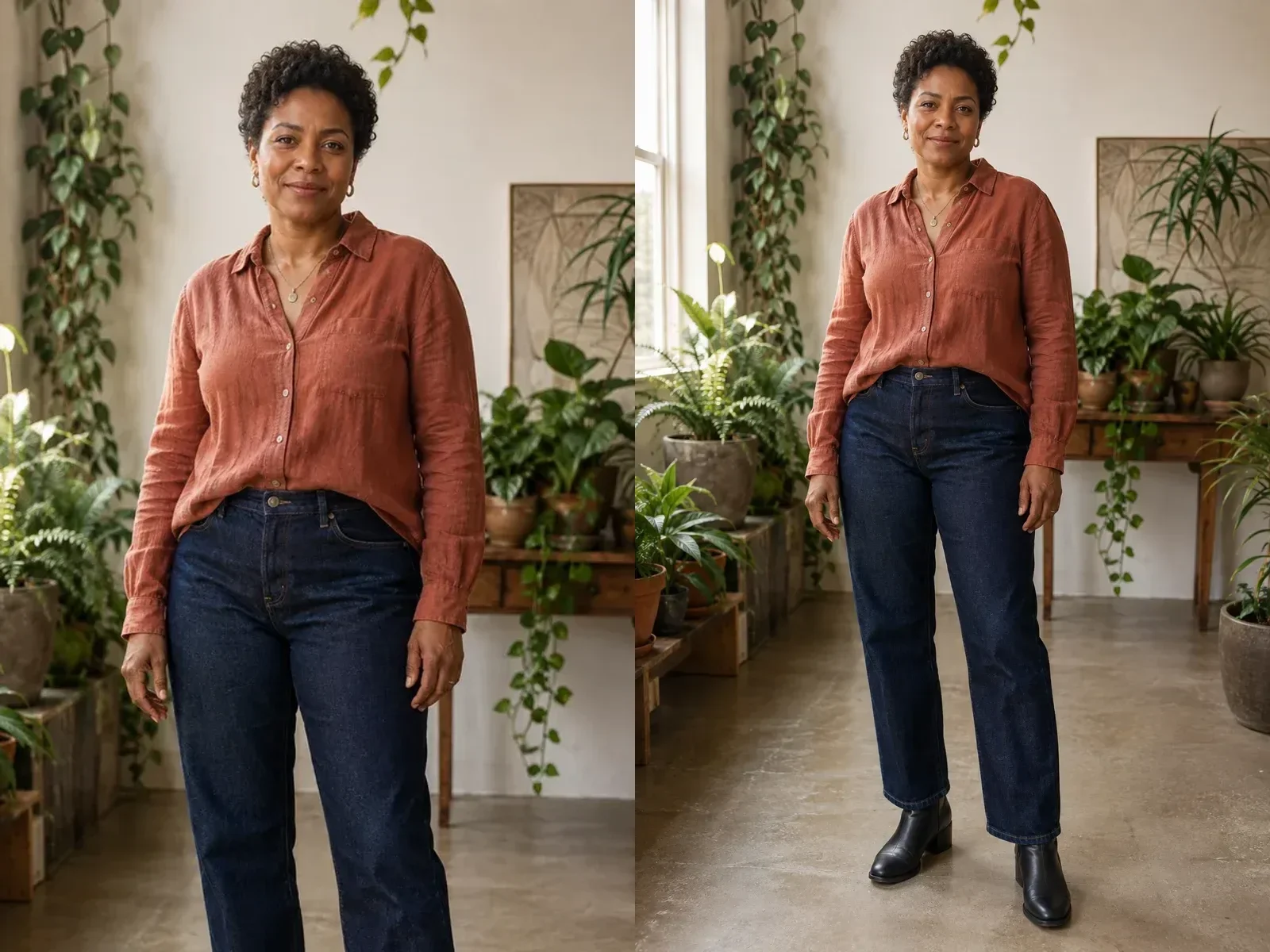
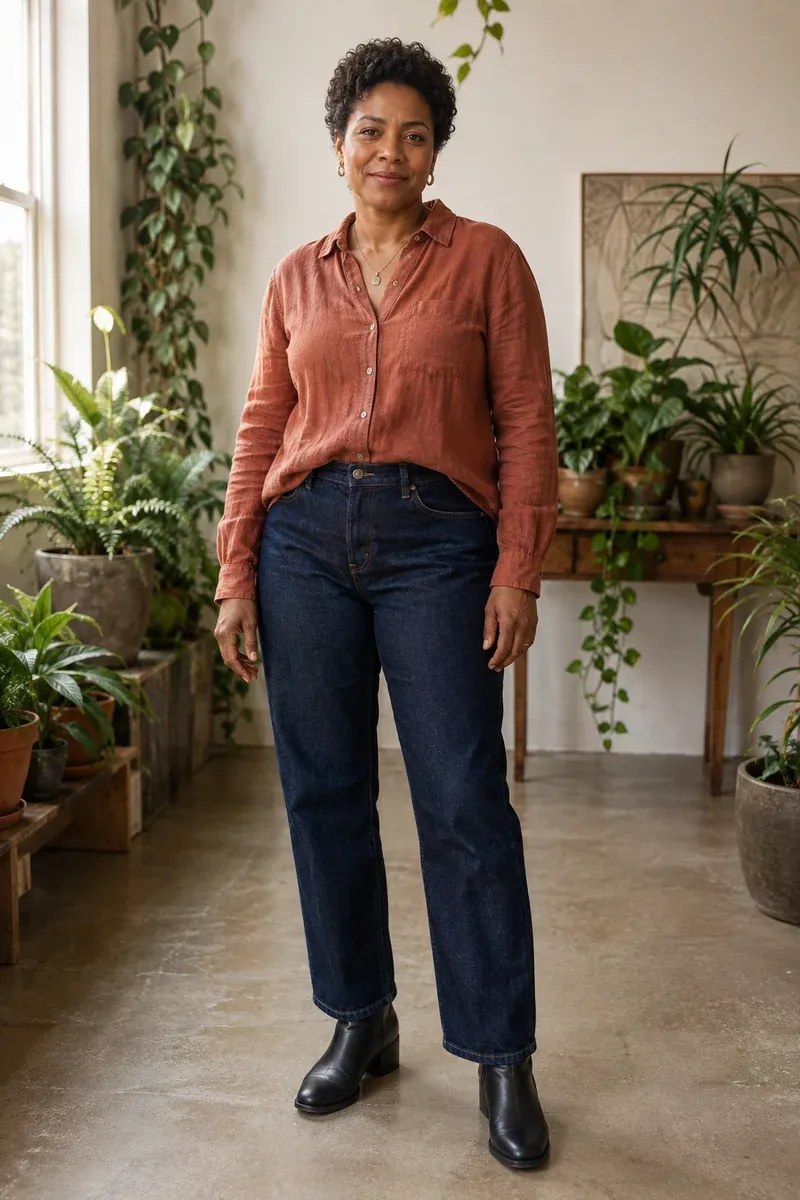
Lifestyle Portrait with Fabric and Background Continuity

The linen shirt, indigo denim, jewelry, curls, warm window direction, plant depth, and concrete floor form one visual system. Check that sleeves meet the hands, trouser legs follow hips and knees, boots remain a pair, plants do not merge with the body, and background scale stays consistent through the old crop boundary.

Extend a Lifestyle Portrait
Cropped and complete fictional lifestyle portrait in a plant studio

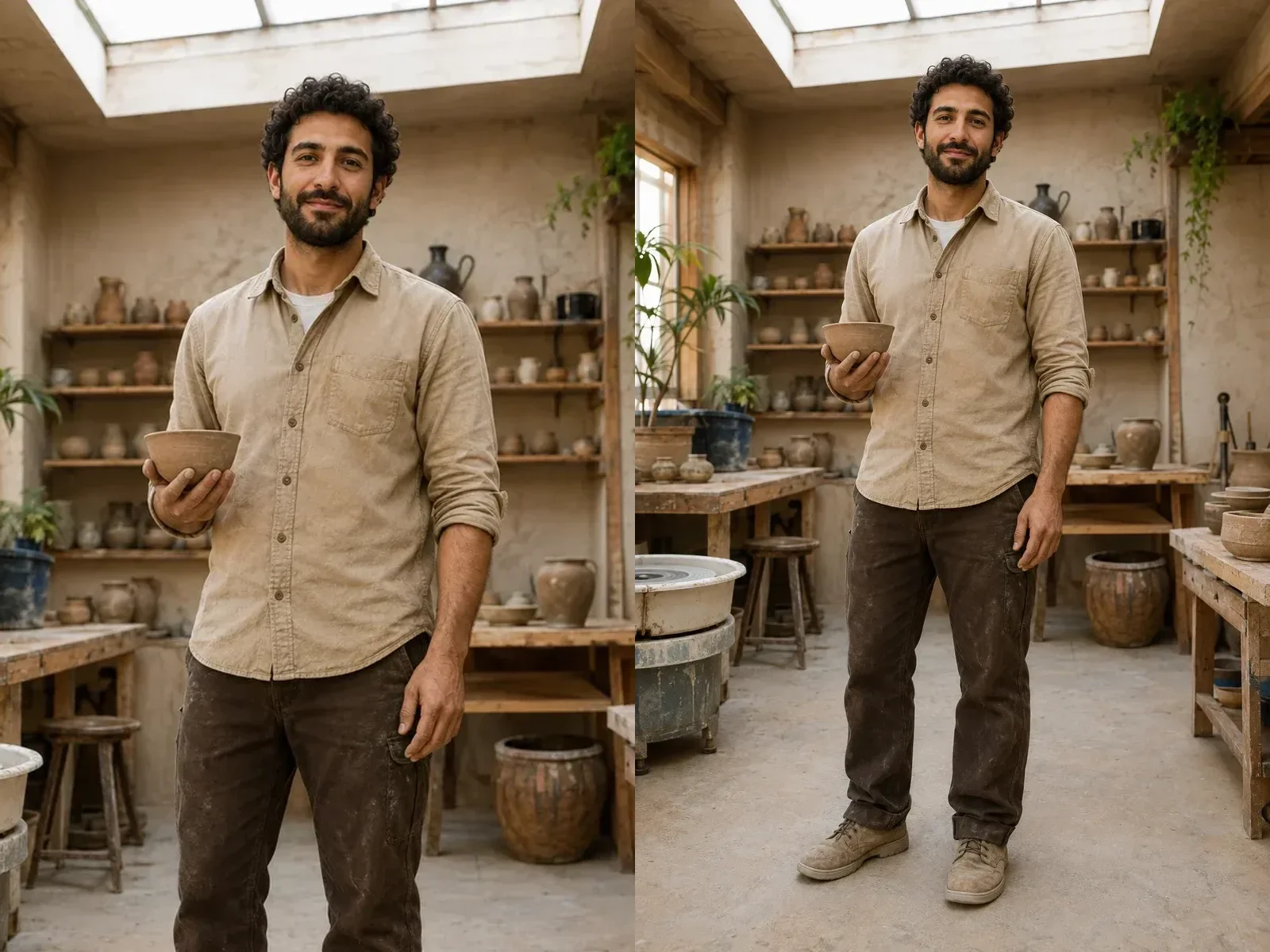
Work Portrait with Hands, Props, and Footwear in Context

A workshop adds more geometry: bowl, fingers, rolled sleeve, workbench, pottery wheel, floor, trousers, and shoes. The prompt protects the visible bowl and hand, then asks for a simple practical lower body. Props and hands can still change, so compare them with the source instead of assuming a similar face guarantees object preservation.

Complete a Work Portrait
Cropped and complete fictional potter portrait with coherent hands, work clothes, and floor

A Full-Body Workflow Built Around Human Continuity

The page uses a dedicated portrait-to-full-body instruction set rather than passing a generic canvas-extension sentence to the model.

Identity Anchors First

The prompt names the face, hairstyle, expression, skin tone, apparent age, body direction, camera perspective, and visible clothing as anchors. This can reduce drift, but it cannot guarantee biometric or pixel-perfect identity.

Clothing Continues Downward

Visible colors, materials, seams, layers, and style guide the missing trousers, skirt, dress, socks, or shoes. Add a short preference when exact lower-body styling matters, then inspect the generated interpretation.

Complete Head-to-Shoe Framing

Portrait-only aspect ratios and the default prompt request the entire head and hair, a complete body, two shoes, and a small strip of ground. The result should read as a composed full-length photo rather than an arbitrarily padded canvas.

Background and Floor Extend Together

The model is asked to continue perspective, light, focus, grain, floor, and contact shadows with the person. This helps avoid the cutout or floating-body look common in weak extensions.

How to Make This Picture a Full Body Picture

Use one readable adult portrait, keep the continuity brief focused, and review the completed person from head to shoes.

1. Upload a Headshot or Half-Body Adult Photo

Choose a photo you own or are authorized to edit. A clear face, visible shoulders, readable clothing, natural camera angle, and simple background give the model useful evidence. A waist-up portrait usually supplies more pose and outfit information than a face-only crop. Avoid tiny faces, severe blur, heavy occlusion, screenshots with interface chrome, watermarks, and photos where another person enters the frame. This workflow is for consenting adults; do not use a minor’s image or someone’s portrait without permission.

Choose a Portrait
Clear cropped fictional adult portrait suitable for full-body generation

2. Describe Only the Missing Decisions

The visible default prompt already protects identity, upper clothing, pose direction, lighting, complete anatomy, shoes, ground, and a single vertical composition. Edit the notes when you need a specific lower-body direction such as straight black trousers, a matching long skirt, neutral sneakers, or a relaxed standing stance. Keep instructions compatible with the source. Asking for a different era, camera, body direction, outfit, and location at once makes continuity harder and turns the task into a broad reimagination rather than a natural completion.

Edit Continuity Notes
Cropped fictional casual portrait with clear clothing and prop cues

3. Choose a Vertical Ratio and Inspect the Result

Use 2:3 for a classic full-length portrait, 3:4 or 4:5 for a slightly tighter composition, or 9:16 when the subject needs more vertical breathing room. After generation, open the result and check the full head, both hands when visible, shoulder-to-hip alignment, knees, leg count, shoe pair, floor contact, cast shadows, clothing seams, background lines, and any prop. Generate another interpretation from the original upload if the first result changes an important feature.

Create and Review
Complete fictional adult full-body portrait for result inspection

Useful Reasons to Turn a Cropped Portrait into a Full-Body Image

Use the generated result when a complete standing composition is more useful than the original crop, while disclosing AI editing where context or policy requires it.

Speaker and Team Page Concepts

Explore a full-length composition from an approved portrait for a biography, presentation, or layout draft. Verify identity and clothing before public use; do not imply the invented outfit or body was photographed.

Fashion Mood Boards

Continue visible colors and materials into a complete outfit direction for private ideation. Generated trousers, skirts, shoes, fit, logos, and garment construction are concepts, not evidence of a real product.

Social and Editorial Crops

Create more vertical space for a portrait post, profile story, poster draft, or editorial mockup. Keep platform crop zones in mind and retain the original file for comparison.

Character and Personal Art References

Complete an authorized realistic or illustrated adult portrait into a readable full figure. State the intended style in the notes and inspect hands, proportions, accessories, and repeated patterns.

Portfolio Composition Experiments

Test a standing environmental composition before arranging a reshoot. Use the generated draft to discuss framing, wardrobe, and background—not as a substitute for authentic production photography.

Full-Body Result Checklist Before You Download

A convincing thumbnail can hide defects. Open the output at full size and examine the entire person and scene.

Identity and Expression

Compare face shape, eyes, mouth, skin tone, apparent age, hairstyle, glasses, jewelry, and expression with the upload. Similar is not the same as guaranteed identity preservation.

Hands and Limb Count

Trace both shoulders through elbows and wrists. Check every visible finger, hip, knee, ankle, and foot; reject extra, fused, missing, or implausibly bent limbs.

Clothing Seams and Pairing

Follow fabric colors, lapels, sleeves, waistbands, hemlines, trouser legs, patterns, socks, and shoes. Reject abrupt material changes or mismatched footwear unless you requested them.

Feet, Floor, and Shadows

Both shoes should be complete and meet one believable ground plane. Contact shadows, reflections, tiles, pavement lines, and background perspective should agree with the original light.

Full-Body Picture Generator vs. General Uncrop Image

Both workflows use generative image-to-image processing, but they solve different jobs. Choose the narrower tool when the missing human figure—not simply more canvas—is the reason you are editing.

Use This Page for a Cropped Person

Choose this full-body workflow when a headshot, chest-up portrait, waist-up photo, or thigh crop must become one complete adult person. Its portrait ratios and prompt prioritize recognizable identity, upper-clothing continuity, plausible human anatomy, complete legs, paired shoes, floor contact, and a single standing composition. It intentionally does not offer landscape ratios because the search intent is a vertical human figure.

Make a Full Body Picture
Focused cropped-person to full-body reference pair

Use Uncrop for More Scene Around an Intact Subject

Choose NanoPic’s Uncrop Image tool when the person, product, pet, or landscape is already complete and you need wider or taller surroundings for a banner, listing, social ratio, or reframed scene. Uncrop supports both landscape and portrait ratios and tells the model to preserve the complete existing subject while adding context around it. It is not designed to specialize in rebuilding missing human anatomy or completing an unseen outfit.

Open Uncrop Image
General image uncrop example that keeps an intact person while adding wider surroundings

Make This Picture a Full Body Picture FAQ

Practical answers about identity, clothing, anatomy, source photos, privacy, portrait framing, and the difference between full-body generation and ordinary outpainting.

Can AI make this picture a full body picture from a headshot?

Yes, the workflow accepts a clear authorized adult headshot and asks the model to generate one complete vertical portrait. A face-only crop supplies identity, hair, expression, and perhaps a small amount of clothing evidence, but it supplies little information about pose, body, lower garments, or shoes. Those missing details are generated interpretations. A chest-up or waist-up source usually offers stronger continuity cues, and every result still needs a full-size identity and anatomy review.

Will the completed image keep the exact same person?

The uploaded face and visible upper body are used as strong references, and the prompt explicitly asks the model to preserve them. However, the route is generative image-to-image processing, not a pixel-locked cut-and-paste editor or biometric identity guarantee. Facial features, age, skin texture, jewelry, hands, and other details can drift. Compare the output with the original and do not use it for identity documents, verification, legal evidence, medical records, or any context that requires an authentic photograph.

Does the tool recover the person’s real hidden body or outfit?

No. Pixels outside the crop do not exist in the uploaded file. The model infers a plausible body, pose, garments, footwear, floor, and background from the visible portrait and your notes. It cannot know the person’s real body shape, exact trousers, skirt, shoes, uniform, product, or scene beyond the frame. Treat the result as generated creative media and avoid presenting invented details as documentary truth.

Can I tell the AI what trousers, skirt, pose, or shoes to add?

Yes. Edit the visible continuity notes and describe only the missing decisions: for example, ‘continue the navy blazer into matching straight trousers and simple black loafers’ or ‘complete the dress to ankle length with neutral flats.’ Keep the request compatible with the visible upper body, camera, and lighting. Too many unrelated changes can reduce continuity and turn the result into a broader restyle rather than a natural completion.

Why do hands, legs, or shoes sometimes look wrong?

Hands, layered clothing, crossed limbs, footwear, floor contact, reflections, and repeating background lines are difficult generative details. The prompt asks for one anatomically plausible person with two complete legs and paired shoes, but it cannot eliminate every error. Open the image, trace each limb, inspect fingers and shoe shape, and check the ground plane. If an important detail fails, regenerate from the original source with one focused correction.

Can I make a horizontal full-body picture?

This dedicated workflow intentionally uses portrait ratios so a standing person has enough vertical space for the complete head, body, shoes, and floor. A wide frame often makes the person too small or encourages unnecessary side scenery. If your subject is already complete and you mainly need a wider background, use NanoPic Uncrop Image instead. That general canvas tool supports both landscape and portrait expansion without asking the model to invent missing human anatomy.

Can I use someone else’s portrait?

Use only a portrait you own or have clear permission to transform, and use this workflow only for consenting adults. Do not create deceptive, harassing, sexualized, fraudulent, or identity-misrepresenting content. Consider how an invented full body, outfit, or setting could affect the person portrayed, disclose AI editing where appropriate, and follow applicable privacy, publicity, workplace, platform, and advertising rules.

How is this different from NanoPic Uncrop Image?

This page is narrowly designed for a cropped adult person. Its prompt and portrait ratios prioritize identity anchors, clothing continuation, plausible anatomy, complete legs, shoes, floor contact, and one vertical full-length composition. Uncrop Image is broader: it expands surroundings around an already complete person, product, pet, or landscape and supports both wide and tall canvases. Use full-body generation when human anatomy is missing; use Uncrop when the subject is intact and the canvas needs more room.

Make This Picture a Full Body Picture from the Portrait You Already Have

Upload one authorized adult headshot or half-body image, keep the visible identity and clothing cues in focus, describe only the missing lower-body decisions, and review the completed result from hair to shoes before downloading.