








































































































Free Gender Swap Filter for Natural AI Portraits
Sign In

Free Gender Swap Filter for Natural AI Portraits

Upload one authorized adult portrait, choose a respectful direction, and edit the prompt. NanoPic aims to keep identity, visible age, skin tone, pose, background, and light. New accounts currently receive 40 signup credits; one 1K generation here uses 40 credits. Free-credit results carry a NanoPic watermark; paid-credit results do not carry that watermark.

Start with a respectful direction, then edit the prompt to keep the details that matter to you.

Upload One Authorized Adult Photo*
Try a Fictional Adult Sample

0 / 500

Public Visibility
Copy Protection
Credits required:-

Free Gender Swap Filter for Natural AI Portraits

Image

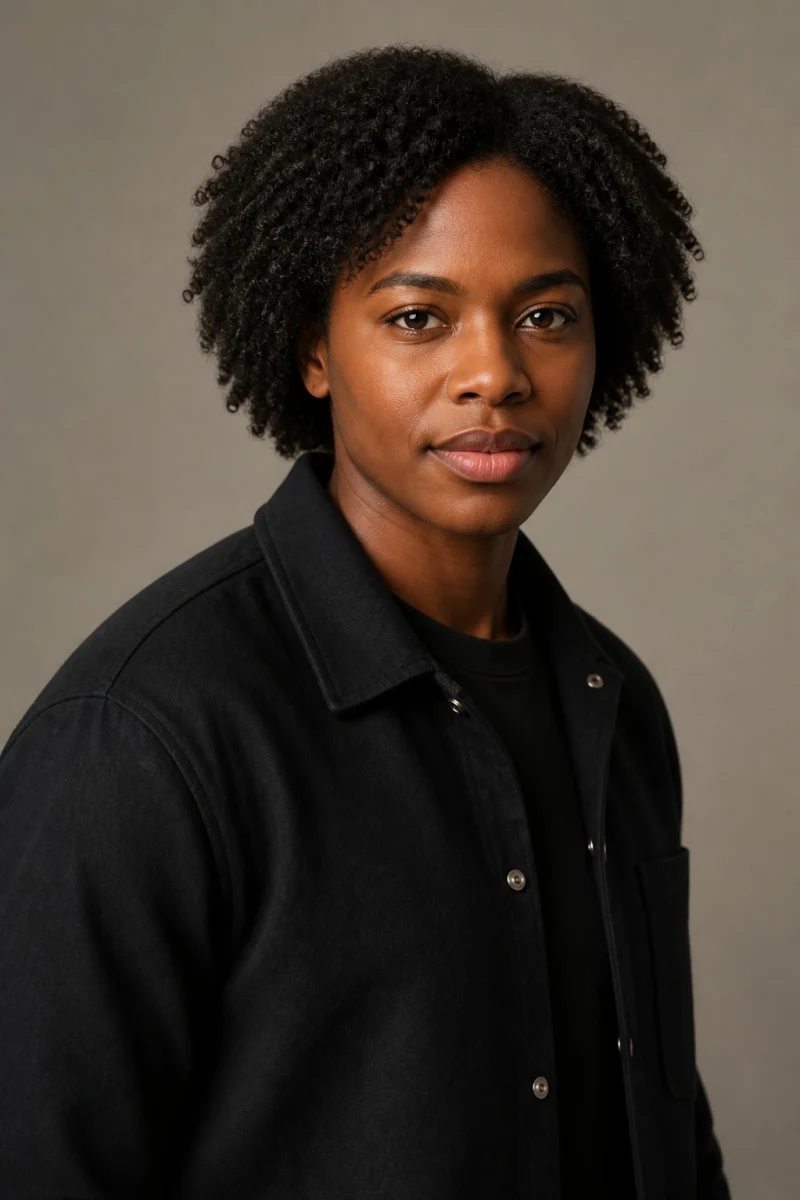
Fictional Black adult before a natural feminine AI gender swap
Source
Same fictional Black adult with a natural feminine gender presentation
Feminine
Natural feminine gender presentation portrait of a fictional adult

Explore Presentation Without Replacing the Person

A useful AI gender swap should still look like the adult in the source photo. NanoPic gives you an editable instruction instead of a rigid novelty overlay, so you can ask for a more feminine, masculine, or androgynous presentation while protecting the details that make the subject recognizable. The result is an AI-generated entertainment concept, not a prediction of anyone's gender identity, future appearance, or transition outcome. Review the output carefully and discard any version that changes ethnicity, age, body shape, or distinctive facial features.

Original AI Gender Swap Examples

These four before-and-after pairs use fictional adults and original NanoPic assets. Each pair keeps the same setting and framing so you can judge identity consistency rather than being distracted by a new scene.

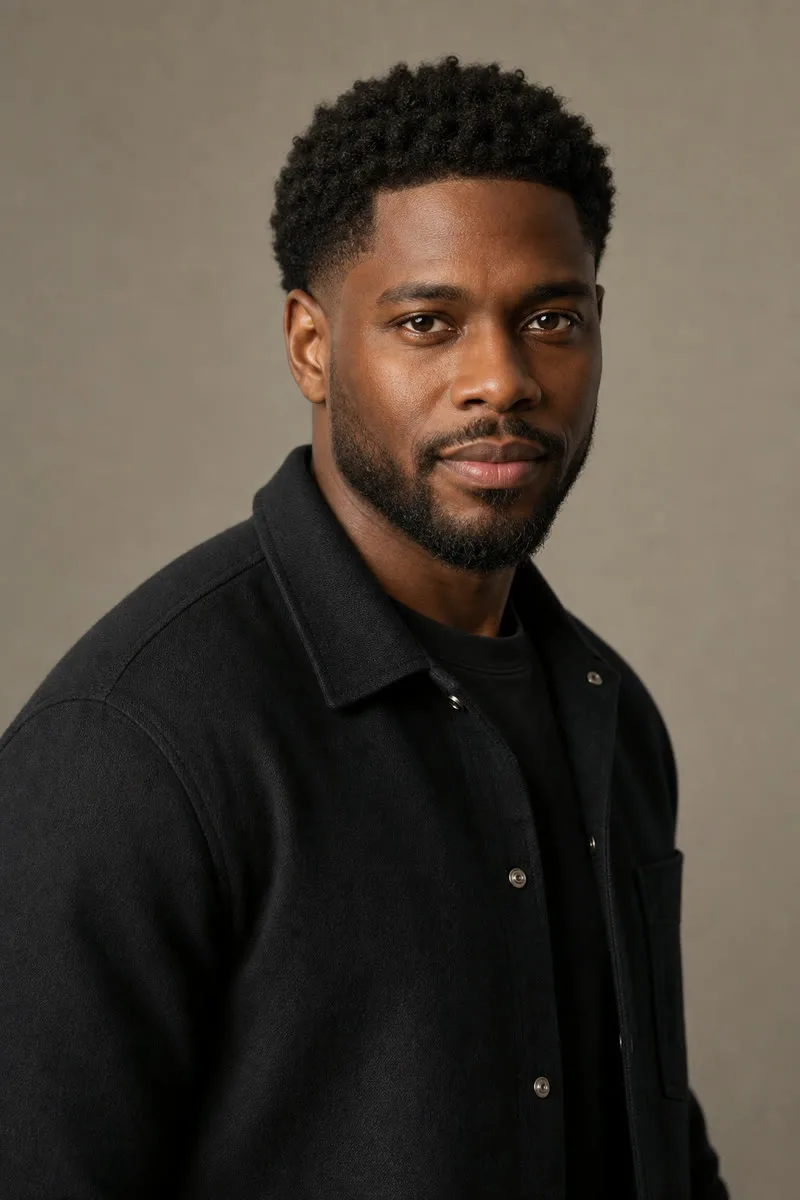
Natural Feminine Presentation, Same Studio Portrait

The source has short coils, a trimmed beard, a black jacket, and neutral studio light. The result removes the beard, uses a short natural coil style, and makes restrained facial and grooming changes while retaining the same skin tone, eyes, nose, mouth, expression, jacket, shoulders, background, and light. It avoids heavy makeup and exaggerated body changes, showing how AI gender swap can alter presentation without turning the person into a generic beauty template.

Try Natural Feminine
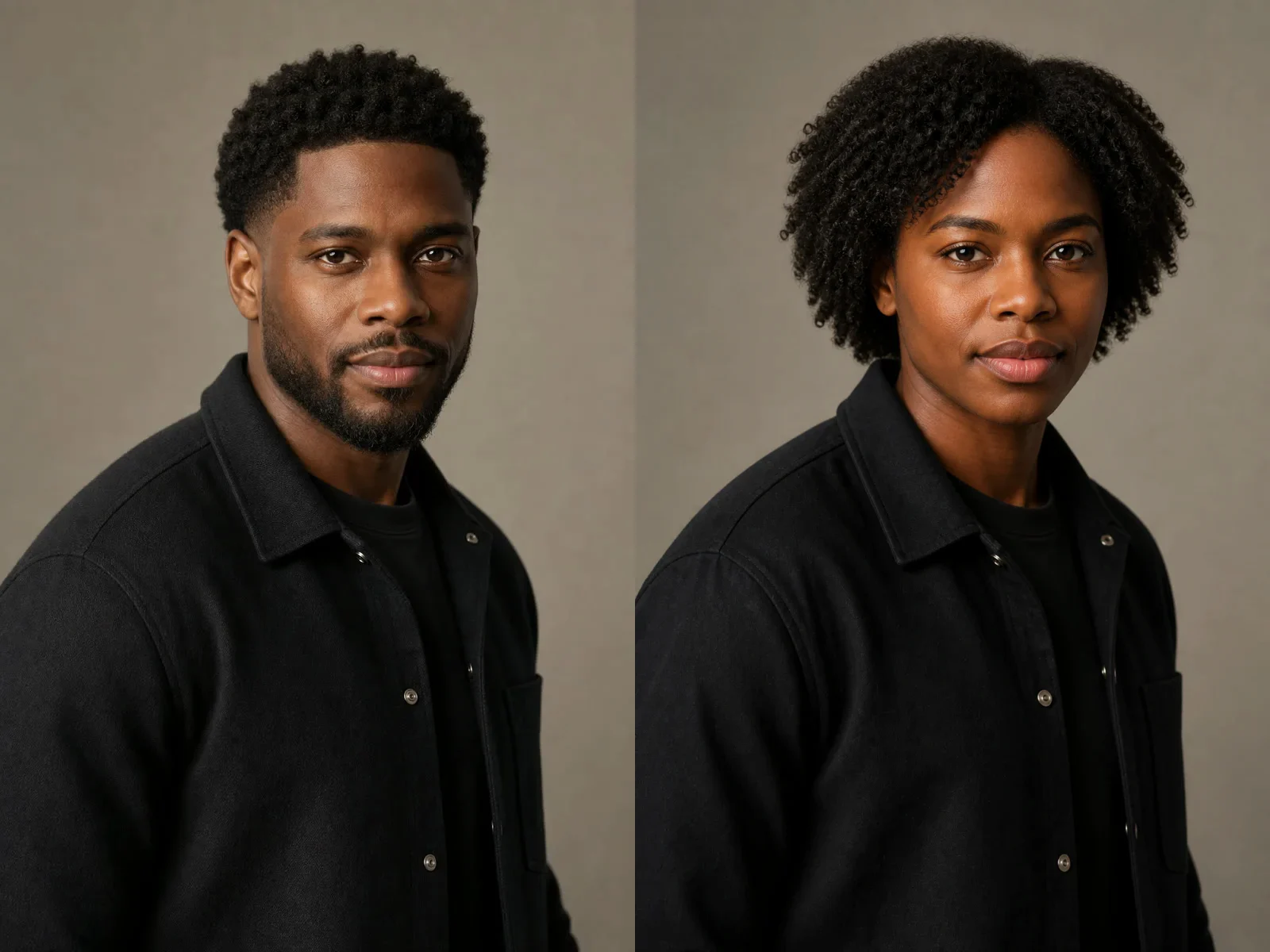
Fictional Black adult before and after a natural feminine AI gender swap

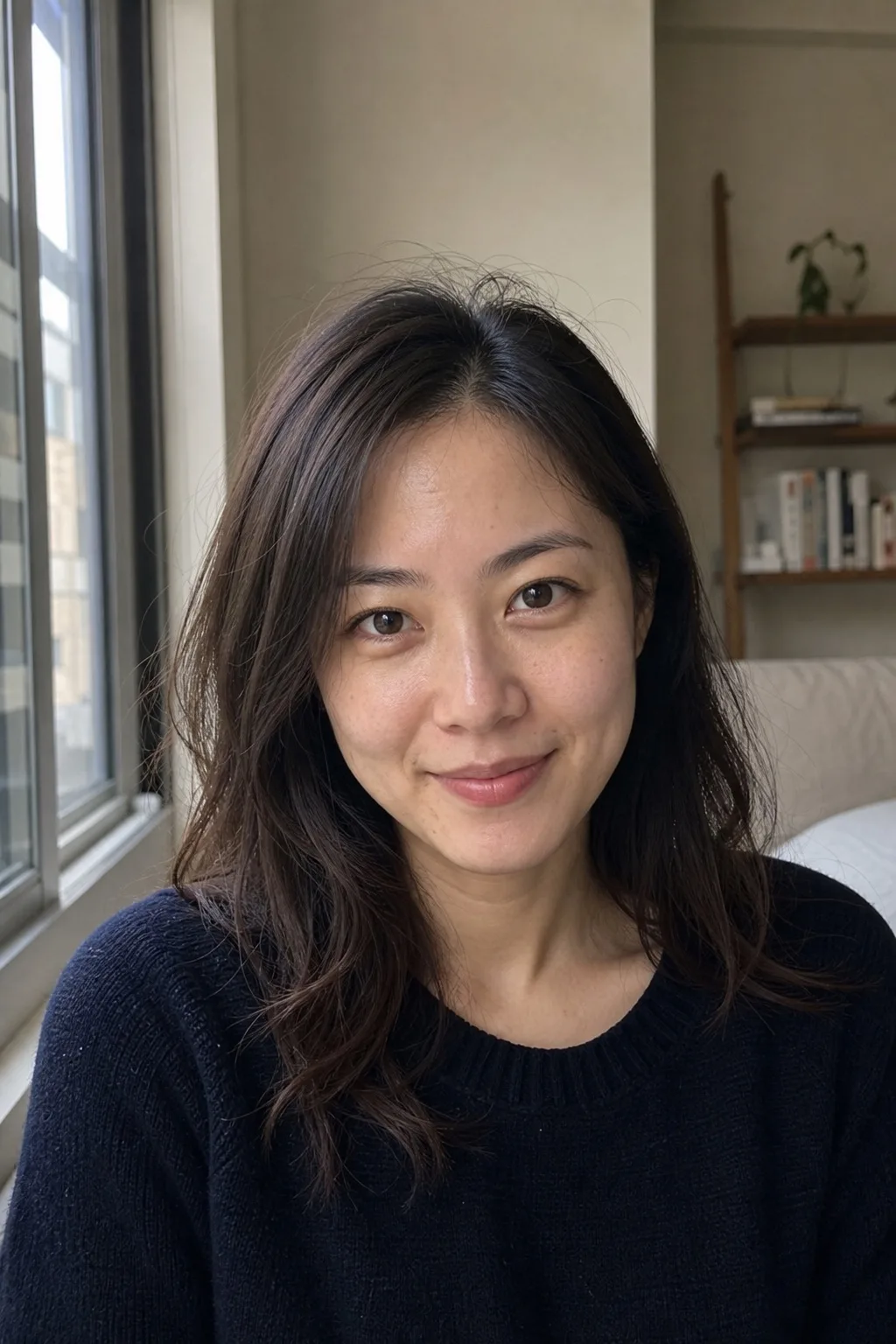
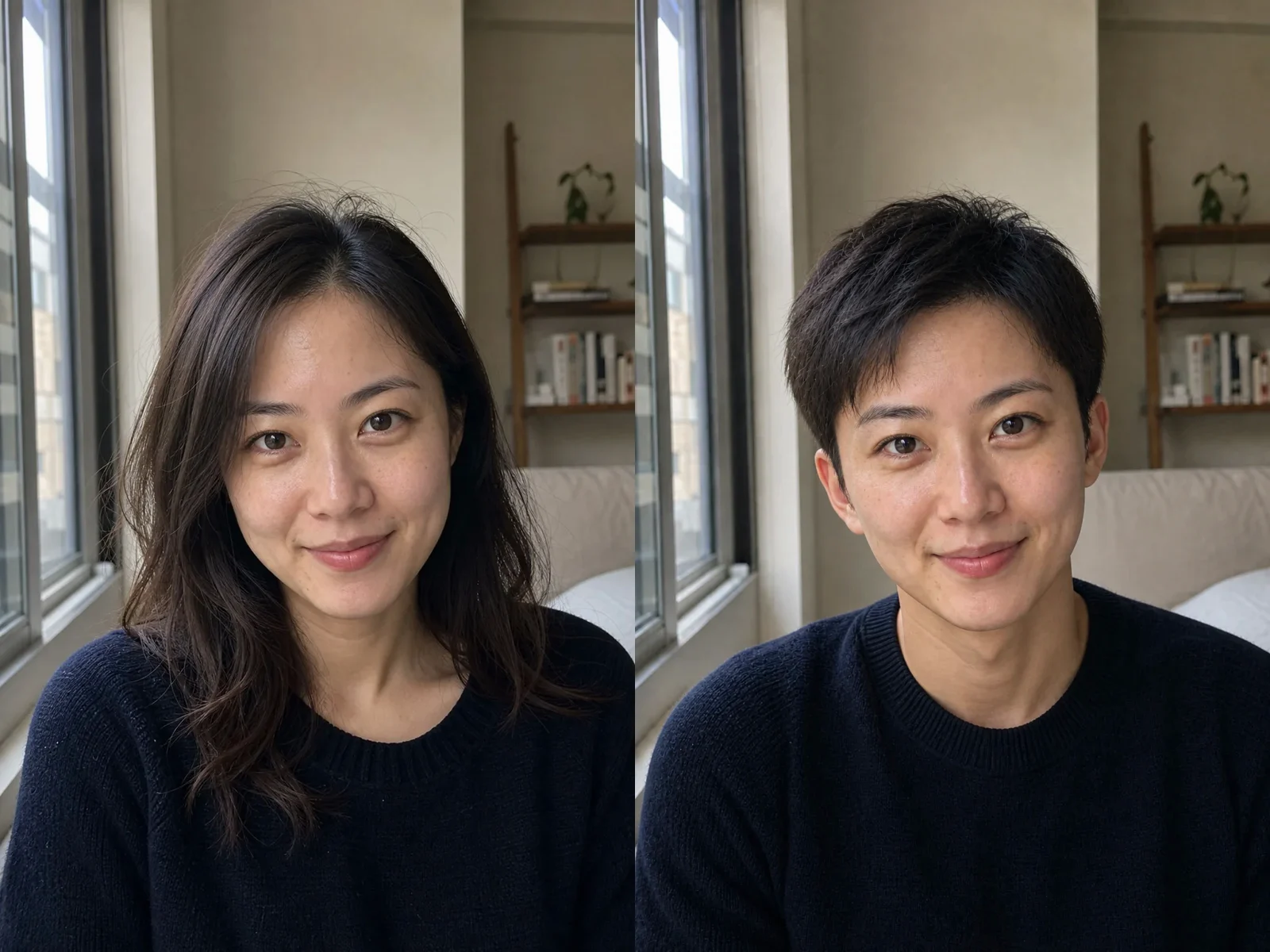
Natural Masculine Presentation in Window Light

This example keeps the same apartment, navy knit, relaxed smile, freckles, eye shape, and soft window light. The main visible change is a short textured haircut with restrained facial adjustments. Because the framing and background stay fixed, it is easier to notice where the AI preserved identity and where it interpreted the request. Use this kind of comparison to decide whether a result is recognizable enough to keep.

Try Natural Masculine
Fictional East Asian adult before and after a natural masculine AI gender change

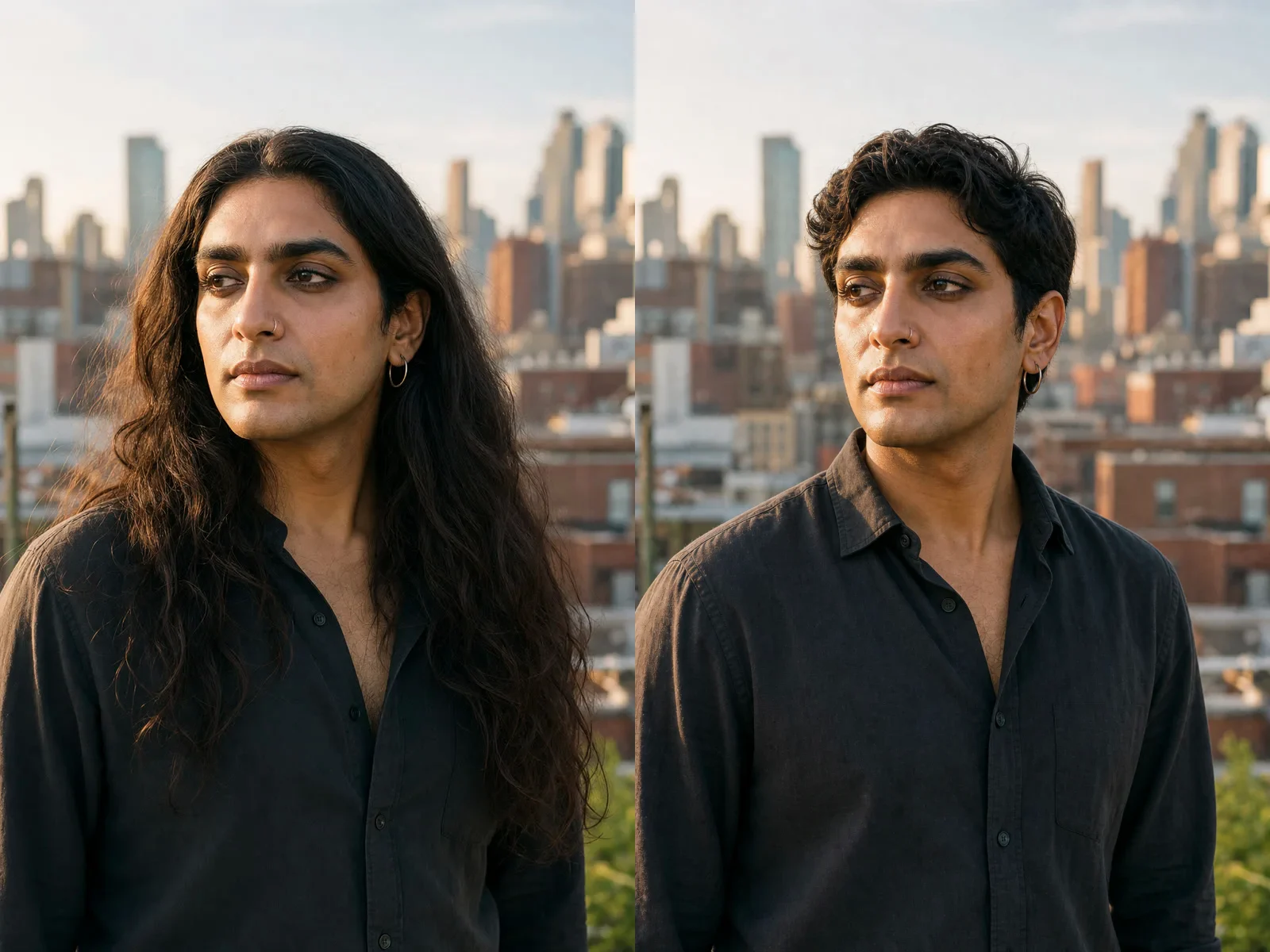
Structured Presentation With Personal Details Preserved

A long-haired rooftop portrait becomes a short-haired, more masculine presentation. The AI keeps the nose ring, side gaze, face shape, skin tone, black shirt, camera height, skyline, and golden-hour direction. Preserving a personal detail such as jewelry can make a gender change AI result feel less like a stock transformation and more connected to the source person's existing style.

Try Structured Androgynous
Fictional South Asian adult before and after a structured masculine gender presentation edit

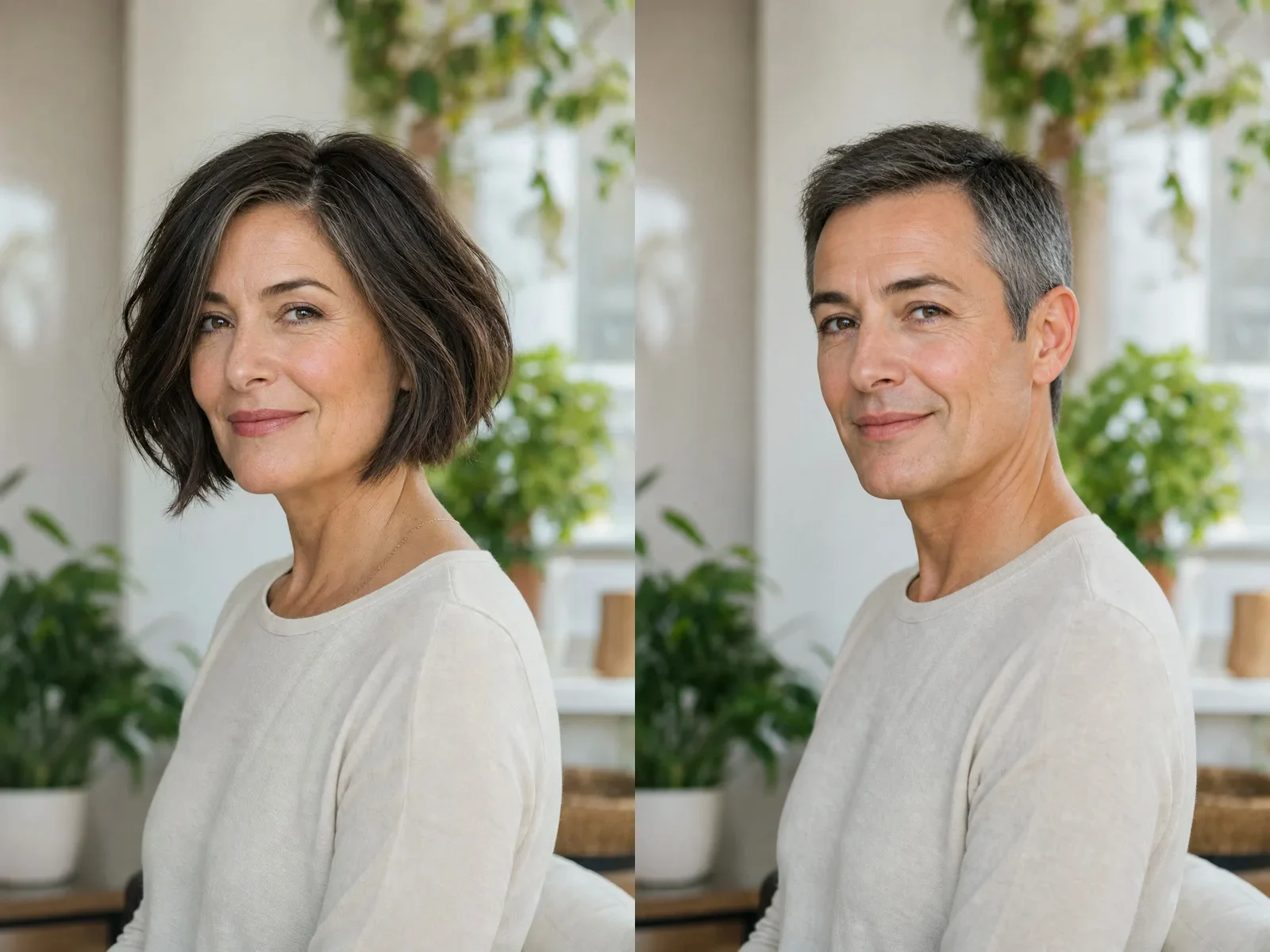
Mature Adult Example Without Youthification

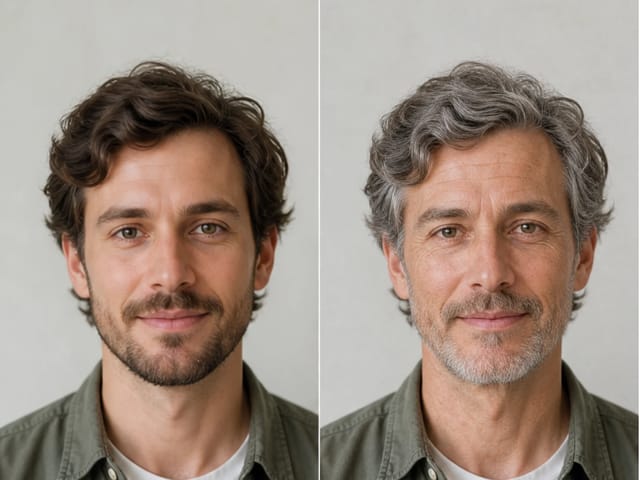
The mature-adult pair deliberately retains forehead lines, smile lines, skin texture, eye shape, and the calm three-quarter pose. A short salt-and-pepper haircut changes the read of the portrait, but the model is instructed not to erase age. This matters because a responsible AI gender change filter should not automatically confuse femininity, masculinity, or androgyny with looking younger.

Try Structured Androgynous
Fictional mature adult before and after a masculine AI gender swap without age reduction

A More Deliberate AI Gender Change Filter

The workflow combines a practical upload tool with controls that help you avoid generic or stereotyped results.

Editable Default Prompt

The default instruction is visible in the generator. You can keep your current hair length, freckles, facial hair, jewelry, clothing, or other identity-relevant details instead of accepting a one-size-fits-all preset.

Identity and Age Guardrails

The template asks the selected model to preserve recognizable facial structure, visible adult age, skin tone, expression, pose, background, and light. AI can still drift, so the page also explains exactly what to compare before downloading.

Non-Stereotyped Directions

Feminine, masculine, and androgynous presets focus on grooming, hair, and simple clothing. They explicitly avoid exaggerated curves, muscles, heavy makeup, gender-coded costumes, sexualization, and caricature.

Real Credit Display

Opening the page and editing the prompt does not itself create an image. Generation uses the model shown in the live generator, and the current credit requirement is displayed beside the generate action before you submit.

Ways to Use AI Gender Swap Responsibly

Use outputs as creative concepts and entertainment. They should not be treated as proof of identity, a medical prediction, or a guaranteed transition preview.

Personal Curiosity

Explore how different hair, grooming, and clothing cues change the presentation of one portrait. Keep the exercise private if that feels safer, and remember that one generated image cannot define your identity.

Character and Costume Planning

Use a result as a visual reference for an original adult character, cosplay plan, or portrait styling brief. Avoid using a real person's likeness without permission or presenting generated details as documentary truth.

Creative Before-and-After Posts

Share an authorized portrait comparison as entertainment when the subject agrees. Label AI-generated output when context could otherwise mislead viewers, and follow the rules of the platform where you post it.

Portrait Direction Tests

Compare a restrained feminine, masculine, or androgynous direction before changing hair or styling in real life. Treat the generated portrait as inspiration, not a promise of an exact real-world outcome.

How to Use the AI Gender Swap Filter

A clear authorized source and one focused presentation request give you the best chance of a recognizable, reviewable result.

1. Upload One Authorized Adult Portrait

Choose a recent, sharp photo of one consenting adult. Keep the complete head, hair, face, and shoulders visible in balanced light. Avoid minors, people whose age is ambiguous, group shots, public figures, faces you do not have permission to use, heavy beauty filters, sunglasses, masks, extreme angles, motion blur, and clipped hair. JPG, PNG, or WebP source handling follows the limits shown in the uploader.

Upload an Adult Photo
Clear fictional adult portrait suitable for an AI gender swap filter

2. Choose a Direction and Edit the Prompt

Start with Natural Feminine, Natural Masculine, Soft Androgynous, or Structured Androgynous. Then edit the default prompt so it reflects the person rather than a stereotype. You might ask to keep freckles, gray hair, a nose ring, current clothing, or minimal makeup. Remove any instruction you do not want. The selected model and credit requirement remain visible in the generator.

Choose a Direction
Natural feminine presentation direction for an AI gender swap

3. Generate, Compare, and Reject Identity Drift

After generation, compare eyes, nose, lips, facial proportions, skin tone, distinctive marks, visible age, expression, pose, and body proportions with the source. Also inspect hair edges, teeth, ears, hands, clothing seams, background geometry, and lighting. Regenerate with one precise correction or discard the output if the person no longer looks recognizable. Download only an image that you are comfortable identifying as AI-generated entertainment.

Generate and Review
Before and after comparison used to review identity and visible age in a gender swap result

Gender Swap Filter FAQ

Answers about AI gender swap, identity consistency, adult consent, prompts, credits, and responsible use.

What does the gender swap filter change?

It uses an uploaded adult portrait as an image-to-image reference and asks the selected model to change gender presentation through plausible hair, grooming, and simple clothing. The template also asks it to preserve identity, visible age, skin tone, expression, pose, proportions, background, and light, but AI cannot guarantee perfect consistency.

Is this the same as AI gender swap or gender change AI?

Yes. Those searches usually describe the same intent: upload a portrait and generate a version with a different feminine, masculine, or androgynous presentation. NanoPic calls it a gender swap filter while keeping the prompt editable so the result is not limited to one rigid binary preset.

Does the filter predict how I would look after transition?

No. The output is an entertainment-oriented AI concept based on one photo and one prompt. It is not medical guidance, not a clinical or transition prediction, and not evidence of anyone's gender identity. Real appearance depends on many personal, social, styling, and medical factors that an image model cannot know.

Will an AI gender change filter preserve my identity?

The prompt explicitly asks for identity consistency, but every model can drift. A clear front-facing source and restrained direction help. Compare the result with the source and discard it if eyes, nose, lips, skin tone, age, proportions, or distinctive features change too much.

What photo works best?

Use one sharp, well-lit portrait of a clearly identifiable consenting adult with the full head, face, hair, and shoulders visible. Avoid group shots, minors, ambiguous age, public figures, unlicensed faces, sunglasses, masks, beauty filters, strong shadows, extreme angles, motion blur, and very small faces.

Can I edit the gender presentation prompt?

Yes. The default prompt is visible and editable. Add a few concrete preferences such as keeping your current hair length, preserving freckles or gray hair, using minimal makeup, keeping a nose ring, or retaining the original clothing. Focused notes usually work better than a long list of conflicting changes.

How can I start with the free gender swap filter?

NanoPic currently grants 40 signup credits to a new account, enough to start with one 1K generation on this page. Each generation currently uses 40 credits, so credits are still deducted and the offer does not provide unlimited use. Images made with free credits include a NanoPic watermark. Generations paid with purchased or subscription credits do not include that free-credit watermark. The live credit amount beside Generate remains the source of truth if pricing changes.

Can I upload a child or someone else's portrait?

No minors or people whose age is ambiguous should be used with this workflow. Upload only a clearly identifiable adult photo that you own or are authorized to transform. Do not use a stranger, public figure, former partner, or any other person's likeness without permission.

Can I share or use a generated result?

Use only authorized source photos and review the result for identity drift, harmful stereotypes, and misleading context. Follow applicable consent, likeness, platform, plan, and local rules. Label AI-generated content when viewers could mistake it for a real unedited portrait. NanoPic provides a creative tool, not legal clearance.

Create a Respectful AI Gender Swap

Upload one authorized adult portrait, choose a presentation direction, edit the prompt, and compare the generated result with the source before downloading.