












Save up to 73% on plans

AI APT MV Generator
Sign In

AI APT MV Generator

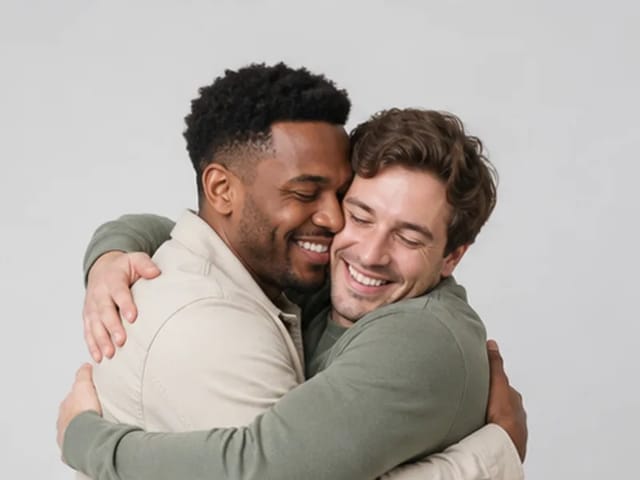
Upload two portraits for a fifteen-second landscape performance. The first portrait is assigned to the singer and the second to the drummer in an original APT-inspired scene.

Singer photo*
Try Sample Images
Drummer photo*
Try Sample Images

Please add the required Singer photo, Drummer photo before generating.

Public VisibilityAllow this result to appear in public inspiration surfaces.

AI APT MV Generator

Video

More AI Video Models & Effects

Browse every other AI video model and effect published on this site in a continuous carousel.

A 15-second singer-and-drummer performance from two photos

Assign one portrait to each role, then review both identities across the finished clip. This is an original APT-inspired scene, not the official music video, recording, choreography or artist likeness.

See the original example and result

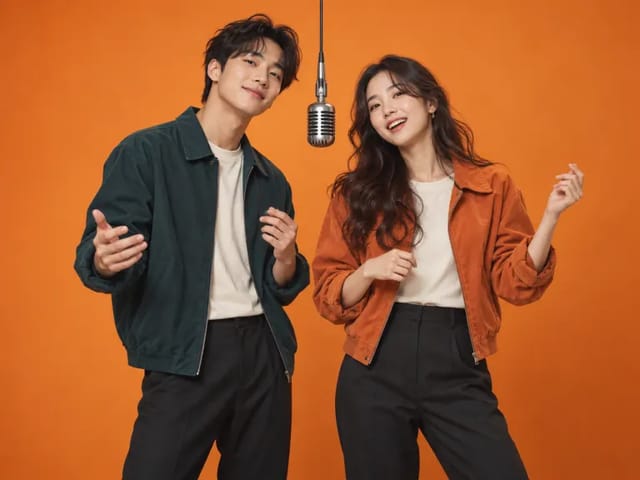
The sample characters, input photographs and reference scenes were newly generated with AI for NanoPic.

15-second singer-and-drummer performance

This example was generated through NanoPic using the two fictional performers shown in the sample inputs. Watch the complete result to assess the scene, framing and movement before choosing your own pair.

Use My Two Photos

How it works

1. Choose two portraits

Select a separate, clear photograph of each person. Both images should show an unobstructed face with space around the head. Use the sample pair to see which photograph belongs in each role.

2. Confirm roles and credits

Upload one portrait to the singer slot and one to the drummer slot. Check both previews and the displayed credit requirement before generating. You do not need to write a prompt or choose generation settings.

3. Review and download

Open the completed task, watch the whole performance and download the result after reviewing it. If you leave this page, return through Generation History to find the task instead of submitting the same pair again.

What this effect creates

Two separate photo inputs

One portrait supplies the singer reference; the other supplies the drummer reference. The role labels identify the intended assignment, not a promise of perfect likeness in every frame.

A short landscape video

The example is approximately 15 seconds long, at 1344 × 768 pixels, with audio. Use it to judge the available performance; it does not include the official APT recording or a song written from your own lyrics.

Credits shown before submission

Each new generation uses the credit amount displayed beside Generate. Check that amount for the current cost; downloading or checking an existing result does not require starting another generation.

Prepare your portraits and review the result

Choose photos that make both people recognizable

Use one person per image rather than a group photograph. Look for clear eyes, a visible jawline and even lighting; sunglasses, a hand over the face or a tiny face enlarged from a crowd can hide useful details. The two photos do not need matching backgrounds, but a sharp first portrait cannot compensate for a blurred second one. Keep some headroom and check the upload previews for accidental cropping. Decide who should sing and who should play drums before uploading. If you want to reverse the roles, swap the photos between the labeled slots before submitting. You do not need to photograph either person beside a microphone or drum kit.

Check identity and movement through the whole clip

Start by watching at normal speed, then pause around a camera cut or head turn if something looks unusual. Compare each performer with the corresponding input: face shape, eyes and hairline are useful reference points. A convincing opening frame does not establish consistency throughout the video. Also check hands and the drummer’s interaction with the kit. AI can alter appearance or movement, so judge the complete result before sharing it. The singer and drummer may appear in different parts of the frame as the camera changes; screen position alone does not tell you whether an identity has changed. Focus on whether both people remain recognizable in their intended roles.

Improve a weak result without losing track of attempts

If one performer looks unclear, keep the stronger input and replace the weaker portrait with a sharper, less obstructed photo. Changing both inputs and their order at once makes comparisons harder. When the people are recognizable but assigned to the wrong roles, check the upload order first. Before trying again, open Generation History and confirm the status of the existing task. A missing preview is not enough to conclude that generation failed. Every new submission is a separate attempt with the displayed credit cost. Keep a note of the pair you used so you can compare completed results and choose the version you prefer.

Prepare the downloaded video for sharing

Preview the downloaded file in the app where you plan to share it. A platform may crop landscape footage into a vertical frame or cover its edges with captions. Check every cut after cropping so neither performer disappears from view. Listen to the final audio as well as checking the picture. This tool creates the performance; use a separate editor if you need captions, a different crop or other changes. Label the clip as an AI creation when context could make it look like a real performance. For a paired birthday message or team celebration, let the other person review the finished version before posting it publicly.

AI APT MV questions

Do I need to write a prompt?

No. Upload one singer portrait and one drummer portrait. This effect applies its preset scene automatically; it does not offer a free-form prompt editor.

Can I use one photo containing both people?

Prepare two separate portraits, with one clearly visible person in each image. A shared group photo makes it harder to identify the intended person for each role. Use photos you have permission to use.

Can I change the scene or request the original song?

This is a preset singer-and-drummer effect. It does not offer a scene editor, reproduce the official APT recording or accept custom lyrics. Choose a broader video generator if you need to design a different performance.

Where can I find my result after leaving the page?

Open Generation History and select the existing task. Review its status and completed video there before deciding whether another attempt is needed.

How is this different from Rap Duo or Hotel Lobby?

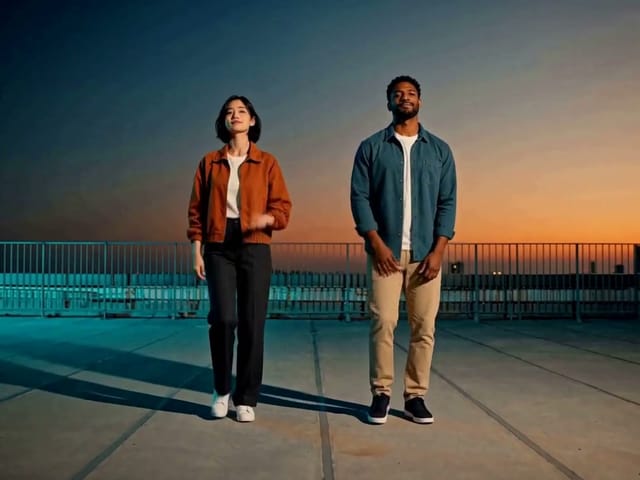
APT assigns different roles: singer and drummer. Rap Duo places two performers on a rooftop; Hotel Lobby uses a separate performance scene. Compare their examples to choose the setting that fits your pair.

Choose a related creative workflow

Choose by the input you have and the result you want to make.

15-second rooftop duo performance

Rooftop rap duo

Compare the example and input requirements before choosing a workflow for your idea.

Explore tool
Hotel Lobby AI Video Generator — thematic cover illustration

Hotel Lobby performance

Compare the example and input requirements before choosing a workflow for your idea.

Explore tool
AI Video Generator — thematic cover illustration

More video creation

Compare the example and input requirements before choosing a workflow for your idea.

Explore tool

Start with your two portraits

Choose a singer photo and a drummer photo, then check the displayed credits.